MPC Plugins / Effects / community plugins
Ashy to Classy
Free MPC Effect plugin by The Disk King · v2.0.0 · Nov 24, 2026 · 34 downloads
34
Downloads
2
GitHub stars
v2.0.0
Latest version
Nov 24, 2026
Updated
User rating
★★★★★ 5.0 from 2 ratings
Used it? Rate it:
All screens · tap to see full size
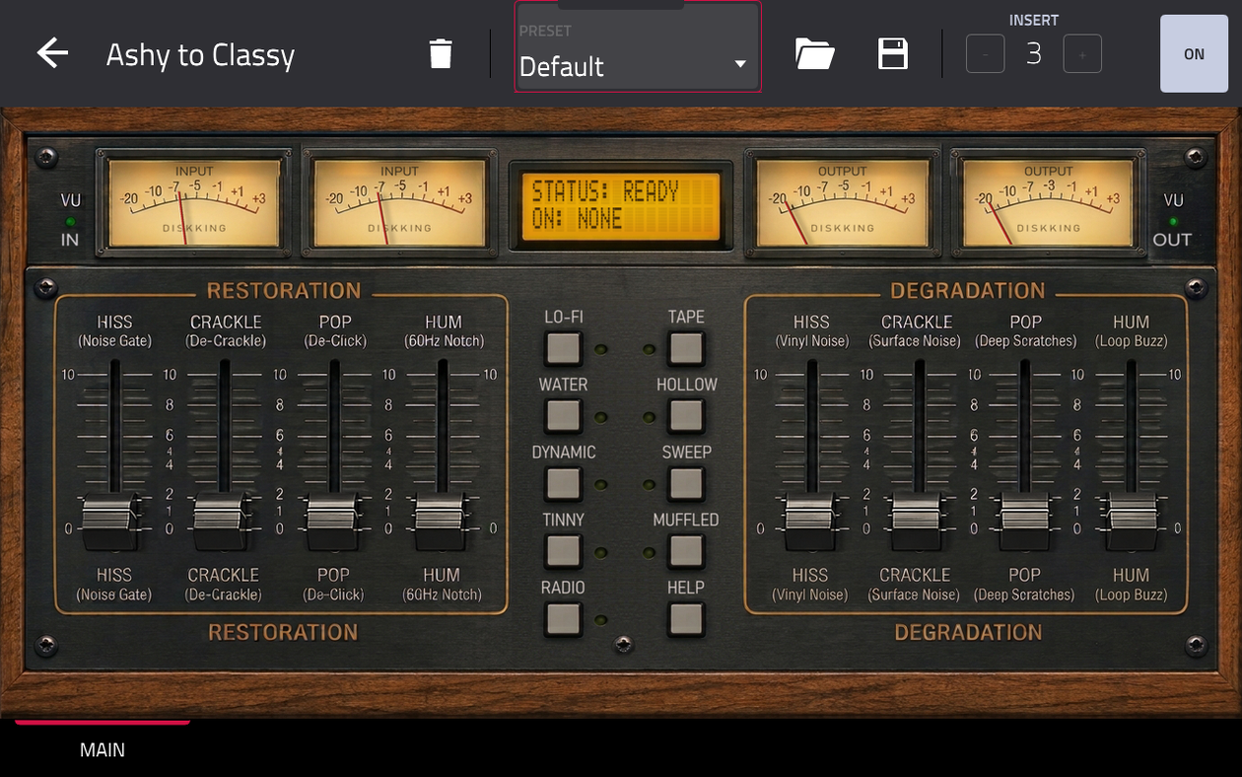
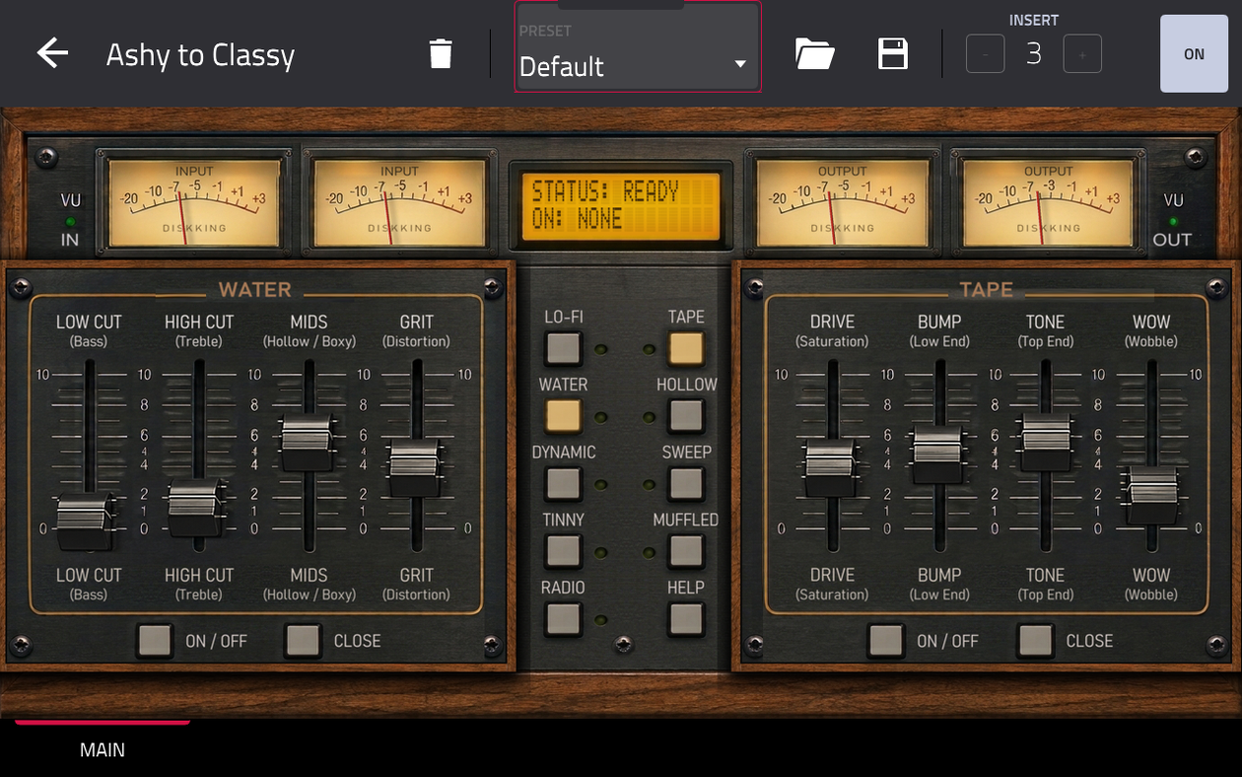
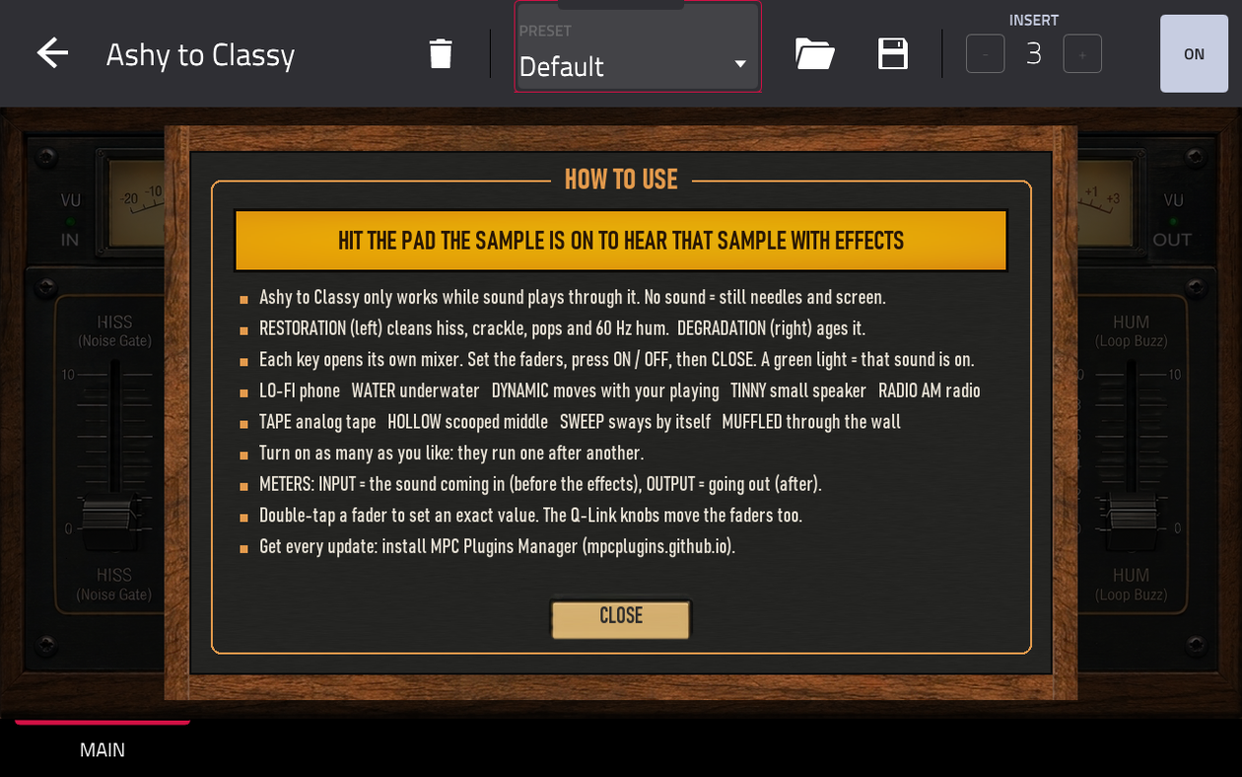
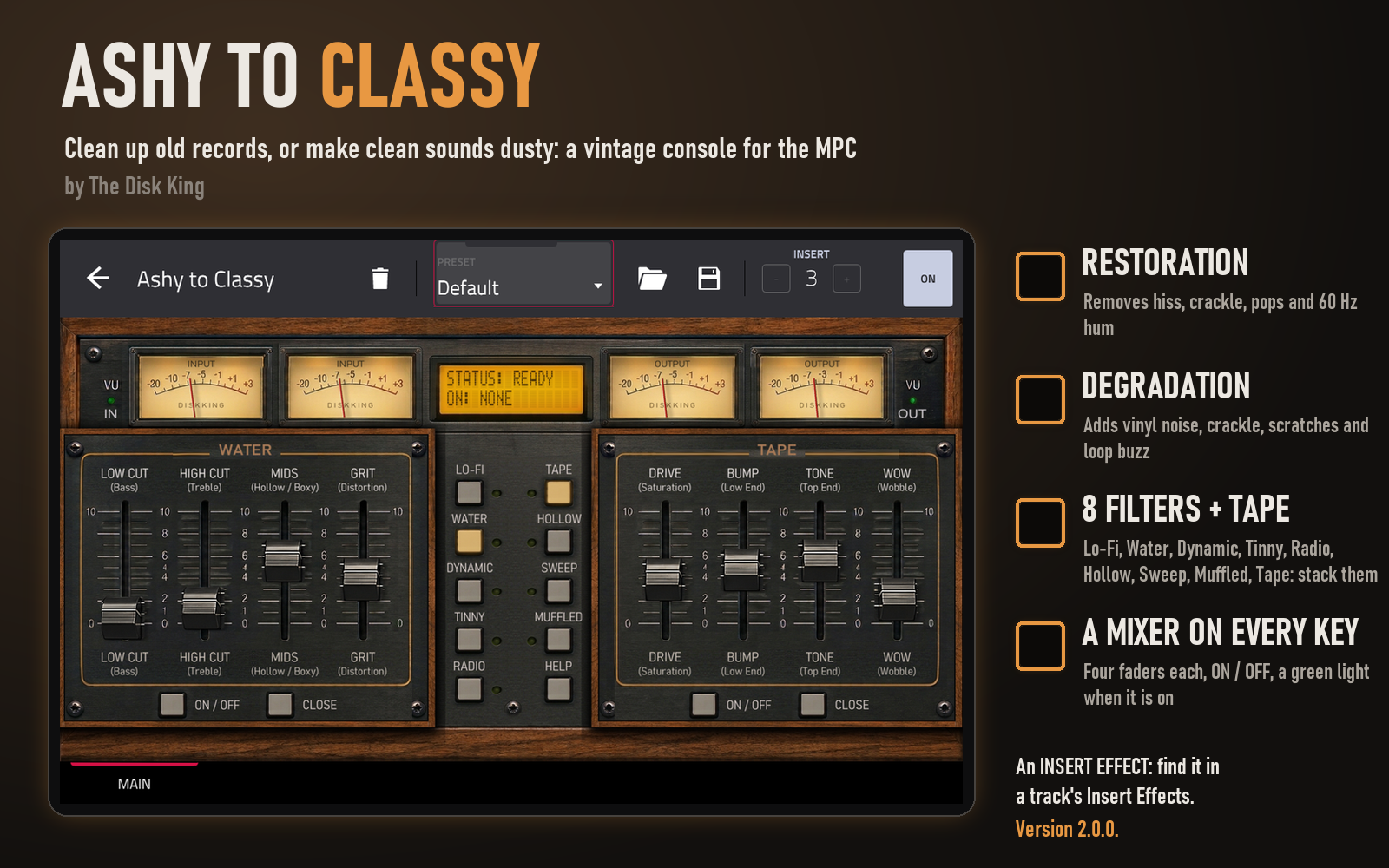
Ashy to Classy by The Disk King: a vintage console insert effect for the MPC. The left side cleans up old records (hiss, crackle, pops, 60 Hz hum); the right side makes clean sounds dusty (vinyl noise, surface crackle, deep scratches, loop buzz). Ten keys, each with its own 4-fader mixer: eight stackable filters (Lo-Fi, Water, Dynamic, Tinny, Radio, Hollow, Sweep, Muffled) and a real analog Tape (drive, head bump, tone, wow). Four INPUT / OUTPUT meters in real dB and an amber 16 x 2 LCD. Find it in a track's Insert Effects.
Download Ashy to Classy v2.0.0
✓ Tested & working
The creator reports testing this exact version on real hardware: Akai MPC Live III, MPC OS 3.10.1. This is the creator's own report, not a guarantee from The Disk King. Still back up first.
✓ Safety check passed
- ✓ Download matches the checksum GitHub lists
- ✓ Built for: Akai SDK
- ✓ Runs on: MPC OS 2.x and 3.x
- ✓ No internet, web server, program-launching or system-changing functions found
- ✓ Nothing risky found in its installer
An automatic look at the files, not a guarantee: it can't see everything a program does. Always back up first.
Disclaimer: use entirely at your own risk
This plugin is made, owned and shared by an independent developer, not by The Disk King and not by Akai Professional or inMusic. The Disk King only lists it; the download comes directly from the developer's GitHub. The Disk King did not make, test, review or check it for safety and makes no promise that it works, is safe, or is free of bugs or harmful code.
Plugins install into your MPC's system and can crash it, corrupt or lose projects and samples, or require reinstalling MPC OS. Save your work and back up your MPC before installing anything.
Everything here is provided "as is", with no warranty of any kind. To the fullest extent the law allows, The Disk King is not responsible or liable for any damage, data loss, device failure, lost income or any other harm from downloading, installing or using any plugin listed here. By downloading or installing, you accept all risk and full responsibility. Full disclaimer.
Works on both Gen1 and Gen2: MPC OS 3.10.1 or later (Akai SDK)
Ashy-to-Classy-2.0.0-mpc-sdk.zip 13.5 MB
sha256: 87b1dcf73e9bc72b384981f5bc1ed98e35ff24404872cb2e345d634c316ae97b
Downloads come straight from the creator's GitHub. Check the sha256 matches before installing. New to plugins? How to install plugins on MPC OS 3.10.1.
✓ Easy install on MPC OS 3.10.1: copy one folder
- Works-on-both download: unzip it and copy
The Disk King - VST - Ashy to ClassyintoVST2 Pluginson your drive.
Turn on External Plugin Support first. Full step-by-step guide.
Tested working on
- Akai MPC Live III, MPC OS MPC OS 3.10.1 (Nov 24, 2026)
Version history
v2.0.0 Nov 24, 2026 · 12 downloads
**Ten new keys, each with its own mixer: eight filters and a real analog TAPE. New INPUT / OUTPUT meters with DISKKING.** 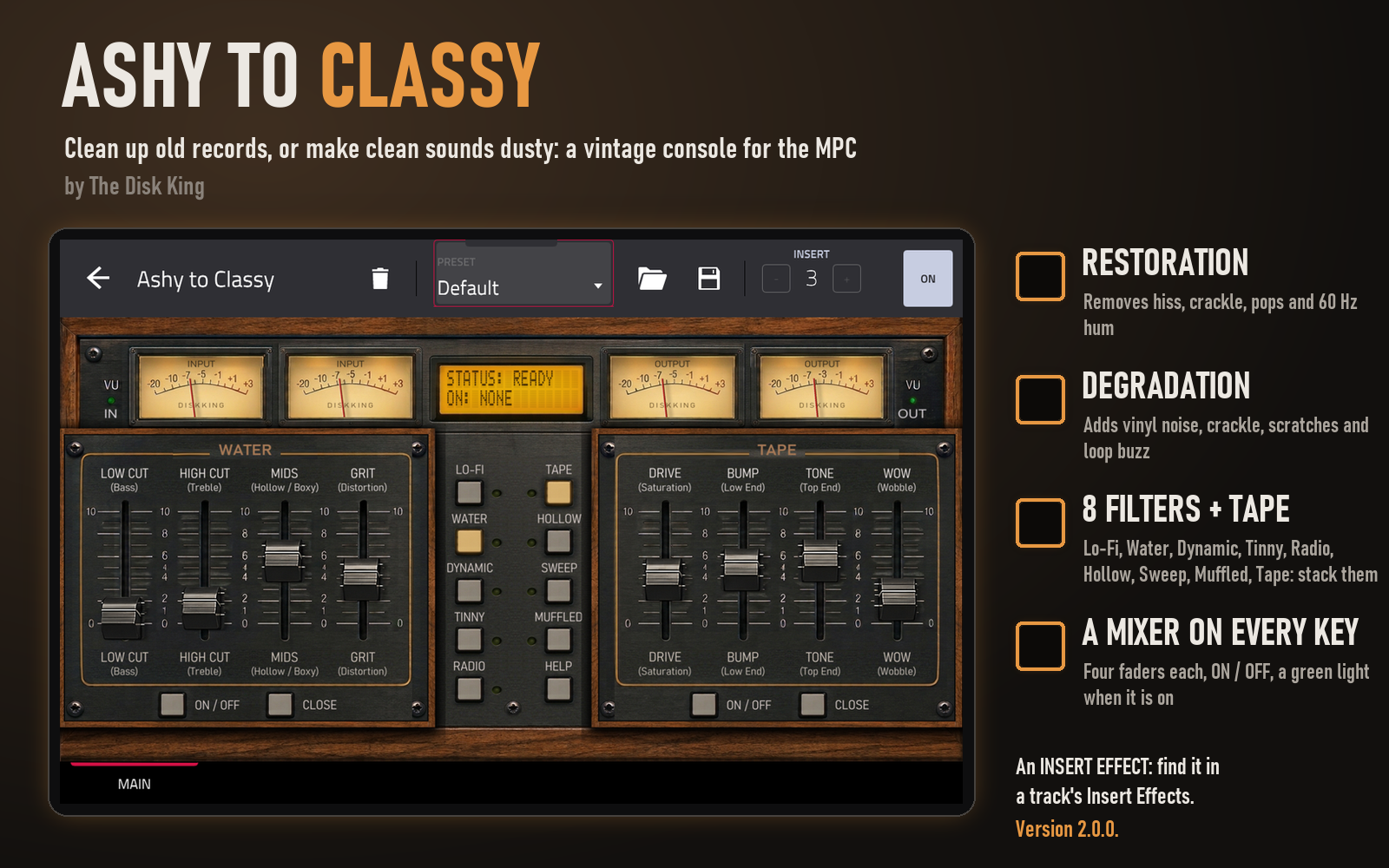 - **Ten keys in the middle:** LO-FI, WATER, DYNAMIC, TINNY, RADIO (left) and TAPE, HOLLOW, SWEEP, MUFFLED, HELP (right). Tap a key and its **mixer** opens over that side of the console: four faders, **ON / OFF** and **CLOSE**. A **green light** beside a key = that sound is on. - **Eight filters:** LO-FI (telephone), WATER (underwater), DYNAMIC (opens and closes with your playing), TINNY (small speaker), RADIO (AM radio), HOLLOW (scooped, ghostly), SWEEP (sways by itself, smooth or in steps), MUFFLED (through the wall). The still ones share LOW CUT, HIGH CUT, MIDS and GRIT; each keeps its own settings and starts on a sound that already works. - **Real analog TAPE:** DRIVE (saturation that hits the highs first, like tape), BUMP (the low-end head bump), TONE (top roll-off) and WOW (wow and flutter). - **Stack them:** turn on as many keys as you like; they run one after another. - **New meters:** no more IN / OUT plates; the faces say INPUT and OUTPUT, with The Disk King's DISKKING at the bottom. - **The added vinyl noise only plays while your music plays:** no sound in, no noise out. - **Presets move the panel:** pick a preset and the knobs, switches and buttons on the panel go to its settings. 16 presets, starting on **Default** (everything off), plus new ones for every key: Old Radio, Long Distance, Water, Dynamic, Tinny, Hollow, Sweep, Muffled, Hot Tape. - **Gone:** BYPASS (use the MPC's own ON key in the plugin header), PLAY / STOP-EXPORT (resample on the MPC) and RPM (now TAPE's WOW fader). The RESTORATION and DEGRADATION faders are unchanged and your old projects still open. **It is an EFFECT: find it in Insert Effects** (Mixer or a track's Insert Effects → External Plugins → The Disk King → Ashy to Classy). Tested on an Akai MPC Live III, MPC OS 3.10.1. Install: copy `The Disk King - VST - Ashy to Classy` into `VST2 Plugins` on your MPC's internal drive (MPC OS 3.10.1+, Enhancements and External Plugin Support on), or install it with MPC Plugins Manager (it also brings you every update). Updating: replace the old folder, then remove the plugin from its insert slot and add it again. Provided as is, with no warranty. Use at your own risk; The Disk King is not responsible in any way for any loss or damage.
v1.2.1 Nov 22, 2026 · 14 downloads
**Cleaner panels.** A small look update to 1.2.  - **No more orange Q-Link box** drawn over the RESTORATION and DEGRADATION panels. The Q-Link knobs still work the same (top row = Restoration faders, second row = Degradation faders). - **The selected-fader outline is now very faint** (10% opacity), so it no longer covers the art. - Everything else is the same as 1.2.0: four IN / OUT meters in real dB, the 16 x 2 amber LCD, HELP, record and export. Your 1.0 and 1.2 projects still open. **It is an EFFECT: find it in Insert Effects** (Mixer or a track's Insert Effects → External Plugins → The Disk King → Ashy to Classy), then **hit the pad the sample is on** to hear it. Tested on an Akai MPC Live III, MPC OS 3.10.1. Install: copy `The Disk King - VST - Ashy to Classy` into `VST2 Plugins` on your MPC's internal drive (MPC OS 3.10.1+, Enhancements and External Plugin Support on), or install it with MPC Plugins Manager. Updating: replace the old folder, then remove the plugin from its insert slot and add it again. Provided as is, with no warranty. Use at your own risk; The Disk King is not responsible in any way for any loss or damage.
v1.2.0 Nov 22, 2026 · 4 downloads
**New look and four meters.** A fresh console with **IN** and **OUT** meter pairs, so you can see exactly what the effects do to your level.  - **Four VU meters in real dB:** the **IN** pair shows the sound coming in (before the effects), and the **OUT** pair shows it going out (after). Use them to match levels, then compare with BYPASS at the same loudness. The IN and OUT lights show when sound is coming in and going out. - **New artwork:** a wider console with IN / OUT plaques and a 16 x 2 amber dot-matrix LCD (status, what is on, and the value of any fader you move). - **HELP** explains where to put it: on a pad = that sample only, on a track = the whole track, on the Master = the whole beat. - **Fixed:** the Q-Link outline now sits exactly on the RESTORATION and DEGRADATION panels. - Your 1.0 projects still open: no settings were renamed or moved. **It is an EFFECT: find it in Insert Effects** (Mixer or a track's Insert Effects → External Plugins → The Disk King → Ashy to Classy), then **hit the pad the sample is on** to hear it. Tested on an Akai MPC Live III, MPC OS 3.10.1. Install: copy `The Disk King - VST - Ashy to Classy` into `VST2 Plugins` on your MPC's internal drive (MPC OS 3.10.1+, Enhancements and External Plugin Support on), or install it with MPC Plugins Manager. Updating from 1.0: replace the old folder, then remove the plugin from its insert slot and add it again. Provided as is, with no warranty. Use at your own risk; The Disk King is not responsible in any way for any loss or damage.
v1.0.0 Nov 22, 2026 · 4 downloads
**First release.** A vintage console for the MPC: clean up old records, or make clean sounds dusty.  **It is an EFFECT: find it in Insert Effects.** It is not in the Plugin track list. Open the Mixer (or a track's Insert Effects), tap an empty Insert slot and choose External Plugins → The Disk King → Ashy to Classy. Then **hit the pad the sample is on** to hear it with the effects: the plugin only runs while sound plays through it. Tap HELP on the console any time. - **Restoration:** hiss, crackle, pop and 60 Hz hum removal. - **Degradation:** vinyl noise, surface crackle, deep scratches, loop buzz. - **Lo-Fi, Tape, RPM** (wow and flutter) and **Bypass**. - **Level meters in real dB**, an amber 20 x 2 LCD, HELP pop-up, 7 presets, Q-Links on all faders. - **Record and export** the processed pad as a WAV (`Ashy to Classy Saves` on the drive). Known limit: crackle and pop removal is gentle in 1.0; a stronger de-crackler is planned. Tested on an Akai MPC Live III, MPC OS 3.10.1. Install: copy `The Disk King - VST - Ashy to Classy` into `VST2 Plugins` on your MPC's internal drive (MPC OS 3.10.1+, Enhancements and External Plugin Support on), or install it with MPC Plugins Manager. Provided as is, with no warranty. Use at your own risk; The Disk King is not responsible in any way for any loss or damage.
More plugins like this
MPC Plugins Manager
by The Disk King · v1.5.1 · 144 downloads
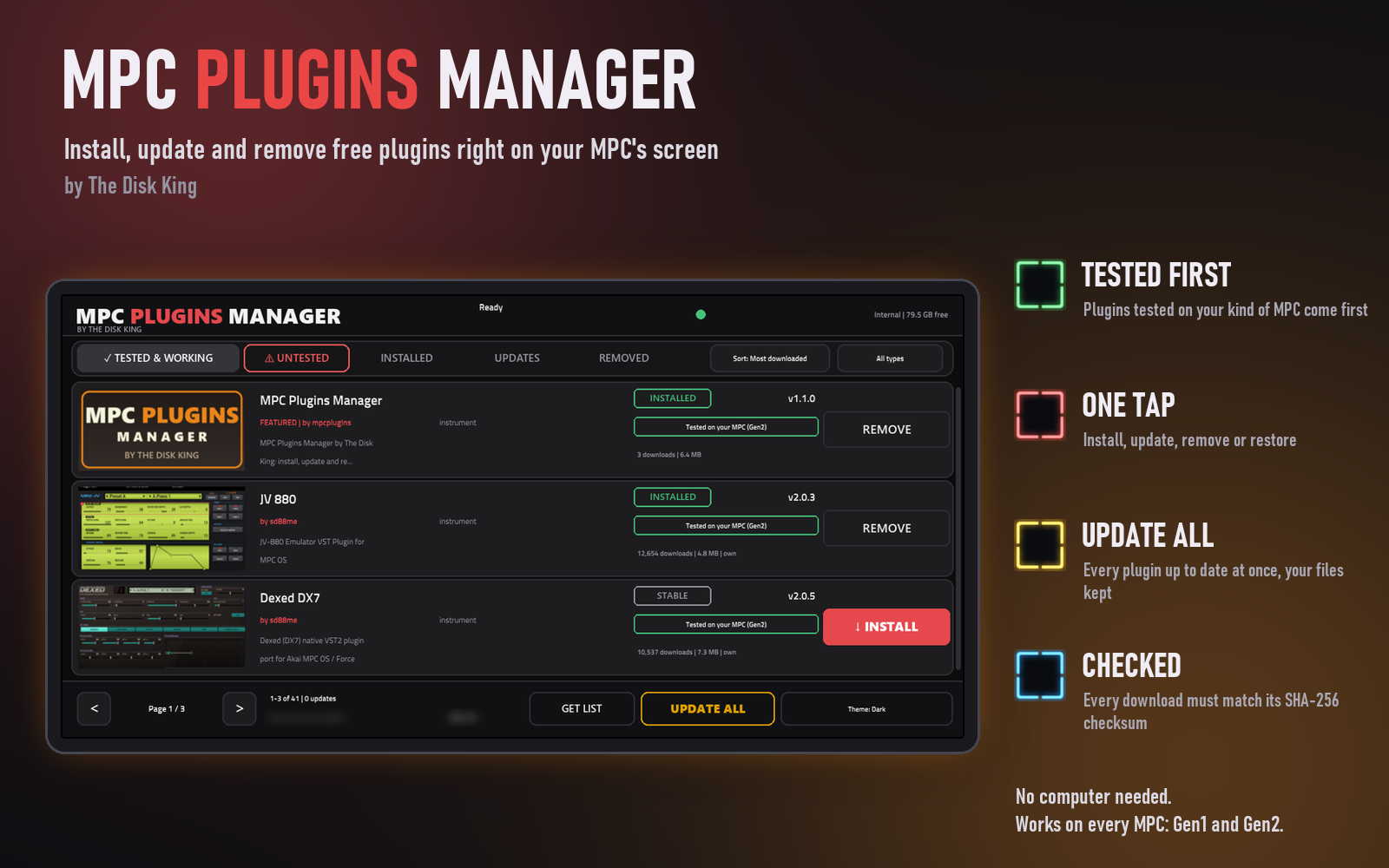
MPC Plugins Manager by The Disk King: install, update and remove free plugins right on your Akai MPC.
MPC Plugin Scanner
by The Disk King · v1.2.0 · 52 downloads
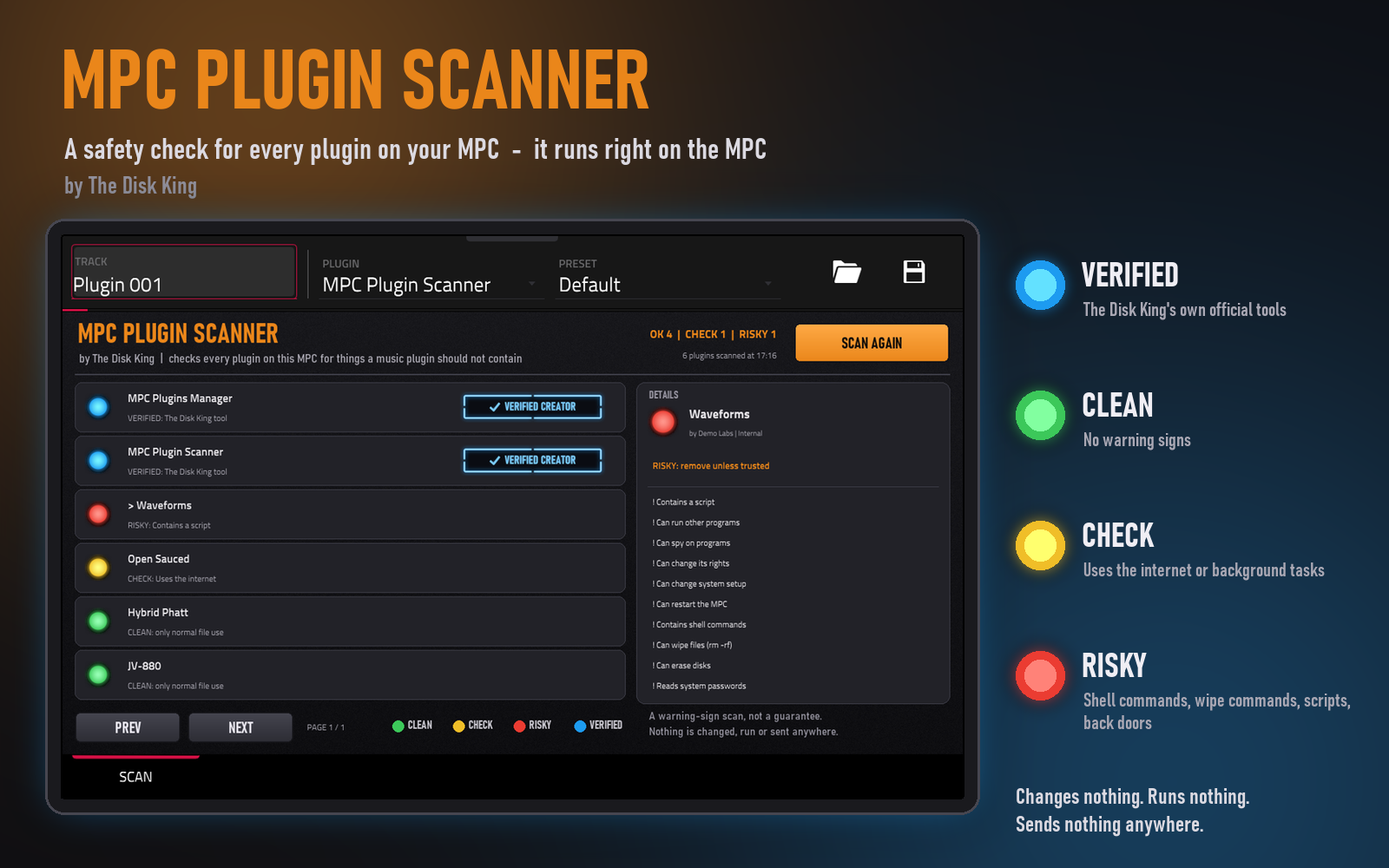
MPC Plugin Scanner by The Disk King: a safety check that runs on your MPC. It looks inside every installed plugin, from any maker, and gives each a light with the reasons: red RISKY (shell commands, wipe commands, hidden scripts, back doors, system changes), yellow CHECK (internet use), green CLEAN, and blue VERIFIED CREATOR for The Disk King's own official tools. Changes nothing, sends nothing.
Trifecta Workstation
by The Disk King · v0.1.1 · 38 downloads
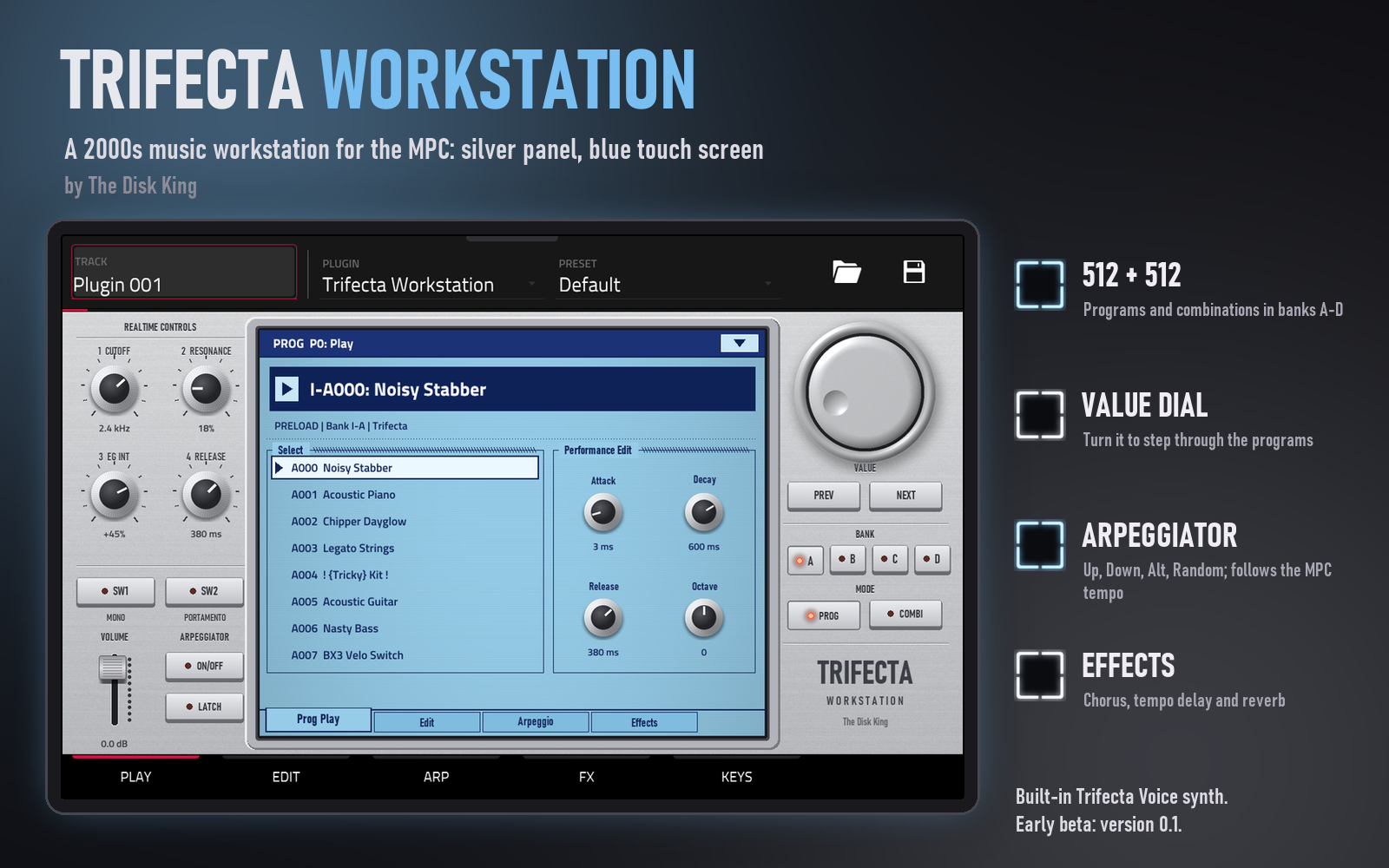
Trifecta Workstation by The Disk King: a 2000s-style workstation for the MPC with a blue touch screen, 512 programs and 512 combis, a VALUE dial, arpeggiator, chorus, delay and reverb. Plays its built-in Trifecta Voice synth. The original Korg Triton sounds cannot be included: bring your own (sound loading planned for 0.2). Early beta.
Hybrid Phatt
by The Disk King · v0.2.0 · 34 downloads
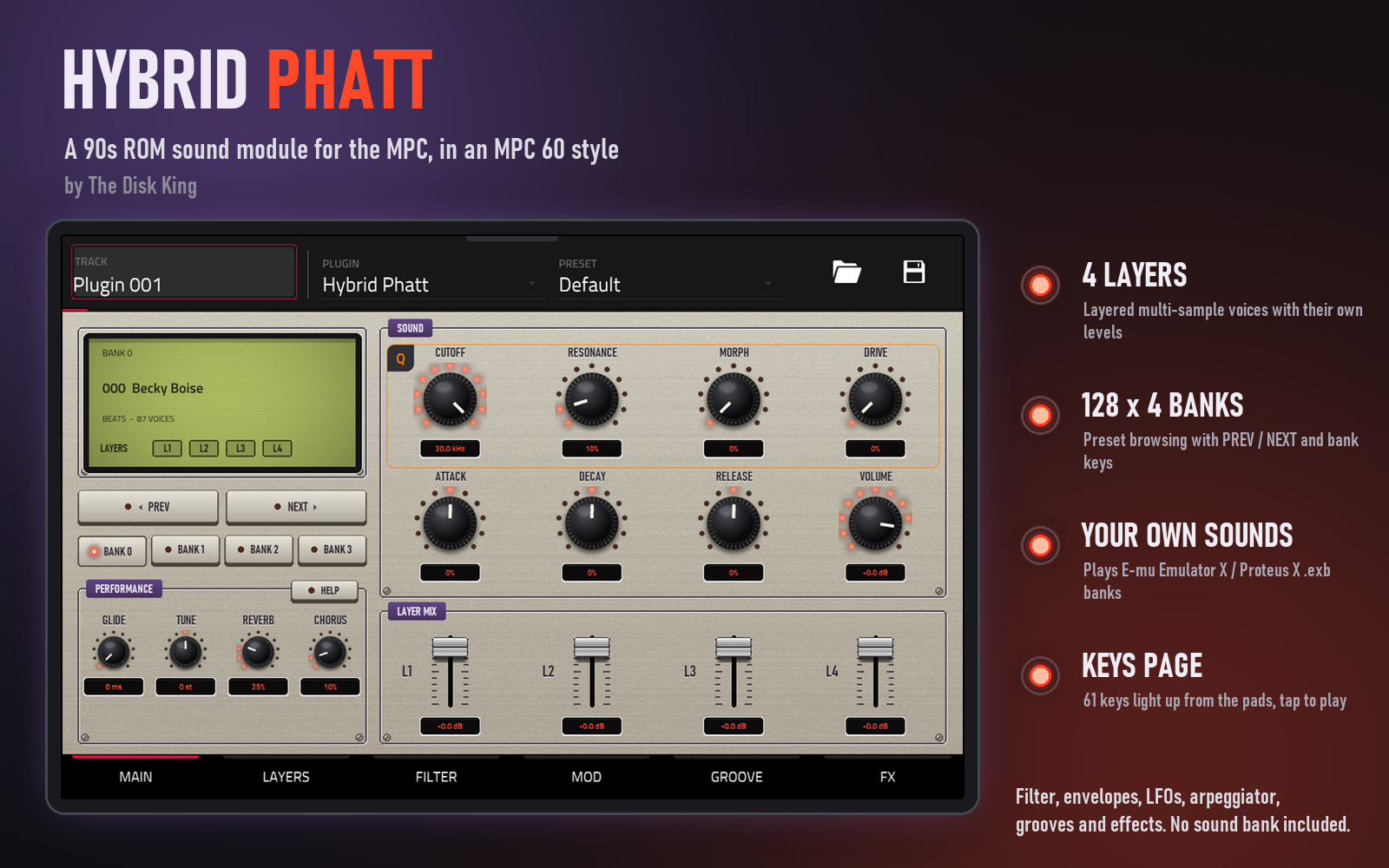
Hybrid Phatt by The Disk King: a 90s-style ROM sound module for the MPC, styled as a cross between an MPC 60 and the E-mu Phatt. Layered presets (4 layers), filter, envelopes, LFOs, arpeggiator, grooves, FX and a KEYS page that lights up as you play the pads. Load your own E-mu .exb sound set (no sound bank included).
Reel to Real
by The Disk King · v1.1.1 · 30 downloads
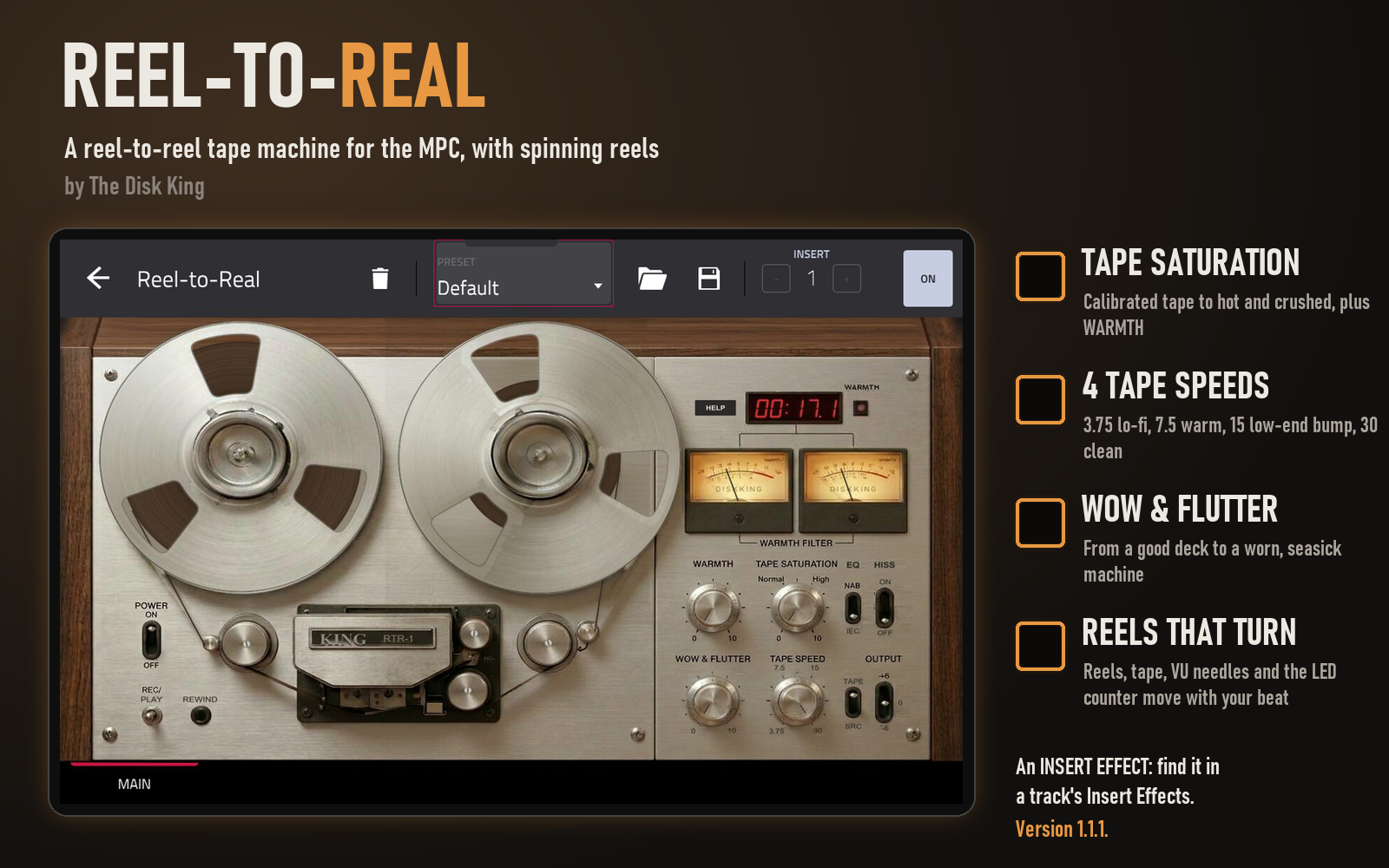
Reel-to-Real by The Disk King: a reel-to-reel tape machine insert effect for the MPC. Tape saturation, warmth, wow & flutter, tape speeds 3.75 to 30 ips, NAB / IEC tape EQ, hiss, tape stop and WAV recording. The reels really turn, the tape moves, the VU needles and the LED counter run. 11 presets. Find it in a track's Insert Effects.
Warm Front Compressor
by The Disk King · v1.0.1 · 22 downloads
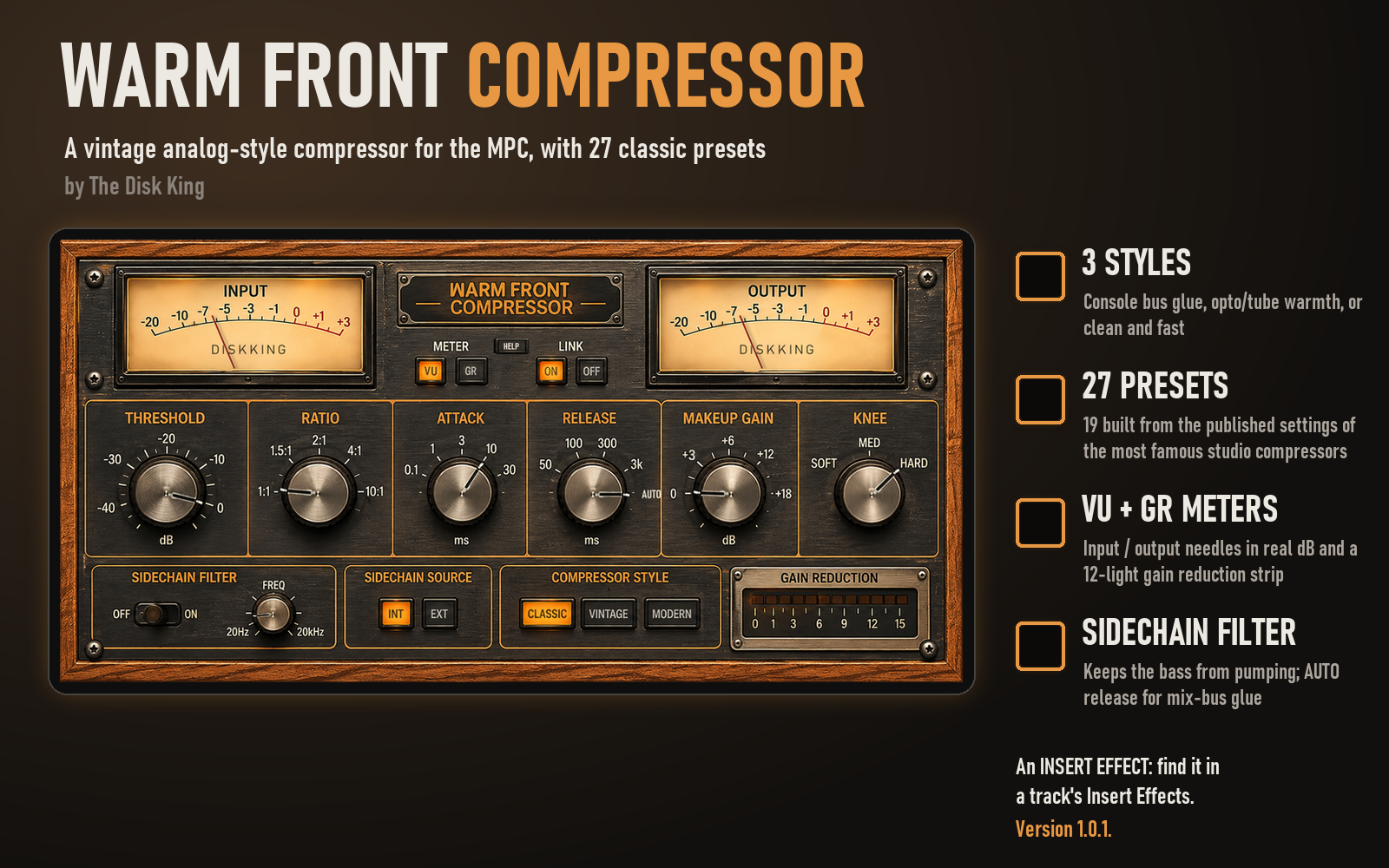
Warm Front Compressor by The Disk King: a vintage analog-style stereo compressor insert effect for the MPC. CLASSIC (console bus glue with AUTO release), VINTAGE (opto/tube warmth) and MODERN styles, sidechain filter, INPUT / OUTPUT VU meters in real dB and a gain-reduction LED strip. 27 presets, 19 built from the published settings of famous studio compressors (console bus, FET, opto, vari-mu, VCA, diode). Find it in a track's Insert Effects.
dkx 160 Compressor
by The Disk King · v1.0.1 · 21 downloads
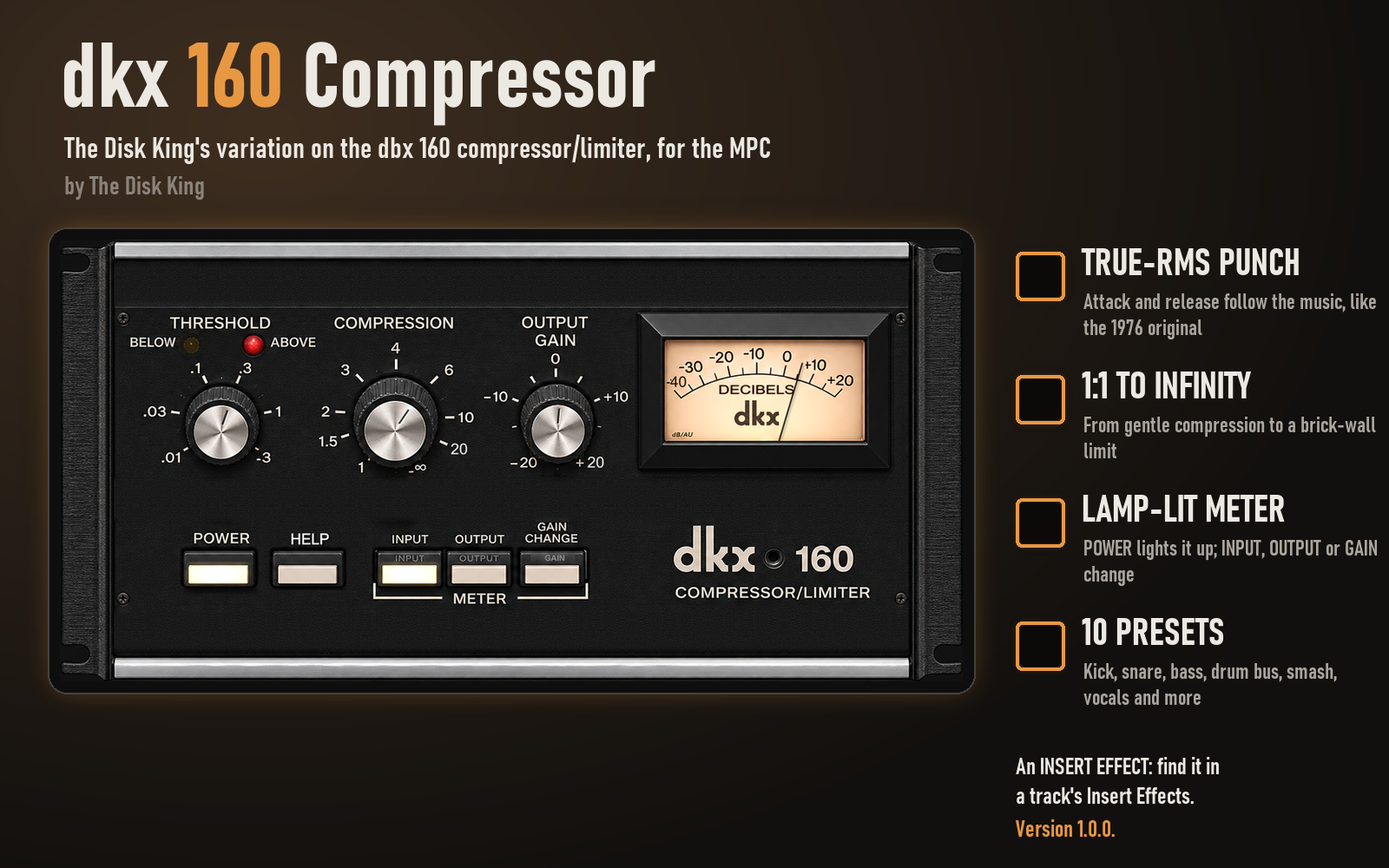
The Disk King X, dkx 160 Compressor, inspired by the dbx 160. A classic 1976 VCA compressor/limiter as an MPC insert effect. True-RMS detection with automatic attack and release (the 160's punch), threshold 10 mV to 3 V, compression 1:1 to infinity, output gain +-20 dB, amber BELOW / red ABOVE lights, lamp-lit meter (input, output, gain change). 10 presets: Drum Bus Punch, Kick Punch, Snare Crack, Bass Leveler, Vocal Leveler, Drum Smash, Mix Bus Gentle, Peak Limiter 10:1, Hard Limit Inf, Clean Line Amp. Find it in a track's Insert Effects.
Diskking 670 Compressor
by The Disk King · v1.0.2 · 19 downloads
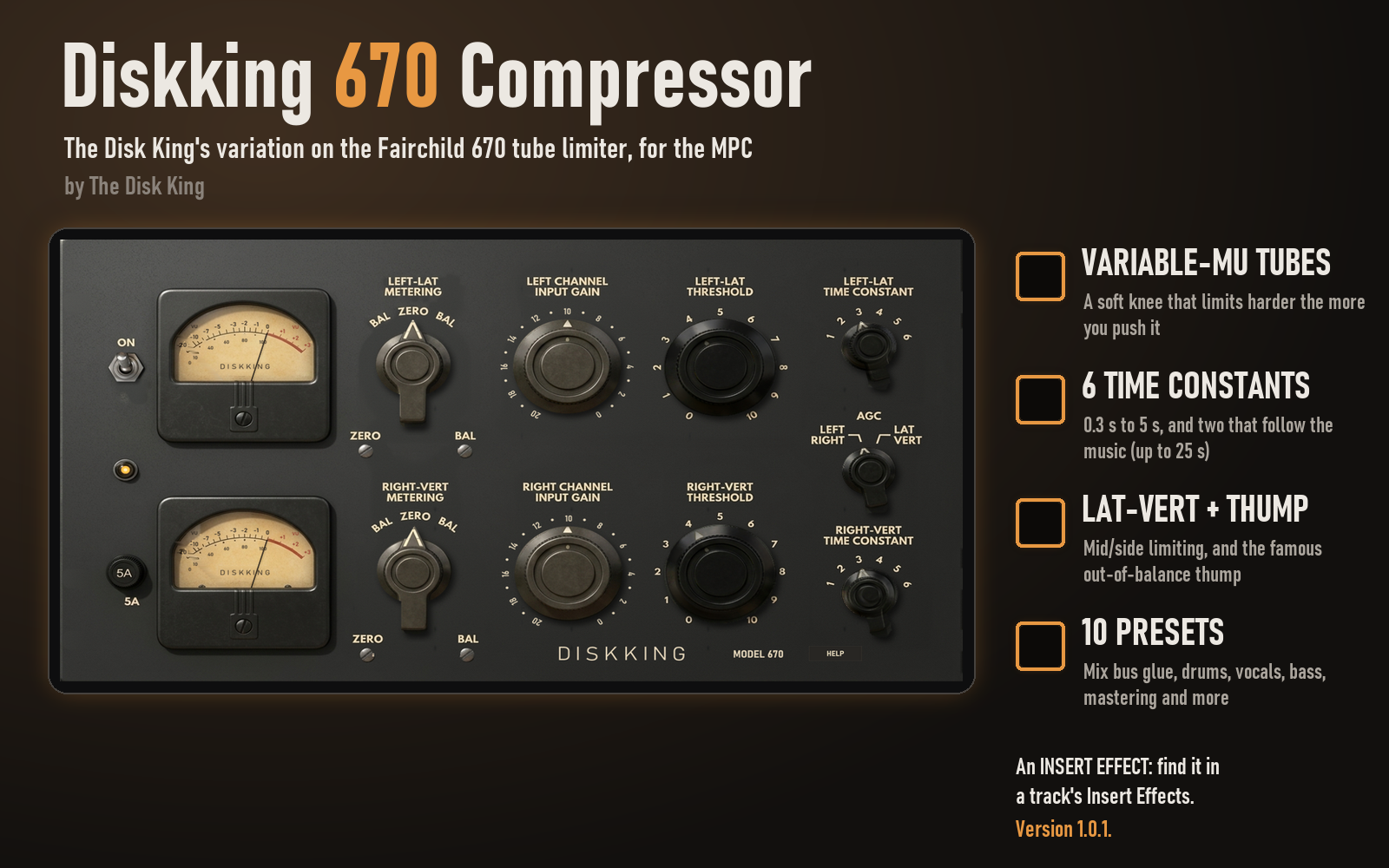
Diskking 670 Compressor by The Disk King: Inspired by the Fairchild 670 two-channel variable-mu tube limiter. An MPC insert effect. Stepped input gain (1 dB clicks), threshold, six time constants (two program-dependent), Left-Right or Lat-Vert (mid/side), balance thump, gain-reduction meters that rest on 0. 10 presets: Mix Bus Glue TC2, Lat-Vert Bus TC5, Vocal Leveler TC1, Drum Squash TC1, Mastering TC3, Program Auto TC6, Bass Smooth TC4, Hard Limit TC2, Thump (Out of Bal), Clean Line Amp. Find it in a track's Insert Effects.
Made this plugin? Add our badge to your README
 Paste this into your GitHub README. It updates itself when your plugin gets the Tested & Working badge.
[](https://thediskking.com/plugins/ashy-to-classy/)