PotentialNoise
Free MPC Instrument plugin by PotentialBreakfast · v2.6.0 · Nov 19, 2026 · 4,235 downloads
4,235
Downloads
2
GitHub stars
v2.6.0
Latest version
Nov 19, 2026
Updated
User rating
No ratings yet. Be the first.
Used it? Rate it:
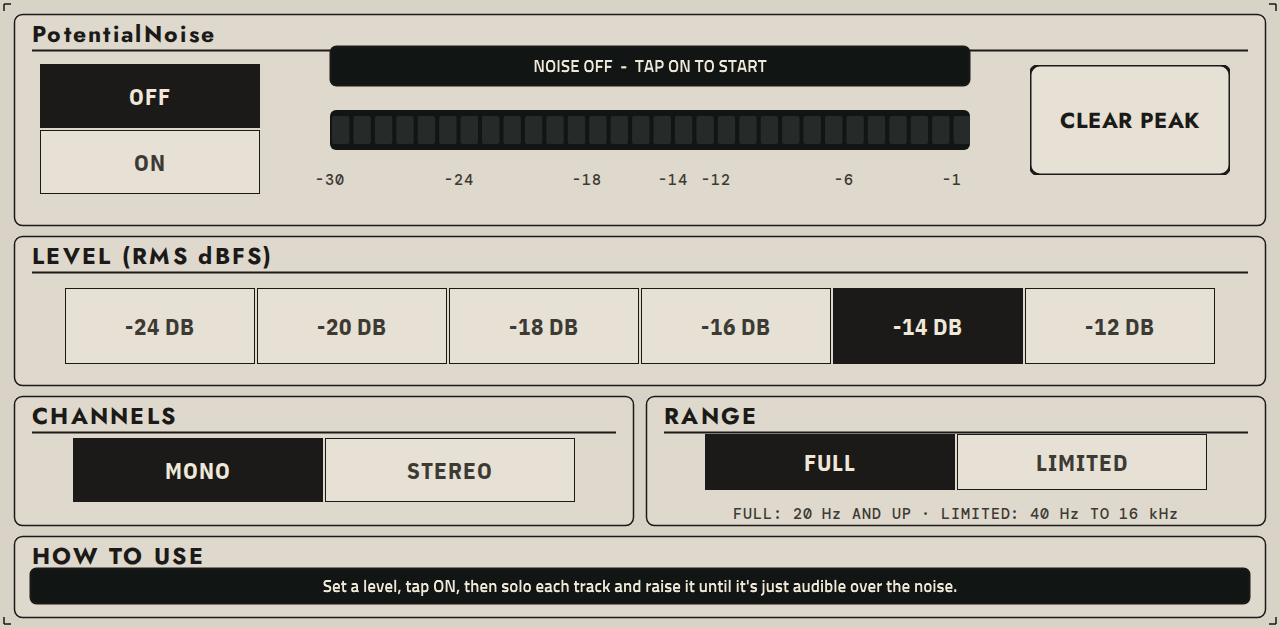
PotentialNoise: a calibrated pink noise mixing reference plugin for Akai MPC standalone
Free and open source (MIT), made by PotentialBreaks. It runs inside the MPC like its own instruments, with its own touchscreen page, Q-Link control and project recall, and no computer needed while you play.
Download PotentialNoise v2.6.0
✓ Tested & working
The creator reports testing this exact version on real hardware: MPC One, MPC OS 3.10.1. This is the creator's own report, not a guarantee from The Disk King. Still back up first.
✓ Safety check passed
- ✓ Download matches the checksum GitHub lists
- ✓ Built for: Gen1 (32-bit ARM), Gen2 (64-bit ARM), Akai SDK
- ✓ Runs on: MPC OS 2.x and 3.x / MPC OS 3.x
- ✓ No internet, web server, program-launching or system-changing functions found
- ✓ Nothing risky found in its installer
An automatic look at the files, not a guarantee: it can't see everything a program does. Always back up first.
Disclaimer: use entirely at your own risk
This plugin is made, owned and shared by an independent developer, not by The Disk King and not by Akai Professional or inMusic. The Disk King only lists it; the download comes directly from the developer's GitHub. The Disk King did not make, test, review or check it for safety and makes no promise that it works, is safe, or is free of bugs or harmful code.
Plugins install into your MPC's system and can crash it, corrupt or lose projects and samples, or require reinstalling MPC OS. Save your work and back up your MPC before installing anything.
Everything here is provided "as is", with no warranty of any kind. To the fullest extent the law allows, The Disk King is not responsible or liable for any damage, data loss, device failure, lost income or any other harm from downloading, installing or using any plugin listed here. By downloading or installing, you accept all risk and full responsibility. Full disclaimer.
Works on both Gen1 and Gen2: MPC OS 3.10.1 or later (Akai SDK)
PotentialNoise-2.6.0-akai-vst2.zip 3.5 MB
sha256: e663147424eb07a63fcb4e876a37253a030eb1d4d928cb25d6092e4d2475e073
Gen1: MPC Live, Live II, One, X, Key, Force
PotentialNoise-2.6.0-mpc-armv7.zip 3.6 MB
sha256: c1c47b55d081bde20aefb019ad472d7211eae32fe5dd953248fea588bdbe3c19
Gen2: MPC Live III, One G2, Key G2, XL
PotentialNoise-2.6.0-mpc-aarch64.zip 3.6 MB
sha256: 82d7f9836f3f8044e2362ef7fd43370c406b948d94f6275e7377b66d6d6d4152
Downloads come straight from the creator's GitHub. Check the sha256 matches before installing. New to plugins? How to install plugins on MPC OS 3.10.1.
✓ Easy install on MPC OS 3.10.1: copy one folder
- Works-on-both download: unzip it and copy
PotentialBreaks - VST - PotentialNoiseintoVST2 Pluginson your drive. - Gen1 download: unzip it and copy
PotentialBreaks - VST - PotentialNoise(insidePotentialNoise-2.6.0/portable/) intoVST2 Pluginson your drive. - Gen2 download: unzip it and copy
PotentialBreaks - VST - PotentialNoise(insidePotentialNoise-2.6.0/portable/) intoVST2 Pluginson your drive.
Turn on External Plugin Support first. Full step-by-step guide.
Tested working on
- MPC One, MPC OS MPC OS 3.10.1 (Nov 19, 2026)
Version history
v2.6.0 Nov 19, 2026 · 580 downloads
**PotentialNoise 2.6.0** - New **Hi-Fi** look (the fifth on the LOOK selector, from PotentialBox): walnut cheeks, a brushed charcoal faceplate, raised panels, domed knobs lit in the plugin's colour, moulded cream keys and green glass displays. - The LOOK selector now has five looks: Print Plate, Night Rack, Colour Block, Vintage and Hi-Fi.
v2.5.1 Nov 15, 2026 · 685 downloads
**PotentialNoise 2.5.1** - **Loads about 100 times faster.** It used to measure its own noise every time it loaded (6 seconds of noise for each of its 12 signals), which took about 140 ms on an MPC One. The levels are now built in, the same calibrated numbers, so it loads in well under a millisecond like the rest of the suite. Levels and sound are unchanged.
v2.5.0 Nov 15, 2026 · 319 downloads
**PotentialNoise 2.5.0** - **A fourth look: Vintage.** A late-80s drum machine: warm grey panel, cream keys with a hard shadow, an amber display, and PotentialNoise's own colour for what's selected. It is Potential1200's look, now in the whole PotentialSuite. Pick it with the LOOK keys on the SETTINGS (or SETUP) page; Print Plate stays the default.
v2.4.0 Nov 14, 2026 · 494 downloads
**PotentialNoise 2.4.0** - **MANUAL page.** The plugin's manual is now on the MPC's screen: tap **MANUAL**, then the page buttons along the top (what it does, the controls, how it works with the other PotentialSuite plugins, and good-to-know notes). The full PotentialSuite manual is on the [PotentialSuite page](https://github.com/PotentialBreakfast/potential-plugins). - One parameter was added at the end of the list (Manual Page); saved projects open as before. Sound and controls are unchanged. **Downloads** - **`PotentialNoise-2.4.0-akai-vst2.zip`**: for **MPC OS 3.10.1 or later**, any standalone MPC (32-bit and 64-bit). Turn on **External Plugin Support** in Preferences → Enhancements (Beta), unzip, and copy the folder into **VST2 Plugins** at the top of a drive. See the [install guide](https://github.com/PotentialBreakfast/mpc-vst-potentialnoise/blob/main/INSTALL-GUIDE.md). - **`PotentialNoise-2.4.0-mpc-sdk.zip`**: the same plugin folder in the Open MPC catalog's 3.10.1 format (one folder for every MPC). - **`PotentialNoise-2.4.0-mpc-armv7.zip`**: for Gen1 MPCs with the community plugin set-up on older MPC OS 3.x. Install it with the [Open MPC](https://open-mpc.github.io/) installer app, or follow `INSTALL.md` inside the zip. Save your project first, because installing restarts the MPC. - **`PotentialNoise-2.4.0-mpc-aarch64.zip`**: the same for Gen2 MPCs (MPC Live III, XL), installed by the Open MPC Plugin Manager. Install it one way only. Ideas, bugs and criticism are all welcome: [open an issue](https://github.com/PotentialBreakfast/mpc-vst-potentialnoise/issues/new/choose).
v2.3.0 Nov 13, 2026 · 410 downloads
**PotentialNoise 2.3.0** - **SIGNAL**: four things to play, one tap each. **PINK NOISE** (as before), **TEST TONE** (a steady sine at 1 kHz, 100, 60 or 40 Hz, at the LEVEL you pick: 1 kHz for gain staging, the low ones to hear how far down your speakers go), **OCTAVE BAND** (pink noise in one octave only, 31 Hz to 16 kHz, to balance the tracks in that range) and **SPEAKER CHECK** (left, right, both in phase, both out of phase, 2 seconds each, with the tip line saying which: a quick check that your speakers are the right way round and wired in phase). - Switching signal, tone, band, channels or range while it plays fades out and back in, so there are no clicks. - The GUIDE page switches to pink noise when it starts. - The settings under SIGNAL change with it. Three parameters were added at the end of the list (Signal, Tone, Octave Band); saved projects open as before. **Downloads** - **`PotentialNoise-2.3.0-akai-vst2.zip`**: for **MPC OS 3.10.1 or later**, any standalone MPC (32-bit and 64-bit). Turn on **External Plugin Support** in Preferences → Enhancements (Beta), unzip, and copy the folder into **VST2 Plugins** at the top of a drive. See the [install guide](https://github.com/PotentialBreakfast/mpc-vst-potentialnoise/blob/main/INSTALL-GUIDE.md). - **`PotentialNoise-2.3.0-mpc-sdk.zip`**: the same plugin folder in the Open MPC catalog's 3.10.1 format (one folder for every MPC). - **`PotentialNoise-2.3.0-mpc-armv7.zip`**: for Gen1 MPCs with the community plugin set-up on older MPC OS 3.x. Install it with the [Open MPC](https://open-mpc.github.io/) installer app, or follow `INSTALL.md` inside the zip. Save your project first, because installing restarts the MPC. - **`PotentialNoise-2.3.0-mpc-aarch64.zip`**: the same for Gen2 MPCs (MPC Live III, XL), installed by the Open MPC Plugin Manager. Install it one way only. Ideas, bugs and criticism are all welcome: [open an issue](https://github.com/PotentialBreakfast/mpc-vst-potentialnoise/issues/new/choose).
v2.2.0 Nov 13, 2026 · 363 downloads
**PotentialNoise 2.2.0** - **GUIDE page**: the pink-noise method one tap per track. Pull your faders down and tap **NEXT**: the noise comes on and the guide names each part of your beat in turn (kick, snare / clap, bass, hi-hats, percussion, main sample / chords, melody / lead, vocals, pads / texture, FX), with what to listen for. Parts you don't have are one tap to skip, **BACK** goes back one, and the last tap switches the noise off. **DRUMS FIRST** or **SAMPLE FIRST** sets the order, and your project remembers it. - Seven parameters were added at the end of the list for the page; saved projects open as before. **Downloads** - **`PotentialNoise-2.2.0-akai-vst2.zip`**: for **MPC OS 3.10.1 or later**, any standalone MPC (32-bit and 64-bit). Turn on **External Plugin Support** in Preferences → Enhancements (Beta), unzip, and copy the folder into **VST2 Plugins** at the top of a drive. See the [install guide](https://github.com/PotentialBreakfast/mpc-vst-potentialnoise/blob/main/INSTALL-GUIDE.md). - **`PotentialNoise-2.2.0-mpc-sdk.zip`**: the same plugin folder in the Open MPC catalog's 3.10.1 format (one folder for every MPC). - **`PotentialNoise-2.2.0-mpc-armv7.zip`**: for Gen1 MPCs with the community plugin set-up on older MPC OS 3.x. Install it with the [Open MPC](https://open-mpc.github.io/) installer app, or follow `INSTALL.md` inside the zip. Save your project first, because installing restarts the MPC. - **`PotentialNoise-2.2.0-mpc-aarch64.zip`**: the same for Gen2 MPCs (MPC Live III, XL), installed by the Open MPC Plugin Manager. Install it one way only. Ideas, bugs and criticism are all welcome: [open an issue](https://github.com/PotentialBreakfast/mpc-vst-potentialnoise/issues/new/choose).
v2.1.2 Nov 13, 2026 · 365 downloads
**PotentialNoise 2.1.2** - **CPU figure recorded.** Measured on an MPC One with the Open MPC bench: **PASS**, 1.6% of an audio block at the 99th percentile and 1.9% at worst, so it runs comfortably alongside a full project. It shows on the catalog card and in INSTALL.md. - Nothing else changed: same sound, controls and saved projects as 2.1.1. **Downloads** - **`PotentialNoise-2.1.2-akai-vst2.zip`**: for **MPC OS 3.10.1 or later**, any standalone MPC (32-bit and 64-bit). Turn on **External Plugin Support** in Preferences → Enhancements (Beta), unzip, and copy the folder into **VST2 Plugins** at the top of a drive. See the [install guide](https://github.com/PotentialBreakfast/mpc-vst-potentialnoise/blob/main/INSTALL-GUIDE.md). - **`PotentialNoise-2.1.2-mpc-sdk.zip`**: the same plugin folder in the Open MPC catalog's 3.10.1 format (one folder for every MPC). - **`PotentialNoise-2.1.2-mpc-armv7.zip`**: for Gen1 MPCs with the community plugin set-up on older MPC OS 3.x. Install it with the [Open MPC](https://open-mpc.github.io/) installer app, or follow `INSTALL.md` inside the zip. Save your project first, because installing restarts the MPC. - **`PotentialNoise-2.1.2-mpc-aarch64.zip`**: the same for Gen2 MPCs (MPC Live III, XL), installed by the Open MPC Plugin Manager. Install it one way only. Ideas, bugs and criticism are all welcome: [open an issue](https://github.com/PotentialBreakfast/mpc-vst-potentialnoise/issues/new/choose).
v2.1.1 Nov 13, 2026 · 365 downloads
**PotentialNoise 2.1.1** - **Ready for MPC OS 3.10.1's plugin folders.** Every download now carries the `plugin.json` that MPC OS 3.10.1 looks for, so the plugin folder can be copied by hand straight into `VST2 Plugins`. - **Gen2 MPCs in the Open MPC catalog.** A separate 64-bit download (`-mpc-aarch64.zip`), so the Plugin Manager can install it on Gen2 MPCs, and the catalog's 3.10.1 download (`-mpc-sdk.zip`). - Built with the current Open MPC kit. Sound, controls and saved projects are unchanged. **Downloads** - **`PotentialNoise-2.1.1-akai-vst2.zip`**: for **MPC OS 3.10.1 or later**, any standalone MPC (32-bit and 64-bit). Turn on **External Plugin Support** in Preferences → Enhancements (Beta), unzip, and copy the folder into **VST2 Plugins** at the top of a drive. See the [install guide](https://github.com/PotentialBreakfast/mpc-vst-potentialnoise/blob/main/INSTALL-GUIDE.md). - **`PotentialNoise-2.1.1-mpc-sdk.zip`**: the same plugin folder in the Open MPC catalog's 3.10.1 format (one folder for every MPC). - **`PotentialNoise-2.1.1-mpc-armv7.zip`**: for Gen1 MPCs with the community plugin set-up on older MPC OS 3.x. Install it with the [Open MPC](https://open-mpc.github.io/) installer app, or follow `INSTALL.md` inside the zip. Save your project first, because installing restarts the MPC. - **`PotentialNoise-2.1.1-mpc-aarch64.zip`**: the same for Gen2 MPCs (MPC Live III, XL), installed by the Open MPC Plugin Manager. Install it one way only. Ideas, bugs and criticism are all welcome: [open an issue](https://github.com/PotentialBreakfast/mpc-vst-potentialnoise/issues/new/choose).
v2.1.0 Nov 12, 2026 · 295 downloads
**PotentialNoise 2.1.0** - **Three looks.** A new default look, **Print Plate** (a warm printed panel), plus **Night Rack** (dark rack unit) and **Colour Block** (flat, big type), each in PotentialNoise's own colour. Pick one with the big LOOK keys on the SETTINGS page; it shows the next time the plugin loads (take it off and add it again, or load your project again), and it is remembered on your MPC for every project. - Sound, controls and saved projects are unchanged. One parameter was added at the end of the list (LOOK); it is never saved in a project. - **Akai's plugin folder format** for MPC OS 3.10.1 and later: a second download (`-akai-vst2.zip`) with 32-bit and 64-bit builds, so it now also runs on Gen2 MPCs. Copy the folder into `VST2 Plugins` and turn on External Plugin Support: no hacking needed. **Downloads** - **`PotentialNoise-2.1.0-akai-vst2.zip`**: for **MPC OS 3.10.1 or later**, any standalone MPC (32-bit and 64-bit). Turn on **External Plugin Support** in Preferences → Enhancements (Beta), unzip, and copy the folder into **VST2 Plugins** at the top of a drive. See the [install guide](https://github.com/PotentialBreakfast/mpc-vst-potentialnoise/blob/main/INSTALL-GUIDE.md). - **`PotentialNoise-2.1.0-mpc-armv7.zip`**: for Gen1 MPCs with the community plugin set-up on older MPC OS 3.x. Install it with the [Open MPC](https://open-mpc.github.io/) installer app, or follow `INSTALL.md` inside the zip. Save your project first, because installing restarts the MPC. Install it one way only. Ideas, bugs and criticism are all welcome: [open an issue](https://github.com/PotentialBreakfast/mpc-vst-potentialnoise/issues/new/choose).
v2.0.2 Nov 6, 2026 · 359 downloads
- Fixed: pressing **STOP** or **Overdub** while the MPC was playing could switch the noise on for a moment. The MPC's host briefly changes a plugin's first parameter when it re-prepares audio, and that was ON/OFF. That first slot now does nothing; ON/OFF is a new parameter at the end (same switch, same Q-Link). Saved projects open as before.
More plugins like this
PotentialBreaks
by PotentialBreakfast · v1.1.1 · 19 downloads
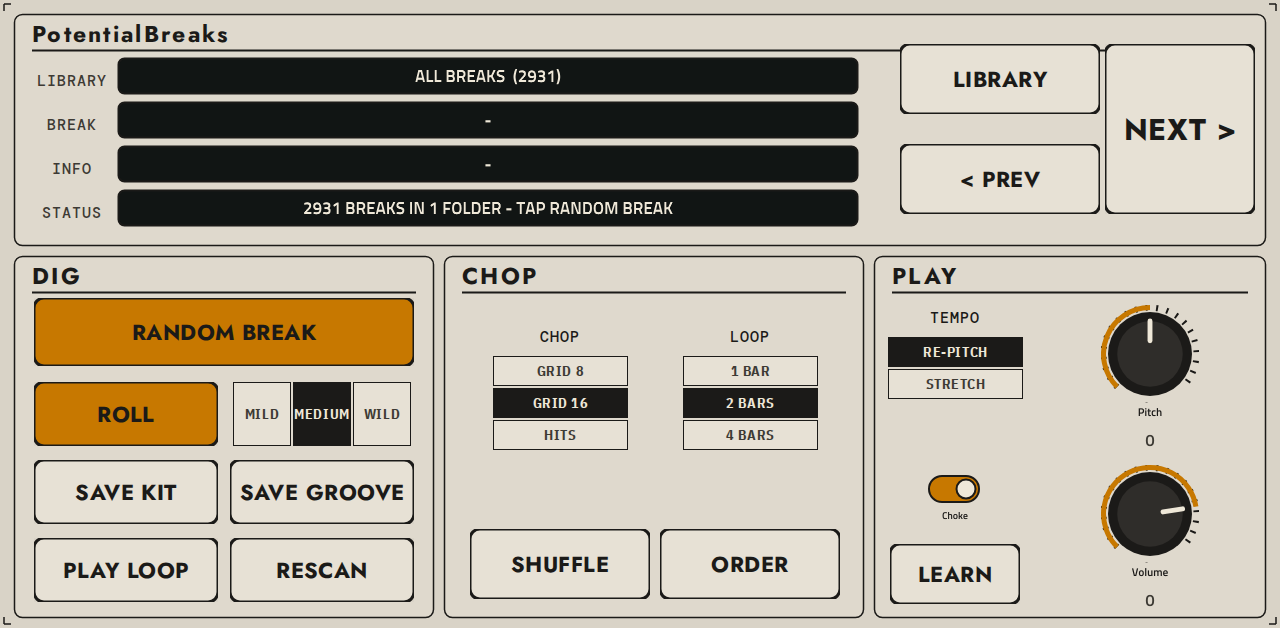
Free plugins for Akai MPC standalone: PotentialBreaks, PotentialWax, PotentialPatina, PotentialPunch, PotentialHeat, PotentialNoise
PotentialCrates
by PotentialBreakfast · v1.4.0 · 5,835 downloads
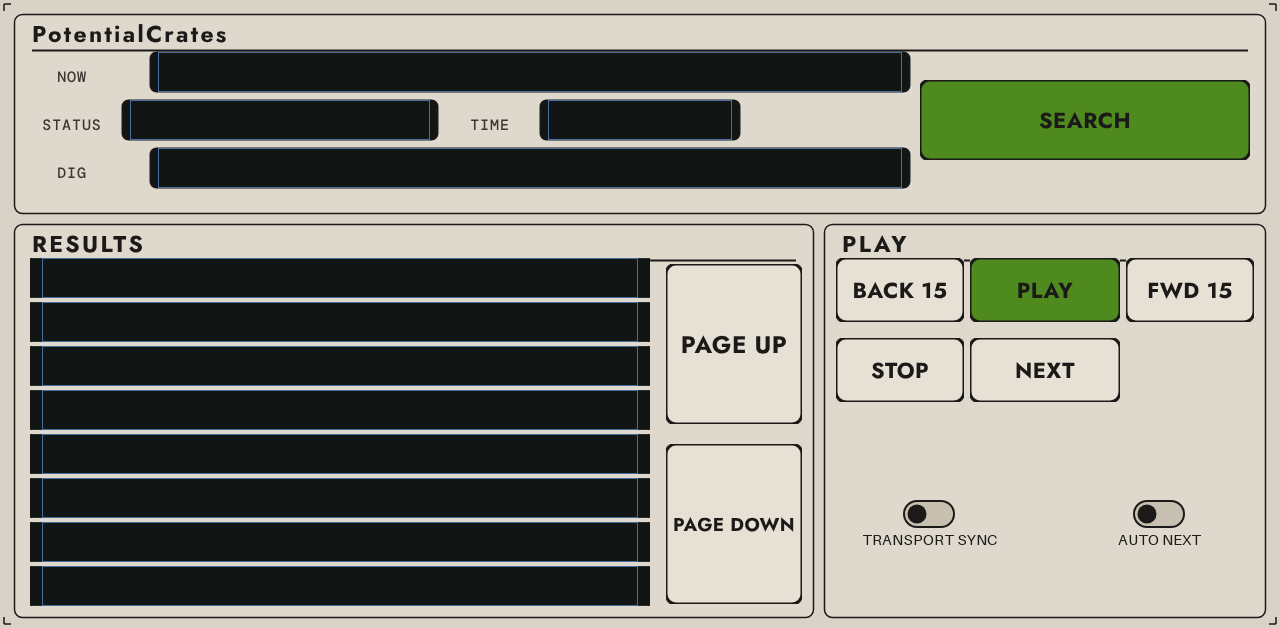
PotentialCrates: a fork of Crate Digger for MPC, with ROLL dice and one-tap crates
PotentialBreaks
by PotentialBreakfast · v1.9.0 · 5,349 downloads
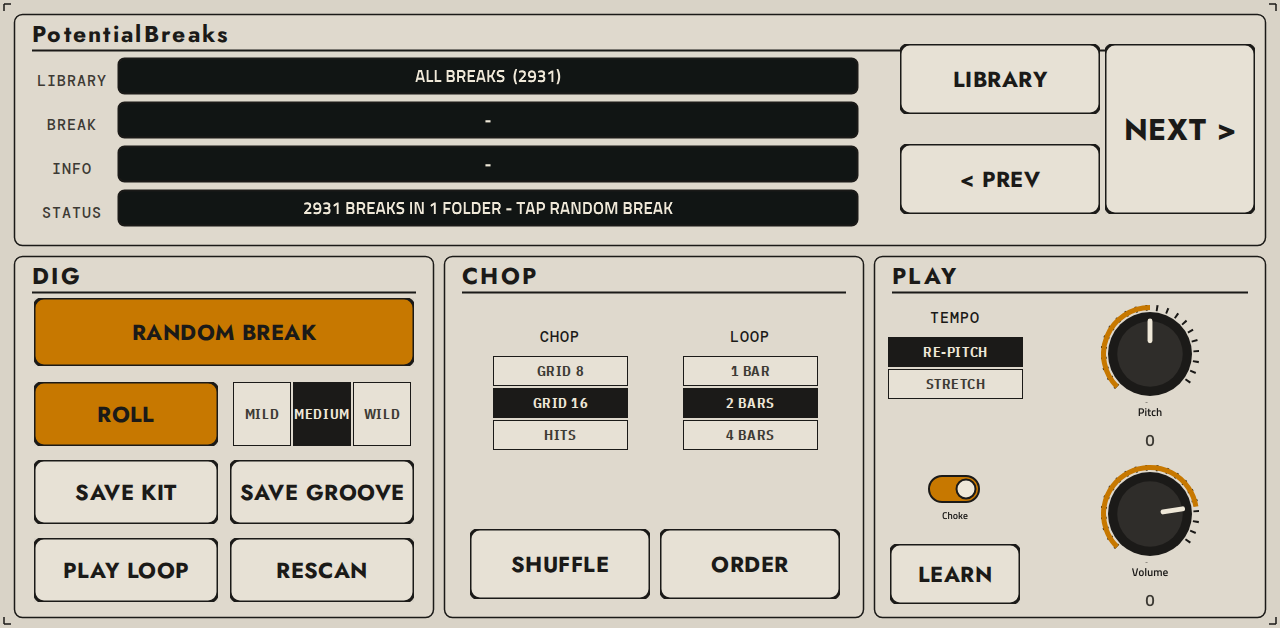
PotentialBreaks - drum-break slicer plugin for Akai MPC standalone (MPC One, Live, X)
PotentialHeat
by PotentialBreakfast · v1.6.0 · 5,095 downloads
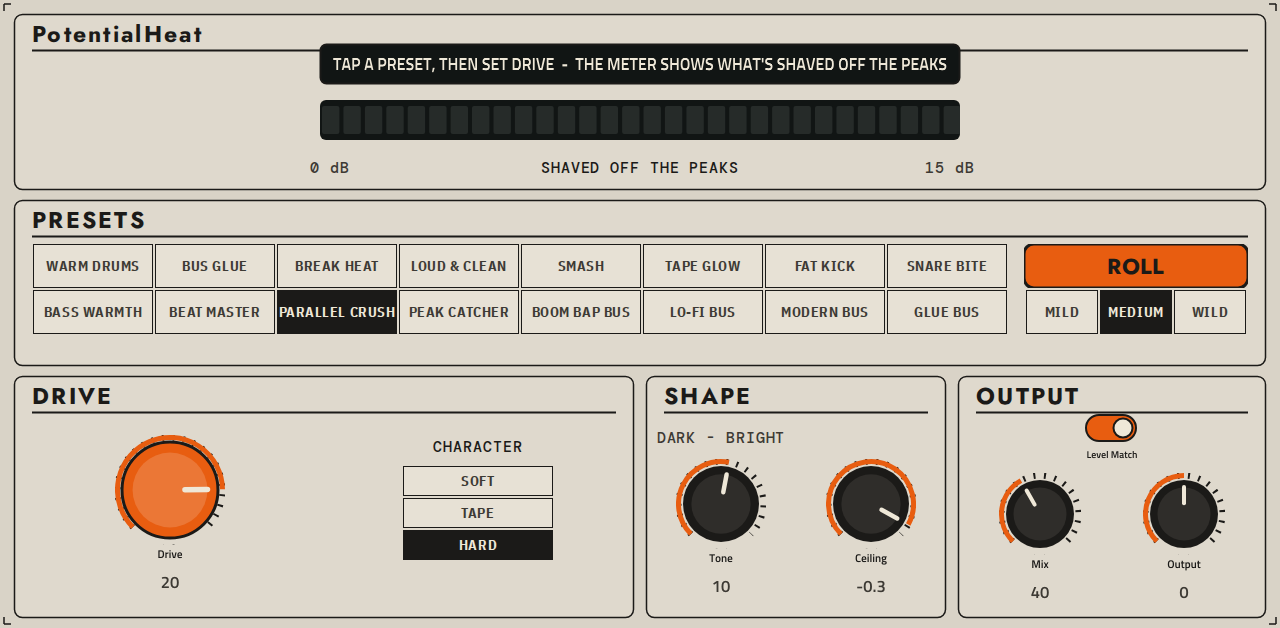
PotentialHeat: a soft clipper and bus saturator plugin for Akai MPC standalone
PotentialWax
by PotentialBreakfast · v1.9.1 · 4,990 downloads
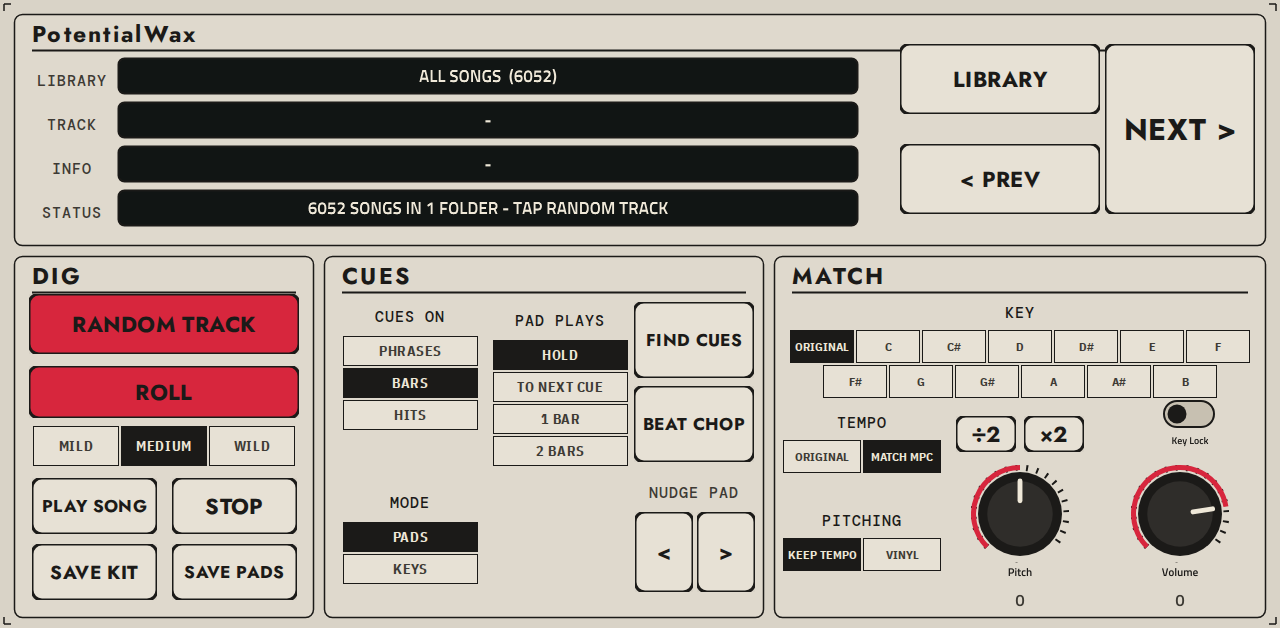
PotentialWax: a Serato Sample-style melodic sampler plugin for Akai MPC standalone
PotentialPunch
by PotentialBreakfast · v1.7.0 · 4,972 downloads
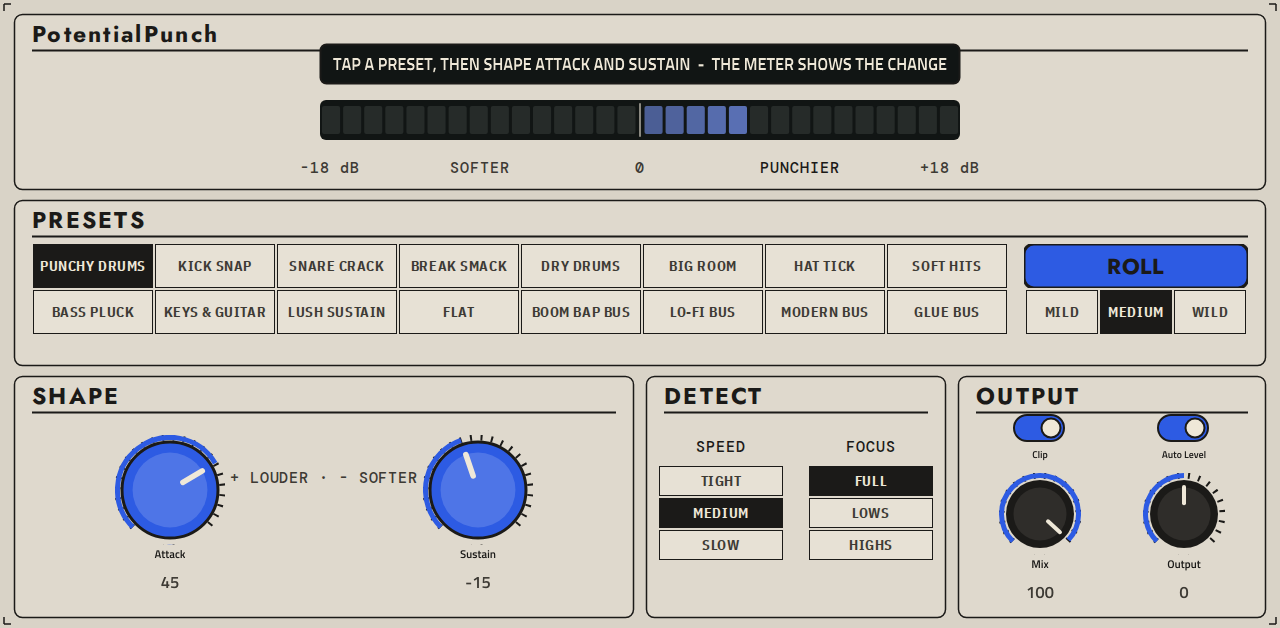
PotentialPunch: a transient shaper plugin for Akai MPC standalone
PotentialPatina
by PotentialBreakfast · v1.7.0 · 4,890 downloads
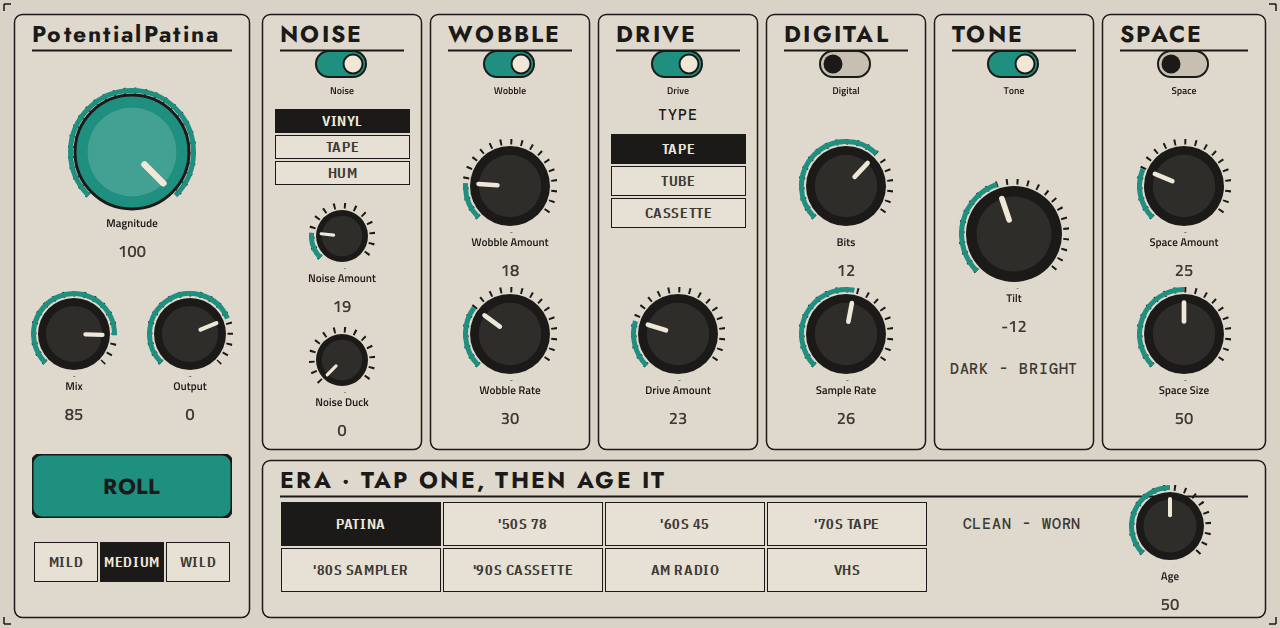
PotentialPatina - retro-colour insert effect plugin for Akai MPC standalone (MPC One, Live, X)
PotentialWarp
by PotentialBreakfast · v1.5.0 · 3,801 downloads
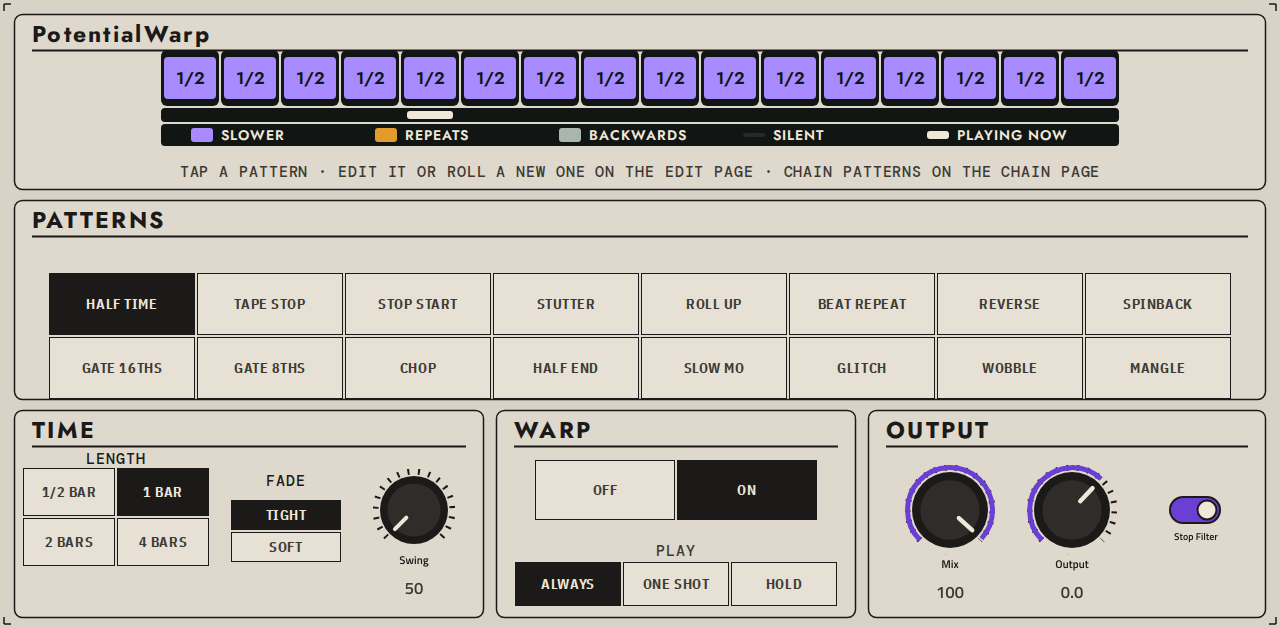
Free and open source (MIT), made by PotentialBreaks. It runs inside the MPC like its own effects, with its own touchscreen page, Q-Link control and project recall, and no computer needed while you play.
To improve this listing (for the creator)
- add a tested.json entry for the newest release on a Gen2 device
Made this plugin? Add our badge to your README
 Paste this into your GitHub README. It updates itself when your plugin gets the Tested & Working badge.
[](https://thediskking.com/plugins/potentialnoise/)