MPC Plugins / Instruments / mpc vst drum map
SEQ Drum Map
Free MPC Instrument plugin by saustin2010 · v1.2.1 · Oct 23, 2026 · 3,531 downloads
3,531
Downloads
0
GitHub stars
v1.2.1
Latest version
Oct 23, 2026
Updated
User rating
No ratings yet. Be the first.
Used it? Rate it:
Formerly called SEQ Grids. Same plugin, new name.
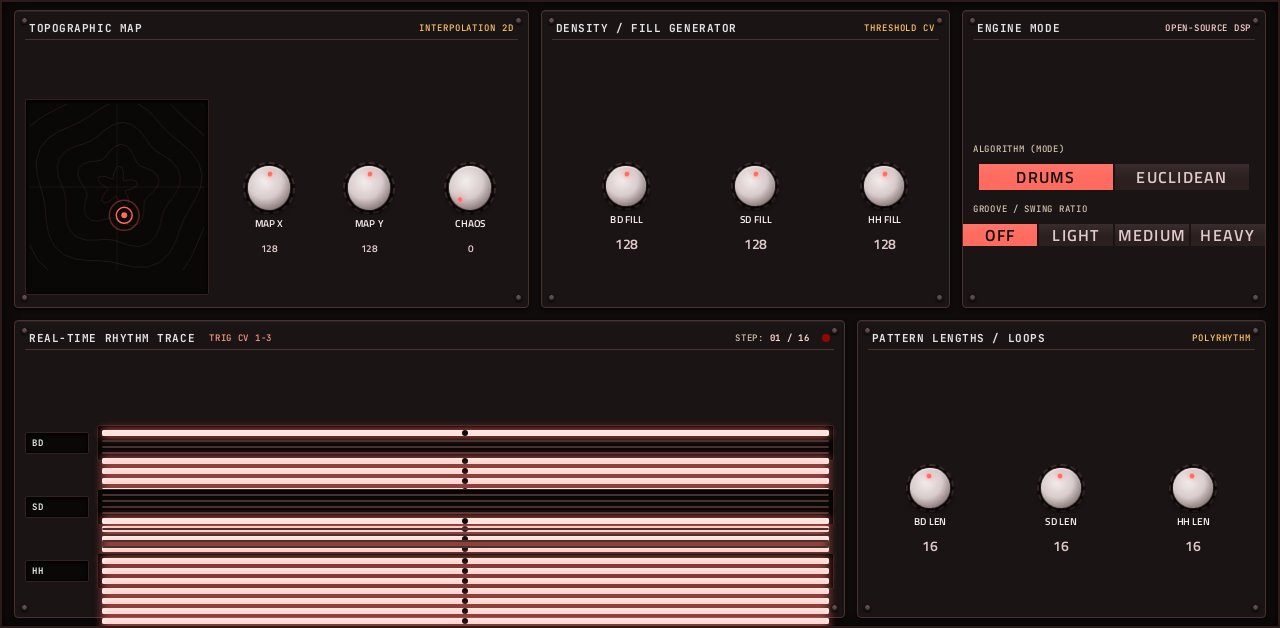
Drum Map: a topographic drum sequencer that plays a drum track from MPC's clock, from Émilie Gillet's open-source Grids. A native VST2 plugin with its own touchscreen skin for MPC OS standalone devices.
Formerly Grids, renamed on 2026-10-12: Mutable Instruments asks that its name and its module names not be used on derivative works, so the plugin has a name of its own and Émilie Gillet, who wrote the code, as its maker. Its patterns are Émilie Gillet's open-source Grids code (Mutable Instruments). Its MIDI port is now [SEQ] Drum Map MIDI Out: if y
Download SEQ Drum Map v1.2.1
⚠ Not yet tested on hardware
This is a finished release, but the creator hasn't recorded a test of this version on a real MPC or Force. It may work fine; it may not. Back up first and try it on a project that doesn't matter.
✓ Safety check passed
- ✓ Download matches the checksum GitHub lists
- ✓ Built for: Gen1 (32-bit ARM)
- ✓ Runs on: MPC OS 2.x and 3.x
- ✓ No internet, web server, program-launching or system-changing functions found
- ✓ Nothing risky found in its installer
An automatic look at the files, not a guarantee: it can't see everything a program does. Always back up first.
Disclaimer: use entirely at your own risk
This plugin is made, owned and shared by an independent developer, not by The Disk King and not by Akai Professional or inMusic. The Disk King only lists it; the download comes directly from the developer's GitHub. The Disk King did not make, test, review or check it for safety and makes no promise that it works, is safe, or is free of bugs or harmful code.
Plugins install into your MPC's system and can crash it, corrupt or lose projects and samples, or require reinstalling MPC OS. Save your work and back up your MPC before installing anything.
Everything here is provided "as is", with no warranty of any kind. To the fullest extent the law allows, The Disk King is not responsible or liable for any damage, data loss, device failure, lost income or any other harm from downloading, installing or using any plugin listed here. By downloading or installing, you accept all risk and full responsibility. Full disclaimer.
Gen1: MPC Live, Live II, One, X, Key, Force
SEQ-Drum-Map-1.2.1-mpc-armv7.zip 336 KB
sha256: e04d3367ef7d37df9d94986e3ccf4586d387e04c245daf8f6c6630e680b997b3
Downloads come straight from the creator's GitHub. Check the sha256 matches before installing. New to plugins? How to install plugins on MPC OS 3.10.1.
Can't be copied by hand on MPC OS 3.10.1
This release's plugin folder has no plugin.json, which 3.10.1 needs to list it. Use the creator's installer (see INSTALL.md in the zip), or ask the creator for a 3.10.1 release. Why?
Tested working on
The creator hasn't recorded a hardware test for this version yet.
Version history
v1.2.1 Oct 23, 2026 · 1,387 downloads
Drum Map: a topographic drum sequencer that plays a drum track from MPC's clock, from Émilie Gillet's open-source Grids. ## What's new in 1.2.1 Built on sd88me's fixed wrapper ([mpc-vst-plugins#499](https://github.com/sd88me/mpc-vst-plugins/discussions/499)): on track edit → automation, the physical Q-Links move this plugin's parameters again (before, they didn't move or snapped straight back). Controls that change others, such as a preset, still redraw the screen. Nothing else changed: same parameters, sound and screen, and saved projects open as before. ## Requirements - A first-generation MPC OS standalone device (32-bit ARM, like the Force, MPC Live / Live II, One, X and Key 61). The installer refuses anything else. Newer models are untested. - **Root shell access** (SSH) to the device. Stock MPC OS doesn't offer this; you need a modded unit. - Tested on MPC OS with a Force. Installing plugins this way is unofficial: back up first, use at your own risk. ## Install (scripted) 1. Unzip, then copy the whole folder to the device, e.g. `scp -r SEQ-Drum-Map-1.2.1 root@<device-ip>:/tmp/` 2. Run it: `ssh root@<device-ip> sh /tmp/SEQ-Drum-Map-1.2.1/install.sh` The installer checks the device, **stops MPC** (save your project first), copies `portable/Émilie Gillet - VST - [SEQ] Drum Map/` (the plugin, its skin and its data, as one folder) into `/sdcard/Synths`, backs up `MPC.settings`, adds the plugin to MPC's plugin list from the folder's `plugin-meta.xml` and starts MPC again. Running it again upgrades in place, keeping your own files. An older install of this plugin (the previous layout, with the `.so` in `/sdcard/vst`) is replaced, not duplicated. `-y` skips the confirmation prompt; `-t <folder>` installs into another Synths folder (for example on a card). Then add **[SEQ] Drum Map** to a track from the plugin browser (Instrument plugins). Its screen appears in the plugin view, and the Q-Links follow the page. Full instructions, including installing by hand, are in `INSTALL.md` inside the zip. --- Built by GitHub Actions from saustin2010/mpc-vst-drum-map@7e25d7b with mpc-vst-plugins@e3a0af4. Tools from the fork saustin2010/mpc-vst-plugins.
v1.2.0 Oct 18, 2026 · 564 downloads
Drum Map: a topographic drum sequencer that plays a drum track from MPC's clock, from Émilie Gillet's open-source Grids. ## Requirements - A first-generation MPC OS standalone device (32-bit ARM, like the Force, MPC Live / Live II, One, X and Key 61). The installer refuses anything else. Newer models are untested. - **Root shell access** (SSH) to the device. Stock MPC OS doesn't offer this; you need a modded unit. - Tested on MPC OS with a Force. Installing plugins this way is unofficial: back up first, use at your own risk. ## Install (scripted) 1. Unzip, then copy the whole folder to the device, e.g. `scp -r SEQ-Drum-Map-1.2.0 root@<device-ip>:/tmp/` 2. Run it: `ssh root@<device-ip> sh /tmp/SEQ-Drum-Map-1.2.0/install.sh` The installer checks the device, **stops MPC** (save your project first), copies `portable/Émilie Gillet - VST - [SEQ] Drum Map/` (the plugin, its skin and its data, as one folder) into `/sdcard/Synths`, backs up `MPC.settings`, adds the plugin to MPC's plugin list from the folder's `plugin-meta.xml` and starts MPC again. Running it again upgrades in place, keeping your own files. An older install of this plugin (the previous layout, with the `.so` in `/sdcard/vst`) is replaced, not duplicated. `-y` skips the confirmation prompt; `-t <folder>` installs into another Synths folder (for example on a card). Then add **[SEQ] Drum Map** to a track from the plugin browser (Instrument plugins). Its screen appears in the plugin view, and the Q-Links follow the page. Full instructions, including installing by hand, are in `INSTALL.md` inside the zip. --- Built by GitHub Actions from saustin2010/mpc-vst-drum-map@ee691b3 with mpc-vst-plugins@7f0653c. Tools from the fork saustin2010/mpc-vst-plugins.
v1.1.0 Oct 12, 2026 · 778 downloads
Drum Map: a topographic drum sequencer that plays a drum track from MPC's clock, from Émilie Gillet's open-source Grids. ## What's new in 1.1.0 - **New name: Drum Map** (was Grids). Mutable Instruments asks that its name and its module names not be used on derivative works, so the plugin has a name of its own and shows **Émilie Gillet**, who wrote the code, as its maker. Its patterns are unchanged: Émilie Gillet's open-source Grids code. - The screen no longer shows another company's name. - **STOP leaves MODE alone.** On every STOP, MPC briefly sets a plugin's first control to its far end and back; the plugin now ignores that. - **Its MIDI port is now [SEQ] Drum Map MIDI Out.** If you used Grids, turn **Track** on for the new port in Menu → Preferences → MIDI and pick it again as your drum track's MIDI input. - Parameters are unchanged, so projects saved with Grids open with Drum Map and keep their settings: MPC finds a plugin by its ID, not its name. - It installs into a new folder, `Émilie Gillet - VST - [SEQ] Drum Map`. After updating, delete the old `Mutable Instruments - VST - [SEQ] Grids` folder from `/sdcard/Synths`. - This repo was renamed from `mpc-vst-grids`; the old address redirects. ## Requirements - A first-generation MPC OS standalone device (32-bit ARM, like the Force, MPC Live / Live II, One, X and Key 61). The installer refuses anything else. Newer models are untested. - **Root shell access** (SSH) to the device. Stock MPC OS doesn't offer this; you need a modded unit. - Tested on MPC OS with a Force. Installing plugins this way is unofficial: back up first, use at your own risk. ## Install (scripted) 1. Unzip, then copy the whole folder to the device, e.g. `scp -r SEQ-Drum-Map-1.1.0 root@<device-ip>:/tmp/` 2. Run it: `ssh root@<device-ip> sh /tmp/SEQ-Drum-Map-1.1.0/install.sh` The installer checks the device, **stops MPC** (save your project first), copies `portable/Émilie Gillet - VST - [SEQ] Drum Map/` (the plugin, its skin and its data, as one folder) into `/sdcard/Synths`, backs up `MPC.settings`, adds the plugin to MPC's plugin list from the folder's `plugin-meta.xml` and starts MPC again. Running it again upgrades in place, keeping your own files. An older install of this plugin (the previous layout, with the `.so` in `/sdcard/vst`) is replaced, not duplicated. `-y` skips the confirmation prompt; `-t <folder>` installs into another Synths folder (for example on a card). Then add **[SEQ] Drum Map** to a track from the plugin browser (Instrument plugins). Its screen appears in the plugin view, and the Q-Links follow the page. Full instructions, including installing by hand, are in `INSTALL.md` inside the zip. --- Built by GitHub Actions from saustin2010/mpc-vst-drum-map@19da6ea with mpc-vst-plugins@7f0653c. Tools from the fork saustin2010/mpc-vst-plugins.
v1.0.0 Oct 8, 2026 · 802 downloads
Mutable Instruments Grids: a topographic drum sequencer that plays a drum track from MPC's clock. ## Requirements - A first-generation MPC OS standalone device (32-bit ARM, like the Force, MPC Live / Live II, One, X and Key 61). The installer refuses anything else. Newer models are untested. - **Root shell access** (SSH) to the device. Stock MPC OS doesn't offer this; you need a modded unit. - Tested on MPC OS with a Force. Installing plugins this way is unofficial: back up first, use at your own risk. ## Install (scripted) 1. Unzip, then copy the whole folder to the device, e.g. `scp -r SEQ-Grids-1.0.0 root@<device-ip>:/tmp/` 2. Run it: `ssh root@<device-ip> sh /tmp/SEQ-Grids-1.0.0/install.sh` The installer checks the device, **stops MPC** (save your project first), copies `portable/Mutable Instruments - VST - [SEQ] Grids/` (the plugin, its skin and its data, as one folder) into `/sdcard/Synths`, backs up `MPC.settings`, adds the plugin to MPC's plugin list from the folder's `plugin-meta.xml` and starts MPC again. Running it again upgrades in place, keeping your own files. An older install of this plugin (the previous layout, with the `.so` in `/sdcard/vst`) is replaced, not duplicated. `-y` skips the confirmation prompt; `-t <folder>` installs into another Synths folder (for example on a card). Then add **[SEQ] Grids** to a track from the plugin browser (Instrument plugins). Its screen appears in the plugin view, and the Q-Links follow the page. Full instructions, including installing by hand, are in `INSTALL.md` inside the zip. --- Built by GitHub Actions from saustin2010/mpc-vst-grids@5221ad6 with mpc-vst-plugins@f210a56. Tools from the fork saustin2010/mpc-vst-plugins.
More plugins like this
Lucky Dip
by sd88me · v1.0.1 · 6,529 downloads

Your sample library is bigger than you remember. Lucky Dip reaches in, pulls out sixteen sounds, drops them on the pads and lets you play them straight away. Don't like one? Reroll it. Love one? Lock it and dip again. When the kit feels right, export it as a normal MPC drum program.
PotentialBreaks
by PotentialBreakfast · v1.9.0 · 5,349 downloads
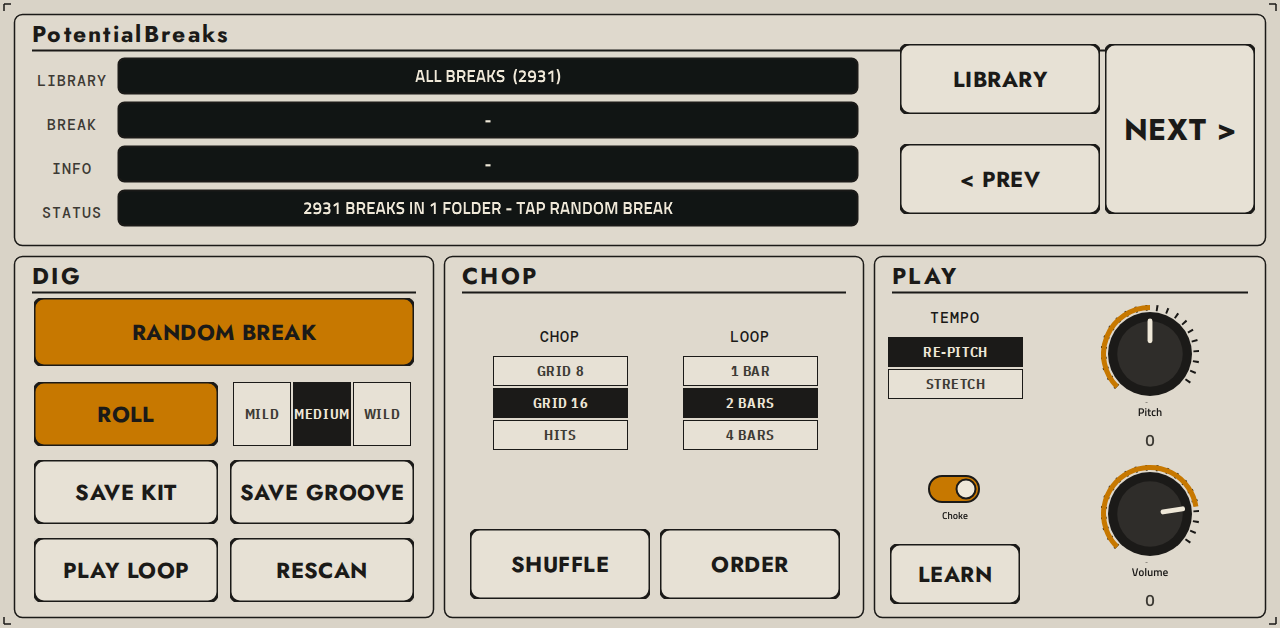
PotentialBreaks - drum-break slicer plugin for Akai MPC standalone (MPC One, Live, X)
Sturm TP
by sd88me · v0.1.3 · 4,173 downloads
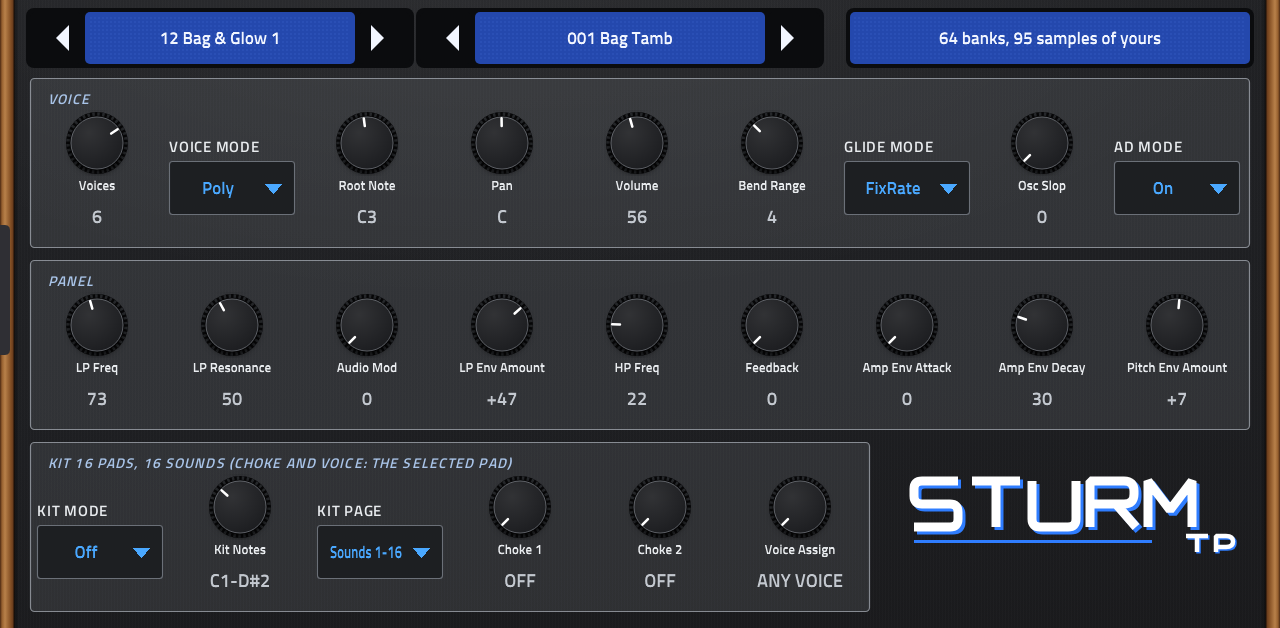
A six-voice analog-style drum and synth voice inspired by DSI Tempest for Akai MPC OS standalone devices. Uses the factory ROM for sounds and presets.
Machinemodule
by sd88me · v1.0.5 · 3,710 downloads
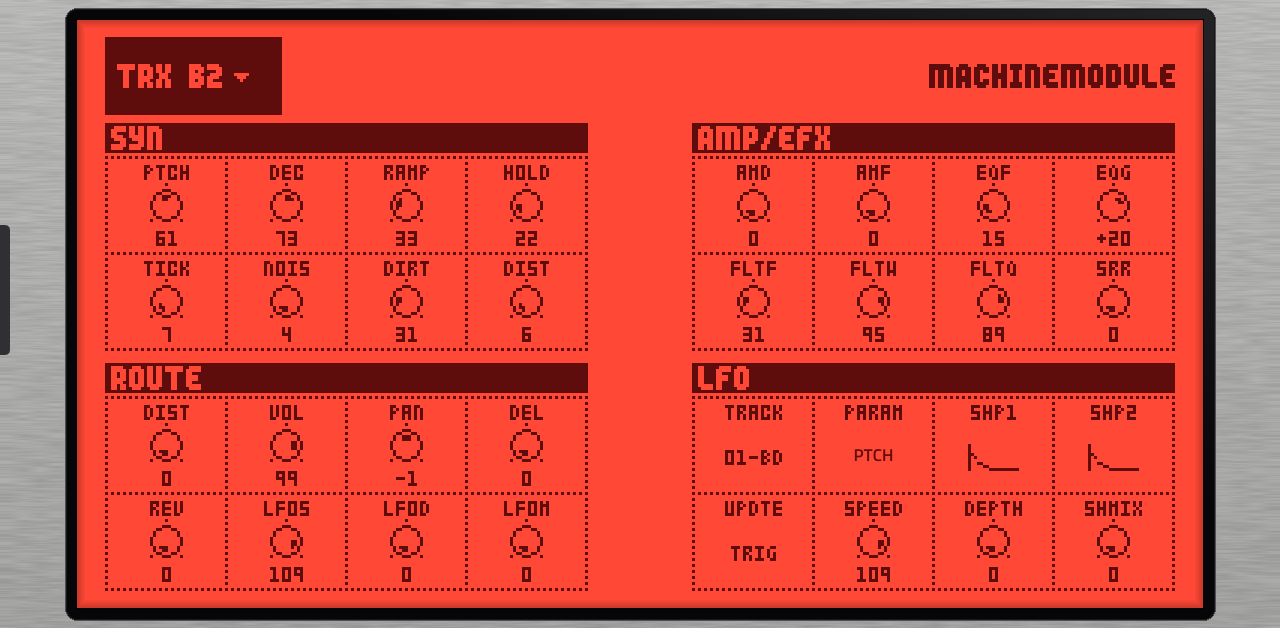
Machinemodule: the Elektron Machinedrum UW sound engine as an MPC OS instrument (Gen2; runs your own OS file)
Machinemodule Tap
by sd88me · v1.0.5 · 2,890 downloads
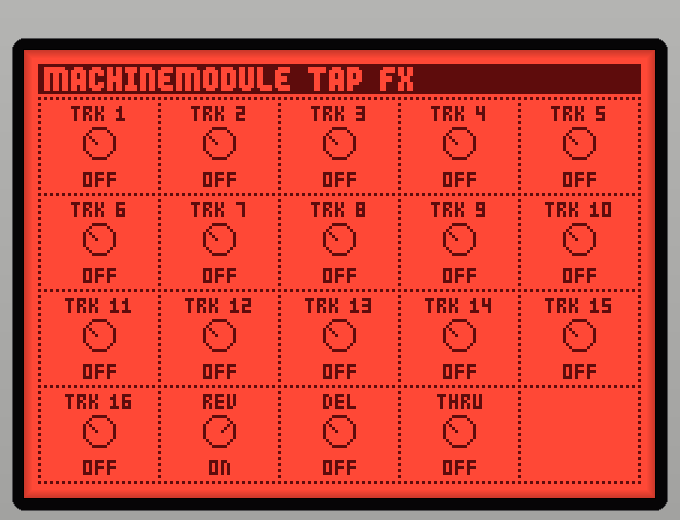
Machinemodule Tap: puts Machinemodule tracks and its reverb/delay sends on their own MPC track (effect)
Potential1200
by PotentialBreakfast · v1.1.0 · 2,585 downloads
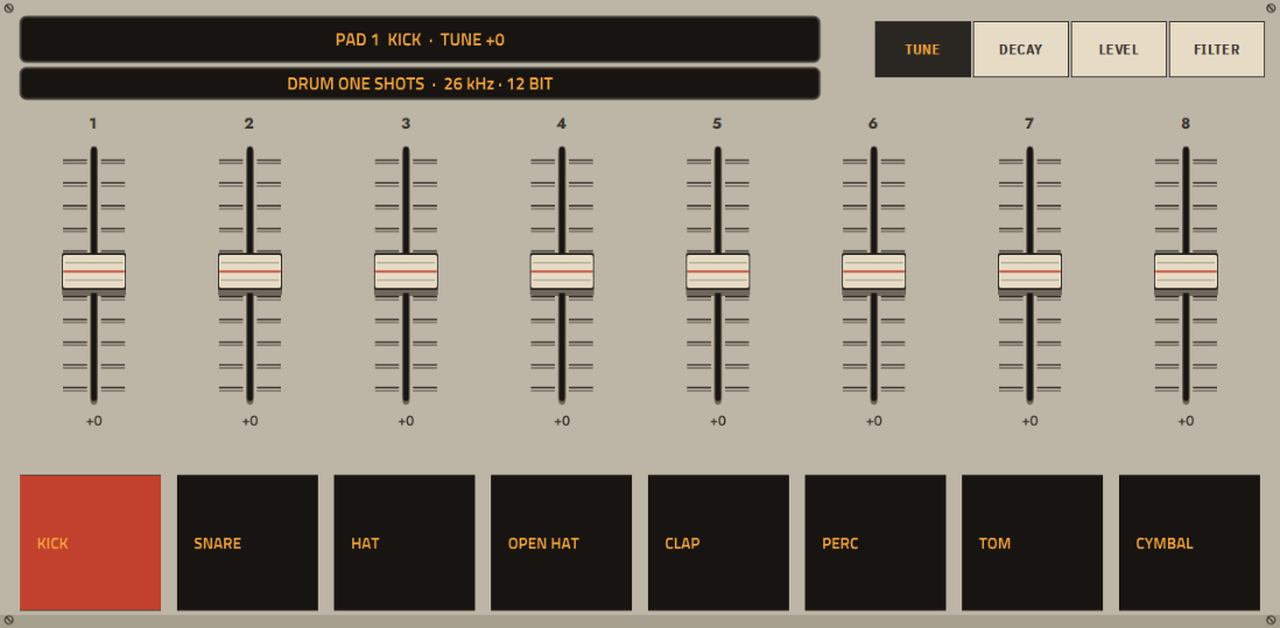
12-bit SP-1200-style drum sampler plugin for standalone MPCs (MPC OS 3.x)
PotentialKits
by PotentialBreakfast · v1.3.0 · 2,419 downloads
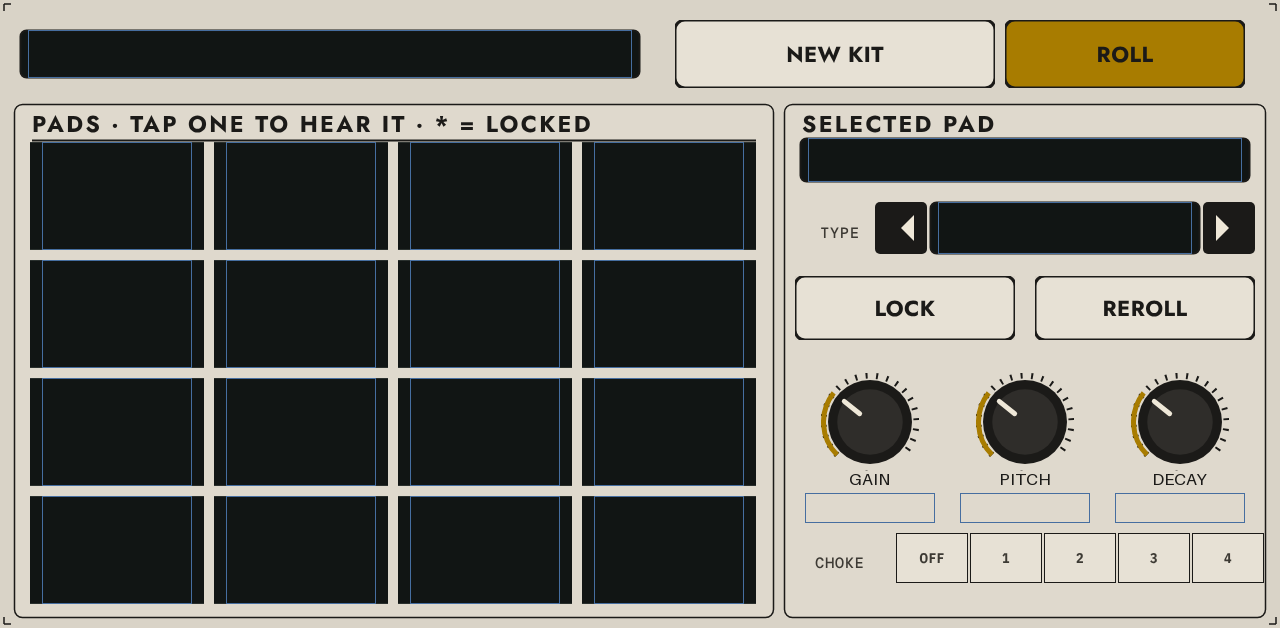
PotentialKits: a random drum-kit builder for Akai MPC, a PotentialSuite fork of sd88me's Lucky Dip
LXRXXL
by sunskiefer · v0.6.1 · 7,052 downloads
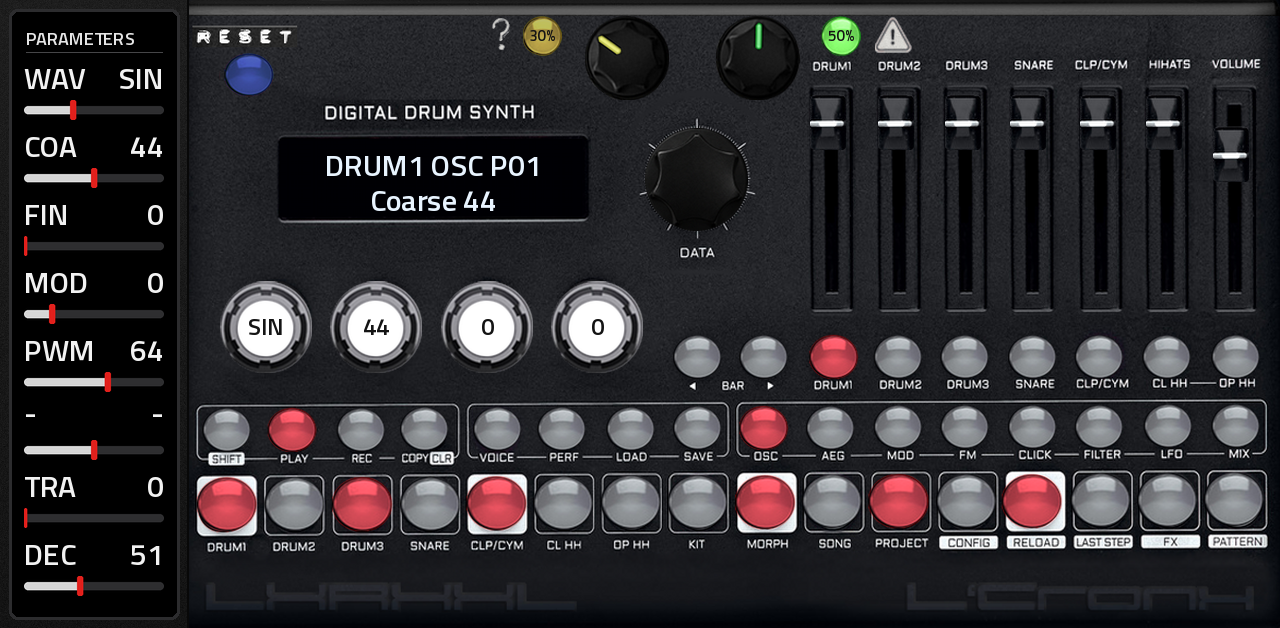
The Sonic Potions + Erica Synths LXR-02 drum machine, modded, as a plugin instrument for the Akai Force / MPC: the whole panel on one page, LXR02Open’s voices, randomizers and the Hrtl DLC presets.
To improve this listing (for the creator)
- add a tested.json entry for the newest release (device and MPC OS)
- publish a Gen2 (aarch64) build
Made this plugin? Add our badge to your README
 Paste this into your GitHub README. It updates itself when your plugin gets the Tested & Working badge.
[](https://thediskking.com/plugins/seq-drum-map/)