wavelight
Free MPC Effect plugin by asearan · v1.0.0 · Nov 14, 2026 · 8 downloads
8
Downloads
0
GitHub stars
v1.0.0
Latest version
Nov 14, 2026
Updated
User rating
No ratings yet. Be the first.
Used it? Rate it:
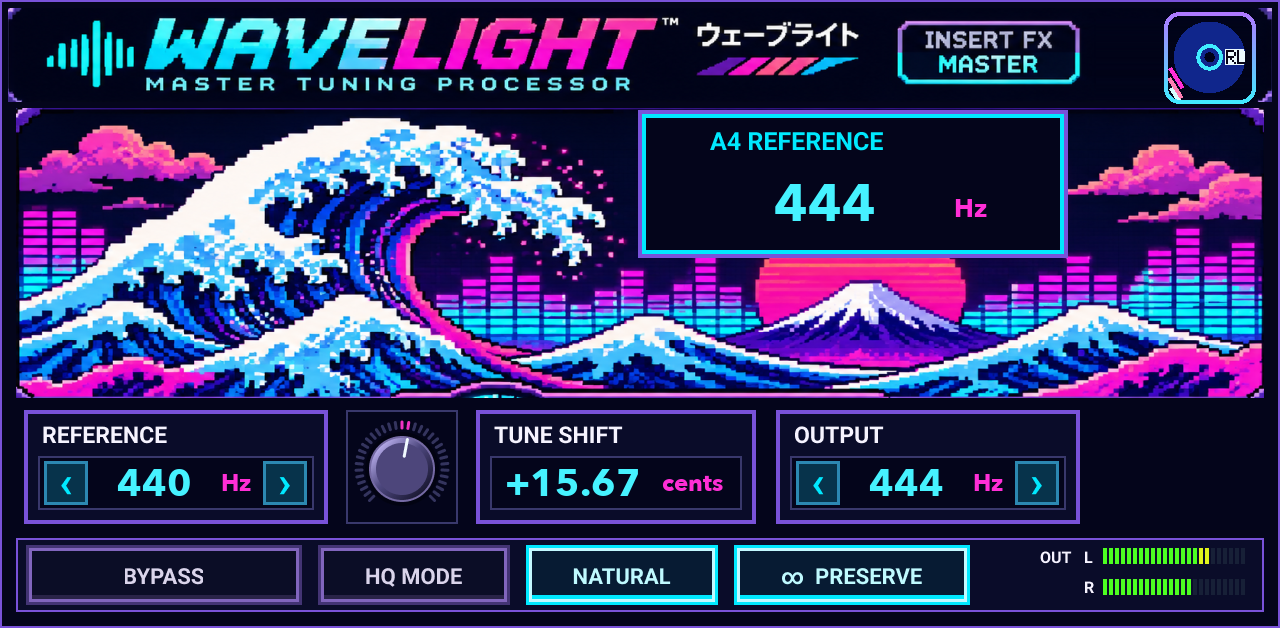
Stereo master tuning insert. Shifts a finished mix from A4 440 Hz to 444 Hz and keeps the tempo.
Wavelight is a stereo master tuning insert. It shifts a finished mix by a fixed musical interval and leaves the tempo and the length of the audio alone.
Download wavelight v1.0.0
⚠ Not yet tested on hardware
This is a finished release, but the creator hasn't recorded a test of this version on a real MPC or Force. It may work fine; it may not. Back up first and try it on a project that doesn't matter.
✓ Safety check passed
- ✓ Download matches the checksum GitHub lists
- ✓ Built for: Gen1 (32-bit ARM)
- ✓ Runs on: MPC OS 2.x and 3.x
- ✓ No internet, web server, program-launching or system-changing functions found
- ✓ Nothing risky found in its installer
An automatic look at the files, not a guarantee: it can't see everything a program does. Always back up first.
Disclaimer: use entirely at your own risk
This plugin is made, owned and shared by an independent developer, not by The Disk King and not by Akai Professional or inMusic. The Disk King only lists it; the download comes directly from the developer's GitHub. The Disk King did not make, test, review or check it for safety and makes no promise that it works, is safe, or is free of bugs or harmful code.
Plugins install into your MPC's system and can crash it, corrupt or lose projects and samples, or require reinstalling MPC OS. Save your work and back up your MPC before installing anything.
Everything here is provided "as is", with no warranty of any kind. To the fullest extent the law allows, The Disk King is not responsible or liable for any damage, data loss, device failure, lost income or any other harm from downloading, installing or using any plugin listed here. By downloading or installing, you accept all risk and full responsibility. Full disclaimer.
Gen1: MPC Live, Live II, One, X, Key, Force
wavelight-1.0.0-mpc.zip 1.6 MB
sha256: 3c721a6436759b4da06ac64b9068f7d54047c3819e52de238cc41615c811a9e8
Downloads come straight from the creator's GitHub. Check the sha256 matches before installing. New to plugins? How to install plugins on MPC OS 3.10.1.
✓ Easy install on MPC OS 3.10.1: copy one folder
- Gen1 download: unzip it and copy
Wavelight - VST - WavelightintoVST2 Pluginson your drive.
Turn on External Plugin Support first. Full step-by-step guide.
Tested working on
The creator hasn't recorded a hardware test for this version yet.
Version history
v1.0.0 Nov 14, 2026 · 8 downloads
Signed macOS installer for Apple silicon, macOS 12 and later, and the MPC plugin for MPC OS 3.10.1 and later. ### macOS The installer adds: - the VST® 3 plug-in - the Audio Unit - the Wavelight app, which contains the Audio Unit app extension Open Wavelight once after installing so macOS registers the app extension. The package is signed with an Apple Developer ID certificate. This build is not notarized, so macOS asks you to approve the installer the first time you open it. ### MPC `wavelight-1.0.0-mpc.zip` is the build for the MPC OS 3.10.1 firmware that loads third-party plugins from a folder named `VST2 Plugins`. It contains the 32-bit and 64-bit builds. 1. Update the MPC to 3.10.1 or later. Preferences, Info shows the version. 2. Open Preferences, Enhancements. Turn on Enable Enhancements and External Plugin Support. Wait a few seconds, then restart. 3. Unzip the download and copy the folder `Wavelight - VST - Wavelight` into `VST2 Plugins` at the top of the internal drive, an SD card, or a USB drive. 4. Keep the folder name as it is. It should contain `plugin.json`, `version.xml`, `Plugin Skins`, and `VST`. 5. Restart the MPC if Wavelight does not appear, then add it as an insert under External Plugins. Save the project first. A plugin runs inside the MPC software, so a fault can freeze or restart the machine. Akai Professional and inMusic do not support third-party plugins. The default tuning moves A4 from 440 Hz to 444 Hz and leaves the tempo and the length alone. ### Trademarks Akai Professional and MPC are trademarks of inMusic Brands, Inc., registered in the U.S. and other countries. VST® is a registered trademark of Steinberg Media Technologies GmbH. macOS and Audio Units are trademarks of Apple Inc., registered in the U.S. and other countries. JUCE is a trademark of Raw Material Software Limited.
More plugins like this
RetroLooper One
by asearan · v0.3.9 · 1,349 downloads
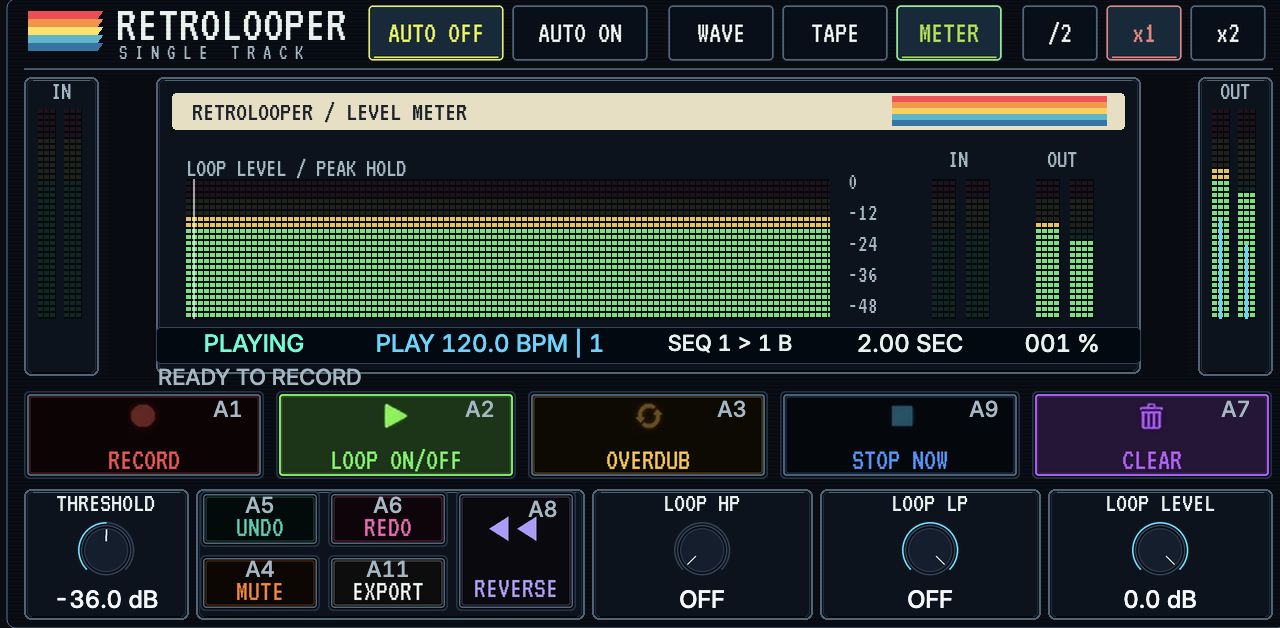
Portable stereo Audio insert looper with host sync, overdubs, touch/MIDI and WAV export.
RetroLooper One Force
by asearan · v0.2.10 · 675 downloads
Portable stereo Audio insert looper with host sync, overdubs, touch/MIDI and WAV export.
Retrolooper One Force Controls
by asearan · v0.2.5 · 2 downloads
Matching Force integration for clip bounce and the looper pad grid.
To improve this listing (for the creator)
- add a tested.json entry for the newest release (device and MPC OS)
- publish a Gen2 (aarch64) build
Made this plugin? Add our badge to your README
 Paste this into your GitHub README. It updates itself when your plugin gets the Tested & Working badge.
[](https://thediskking.com/plugins/wavelight/)