Acid
Free MPC Instrument plugin by sd88me · v3.0.1 · Nov 16, 2026 · 12,168 downloads
12,168
Downloads
4
GitHub stars
v3.0.1
Latest version
Nov 16, 2026
Updated
User rating
No ratings yet. Be the first.
Used it? Rate it:
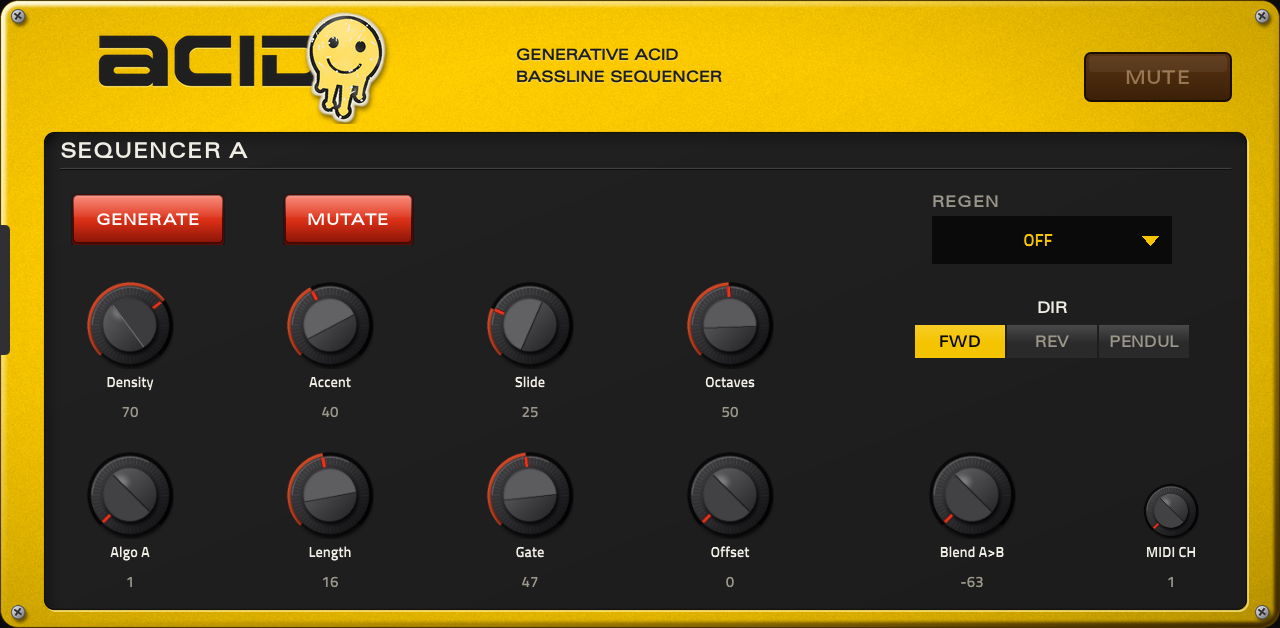
A generative 303-style acid bassline sequencer for the Akai MPC OS
💬 Questions or feedback? Join the Open MPC Discord.
Download Acid v3.0.1
✓ Tested & working
The creator reports testing this exact version on real hardware: MPC Live III (Gen2), MPC OS 3.10.1. This is the creator's own report, not a guarantee from The Disk King. Still back up first.
✓ Safety check passed
- ✓ Download matches the checksum GitHub lists
- ✓ Built for: Gen1 (32-bit ARM), Gen2 (64-bit ARM)
- ✓ Runs on: MPC OS 3.x / MPC OS 2.x and 3.x
- ✓ No internet, web server, program-launching or system-changing functions found
- ✓ Nothing risky found in its installer
An automatic look at the files, not a guarantee: it can't see everything a program does. Always back up first.
Disclaimer: use entirely at your own risk
This plugin is made, owned and shared by an independent developer, not by The Disk King and not by Akai Professional or inMusic. The Disk King only lists it; the download comes directly from the developer's GitHub. The Disk King did not make, test, review or check it for safety and makes no promise that it works, is safe, or is free of bugs or harmful code.
Plugins install into your MPC's system and can crash it, corrupt or lose projects and samples, or require reinstalling MPC OS. Save your work and back up your MPC before installing anything.
Everything here is provided "as is", with no warranty of any kind. To the fullest extent the law allows, The Disk King is not responsible or liable for any damage, data loss, device failure, lost income or any other harm from downloading, installing or using any plugin listed here. By downloading or installing, you accept all risk and full responsibility. Full disclaimer.
Gen1: MPC Live, Live II, One, X, Key, Force
Acid-3.0.1-mpc-armv7.zip 2.8 MB
sha256: d143fbcb79cca7cbc35e1e8d3c1c6671a4d86d810319fa6643ab0ed529aa96ec
Gen2: MPC Live III, One G2, Key G2, XL
Acid-3.0.1-mpc-aarch64.zip 2.8 MB
sha256: 24525246a0299c586fa547d48945edcf969ac70d5cc33a9f4874652ad75dae9a
Downloads come straight from the creator's GitHub. Check the sha256 matches before installing. New to plugins? How to install plugins on MPC OS 3.10.1.
✓ Easy install on MPC OS 3.10.1: copy one folder
- Gen1 download: unzip it and copy
sd88me - VST - Acid(insideAcid-3.0.1/portable/) intoVST2 Pluginson your drive. - Gen2 download: unzip it and copy
sd88me - VST - Acid(insideAcid-3.0.1/portable/) intoVST2 Pluginson your drive.
Turn on External Plugin Support first. Full step-by-step guide.
Tested working on
- MPC Live III (Gen2), MPC OS MPC OS 3.10.1 (Nov 16, 2026)
Version history
v3.0.1 Nov 16, 2026 · 2,716 downloads
Acid 3.0.1: Regen works with looped sequences, tidier MIDI output. - Fixed: Regen did nothing when the sequence loop was as short as the Regen interval (a 2-bar loop with Regen at 2 BARS), and fired at the wrong spacing for other loop lengths. It now regenerates every 1/2/4/8/16/32 bars from the start of playback, in a loop or not. - Changed: on stop, a locate or closing the plugin, Acid releases only the notes it has sounding, instead of sending a note-off for every note on every channel. - Changed: a muted Acid no longer sends the slide CCs (CC65 / CC1) either; note-offs still go out so nothing hangs. - Known: with the MPC's ARP on, a generator plugin streaming into a track through its MIDI port can upset the arp while the transport runs. Maze Seq does the same, so this looks like MPC behaviour, not Acid. Turn the arp off, or the port's Track input off, on those tracks.
v3.0.0 Nov 12, 2026 · 2,520 downloads
Acid 3.0.0: one plugin folder for every MPC, with a new native touchscreen skin. - New: runs on the MPC Live III and other 64-bit MPCs as well as the Force and other 32-bit models. - New: native touchscreen skin with six tabs (SEQ A, EDIT A, SEQ B, EDIT B, MOD, GLOBAL), steady Q-Link and touch behaviour. - Steadier timing while you work the screen: edits no longer share a lock with the note timing, so a busy touchscreen can't hold up a note. - Same generator, blend modes, per-step edit and locks as 2.1. - Install: `...-aarch64.zip` for the Live III and other 64-bit models, `...-armv7.zip` for the Force and other 32-bit models. See INSTALL.txt inside.
v2.1.0 Oct 22, 2026 · 1,009 downloads
A TB-303-style acid bassline sequencer (two lines, blendable) that drives a synth track over MIDI. ## Requirements - A first-generation MPC OS standalone device (32-bit ARM, like the Force, MPC Live / Live II, One, X and Key 61). The installer refuses anything else. Newer models are untested. - **Root shell access** (SSH) to the device. Stock MPC OS doesn't offer this; you need a modded unit. - Tested on MPC OS with a Force. Installing plugins this way is unofficial: back up first, use at your own risk. ## Install (scripted) 1. Unzip, then copy the whole folder to the device, e.g. `scp -r Acid-2.1.0 root@<device-ip>:/tmp/` 2. Run it: `ssh root@<device-ip> sh /tmp/Acid-2.1.0/install.sh` The installer checks the device, **stops MPC** (save your project first), copies `portable/sd88me - VST - Acid/` (the plugin, its skin and its data, as one folder) into `/sdcard/Synths`, backs up `MPC.settings`, adds the plugin to MPC's plugin list from the folder's `plugin-meta.xml` and starts MPC again. Running it again upgrades in place, keeping your own files. An older install of this plugin (the previous layout, with the `.so` in `/sdcard/vst`) is replaced, not duplicated. `-y` skips the confirmation prompt; `-t <folder>` installs into another Synths folder (for example on a card). Then add **Acid** to a track from the plugin browser (Instrument plugins). Its screen appears in the plugin view, and the Q-Links follow the page. Full instructions, including installing by hand, are in `INSTALL.md` inside the zip. --- Built by GitHub Actions from sd88me/mpc-vst-acid@12eb3e4 with mpc-vst-plugins@97a2eff.
v2.0.0 Oct 13, 2026 · 843 downloads
A TB-303-style acid bassline sequencer (two lines, blendable) that drives a synth track over MIDI. ## What's new in 2.0.0 - **Edit pages:** EDIT A and EDIT B sit next to their SEQ tab. Per step: ON, a NOTE slider (two scale octaves either side of the root), ACC, SLIDE and LOCK, with 16 steps at a time and a bar switch for steps 17-32. A yellow marker follows the playing step. The 16 Q-Links turn the 16 note sliders. - **Live knobs:** DENSITY, ACCENT, SLIDE, OCTAVES, ALGO, LENGTH and SCALE reshape the pattern from the current seed, so you can sweep them without losing its character. Only GENERATE picks a new seed. Hand-edited steps are locked and survive knob moves. - **Accent and slide are independent**, so a step can have both, as on a 303. - **New MOD tab:** two LFOs (sine, triangle, saw, square, sample and hold; free 0.05-20 Hz or synced to the song), each with two slots with an amount and a destination on either line (density, accent, slide, octaves, length, gate, offset) or blend. Your knob values are never changed. - **Density follows the knob evenly**, including at higher ALGO values (it used to fill the pattern from about a quarter of the way up). - **CHAIN blend snaps** to real pass ratios, with a readout of the ratio. - **Q-Links:** on the SEQ tabs the eight main knobs come first. - Mute sits in the top band, with no label under it. New screenshots. **Heads-up:** a given seed now makes a different pattern, so projects saved with 1.0.x will sound different. The plugin's parameters changed too, so remove and re-add Acid on the track after upgrading. ## Requirements - A first-generation MPC OS standalone device (32-bit ARM, like the Force, MPC Live / Live II, One, X and Key 61). The installer refuses anything else. Newer models are untested. - **Root shell access** (SSH) to the device. Stock MPC OS doesn't offer this; you need a modded unit. - Tested on MPC OS with a Force. Installing plugins this way is unofficial: back up first, use at your own risk. ## Install (scripted) 1. Unzip, then copy the whole folder to the device, e.g. `scp -r Acid-2.0.0 root@<device-ip>:/tmp/` 2. Run it: `ssh root@<device-ip> sh /tmp/Acid-2.0.0/install.sh` The installer checks the device, **stops MPC** (save your project first), copies `portable/sd88me - VST - Acid/` (the plugin, its skin and its data, as one folder) into `/sdcard/Synths`, backs up `MPC.settings`, adds the plugin to MPC's plugin list from the folder's `plugin-meta.xml` and starts MPC again. Running it again upgrades in place, keeping your own files. An older install of this plugin (the previous layout, with the `.so` in `/sdcard/vst`) is replaced, not duplicated. `-y` skips the confirmation prompt; `-t <folder>` installs into another Synths folder (for example on a card). Then add **Acid** to a track from the plugin browser (Instrument plugins). Its screen appears in the plugin view, and the Q-Links follow the page. Full instructions, including installing by hand, are in `INSTALL.md
v1.0.8 Oct 12, 2026 · 700 downloads
A TB-303-style acid bassline sequencer (two lines, blendable) that drives a synth track over MIDI. ## What's new in 1.0.8 - **Fixed: timing.** Each block's steps are now sent at the start of the block (look-ahead), split at MPC's loop end, so notes land on the beat. - **Changed: Mute button** no longer shows a live name label under it; the touch area is just the lamp. ## Requirements - A first-generation MPC OS standalone device (32-bit ARM, like the Force, MPC Live / Live II, One, X and Key 61). The installer refuses anything else. Newer models are untested. - **Root shell access** (SSH) to the device. Stock MPC OS doesn't offer this; you need a modded unit. - Tested on MPC OS with a Force. Installing plugins this way is unofficial: back up first, use at your own risk. ## Install (scripted) 1. Unzip, then copy the whole folder to the device, e.g. `scp -r Acid-1.0.8 root@<device-ip>:/tmp/` 2. Run it: `ssh root@<device-ip> sh /tmp/Acid-1.0.8/install.sh` The installer checks the device, **stops MPC** (save your project first), copies `portable/sd88me - VST - Acid/` (the plugin, its skin and its data, as one folder) into `/sdcard/Synths`, backs up `MPC.settings`, adds the plugin to MPC's plugin list from the folder's `plugin-meta.xml` and starts MPC again. Running it again upgrades in place, keeping your own files. An older install of this plugin (the previous layout, with the `.so` in `/sdcard/vst`) is replaced, not duplicated. `-y` skips the confirmation prompt; `-t <folder>` installs into another Synths folder (for example on a card). Then add **Acid** to a track from the plugin browser (Instrument plugins). Its screen appears in the plugin view, and the Q-Links follow the page. Full instructions, including installing by hand, are in `INSTALL.md` inside the zip. --- Built by GitHub Actions from sd88me/mpc-vst-acid@f2d7953 with mpc-vst-plugins@7ee6aba.
v1.0.7 Oct 10, 2026 · 789 downloads
A TB-303-style acid bassline sequencer (two lines, blendable) that drives a synth track over MIDI. ## What's new in 1.0.7 - **Fixed: Acid still drifted out of time on fast tempo changes.** The pattern step is now taken from the song position on every 16th, instead of counted from the last one, so whatever MPC does to the position while the tempo moves, the next step lands where it belongs. No more Stop/Start to bring it back in line. Starting in the middle of a song now picks the pattern up at the matching step. (Chain blend mode still counts steps.) - **New: Mute button** on every page (an orange lamp, lit when muted, also on a Q-Link). The sequence keeps running in time while muted, so unmuting comes back on the beat. Hanging notes are released. - **New: a fresh random pattern** each time you add Acid to a track, instead of always the same one. The pattern you Generate is saved with the project and comes back when you reload it (projects saved with older versions keep their old pattern). ## Requirements - A first-generation MPC OS standalone device (32-bit ARM, like the Force, MPC Live / Live II, One, X and Key 61). The installer refuses anything else. Newer models are untested. - **Root shell access** (SSH) to the device. Stock MPC OS doesn't offer this; you need a modded unit. - Tested on MPC OS with a Force. Installing plugins this way is unofficial: back up first, use at your own risk. ## Install (scripted) 1. Unzip, then copy the whole folder to the device, e.g. `scp -r Acid-1.0.7 root@<device-ip>:/tmp/` 2. Run it: `ssh root@<device-ip> sh /tmp/Acid-1.0.7/install.sh` The installer checks the device, **stops MPC** (save your project first), copies `portable/sd88me - VST - Acid/` (the plugin, its skin and its data, as one folder) into `/sdcard/Synths`, backs up `MPC.settings`, adds the plugin to MPC's plugin list from the folder's `plugin-meta.xml` and starts MPC again. Running it again upgrades in place, keeping your own files. An older install of this plugin (the previous layout, with the `.so` in `/sdcard/vst`) is replaced, not duplicated. `-y` skips the confirmation prompt; `-t <folder>` installs into another Synths folder (for example on a card). Then add **Acid** to a track from the plugin browser (Instrument plugins). Its screen appears in the plugin view, and the Q-Links follow the page. Full instructions, including installing by hand, are in `INSTALL.md` inside the zip. --- Built by GitHub Actions from sd88me/mpc-vst-acid@f2d7953 with mpc-vst-plugins@7ee6aba.
v1.0.6 Oct 9, 2026 · 819 downloads
A TB-303-style acid bassline sequencer (two lines, blendable) that drives a synth track over MIDI. ## What's new in 1.0.6 - **Fixed: Acid fell out of sync when you changed the tempo.** On every tempo step MPC moves the song position back a little; Acid treated that as a loop and fired some steps twice, which pushed its pattern ahead of the other tracks until you pressed Pause and Play. It now ignores those small backward steps. Checked on a Force: it follows tempo changes and stays locked. - New skin look (rubber knobs, bevelled red keycaps, grainy backdrop). ## Requirements - A first-generation MPC OS standalone device (32-bit ARM, like the Force, MPC Live / Live II, One, X and Key 61). The installer refuses anything else. Newer models are untested. - **Root shell access** (SSH) to the device. Stock MPC OS doesn't offer this; you need a modded unit. - Tested on MPC OS with a Force. Installing plugins this way is unofficial: back up first, use at your own risk. ## Install (scripted) 1. Unzip, then copy the whole folder to the device, e.g. `scp -r Acid-1.0.6 root@<device-ip>:/tmp/` 2. Run it: `ssh root@<device-ip> sh /tmp/Acid-1.0.6/install.sh` The installer checks the device, **stops MPC** (save your project first), copies `portable/sd88me - VST - Acid/` (the plugin, its skin and its data, as one folder) into `/sdcard/Synths`, backs up `MPC.settings`, adds the plugin to MPC's plugin list from the folder's `plugin-meta.xml` and starts MPC again. Running it again upgrades in place, keeping your own files. An older install of this plugin (the previous layout, with the `.so` in `/sdcard/vst`) is replaced, not duplicated. `-y` skips the confirmation prompt; `-t <folder>` installs into another Synths folder (for example on a card). Then add **Acid** to a track from the plugin browser (Instrument plugins). Its screen appears in the plugin view, and the Q-Links follow the page. Full instructions, including installing by hand, are in `INSTALL.md` inside the zip. --- Built by GitHub Actions from sd88me/mpc-vst-acid@8dfca0c with mpc-vst-plugins@7ee6aba.
v1.0.5 Oct 8, 2026 · 798 downloads
A TB-303-style acid bassline sequencer (two lines, blendable) that drives a synth track over MIDI. ## What's new in 1.0.5 - **Steps are placed from the song position.** Acid used to count MIDI clock pulses it made from the host's tempo, so a lost pulse, a start in the middle of a beat or a loop wrap could shift every later step. It now places each 16th from the host's song position, so starting mid-song, looping or locating keeps it on the grid. Swing is applied at full resolution instead of in whole pulses. - **Host tempo reaches the sequencer core**, so note lengths follow the project tempo. - Checked on a Force (MPC OS 3.9.1): no growing offset over a 9 minute loop, and swing 57 puts the off-beat steps 0.15 of a 16th late. If you saw Acid drift against other tracks on an earlier version, please try this one and tell us. ## Requirements - A first-generation MPC OS standalone device (32-bit ARM, like the Force, MPC Live / Live II, One, X and Key 61). The installer refuses anything else. Newer models are untested. - **Root shell access** (SSH) to the device. Stock MPC OS doesn't offer this; you need a modded unit. - Tested on MPC OS with a Force. Installing plugins this way is unofficial: back up first, use at your own risk. ## Install (scripted) 1. Unzip, then copy the whole folder to the device, e.g. `scp -r Acid-1.0.5 root@<device-ip>:/tmp/` 2. Run it: `ssh root@<device-ip> sh /tmp/Acid-1.0.5/install.sh` The installer checks the device, **stops MPC** (save your project first), copies `portable/sd88me - VST - Acid/` (the plugin, its skin and its data, as one folder) into `/sdcard/Synths`, backs up `MPC.settings`, adds the plugin to MPC's plugin list from the folder's `plugin-meta.xml` and starts MPC again. Running it again upgrades in place, keeping your own files. An older install of this plugin (the previous layout, with the `.so` in `/sdcard/vst`) is replaced, not duplicated. `-y` skips the confirmation prompt; `-t <folder>` installs into another Synths folder (for example on a card). Then add **Acid** to a track from the plugin browser (Instrument plugins). Its screen appears in the plugin view, and the Q-Links follow the page. Full instructions, including installing by hand, are in `INSTALL.md` inside the zip. --- Built by GitHub Actions from sd88me/mpc-vst-acid@1f850c9 with mpc-vst-plugins@a4b8f86.
v1.0.4 Oct 6, 2026 · 866 downloads
A TB-303-style acid bassline sequencer (two lines, blendable) that drives a synth track over MIDI. ## Requirements - A first-generation MPC OS standalone device (32-bit ARM, like the Force, MPC Live / Live II, One, X and Key 61). The installer refuses anything else. Newer models are untested. - **Root shell access** (SSH) to the device. Stock MPC OS doesn't offer this; you need a modded unit. - Tested on MPC OS with a Force. Installing plugins this way is unofficial: back up first, use at your own risk. ## Install (scripted) 1. Unzip, then copy the whole folder to the device, e.g. `scp -r Acid-1.0.4 root@<device-ip>:/tmp/` 2. Run it: `ssh root@<device-ip> sh /tmp/Acid-1.0.4/install.sh` The installer checks the device, **stops MPC** (save your project first), copies `portable/sd88me - VST - Acid/` (the plugin, its skin and its data, as one folder) into `/sdcard/Synths`, backs up `MPC.settings`, adds the plugin to MPC's plugin list from the folder's `plugin-meta.xml` and starts MPC again. Running it again upgrades in place, keeping your own files. An older install of this plugin (the previous layout, with the `.so` in `/sdcard/vst`) is replaced, not duplicated. `-y` skips the confirmation prompt; `-t <folder>` installs into another Synths folder (for example on a card). Then add **Acid** to a track from the plugin browser (Instrument plugins). Its screen appears in the plugin view, and the Q-Links follow the page. Full instructions, including installing by hand, are in `INSTALL.md` inside the zip. --- Built by GitHub Actions from sd88me/mpc-vst-acid@7f09edf with mpc-vst-plugins@a4b8f86.
v1.0.3 Oct 2, 2026 · 1,108 downloads
Fixes loading on MPC OS 2.x (glibc 2.32): the plugin is now built against glibc 2.31 and needs only GLIBC_2.17 (the earlier builds bound to GLIBC_2.34). The installer also works on Hakai-enabled systems (service `inmusic-mpc` instead of `acvs`). No other plugin changes. A TB-303-style acid bassline sequencer (two lines, blendable) that drives a synth track over MIDI. ## Requirements - A first-generation MPC OS standalone device (32-bit ARM, like the Force, MPC Live / Live II, One, X and Key 61). The installer refuses anything else. Newer models are untested. - **Root shell access** (SSH) to the device. Stock MPC OS doesn't offer this; you need a modded unit. - Tested on MPC OS with a Force. Installing plugins this way is unofficial: back up first, use at your own risk. ## Install (scripted) 1. Unzip, then copy the whole folder to the device, e.g. `scp -r Acid-1.0.3 root@<device-ip>:/tmp/` 2. Run it: `ssh root@<device-ip> sh /tmp/Acid-1.0.3/install.sh` The installer checks the device, **stops MPC** (save your project first), copies `portable/sd88me - VST - Acid/` (the plugin, its skin and its data, as one folder) into `/sdcard/Synths`, backs up `MPC.settings`, adds the plugin to MPC's plugin list from the folder's `plugin-meta.xml` and starts MPC again. Running it again upgrades in place, keeping your own files. An older install of this plugin (the previous layout, with the `.so` in `/sdcard/vst`) is replaced, not duplicated. `-y` skips the confirmation prompt; `-t <folder>` installs into another Synths folder (for example on a card). Then add **Acid** to a track from the plugin browser (Instrument plugins). Its screen appears in the plugin view, and the Q-Links follow the page. Full instructions, including installing by hand, are in `INSTALL.md` inside the zip. --- Built locally from sd88me/mpc-vst-acid@a6a3451 (plus the build.sh toolchain change) with mpc-vst-plugins@8dd6eab. Smoke-tested on a Force.
More plugins like this
Euclid
by sd88me · v2.0.0 · 10,186 downloads
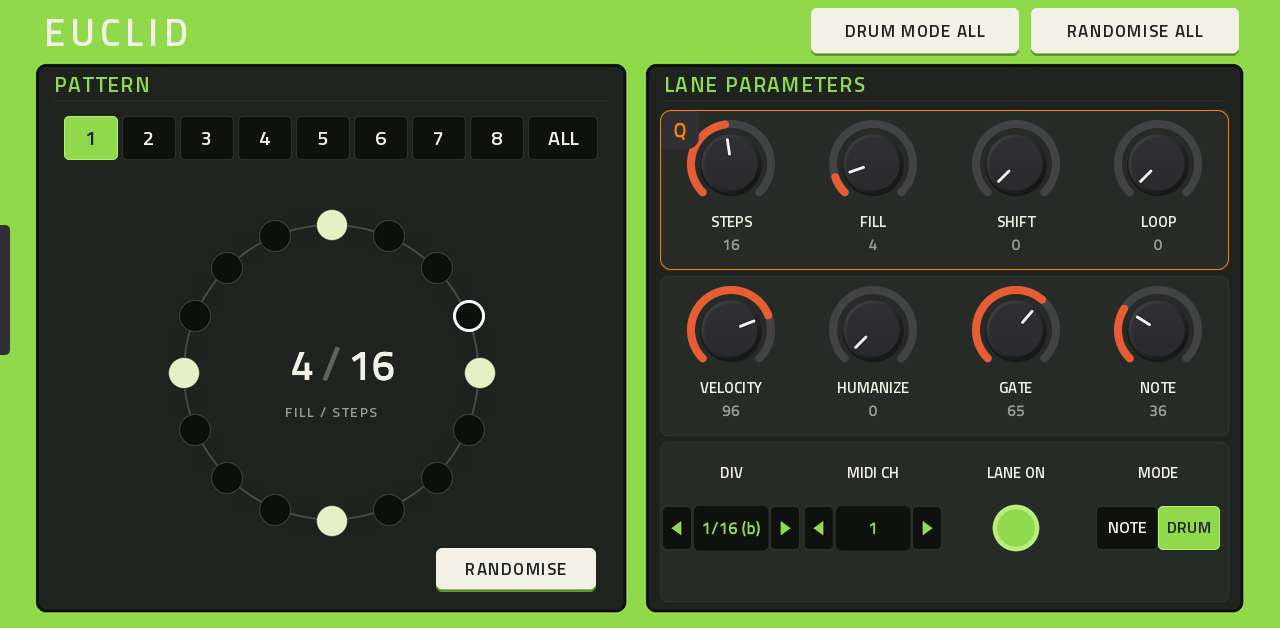
Euclid is an 8-lane Euclidean MIDI sequencer for Akai MPC OS standalone devices
JN 106
by sd88me · v0.2.0 · 5,468 downloads
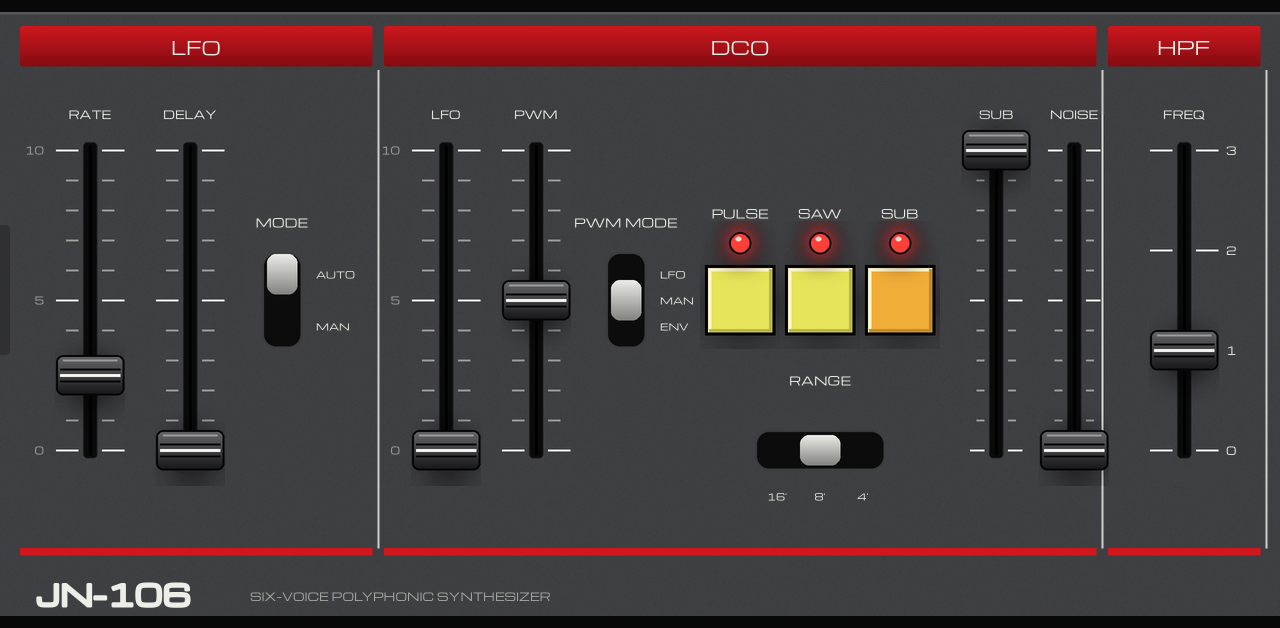
A faithful, circuit-modelled and hardware-profiled six-voice Juno emulation for Akai MPC OS standalone devices. The DSP is Ultramaster KR-106 by Karl LaRocca:
MS20XXL
by sunskiefer · v0.2.0 · 3,550 downloads
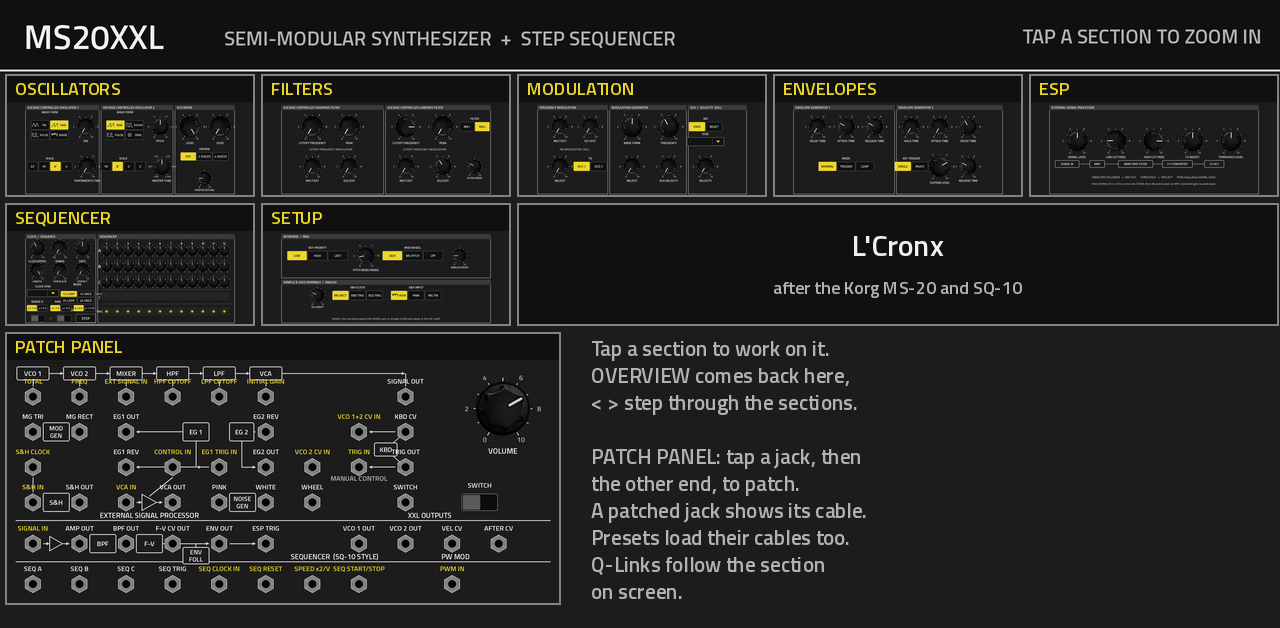
MS20XXL — Korg MS-20-style semi-modular mono synth for Akai Force / MPC OS (VST2) by L’Cronx. Two VCOs, MS-20 HPF/LPF, ESP, touch patch bay drawn on the block diagram, and an SQ-10-style analog step sequencer.
StepRunner 8
by djokenzi · v1.2.0 · 3,514 downloads
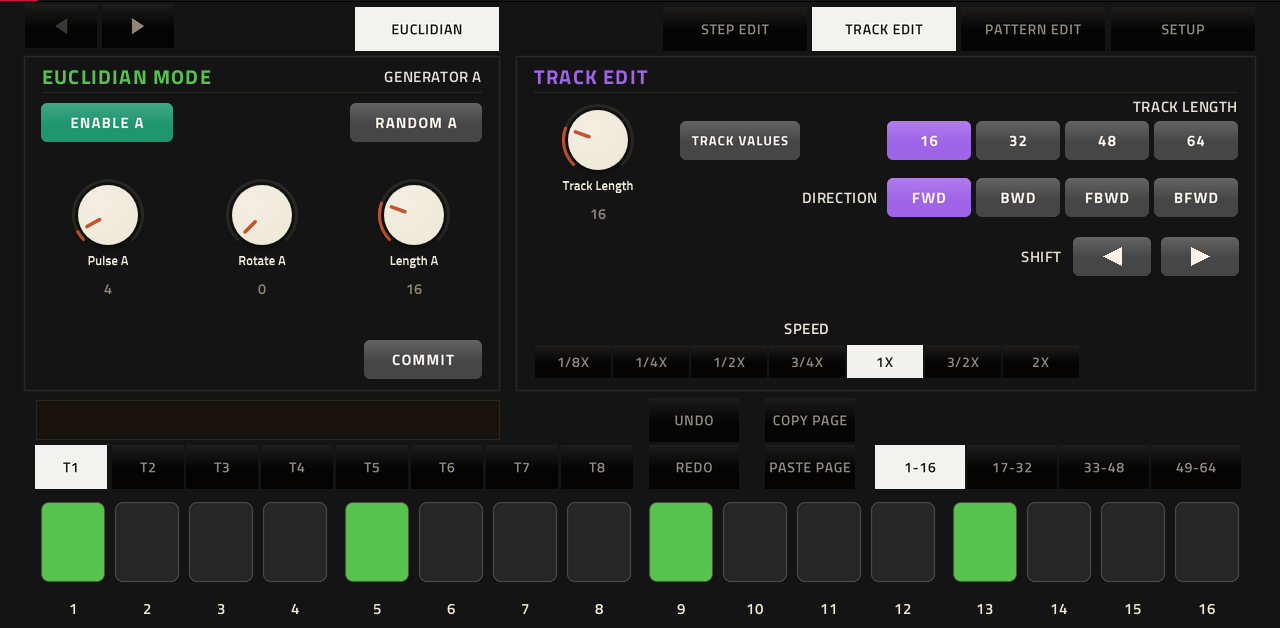
8-track, 64-step sequencer plugin for Akai MPC standalone
Welle
by sd88me · v0.3.1 · 1,751 downloads
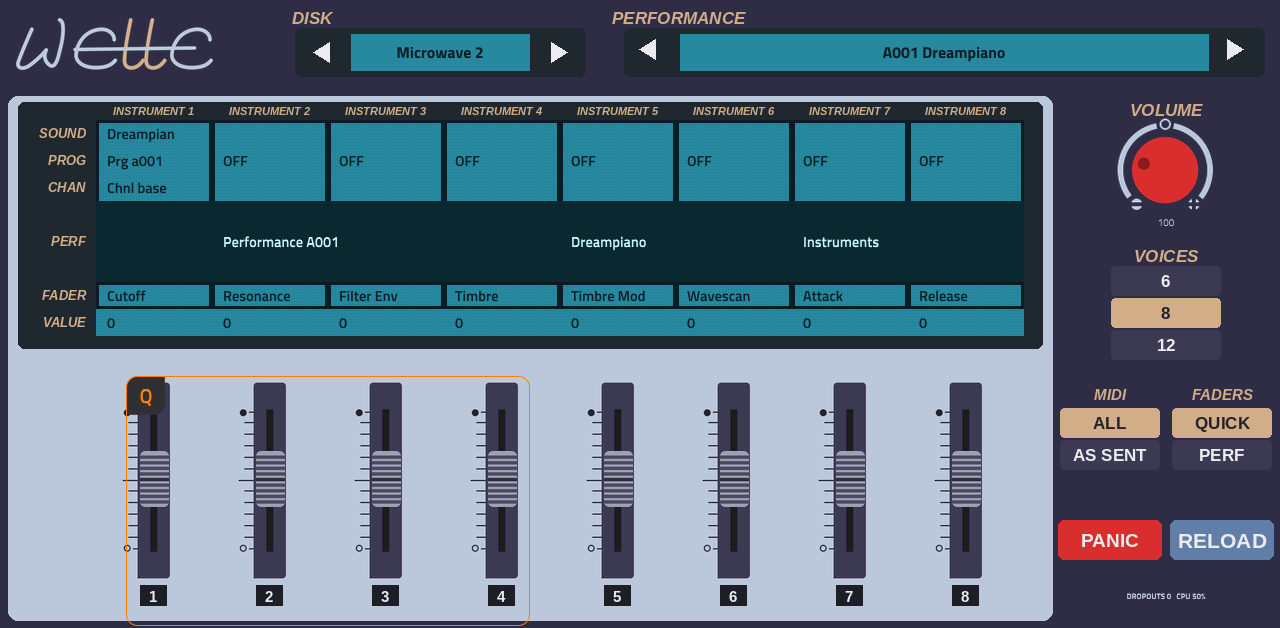
A Waldorf Wave emulation that runs as a plugin instrument on Akai MPC Gen2 standalone devices built on the emulation by mo0kid: a model of the Wave's voice circuits driven by the instrument's own OS 1.700, running on emulated 68000s.
JC303 MPC
by 303inmyheart · v0.7.4 · 1,202 downloads
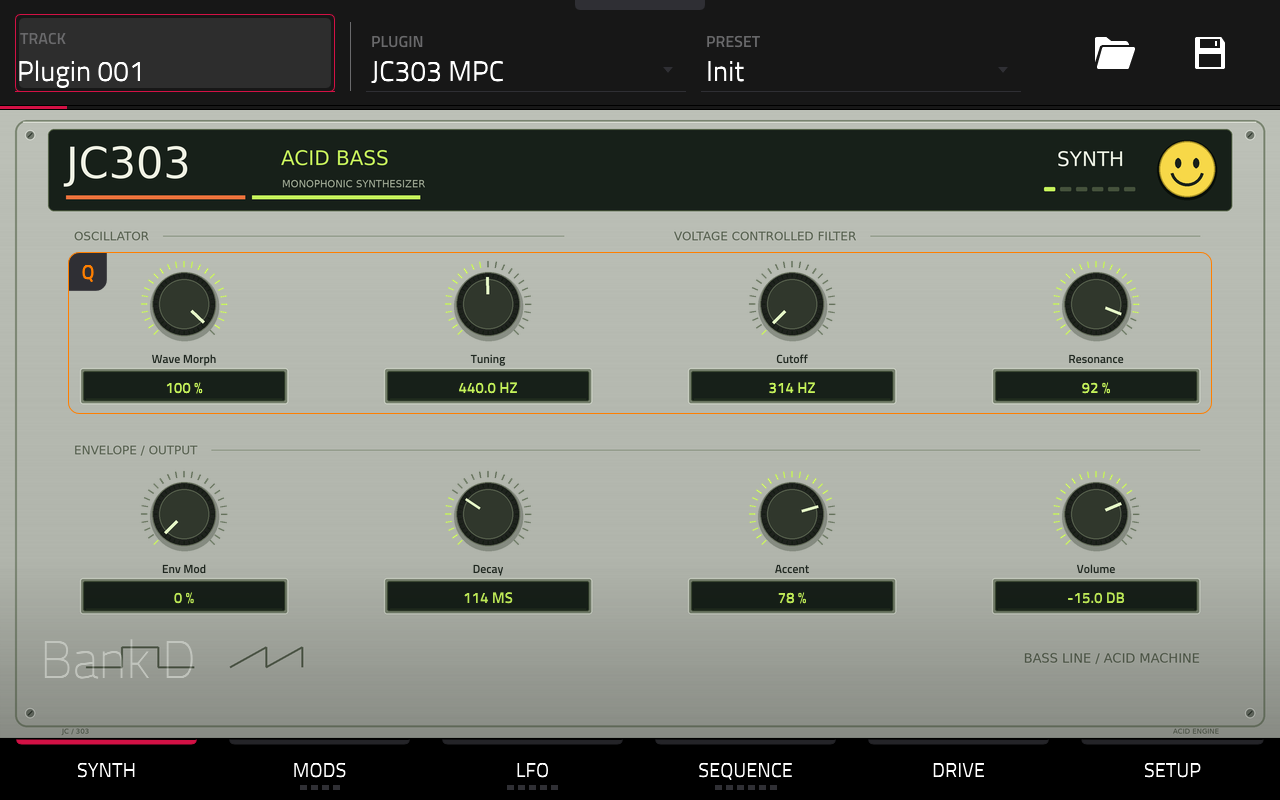
JC303 MPC — 303-style synth for Gen2 MPCs with native Q-Links, sequencer, drive models and presets. Community port by 303inmyheart.
JV 880
by sd88me · v2.0.4 · 16,415 downloads
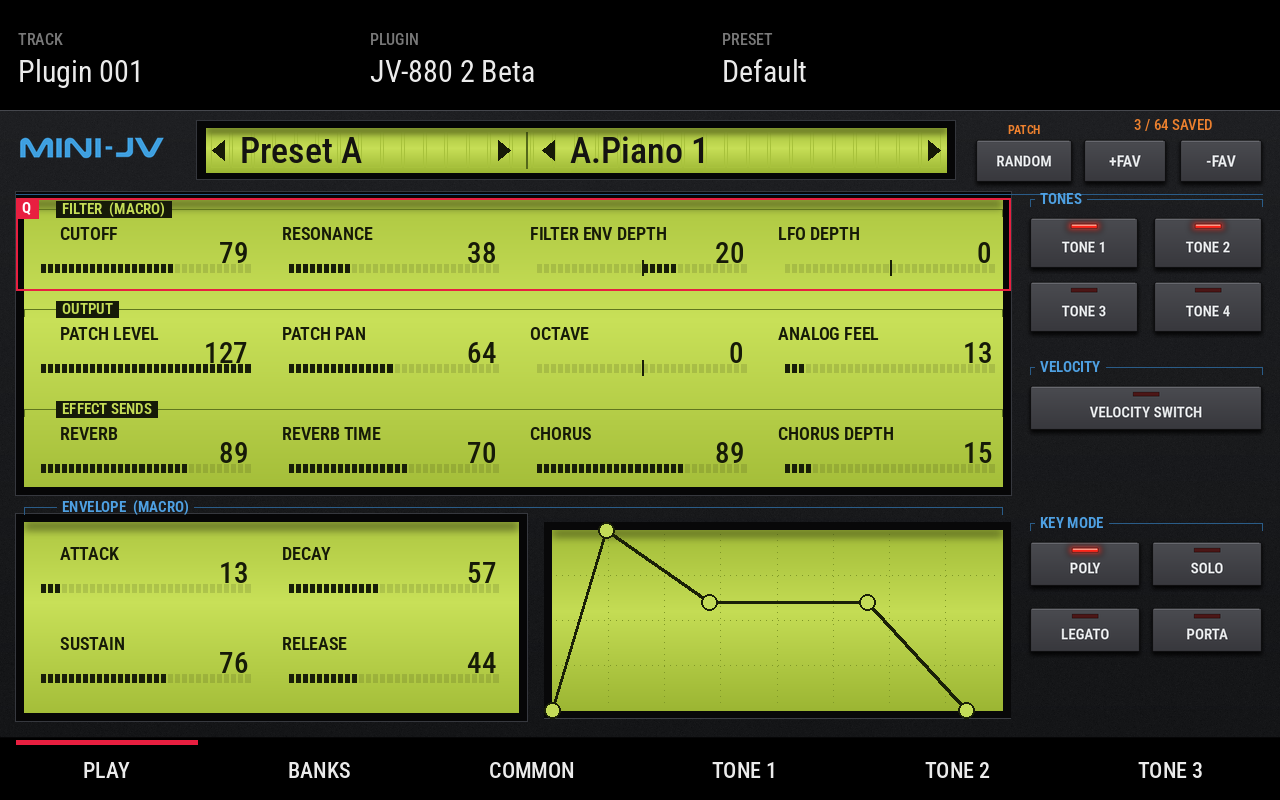
JV-880 Emulator VST Plugin for MPC OS
Crate Digger
by sd88me · v2.2.1 · 15,139 downloads
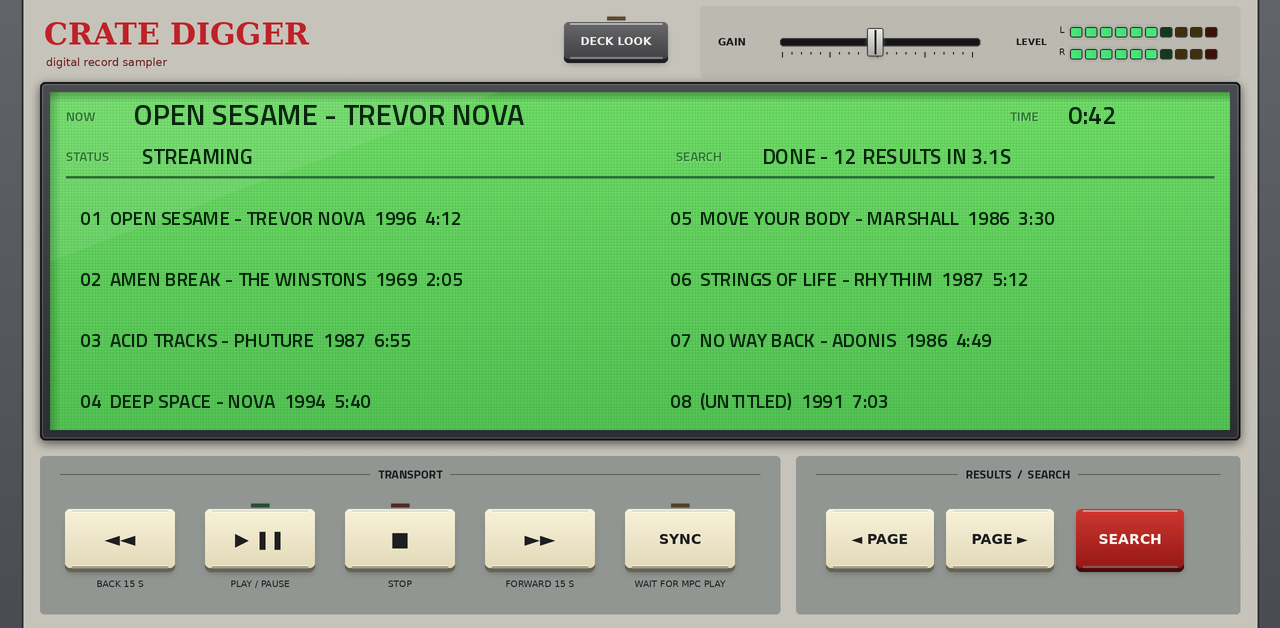
Crate Digger is a plugin instrument for Akai MPC standalone devices that digs for records and plays them into an MPC track. Pick a genre, style, decade, region and country, and it finds random releases on Discogs, then streams so you can audition and resample them.
Made this plugin? Add our badge to your README
 Paste this into your GitHub README. It updates itself when your plugin gets the Tested & Working badge.
[](https://thediskking.com/plugins/acid/)