Crate Digger
Free MPC Instrument plugin by sd88me · v2.2.1 · Nov 24, 2026 · 15,139 downloads
15,139
Downloads
16
GitHub stars
v2.2.1
Latest version
Nov 24, 2026
Updated
User rating
No ratings yet. Be the first.
Used it? Rate it:
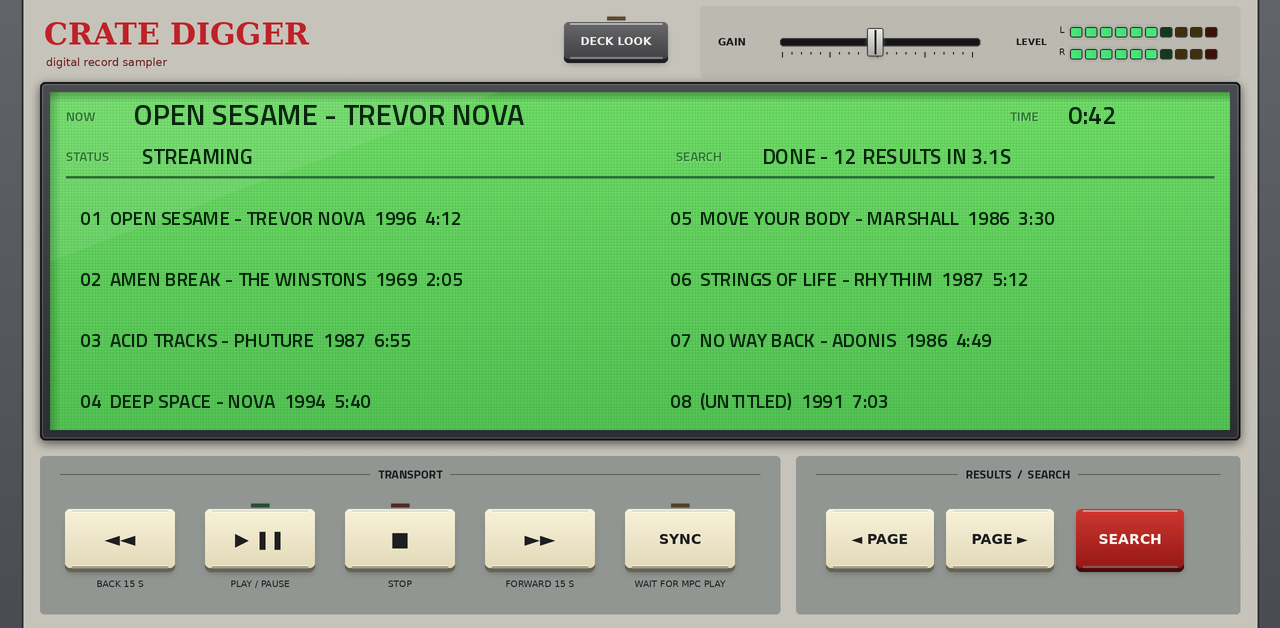
Crate Digger is a plugin instrument for Akai MPC standalone devices that digs for records and plays them into an MPC track. Pick a genre, style, decade, region and country, and it finds random releases on Discogs, then streams so you can audition and resample them.
💬 Questions or feedback? Join the Open MPC Discord.
Download Crate Digger v2.2.1
✓ Tested & working
The creator reports testing this exact version on real hardware: Akai MPC Live III (Gen2), MPC OS 3.10. This is the creator's own report, not a guarantee from The Disk King. Still back up first.
Before you install
- Needs
- A network connection (streams from Discogs and the web)
⚑ Safety check: review the notes below
- ✓ Download matches the checksum GitHub lists
- ✓ Built for: Gen1 (32-bit ARM), Gen2 (64-bit ARM)
- ✓ Runs on: MPC OS 3.x / MPC OS 2.x and 3.x
- ⚑ The plugin connects to the internet.
- ⚑ The plugin loads extra code while running.
- ⚑ The plugin starts other programs.
- ⚑ The plugin can stop other programs (often to restart MPC).
- ⚑ The plugin can change system settings.
- ⚑ The plugin runs a small web page on your Wi-Fi (often its phone or browser screen).
- These can be completely normal for what the plugin does, but know them before installing.
- ✓ Nothing risky found in its installer
- ⚠ Uses the same library file name as: potentialcrates, potentialcrates, potentialcrates, evil-tuner-xxl, potentialcrates, potentialcrates, potentialcrates, potentialcrates, potentialcrates, potentialcrates, potentialcrates, potentialcrates, potentialcrates, potentialcrates, potentialcrates, potentialcrates. Installing both may overwrite one.
An automatic look at the files, not a guarantee: it can't see everything a program does. Always back up first.
Disclaimer: use entirely at your own risk
This plugin is made, owned and shared by an independent developer, not by The Disk King and not by Akai Professional or inMusic. The Disk King only lists it; the download comes directly from the developer's GitHub. The Disk King did not make, test, review or check it for safety and makes no promise that it works, is safe, or is free of bugs or harmful code.
Plugins install into your MPC's system and can crash it, corrupt or lose projects and samples, or require reinstalling MPC OS. Save your work and back up your MPC before installing anything.
Everything here is provided "as is", with no warranty of any kind. To the fullest extent the law allows, The Disk King is not responsible or liable for any damage, data loss, device failure, lost income or any other harm from downloading, installing or using any plugin listed here. By downloading or installing, you accept all risk and full responsibility. Full disclaimer.
Gen1: MPC Live, Live II, One, X, Key, Force
Crate-Digger-2.2.1-mpc-armv7.zip 73.4 MB
sha256: 987553bbc9fc79e9f7256449d5769f7c9f73929d323a1995f1f0635d4b04bab2
Gen2: MPC Live III, One G2, Key G2, XL
Crate-Digger-2.2.1-mpc-aarch64.zip 89.2 MB
sha256: 4b1a173096abb3595ec4a0836de0b013b88ecdf7defc44717e046b190a1d31d0
Downloads come straight from the creator's GitHub. Check the sha256 matches before installing. New to plugins? How to install plugins on MPC OS 3.10.1.
✓ Easy install on MPC OS 3.10.1: copy one folder
- Gen1 download: unzip it and copy
sd88me - VST - Crate Digger(insideCrate-Digger-2.2.1/portable/) intoVST2 Pluginson your drive. - Gen2 download: unzip it and copy
sd88me - VST - Crate Digger(insideCrate-Digger-2.2.1/portable/) intoVST2 Pluginson your drive.
Turn on External Plugin Support first. Full step-by-step guide.
Tested working on
- Akai MPC Live III (Gen2), MPC OS 3.10 (Nov 24, 2026)
Version history
v2.2.1 Nov 24, 2026 · 392 downloads
# Crate Digger 2.2.1 Licence change only; no change to how the plugin works. - Crate Digger is now free software under the **GNU General Public License, version 3 or later** (it was MIT before 2026-11-24). The old MIT text is kept in `LICENSE-MIT`. - The streaming core stays MIT: it is the [schwung-webstream](https://github.com/charlesvestal/schwung-webstream) core by Charles Vestal, with its licence in `UPSTREAM_LICENSE.txt` and `UPSTREAM_THIRD_PARTY_NOTICES.md`. - Credit for PotentialBreakfast's channel source is unchanged in the README. - The stale pre-2.x release workflow (`vst-release.yml`) is removed; 2.x is built with `build-sdk.sh`.
v2.2.0 Nov 19, 2026 · 2,271 downloads
# Crate Digger 2.2.0 A second look: the deck. Everything in 2.1.0, plus a turntable, a crate and an amp, switched with one key. The sampler look is unchanged. ## What's new - **DECK LOOK.** A key at the top of every sampler page switches to the deck (on the deck, DECK LOOK on FIND switches back). It applies to every Crate Digger on the MPC and stays until you switch back; projects do not change it. - **The turntable.** The record's centre label is the display: status, what is playing and the time, with the record's cover shown as dots behind the glass. The record turns while it plays on 64-bit MPCs (Live III and other Gen2 units); on 32-bit MPCs it stays still to save CPU. Drawn after a classic direct-drive deck: an S-shaped tonearm, and a platter rim with rows of strobe dots that the strobe lamp lights red. - **Drag the tonearm to move through the track.** It follows the track as it plays; drag it up towards the label to go forward, down to go back, and the needle drops where you let go. Far jumps restart the stream at that point. - **Pitch and speed.** A real pitch fader (+-8 %, with RESET, a centre click and a green light at 0) and 33 / 45 keys: the track plays faster or slower, pitch and tempo together, like a turntable. They are saved with the project and work in both looks. - **The crate and the amp (PLAY).** The results are sleeves in a crate with PAGE tabs: an assortment of card, paper, gloss and printed company sleeves, each with its text in a colour that stays readable on it. The amp in front has two VU meters, GAIN, the search status and SEARCH. - **Consoles on FILTERS and FIND.** FILTERS: one display with all five filters (long names wrap onto two lines) and a fader with up / down keys for each. FIND: DISCOGS / YOUTUBE / CHANNEL source keys, a display with the source's settings, faders for the minimum and maximum length under their readouts, MUSIC ONLY, the channel selector and a TEXT panel you tap to type. - **Q-Links on PLAY** (both looks): pitch, gain, the results page and the tonearm, then the transport. The deck draws no Q-Link frame. ## Install Download the package for your device, unzip it and follow `INSTALL.txt` (also in the README). - `Crate-Digger-2.2.0-VST2-Plugins-aarch64.zip`: MPC Live III and other 64-bit MPCs. Copy the plugin folder into `VST2 Plugins` on a drive. - `Crate-Digger-2.2.0-VST2-Plugins-armv7.zip`: Force and other 32-bit MPCs. Includes `install-force.sh` for devices that list plugins in `MPC.settings` (needs root shell access); an older Crate Digger is replaced and your `channels.txt` is kept. ## Notes - Tested on an MPC Live III. Not yet tested on a Force (32-bit) with this version. - Projects saved with 2.1.0, 2.0.0 and 1.x load (new controls are added after the old ones). - The deck look's popup keyboard is the sampler's (cream keys).
v2.1.0 Nov 17, 2026 · 1,311 downloads
# Crate Digger 2.1.0 Faster digging and fewer dead ends. Same screen as 2.0.0; projects from 2.0.0 and 1.x load as before. ## What's new - **Faster Discogs searches.** Releases are looked up in parallel over kept-alive connections, and every release looked up is remembered on the device for two weeks, so a repeat search costs nothing. A cold search on a Live III went from about 6 s to about 2 s. - **The next search is often ready at once.** While you listen, Crate Digger looks up the next batch for the same filters in the background (within Discogs' rate limit, always leaving room for your next search). - **Rows start straight away.** The first rows of a search, and the next rows while a track plays, are resolved ahead of time; tapping one starts it without the usual wait. - **No more removed videos in the results.** Discogs often links to YouTube videos that have since been deleted; those releases are now skipped (a video that is only private or region-blocked can still show UNAVAILABLE when played). - **Tracks play to the end.** The last part of a track (up to 45 s, whatever was buffered) was cut off when the download finished early. Fixed. - **Full-screen keyboard.** The keyboard now fills the screen with the text you are typing shown at its top. Tapping the TEXT line opens it too. - **Q-Links and the data wheel step through short lists** (PAGE, SOURCE, the lengths, the channel), one entry per click; before, a Q-Link could not move them at all. - **STYLE and COUNTRY use the whole knob.** Their lists change length with GENRE and REGION; a knob now spreads whatever the list holds over its full turn instead of using only the start of it. ## Install Download the package for your device, unzip it and follow `INSTALL.txt` (also in the README). - `Crate-Digger-2.1.0-VST2-Plugins-aarch64.zip`: MPC Live III and other 64-bit MPCs. Copy the plugin folder into `VST2 Plugins` on a drive. - `Crate-Digger-2.1.0-VST2-Plugins-armv7.zip`: Force and other 32-bit MPCs. Includes `install-force.sh` for devices that list plugins in `MPC.settings` (needs root shell access); an older Crate Digger is replaced and your `channels.txt` is kept. ## Notes - Tested on an MPC Live III. Not yet tested on a Force (32-bit) with this version. - Without a Discogs token, Discogs allows 25 requests a minute: several searches in quick succession can still hit the limit (it says so, and how long to wait). A free token raises it to 60; see the README.
v2.0.0 Nov 12, 2026 · 2,989 downloads
# Crate Digger 2.0.0 A new look and a rebuilt plugin, with a new screen styled after a vintage MPC. ## What's new - **New screen** in three pages: PLAY, FILTERS and FIND. A green LCD shows what is playing, the status, the time and your filters; the five filter knobs sit directly under their own LCD columns; big keys and arrows are easy to hit. - **GAIN fader and a stereo level meter** on every page. - **PLAY and STOP lamps**, and SYNC now sits with the transport. - **FIND** is regrouped: DISCOGS, YOUTUBE (with MUSIC ONLY and the length filters) and its CHANNEL extension, with KEYBOARD and SEARCH together at the far right. - Works on 64-bit MPCs (Live III and other aarch64 units) and 32-bit MPCs (Force, Live, Live II, One, X, Key), as two packages. - **Projects saved with Crate Digger 1.x still load.** ## Install Download the package for your device, unzip it and follow `INSTALL.txt` (also in the README). - `Crate-Digger-2.0.0-VST2-Plugins-aarch64.zip`: MPC Live III and other 64-bit MPCs. Copy the plugin folder into `VST2 Plugins` on a drive. - `Crate-Digger-2.0.0-VST2-Plugins-armv7.zip`: Force and other 32-bit MPCs. Includes `install-force.sh` for devices that list plugins in `MPC.settings` (needs root shell access); an older Crate Digger is replaced and your `channels.txt` is kept. The plugin folder carries its own yt-dlp, Python and ffmpeg (about 125 MB armv7, 180 MB aarch64) and needs a network connection on the MPC. ## Notes - Tested on an MPC Live III and a Force. - Search and playback depend on Discogs and on yt-dlp resolving YouTube; see docs/TROUBLESHOOTING.md. - Not tested yet: the channel search with a `channels.txt`, and typing on the popup keyboard.
v1.3.1 Nov 6, 2026 · 1,062 downloads
Dig for records by genre, style, decade and country on Discogs, then stream and play them into your MPC track. Needs a network connection. ## Requirements - A first-generation MPC OS standalone device (32-bit ARM, like the Force, MPC Live / Live II, One, X and Key 61). The installer refuses anything else. Newer models are untested. - **Root shell access** (SSH) to the device. Stock MPC OS doesn't offer this; you need a modded unit. - Tested on MPC OS with a Force. Installing plugins this way is unofficial: back up first, use at your own risk. ## Install (scripted) 1. Unzip, then copy the whole folder to the device, e.g. `scp -r Crate-Digger-1.3.1 root@<device-ip>:/tmp/` 2. Run it: `ssh root@<device-ip> sh /tmp/Crate-Digger-1.3.1/install.sh` The installer checks the device, **stops MPC** (save your project first), copies `portable/sd88me - VST - Crate Digger/` (the plugin, its skin and its data, as one folder) into `/sdcard/Synths`, backs up `MPC.settings`, adds the plugin to MPC's plugin list from the folder's `plugin-meta.xml` and starts MPC again. Running it again upgrades in place, keeping your own files. An older install of this plugin (the previous layout, with the `.so` in `/sdcard/vst`) is replaced, not duplicated. `-y` skips the confirmation prompt; `-t <folder>` installs into another Synths folder (for example on a card). Your own files go in `cratedigger/channels.txt/` inside the plugin folder (`/sdcard/Synths/sd88me - VST - Crate Digger/`); the installer keeps them when you upgrade and uninstall, and moves them there from the old `/sdcard/vst` location if you had installed the plugin that way. Then add **Crate Digger** to a track from the plugin browser (Instrument plugins). Its screen appears in the plugin view, and the Q-Links follow the page. Full instructions, including installing by hand, are in `INSTALL.md` inside the zip. --- Built by GitHub Actions from sd88me/mpc-vst-cratedigger@0b61094 with mpc-vst-plugins@70c1623.
v1.3.0 Oct 28, 2026 · 1,376 downloads
Dig for records by genre, style, decade and country on Discogs, then stream and play them into your MPC track. Needs a network connection. ## Requirements - A first-generation MPC OS standalone device (32-bit ARM, like the Force, MPC Live / Live II, One, X and Key 61). The installer refuses anything else. Newer models are untested. - **Root shell access** (SSH) to the device. Stock MPC OS doesn't offer this; you need a modded unit. - Tested on MPC OS with a Force. Installing plugins this way is unofficial: back up first, use at your own risk. ## Install (scripted) 1. Unzip, then copy the whole folder to the device, e.g. `scp -r Crate-Digger-1.3.0 root@<device-ip>:/tmp/` 2. Run it: `ssh root@<device-ip> sh /tmp/Crate-Digger-1.3.0/install.sh` The installer checks the device, **stops MPC** (save your project first), copies `portable/sd88me - VST - Crate Digger/` (the plugin, its skin and its data, as one folder) into `/sdcard/Synths`, backs up `MPC.settings`, adds the plugin to MPC's plugin list from the folder's `plugin-meta.xml` and starts MPC again. Running it again upgrades in place, keeping your own files. An older install of this plugin (the previous layout, with the `.so` in `/sdcard/vst`) is replaced, not duplicated. `-y` skips the confirmation prompt; `-t <folder>` installs into another Synths folder (for example on a card). Your own files go in `cratedigger/channels.txt/` inside the plugin folder (`/sdcard/Synths/sd88me - VST - Crate Digger/`); the installer keeps them when you upgrade and uninstall, and moves them there from the old `/sdcard/vst` location if you had installed the plugin that way. Then add **Crate Digger** to a track from the plugin browser (Instrument plugins). Its screen appears in the plugin view, and the Q-Links follow the page. Full instructions, including installing by hand, are in `INSTALL.md` inside the zip. --- Built by GitHub Actions from sd88me/mpc-vst-cratedigger@ecd9ed6 with mpc-vst-plugins@ccfac7d.
v1.2.0 Oct 13, 2026 · 1,624 downloads
Dig for records by genre, style, decade and country on Discogs, then stream and play them into your MPC track. Needs a network connection. ## Requirements - A first-generation MPC OS standalone device (32-bit ARM, like the Force, MPC Live / Live II, One, X and Key 61). The installer refuses anything else. Newer models are untested. - **Root shell access** (SSH) to the device. Stock MPC OS doesn't offer this; you need a modded unit. - Tested on MPC OS with a Force. Installing plugins this way is unofficial: back up first, use at your own risk. ## Install (scripted) 1. Unzip, then copy the whole folder to the device, e.g. `scp -r Crate-Digger-1.2.0 root@<device-ip>:/tmp/` 2. Run it: `ssh root@<device-ip> sh /tmp/Crate-Digger-1.2.0/install.sh` The installer checks the device, **stops MPC** (save your project first), copies `portable/sd88me - VST - Crate Digger/` (the plugin, its skin and its data, as one folder) into `/sdcard/Synths`, backs up `MPC.settings`, adds the plugin to MPC's plugin list from the folder's `plugin-meta.xml` and starts MPC again. Running it again upgrades in place, keeping your own files. An older install of this plugin (the previous layout, with the `.so` in `/sdcard/vst`) is replaced, not duplicated. `-y` skips the confirmation prompt; `-t <folder>` installs into another Synths folder (for example on a card). Then add **Crate Digger** to a track from the plugin browser (Instrument plugins). Its screen appears in the plugin view, and the Q-Links follow the page. Full instructions, including installing by hand, are in `INSTALL.md` inside the zip. --- Built by GitHub Actions from sd88me/mpc-vst-cratedigger@26354d3 with mpc-vst-plugins@ccfac7d.
v1.1.9-gen2-test beta Oct 10, 2026 · 1,357 downloads
Dig for records by genre, style, decade and country on Discogs, then stream and play them into your MPC track. Needs a network connection. ## Requirements - A first-generation MPC OS standalone device (32-bit ARM, like the Force, MPC Live / Live II, One, X and Key 61). The installer refuses anything else. Newer models are untested. - **Root shell access** (SSH) to the device. Stock MPC OS doesn't offer this; you need a modded unit. - Tested on MPC OS with a Force. Installing plugins this way is unofficial: back up first, use at your own risk. ## Install (scripted) 1. Unzip, then copy the whole folder to the device, e.g. `scp -r Crate-Digger-1.1.9 root@<device-ip>:/tmp/` 2. Run it: `ssh root@<device-ip> sh /tmp/Crate-Digger-1.1.9/install.sh` The installer checks the device, **stops MPC** (save your project first), copies `portable/sd88me - VST - Crate Digger/` (the plugin, its skin and its data, as one folder) into `/sdcard/Synths`, backs up `MPC.settings`, adds the plugin to MPC's plugin list from the folder's `plugin-meta.xml` and starts MPC again. Running it again upgrades in place, keeping your own files. An older install of this plugin (the previous layout, with the `.so` in `/sdcard/vst`) is replaced, not duplicated. `-y` skips the confirmation prompt; `-t <folder>` installs into another Synths folder (for example on a card). Then add **Crate Digger** to a track from the plugin browser (Instrument plugins). Its screen appears in the plugin view, and the Q-Links follow the page. Full instructions, including installing by hand, are in `INSTALL.md` inside the zip. --- Built by GitHub Actions from sd88me/mpc-vst-cratedigger@fbd35d0 with mpc-vst-plugins@ccfac7d.
v1.1.8-gen2-test beta Oct 10, 2026 · 1,367 downloads
Dig for records by genre, style, decade and country on Discogs, then stream and play them into your MPC track. Needs a network connection. ## Requirements - A first-generation MPC OS standalone device (32-bit ARM, like the Force, MPC Live / Live II, One, X and Key 61). The installer refuses anything else. Newer models are untested. - **Root shell access** (SSH) to the device. Stock MPC OS doesn't offer this; you need a modded unit. - Tested on MPC OS with a Force. Installing plugins this way is unofficial: back up first, use at your own risk. ## Install (scripted) 1. Unzip, then copy the whole folder to the device, e.g. `scp -r Crate-Digger-1.1.8 root@<device-ip>:/tmp/` 2. Run it: `ssh root@<device-ip> sh /tmp/Crate-Digger-1.1.8/install.sh` The installer checks the device, **stops MPC** (save your project first), copies `portable/sd88me - VST - Crate Digger/` (the plugin, its skin and its data, as one folder) into `/sdcard/Synths`, backs up `MPC.settings`, adds the plugin to MPC's plugin list from the folder's `plugin-meta.xml` and starts MPC again. Running it again upgrades in place, keeping your own files. An older install of this plugin (the previous layout, with the `.so` in `/sdcard/vst`) is replaced, not duplicated. `-y` skips the confirmation prompt; `-t <folder>` installs into another Synths folder (for example on a card). Then add **Crate Digger** to a track from the plugin browser (Instrument plugins). Its screen appears in the plugin view, and the Q-Links follow the page. Full instructions, including installing by hand, are in `INSTALL.md` inside the zip. --- Built by GitHub Actions from sd88me/mpc-vst-cratedigger@0485575 with mpc-vst-plugins@ccfac7d.
v1.1.7-gen2-test beta Oct 9, 2026 · 1,390 downloads
**Gen2 test build, not a normal release.** Built by hand (not by CI) from branch `gen2-aarch64` to try the Gen2 (aarch64) pipeline from [mpc-vst-plugins#237](https://github.com/sd88me/mpc-vst-plugins/pull/237) with a real, heavy plugin. - `Crate-Digger-1.1.7-mpc-aarch64.zip`: for **Gen2 MPC devices** (aarch64, MPC OS 3.x). Includes its own aarch64 Python 3.11, yt-dlp and ffmpeg/ffprobe. - `Crate-Digger-1.1.7-mpc-armv7.zip`: the usual Gen1 / Force build of the same source. **Tested so far (offline only):** the aarch64 plugin loads from the zip's folder layout and renders audio, and the bundled Python, yt-dlp and ffmpeg start, in an arm64 container under emulation. **Not yet run on a real Gen2 device.** If you try it on one, please report what happens (device, MPC OS version, whether it loads, searches and plays). Install: unzip on a computer, copy to the device, run `sh install.sh` as root (it refuses the wrong CPU's zip). See `INSTALL.md` inside the zip. Both zips pass `catalog_check.py --catalog`. sha256: fd39d9d22fa13996a65f3dd76cc48501f523e805de9e197978a1816ffddcf850 Crate-Digger-1.1.7-mpc-aarch64.zip bd154253bf40a2f253a00bfbdde3d8732707df93dacd1cbcb51c0132a617db3b Crate-Digger-1.1.7-mpc-armv7.zip
More plugins like this
Euclid
by sd88me · v2.0.0 · 10,186 downloads
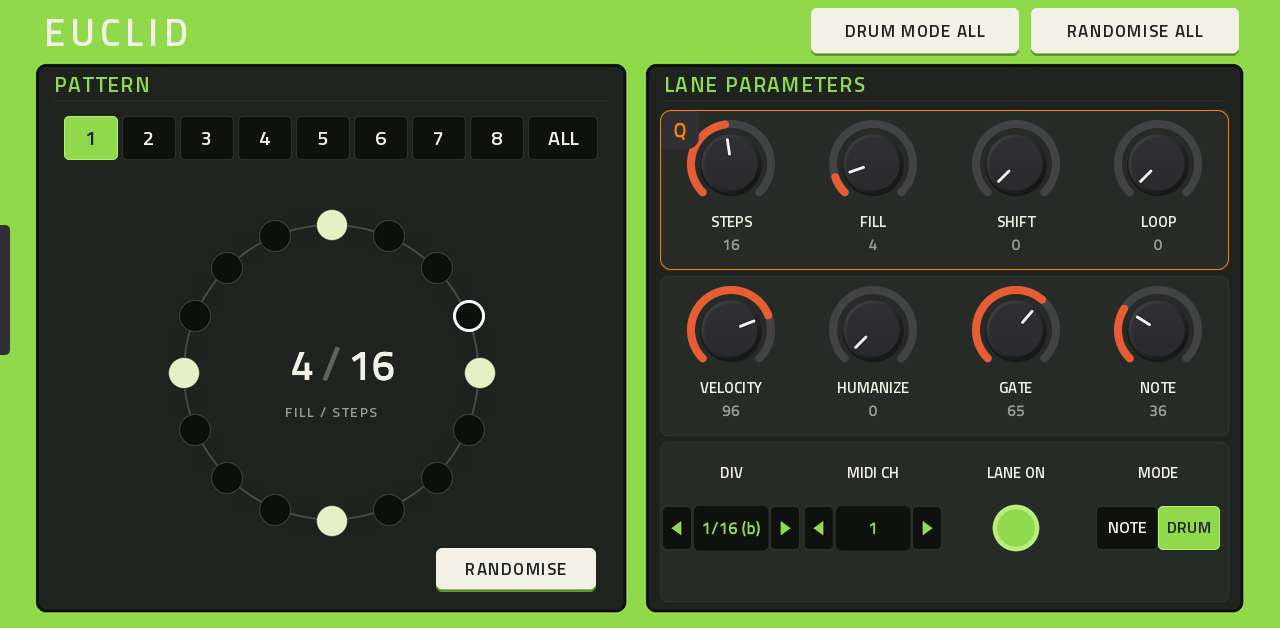
Euclid is an 8-lane Euclidean MIDI sequencer for Akai MPC OS standalone devices
JN 106
by sd88me · v0.2.0 · 5,468 downloads
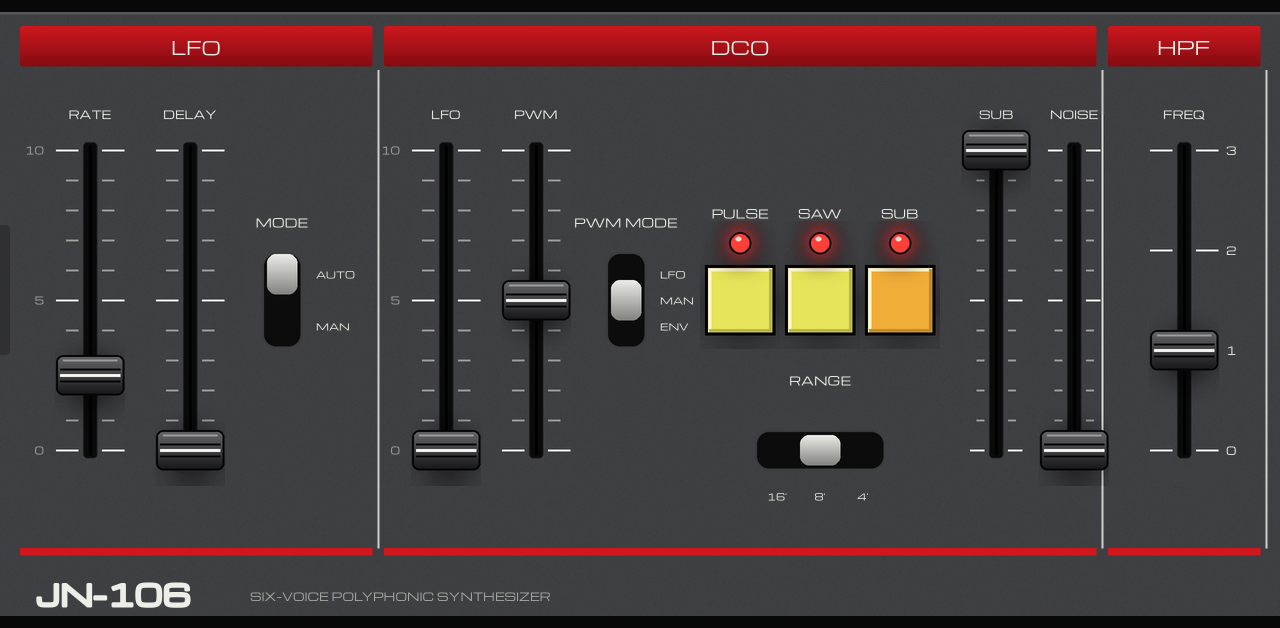
A faithful, circuit-modelled and hardware-profiled six-voice Juno emulation for Akai MPC OS standalone devices. The DSP is Ultramaster KR-106 by Karl LaRocca:
RMXXXL
by sunskiefer · v1.3.0 · 5,404 downloads
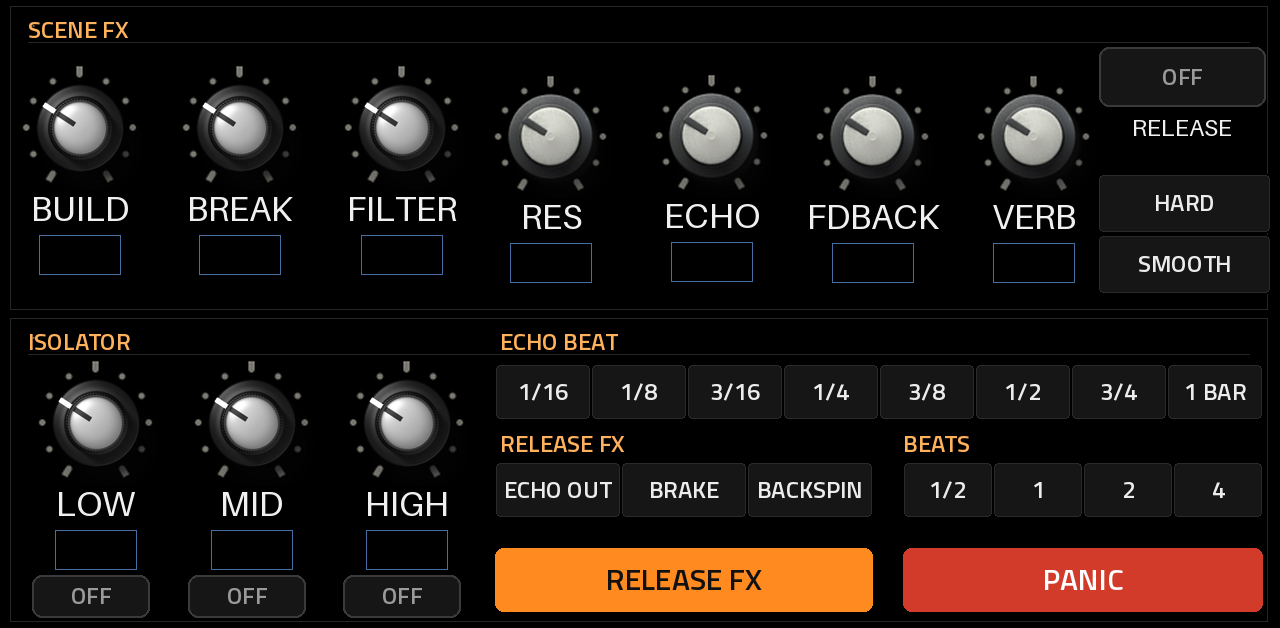
RMX-1000-style remix effect for MPC OS on the Akai Force: isolator, DJ filter, scene FX, echo, Clouds, reverbs, sample pads, limiter.
Omni Sampler
by B0ss-M · v2.3.1 · 3,697 downloads
multi-format player for the mpc
Welle
by sd88me · v0.3.1 · 1,751 downloads
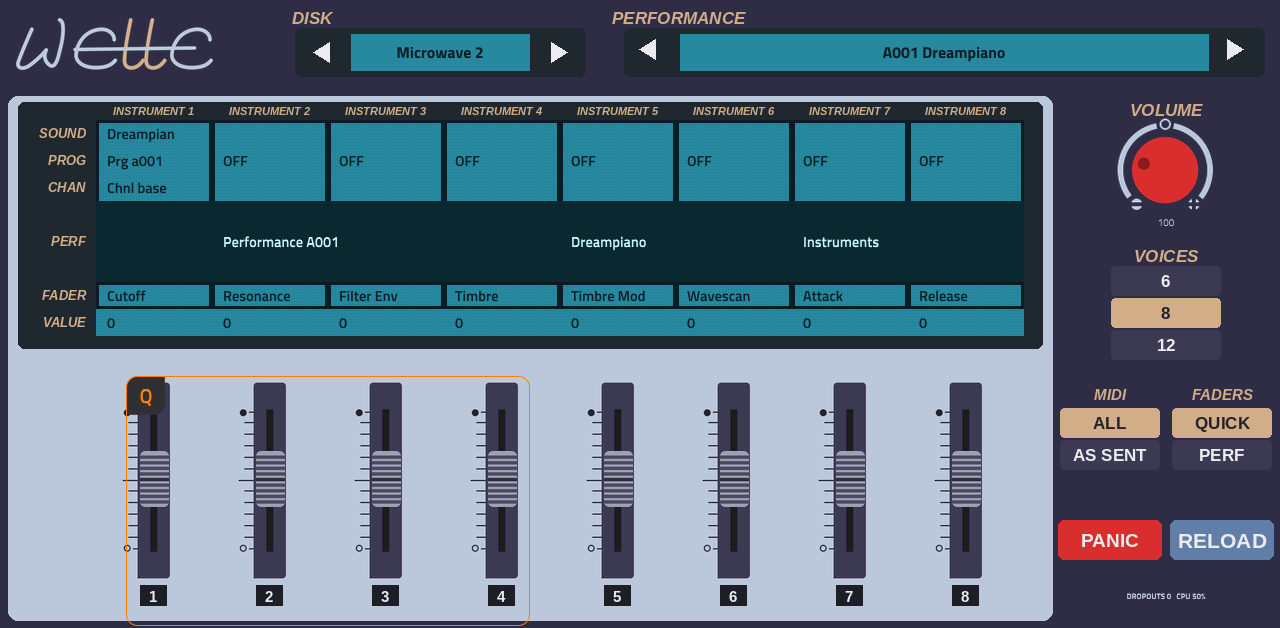
A Waldorf Wave emulation that runs as a plugin instrument on Akai MPC Gen2 standalone devices built on the emulation by mo0kid: a model of the Wave's voice circuits driven by the instrument's own OS 1.700, running on emulated 68000s.
AMGR
by sunskiefer · v0.2.5 · 178 downloads
Granular sample mangler form the GR2 ("Paulstretch"-style time-stretching and smearing). "orthogonal" engine workflow with common controls like scan, spray, chord mode, and forward/reverse playback.
PotentialBreaks
by PotentialBreakfast · v1.1.1 · 19 downloads
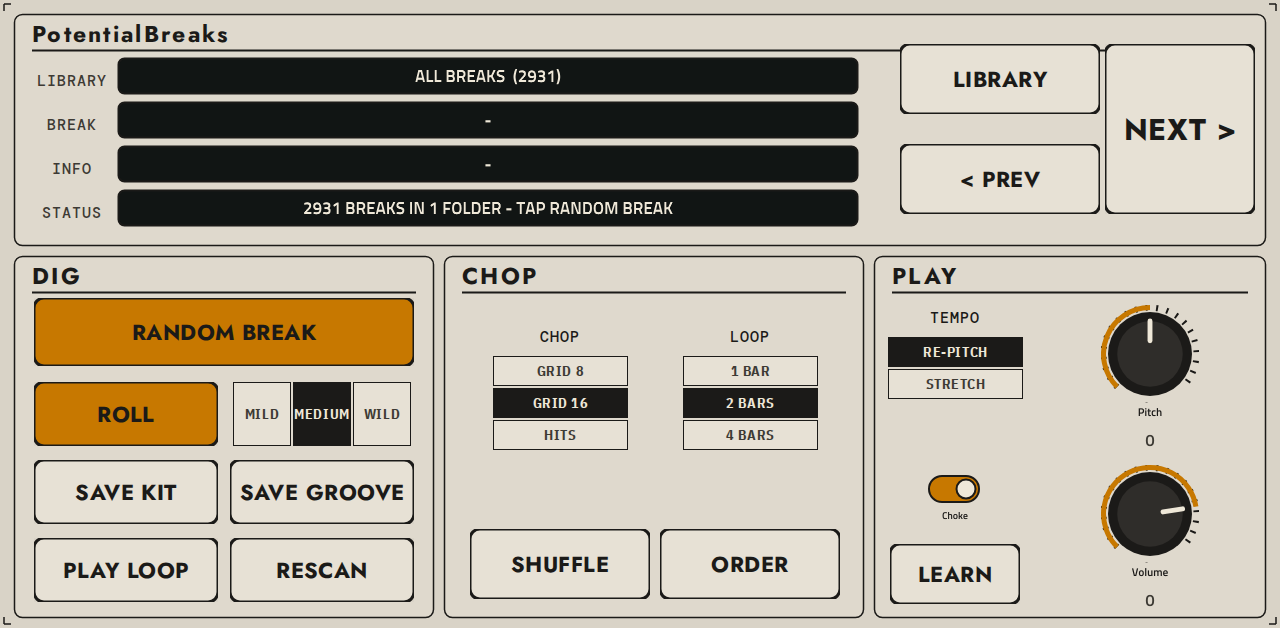
Free plugins for Akai MPC standalone: PotentialBreaks, PotentialWax, PotentialPatina, PotentialPunch, PotentialHeat, PotentialNoise
JV 880
by sd88me · v2.0.4 · 16,415 downloads
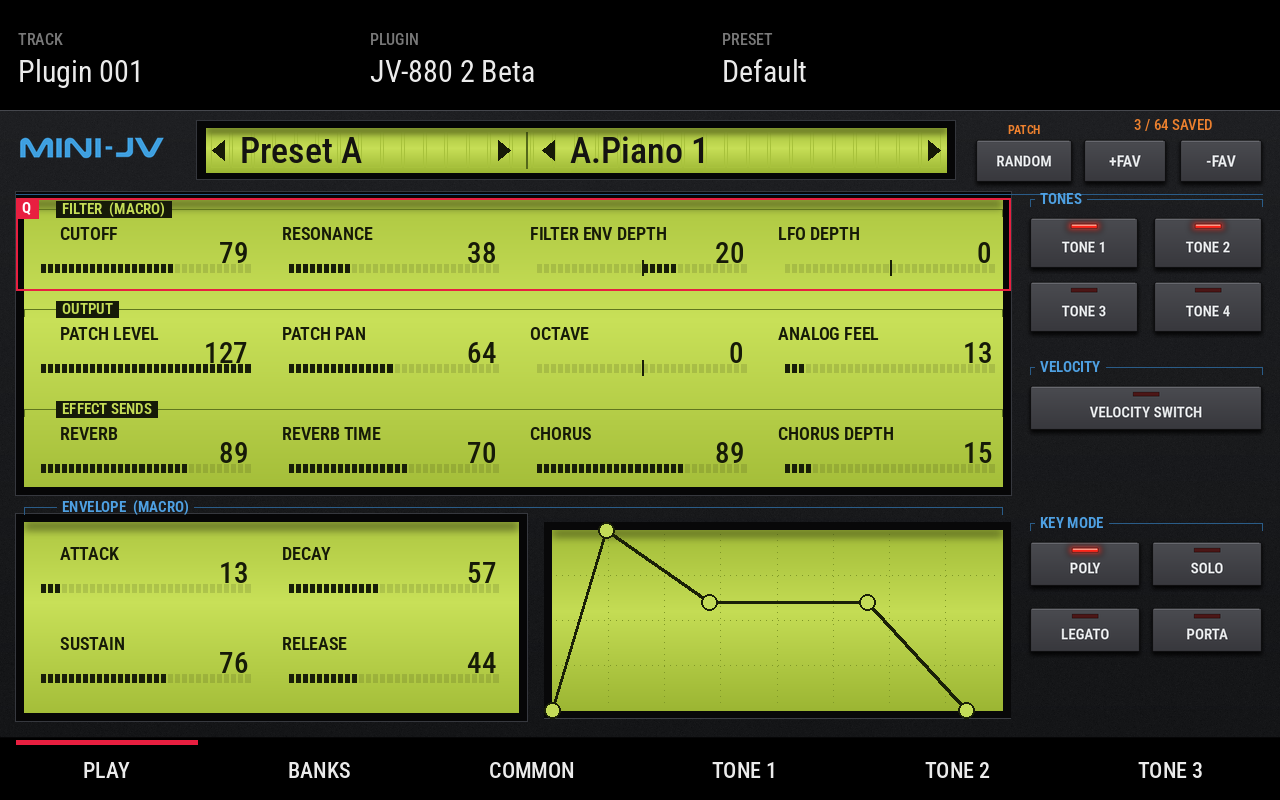
JV-880 Emulator VST Plugin for MPC OS
To improve this listing (for the creator)
- explain the flagged behavior (network, running programs, installer commands) in the README
Made this plugin? Add our badge to your README
 Paste this into your GitHub README. It updates itself when your plugin gets the Tested & Working badge.
[](https://thediskking.com/plugins/crate-digger/)