RMXXXL
Free MPC Effect plugin by sunskiefer · v1.3.0 · Oct 29, 2026 · 5,359 downloads
5,359
Downloads
6
GitHub stars
v1.3.0
Latest version
Oct 29, 2026
Updated
User rating
No ratings yet. Be the first.
Used it? Rate it:
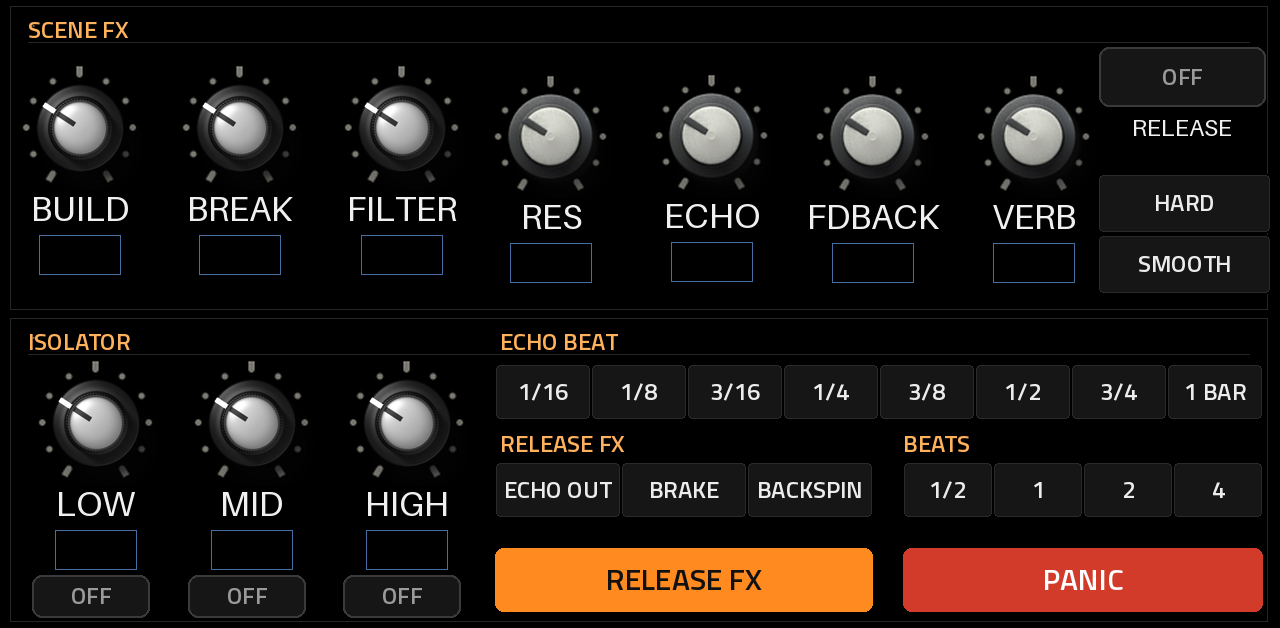
RMX-1000-style remix effect for MPC OS on the Akai Force: isolator, DJ filter, scene FX, echo, Clouds, reverbs, sample pads, limiter.
RMXXXL is a VST2 insert effect for MPC OS's built-in plugin host, made by L'Cronx (shown on the device as L'Cronx). Put it on a track, a submix or the master and play the mix live: build-ups, breakdowns, filter sweeps, band kills, echoes, reverb washes, granular textures, drum and sample pads, a Release kill switch that drops everything back to dry
Download RMXXXL v1.3.0
✓ Tested & working
The creator reports testing this exact version on real hardware: Akai Force, MPC OS 3.9.1. This is the creator's own report, not a guarantee from The Disk King. Still back up first.
✓ Safety check passed
- ✓ Download matches the checksum GitHub lists
- ✓ Built for: Gen1 (32-bit ARM)
- ✓ Runs on: MPC OS 2.x and 3.x
- ✓ No internet, web server, program-launching or system-changing functions found
- ✓ Nothing risky found in its installer
An automatic look at the files, not a guarantee: it can't see everything a program does. Always back up first.
Disclaimer: use entirely at your own risk
This plugin is made, owned and shared by an independent developer, not by The Disk King and not by Akai Professional or inMusic. The Disk King only lists it; the download comes directly from the developer's GitHub. The Disk King did not make, test, review or check it for safety and makes no promise that it works, is safe, or is free of bugs or harmful code.
Plugins install into your MPC's system and can crash it, corrupt or lose projects and samples, or require reinstalling MPC OS. Save your work and back up your MPC before installing anything.
Everything here is provided "as is", with no warranty of any kind. To the fullest extent the law allows, The Disk King is not responsible or liable for any damage, data loss, device failure, lost income or any other harm from downloading, installing or using any plugin listed here. By downloading or installing, you accept all risk and full responsibility. Full disclaimer.
Gen1: MPC Live, Live II, One, X, Key, Force
RMXXXL-1.3.0-mpc-armv7.zip 3.3 MB
sha256: 9115d2fe29886d66ef65b59afdf5297410b8e00f81b5c3a2f9aaf1d4235f5b1f
Downloads come straight from the creator's GitHub. Check the sha256 matches before installing. New to plugins? How to install plugins on MPC OS 3.10.1.
Can't be copied by hand on MPC OS 3.10.1
This release's plugin folder has no plugin.json, which 3.10.1 needs to list it. Use the creator's installer (see INSTALL.md in the zip), or ask the creator for a 3.10.1 release. Why?
Tested working on
- Akai Force, MPC OS 3.9.1 (Oct 31, 2026)
Version history
v1.3.0 Oct 29, 2026 · 1,568 downloads
> **1.2.3** is 1.2.2 built on the latest wrapper and includes the Q-Link and automation fix (#486–#489): Q-Links now move parameters on the track's automation screen. Nothing else changed. Installs over 1.2.2 in place. **RMXXXL v.1 — an RMX-1000-style remix effect that runs natively inside MPC OS on the Akai Force.** Put it on a track, a submix or the master and play the mix live: build-ups, breakdowns, filter sweeps, band kills, echoes, reverb washes, granular textures, drum and sample pads, a Release kill switch that drops everything back to dry, and a Panic button. Everything sits in one insert slot, with its own touchscreen pages and Q-Link sets. > ✅ **1.2.1 is tested on an Akai Force** (MPC OS 3.9.1 with MockbaMod). It fixes the big knobs (they slid instead of turning in 1.2.0), puts the Q-Links in screen order (top row = bank 1, bottom row = bank 2), makes switches flip with a small Q-Link turn, stops lists like Beats from skipping, and keeps the dry level when Clouds is on. 1.2.0 was tested on an Akai Force (MPC OS 3.9.1 with MockbaMod) and fixes what the first Force test (1.1.1, MPC OS 3.9.1 with MockbaMod) found: screen pads and buttons now fire on every tap, option lists are readable, Q-Links no longer race through lists, controls are bigger. New: Release kill switch, separate Release FX button, Panic, 16 user presets, riser Tune / Duck. As with any third-party plugin, save your projects before installing, and report problems under **Issues**. Full list: [CHANGELOG](https://github.com/sunskiefer/RMXXXL/blob/main/CHANGELOG.md). ## How you play it 1. **Shape the mix** with the isolator (Low / Mid / High, fully left = kill) and the DJ filter (left = low-pass, right = high-pass). 2. **Build tension** with **Build Up** (rising high-pass, echo, reverb and noise riser) or **Break Down** (closing low-pass washed into echo and reverb). One knob each. 3. **Drop it** with **Release FX**: Echo Out, Vinyl Brake or Backspin over 1/2 to 4 beats; it latches the scene off until both knobs are back at zero, like the RMX. Or switch **Release** on to kill everything to dry (Hard or Smooth) and off to bring it all back as it was. 4. **Add texture** with Clouds (six granular modes) and Dragonfly Plate, Room or Hall reverb. 5. **Hit the pads** from the screen, latching rolls or a MIDI track: built-in kick, snare, clap and hat, or your own WAV one-shots, each with its own ADSR. 6. **Stay safe**: a look-ahead brickwall limiter keeps the output under your Ceiling, and **Panic** puts everything back to factory settings in one tap. 7. **Save your scenes** in 16 preset slots (pads included). Everything follows the MPC tempo, and all settings save with your project. ## Pages **REMIX** (performance) · **CLOUDS** · **REVERB / PADS** · **PADS** · **SETUP** (limiter, crossovers, scene ranges, presets, riser) ## Requirements - Akai Force (first generation); other Gen1 MPC OS units should work but are untested - MPC OS 3.x - Root SSH access (for example MockbaMod)
v1.2.3 Oct 22, 2026 · 684 downloads
> **1.2.3** is 1.2.2 built on the latest wrapper and includes the Q-Link and automation fix (#486–#489): Q-Links now move parameters on the track's automation screen. Nothing else changed. Installs over 1.2.2 in place. **RMXXXL v.1 — an RMX-1000-style remix effect that runs natively inside MPC OS on the Akai Force.** Put it on a track, a submix or the master and play the mix live: build-ups, breakdowns, filter sweeps, band kills, echoes, reverb washes, granular textures, drum and sample pads, a Release kill switch that drops everything back to dry, and a Panic button. Everything sits in one insert slot, with its own touchscreen pages and Q-Link sets. > ✅ **1.2.1 is tested on an Akai Force** (MPC OS 3.9.1 with MockbaMod). It fixes the big knobs (they slid instead of turning in 1.2.0), puts the Q-Links in screen order (top row = bank 1, bottom row = bank 2), makes switches flip with a small Q-Link turn, stops lists like Beats from skipping, and keeps the dry level when Clouds is on. 1.2.0 was tested on an Akai Force (MPC OS 3.9.1 with MockbaMod) and fixes what the first Force test (1.1.1, MPC OS 3.9.1 with MockbaMod) found: screen pads and buttons now fire on every tap, option lists are readable, Q-Links no longer race through lists, controls are bigger. New: Release kill switch, separate Release FX button, Panic, 16 user presets, riser Tune / Duck. As with any third-party plugin, save your projects before installing, and report problems under **Issues**. Full list: [CHANGELOG](https://github.com/sunskiefer/RMXXXL/blob/main/CHANGELOG.md). ## How you play it 1. **Shape the mix** with the isolator (Low / Mid / High, fully left = kill) and the DJ filter (left = low-pass, right = high-pass). 2. **Build tension** with **Build Up** (rising high-pass, echo, reverb and noise riser) or **Break Down** (closing low-pass washed into echo and reverb). One knob each. 3. **Drop it** with **Release FX**: Echo Out, Vinyl Brake or Backspin over 1/2 to 4 beats; it latches the scene off until both knobs are back at zero, like the RMX. Or switch **Release** on to kill everything to dry (Hard or Smooth) and off to bring it all back as it was. 4. **Add texture** with Clouds (six granular modes) and Dragonfly Plate, Room or Hall reverb. 5. **Hit the pads** from the screen, latching rolls or a MIDI track: built-in kick, snare, clap and hat, or your own WAV one-shots, each with its own ADSR. 6. **Stay safe**: a look-ahead brickwall limiter keeps the output under your Ceiling, and **Panic** puts everything back to factory settings in one tap. 7. **Save your scenes** in 16 preset slots (pads included). Everything follows the MPC tempo, and all settings save with your project. ## Pages **REMIX** (performance) · **CLOUDS** · **REVERB / PADS** · **PADS** · **SETUP** (limiter, crossovers, scene ranges, presets, riser) ## Requirements - Akai Force (first generation); other Gen1 MPC OS units should work but are untested - MPC OS 3.x - Root SSH access (for example MockbaMod)
v1.2.2 Oct 16, 2026 · 683 downloads
> **1.2.2** is 1.2.1 packed under L'Cronx (plugin folder `L'Cronx - VST - RMXXXL`); nothing else changed. Uninstall 1.2.1 first. **RMXXXL v.1 — an RMX-1000-style remix effect that runs natively inside MPC OS on the Akai Force.** Put it on a track, a submix or the master and play the mix live: build-ups, breakdowns, filter sweeps, band kills, echoes, reverb washes, granular textures, drum and sample pads, a Release kill switch that drops everything back to dry, and a Panic button. Everything sits in one insert slot, with its own touchscreen pages and Q-Link sets. > ✅ **1.2.1 is tested on an Akai Force** (MPC OS 3.9.1 with MockbaMod). It fixes the big knobs (they slid instead of turning in 1.2.0), puts the Q-Links in screen order (top row = bank 1, bottom row = bank 2), makes switches flip with a small Q-Link turn, stops lists like Beats from skipping, and keeps the dry level when Clouds is on. 1.2.0 was tested on an Akai Force (MPC OS 3.9.1 with MockbaMod) and fixes what the first Force test (1.1.1, MPC OS 3.9.1 with MockbaMod) found: screen pads and buttons now fire on every tap, option lists are readable, Q-Links no longer race through lists, controls are bigger. New: Release kill switch, separate Release FX button, Panic, 16 user presets, riser Tune / Duck. As with any third-party plugin, save your projects before installing, and report problems under **Issues**. Full list: [CHANGELOG](https://github.com/sunskiefer/RMXXXL/blob/main/CHANGELOG.md). ## How you play it 1. **Shape the mix** with the isolator (Low / Mid / High, fully left = kill) and the DJ filter (left = low-pass, right = high-pass). 2. **Build tension** with **Build Up** (rising high-pass, echo, reverb and noise riser) or **Break Down** (closing low-pass washed into echo and reverb). One knob each. 3. **Drop it** with **Release FX**: Echo Out, Vinyl Brake or Backspin over 1/2 to 4 beats; it latches the scene off until both knobs are back at zero, like the RMX. Or switch **Release** on to kill everything to dry (Hard or Smooth) and off to bring it all back as it was. 4. **Add texture** with Clouds (six granular modes) and Dragonfly Plate, Room or Hall reverb. 5. **Hit the pads** from the screen, latching rolls or a MIDI track: built-in kick, snare, clap and hat, or your own WAV one-shots, each with its own ADSR. 6. **Stay safe**: a look-ahead brickwall limiter keeps the output under your Ceiling, and **Panic** puts everything back to factory settings in one tap. 7. **Save your scenes** in 16 preset slots (pads included). Everything follows the MPC tempo, and all settings save with your project. ## Pages **REMIX** (performance) · **CLOUDS** · **REVERB / PADS** · **PADS** · **SETUP** (limiter, crossovers, scene ranges, presets, riser) ## Requirements - Akai Force (first generation); other Gen1 MPC OS units should work but are untested - MPC OS 3.x - Root SSH access (for example MockbaMod) ## Install Download **RMXXXL-1.2.1-mpc-armv7.zip** below, unzip it, then: scp -r RMX
v1.2.1 Oct 8, 2026 · 922 downloads
**RMXXXL v.1 — an RMX-1000-style remix effect that runs natively inside MPC OS on the Akai Force.** Put it on a track, a submix or the master and play the mix live: build-ups, breakdowns, filter sweeps, band kills, echoes, reverb washes, granular textures, drum and sample pads, a Release kill switch that drops everything back to dry, and a Panic button. Everything sits in one insert slot, with its own touchscreen pages and Q-Link sets. > ✅ **1.2.1 is tested on an Akai Force** (MPC OS 3.9.1 with MockbaMod). It fixes the big knobs (they slid instead of turning in 1.2.0), puts the Q-Links in screen order (top row = bank 1, bottom row = bank 2), makes switches flip with a small Q-Link turn, stops lists like Beats from skipping, and keeps the dry level when Clouds is on. 1.2.0 was tested on an Akai Force (MPC OS 3.9.1 with MockbaMod) and fixes what the first Force test (1.1.1, MPC OS 3.9.1 with MockbaMod) found: screen pads and buttons now fire on every tap, option lists are readable, Q-Links no longer race through lists, controls are bigger. New: Release kill switch, separate Release FX button, Panic, 16 user presets, riser Tune / Duck. As with any third-party plugin, save your projects before installing, and report problems under **Issues**. Full list: [CHANGELOG](https://github.com/sunskiefer/RMXXXL/blob/main/CHANGELOG.md). ## How you play it 1. **Shape the mix** with the isolator (Low / Mid / High, fully left = kill) and the DJ filter (left = low-pass, right = high-pass). 2. **Build tension** with **Build Up** (rising high-pass, echo, reverb and noise riser) or **Break Down** (closing low-pass washed into echo and reverb). One knob each. 3. **Drop it** with **Release FX**: Echo Out, Vinyl Brake or Backspin over 1/2 to 4 beats; it latches the scene off until both knobs are back at zero, like the RMX. Or switch **Release** on to kill everything to dry (Hard or Smooth) and off to bring it all back as it was. 4. **Add texture** with Clouds (six granular modes) and Dragonfly Plate, Room or Hall reverb. 5. **Hit the pads** from the screen, latching rolls or a MIDI track: built-in kick, snare, clap and hat, or your own WAV one-shots, each with its own ADSR. 6. **Stay safe**: a look-ahead brickwall limiter keeps the output under your Ceiling, and **Panic** puts everything back to factory settings in one tap. 7. **Save your scenes** in 16 preset slots (pads included). Everything follows the MPC tempo, and all settings save with your project. ## Pages **REMIX** (performance) · **CLOUDS** · **REVERB / PADS** · **PADS** · **SETUP** (limiter, crossovers, scene ranges, presets, riser) ## Requirements - Akai Force (first generation); other Gen1 MPC OS units should work but are untested - MPC OS 3.x - Root SSH access (for example MockbaMod) ## Install Download **RMXXXL-1.2.1-mpc-armv7.zip** below, unzip it, then: scp -r RMXXXL-1.2.1 root@<device-ip>:/tmp/ ssh -t root@<device-ip> sh /tmp/RMXXXL-1.2.1/install.sh The installer stops MPC (save first)
v1.2.0 Oct 8, 2026 · 739 downloads
**RMXXXL v.1 — an RMX-1000-style remix effect that runs natively inside MPC OS on the Akai Force.** Put it on a track, a submix or the master and play the mix live: build-ups, breakdowns, filter sweeps, band kills, echoes, reverb washes, granular textures, drum and sample pads, a Release kill switch that drops everything back to dry, and a Panic button. Everything sits in one insert slot, with its own touchscreen pages and Q-Link sets. > **1.2.0** fixes what the first Force test (1.1.1, MPC OS 3.9.1 with MockbaMod) found: screen pads and buttons now fire on every tap, option lists are readable, Q-Links no longer race through lists, controls are bigger. New: Release kill switch, separate Release FX button, Panic, 16 user presets, riser Tune / Duck. As with any third-party plugin, save your projects before installing, and report problems under **Issues**. Full list: [CHANGELOG](https://github.com/sunskiefer/RMXXXL/blob/main/CHANGELOG.md). ## How you play it 1. **Shape the mix** with the isolator (Low / Mid / High, fully left = kill) and the DJ filter (left = low-pass, right = high-pass). 2. **Build tension** with **Build Up** (rising high-pass, echo, reverb and noise riser) or **Break Down** (closing low-pass washed into echo and reverb). One knob each. 3. **Drop it** with **Release FX**: Echo Out, Vinyl Brake or Backspin over 1/2 to 4 beats; it latches the scene off until both knobs are back at zero, like the RMX. Or switch **Release** on to kill everything to dry (Hard or Smooth) and off to bring it all back as it was. 4. **Add texture** with Clouds (six granular modes) and Dragonfly Plate, Room or Hall reverb. 5. **Hit the pads** from the screen, latching rolls or a MIDI track: built-in kick, snare, clap and hat, or your own WAV one-shots, each with its own ADSR. 6. **Stay safe**: a look-ahead brickwall limiter keeps the output under your Ceiling, and **Panic** puts everything back to factory settings in one tap. 7. **Save your scenes** in 16 preset slots (pads included). Everything follows the MPC tempo, and all settings save with your project. ## Pages **REMIX** (performance) · **CLOUDS** · **REVERB / PADS** · **PADS** · **SETUP** (limiter, crossovers, scene ranges, presets, riser) ## Requirements - Akai Force (first generation); other Gen1 MPC OS units should work but are untested - MPC OS 3.x - Root SSH access (for example MockbaMod) ## Install Download **RMXXXL-1.2.0-mpc-armv7.zip** below, unzip it, then: scp -r RMXXXL-1.2.0 root@<device-ip>:/tmp/ ssh -t root@<device-ip> sh /tmp/RMXXXL-1.2.0/install.sh The installer stops MPC (save first), installs the plugin, and starts MPC again. Then insert **RMXXXL** (manufacturer ANDREALPHEUS) as an insert effect. Pad samples go in `/sdcard/RMXXXL Samples`, presets in `/sdcard/RMXXXL Presets`. ## Play it from a MIDI track RMXXXL opens its own MIDI port, **RMXXXL 1**. Create a MIDI track, set its MIDI output port to **RMXXXL 1**, and play: from MIDI Root (default 36 = C1) +0..+3 are Pa
v1.1.1 beta Oct 7, 2026 · 763 downloads
**RMXXXL v.1 — an RMX-1000-style remix effect that runs natively inside MPC OS on the Akai Force.** Put it on a track, a submix or the master and play the mix live: build-ups, breakdowns, filter sweeps, band kills, echoes, reverb washes, granular textures, drum and sample pads, and a Release button that snaps everything back. Everything sits in one insert slot, with its own touchscreen pages and Q-Link sets. > ⚠️ **Pre-release, not yet tested on hardware.** It passes its full test suite offline, but nobody has run it on a Force yet. Save and back up your projects before installing, and report problems under **Issues**. ## How you play it 1. **Shape the mix** with the isolator (Low / Mid / High, fully left = kill) and the DJ filter (left = low-pass, right = high-pass). 2. **Build tension** with **Build Up** (rising high-pass, echo, reverb and noise riser) or **Break Down** (closing low-pass washed into echo and reverb). One knob each. 3. **Drop it** with **Release**: Echo Out, Vinyl Brake or Backspin over 1/2 to 4 beats. Release latches the scene off until both knobs are back at zero, like the RMX. 4. **Add texture** with Clouds (six granular modes) and Dragonfly Plate, Room or Hall reverb. 5. **Hit the pads** from the screen, latching rolls or a MIDI track: built-in kick, snare, clap and hat, or your own WAV one-shots, each with its own ADSR. 6. **Stay safe**: a look-ahead brickwall limiter keeps the output under your Ceiling. Everything follows the MPC tempo, and all settings save with your project. ## Pages **REMIX** (performance) · **CLOUDS** · **REVERB / PADS** · **PADS** · **SETUP** (limiter, crossovers, scene ranges) ## Requirements - Akai Force (first generation); other Gen1 MPC OS units should work but are untested - MPC OS 3.x - Root SSH access (for example MockbaMod) ## Install Download **RMXXXL-1.1.1-mpc-armv7.zip** below, unzip it, then: scp -r RMXXXL-1.1.1 root@<device-ip>:/tmp/ ssh -t root@<device-ip> sh /tmp/RMXXXL-1.1.1/install.sh The installer stops MPC (save first), installs the plugin, and starts MPC again. Then insert **RMXXXL** (manufacturer ANDREALPHEUS) as an insert effect. Pad samples go in `/sdcard/RMXXXL Samples`. Full guide (every control, MIDI setup, Q-Links, samples, troubleshooting): [docs/USER_GUIDE.md](https://github.com/sunskiefer/RMXXXXL/blob/main/docs/USER_GUIDE.md) ## Credits - **Isolator and filter:** designs after the Mixxx project's LR8 isolator and filter effect - **Clouds:** Emilie Gillet (Mutable Instruments), with Matthias Puech's Parasites firmware; MPC OS port and MIDI input by FullPace ([overcast](https://github.com/FullPace/overcast)) - **Reverbs:** Dragonfly Reverb by Michael Willis and Rob van den Berg, built on freeverb3 by Teru Kamogashira; MPC OS port by gmorb ([mpc-vst-dragonfly](https://github.com/gmorb/mpc-vst-dragonfly)) - **Plugin framework, skin tools and installer:** sd88me ([mpc-vst-plugins](https://github.com/sd88me/mpc-vst-plugin
More plugins like this
LXRXXL BAZZLINE
by sunskiefer · v0.2.10 · 7,603 downloads
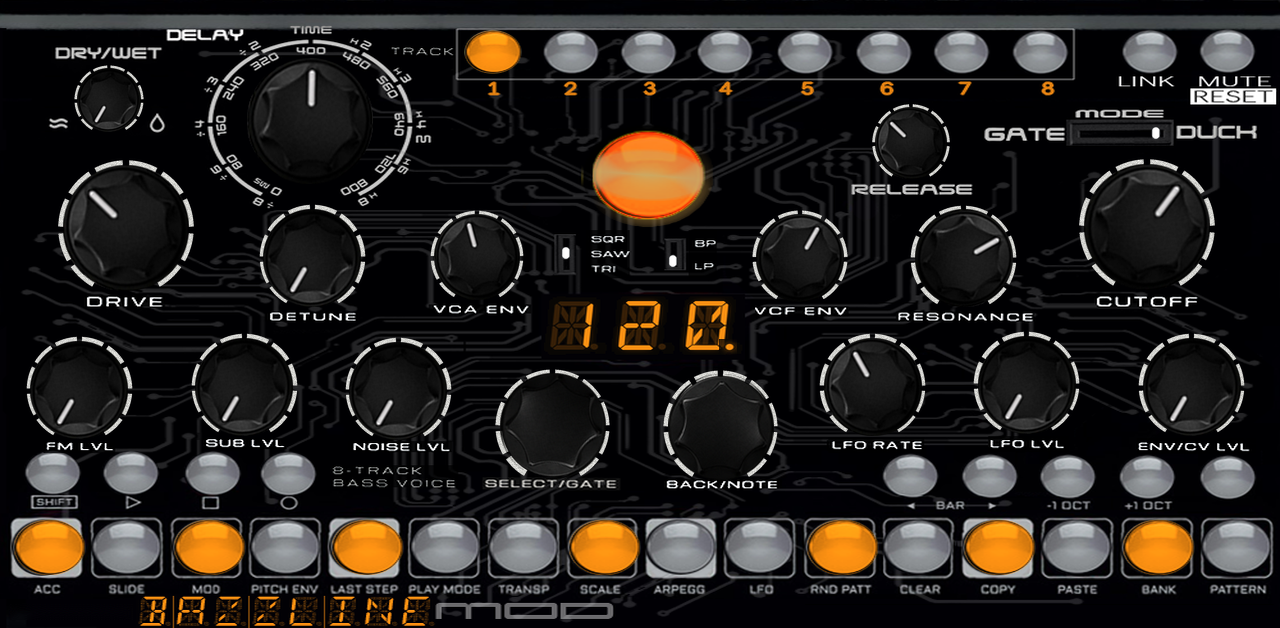
LXRXXL BAZZLINE IS A BASSLINE 8 VOICE SYNTH
Evil Tuner XXL
by sunskiefer · v0.2.0 · 4,683 downloads
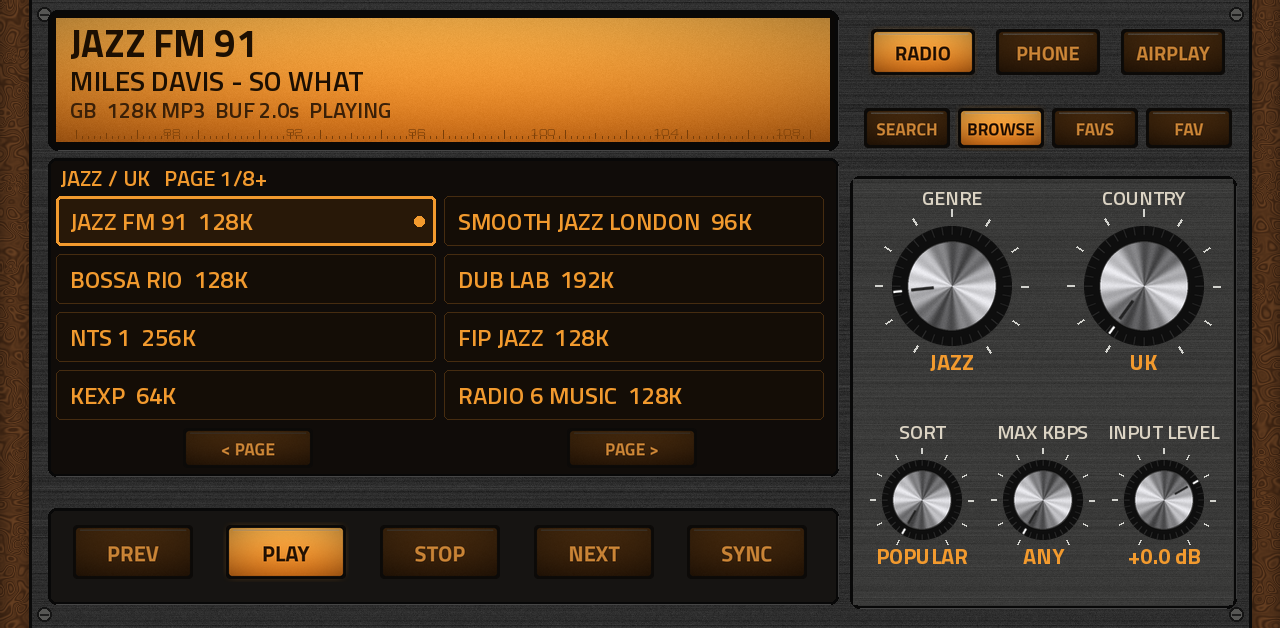
World Radio on the MPC / FORCE.. tune in, mangle wit top notch effects or simply record in to the mpc.. no cable, no hustle. Also comes with a wireless audio from your Mobile Phone (Android via ROC or Iphone via Airdrop)..
Omni Sampler
by B0ss-M · v2.3.0 · 3,966 downloads
multi-format player for the mpc
LXRXXL ZYNTH
by sunskiefer · v0.2.2 · 3,718 downloads
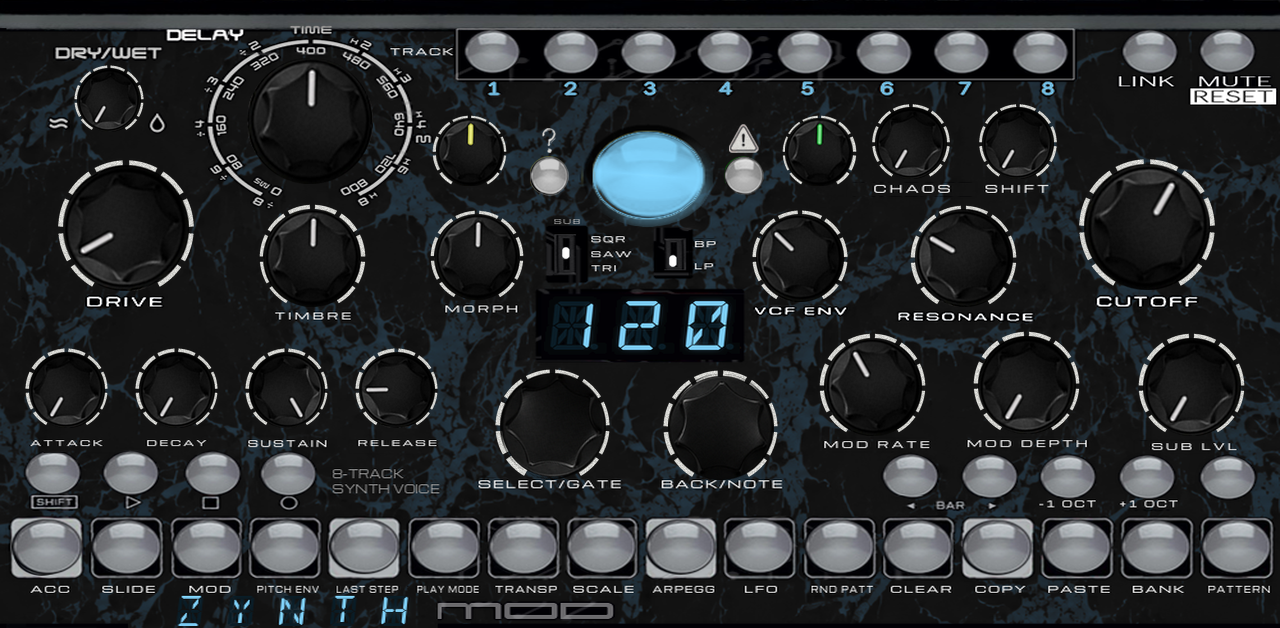
LXRXXL Synth MOD.
MS20XXL
by sunskiefer · v0.2.0 · 3,484 downloads
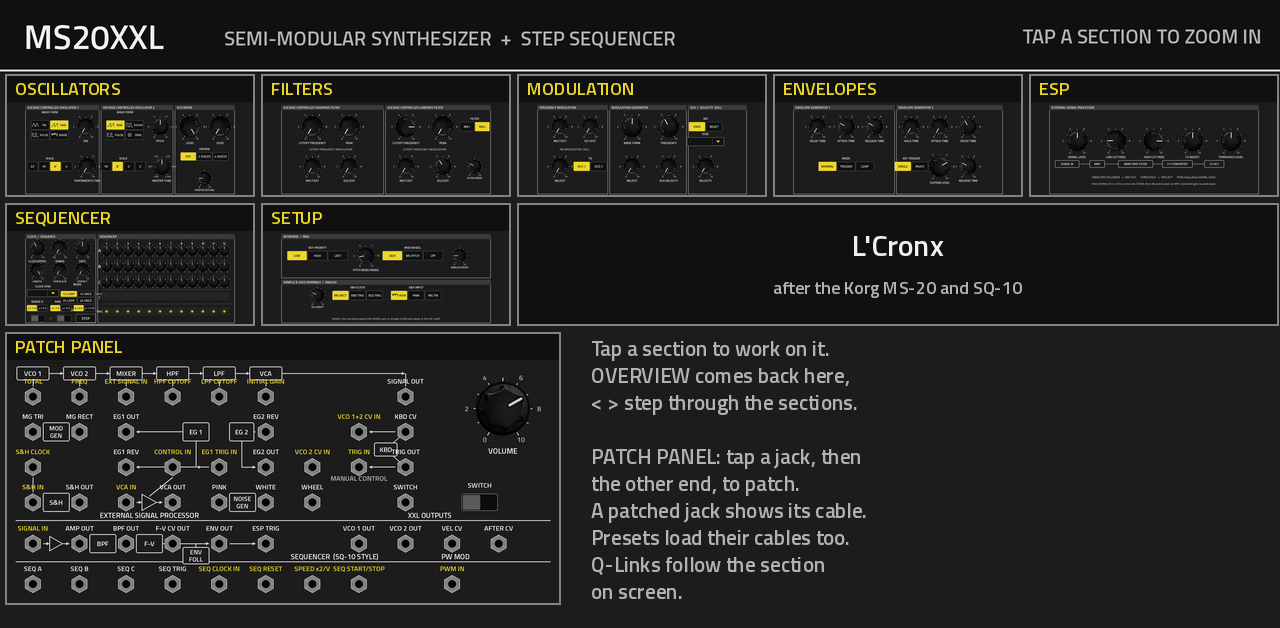
MS20XXL — Korg MS-20-style semi-modular mono synth for Akai Force / MPC OS (VST2) by L’Cronx. Two VCOs, MS-20 HPF/LPF, ESP, touch patch bay drawn on the block diagram, and an SQ-10-style analog step sequencer.
SurgeXXL
by sunskiefer · v0.2.0 · 3,202 downloads
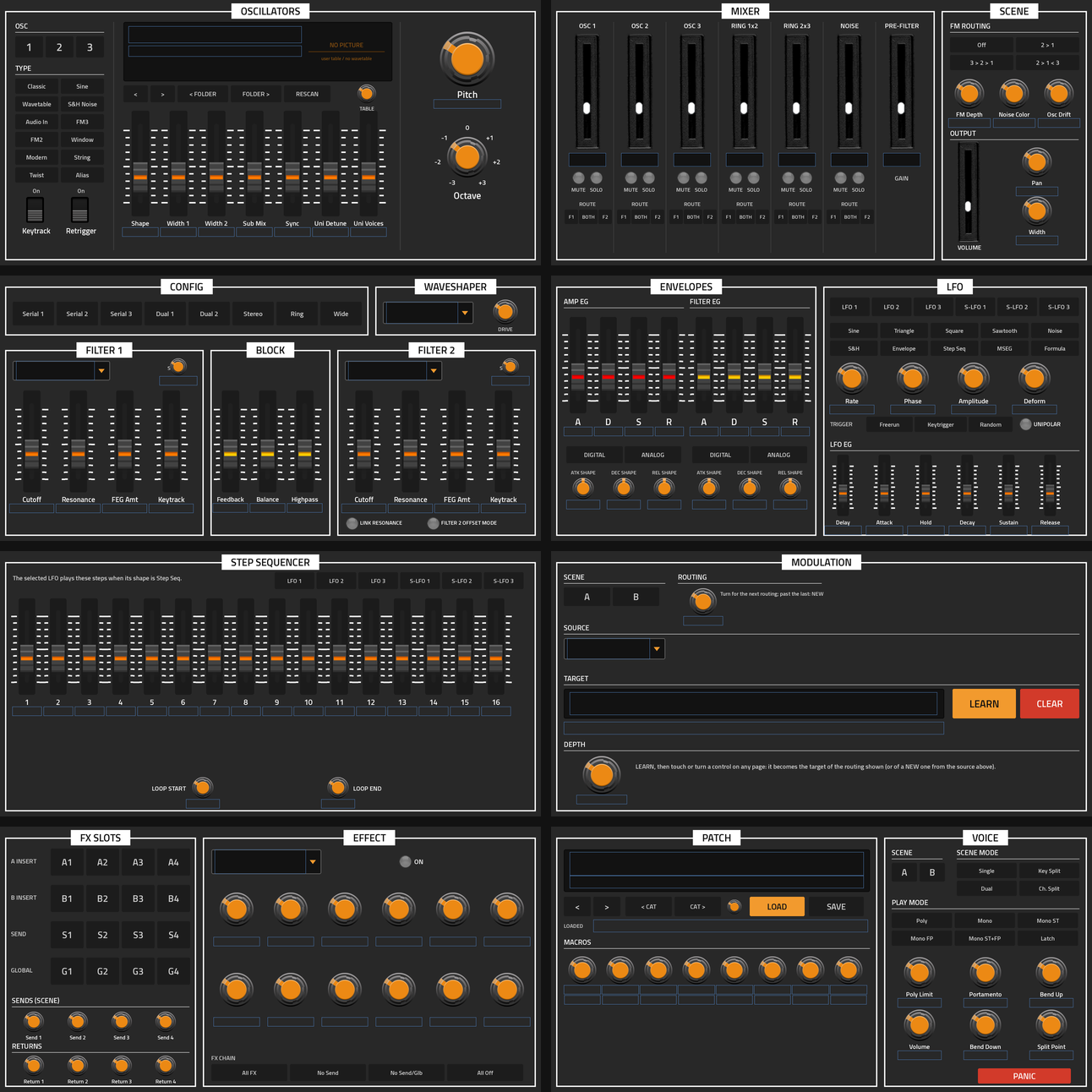
Surge ported to MPC os full open source. Slight change to the code to be able to run on the mpc system. All the effects. Load surge patches and wavetables including your ones. Full wave table synth on MPC os.
PrLogueXXL
by sunskiefer · v0.1.1 · 2,569 downloads
After Prologue for MPC OS
reMixXXL
by sunskiefer · v0.1.25 · 2,434 downloads
reMixXXL by L'Cronx: four Mixxx-style DJ decks with CDJ wheels, a mixer, effects and a track browser for the Akai Force
To improve this listing (for the creator)
- publish a Gen2 (aarch64) build
Made this plugin? Add our badge to your README
 Paste this into your GitHub README. It updates itself when your plugin gets the Tested & Working badge.
[](https://thediskking.com/plugins/rmxxxl/)