OB Xd
Free MPC Instrument plugin by 3dthc · v0.4.10 · Nov 17, 2026 · 11,758 downloads
11,758
Downloads
7
GitHub stars
v0.4.10
Latest version
Nov 17, 2026
Updated
User rating
No ratings yet. Be the first.
Used it? Rate it:
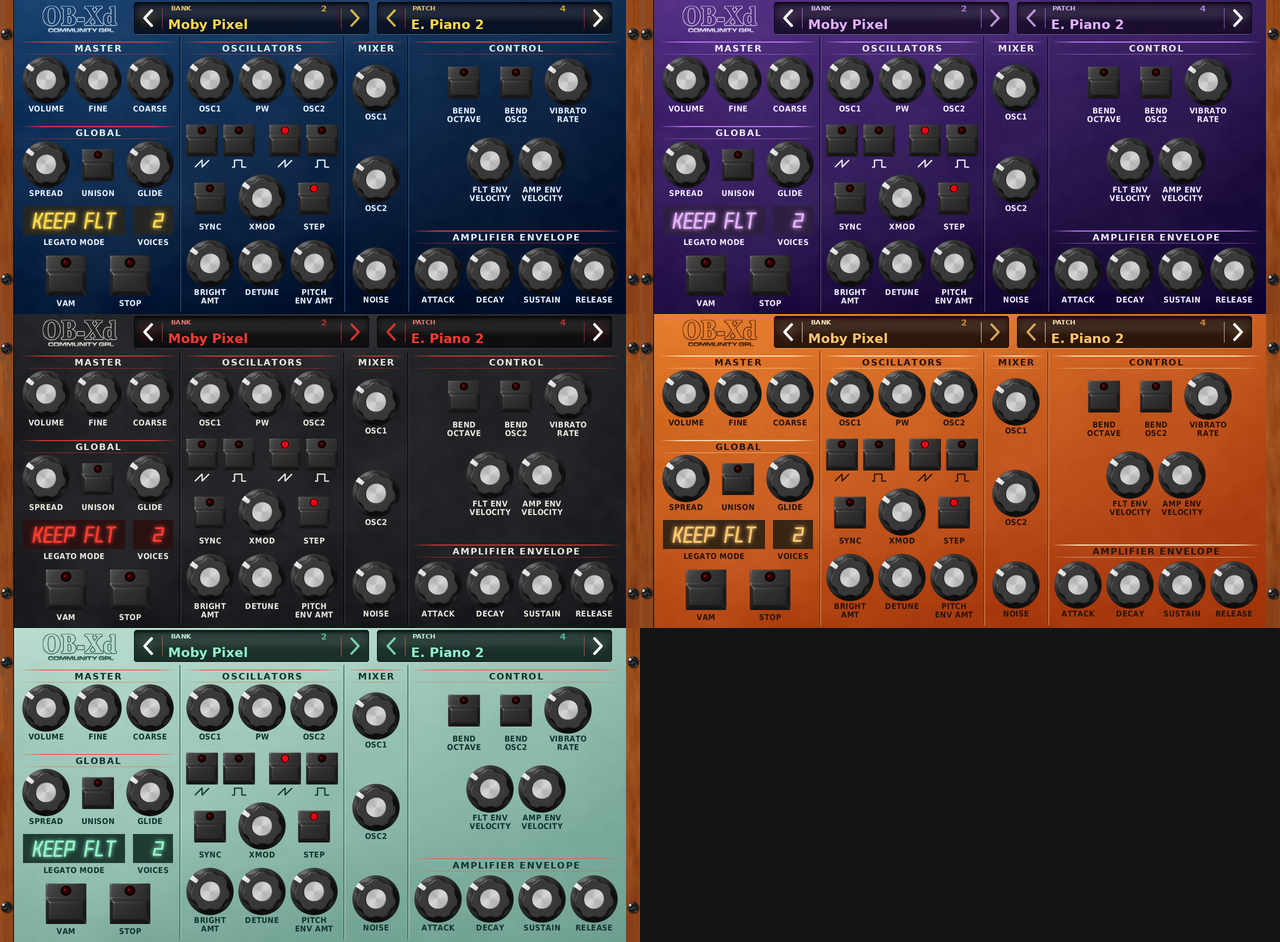
Unofficial OB-Xd synth for Akai MPC (standalone, ARM VST2). Touch-friendly panel, bank/patch browser, tempo-synced LFO.
A native ARM VST2 build of the OB-Xd synthesizer for first-generation Akai MPC / Force standalone units (developed and tested on an MPC Live II, MPC OS 3.x). Built with sd88me/mpc-vst-plugins (MIT).
Download OB Xd v0.4.10
⚠ Not yet tested on hardware
This is a finished release, but the creator hasn't recorded a test of this version on a real MPC or Force. It may work fine; it may not. Back up first and try it on a project that doesn't matter.
⚑ Safety check: review the notes below
- ✓ Download matches the checksum GitHub lists
- ✓ Built for: Gen1 (32-bit ARM), Gen2 (64-bit ARM), Akai SDK
- ✓ Runs on: MPC OS 3.x / MPC OS 2.x and 3.x / MPC OS 3.x only
- ✓ No internet, web server, program-launching or system-changing functions found
- ✓ Nothing risky found in its installer
- ⚠ Uses the same library file name as: syn-ob-xd. Installing both may overwrite one.
- ⚠ Uses the same plugin ID as: syn-ob-xd. If you install both, MPC may load one in place of the other, and projects can open the wrong plugin.
An automatic look at the files, not a guarantee: it can't see everything a program does. Always back up first.
Disclaimer: use entirely at your own risk
This plugin is made, owned and shared by an independent developer, not by The Disk King and not by Akai Professional or inMusic. The Disk King only lists it; the download comes directly from the developer's GitHub. The Disk King did not make, test, review or check it for safety and makes no promise that it works, is safe, or is free of bugs or harmful code.
Plugins install into your MPC's system and can crash it, corrupt or lose projects and samples, or require reinstalling MPC OS. Save your work and back up your MPC before installing anything.
Everything here is provided "as is", with no warranty of any kind. To the fullest extent the law allows, The Disk King is not responsible or liable for any damage, data loss, device failure, lost income or any other harm from downloading, installing or using any plugin listed here. By downloading or installing, you accept all risk and full responsibility. Full disclaimer.
Works on both Gen1 and Gen2: MPC OS 3.10.1 or later (Akai SDK)
OB-Xd-0.4.10-mpc-sdk.zip 15.7 MB
sha256: c4d4a20333224cd2dd3af6336977791954f746d0316f52c314313bb56c41a8cb
Gen1: MPC Live, Live II, One, X, Key, Force
OB-Xd-0.4.10-mpc-armv7.zip 15.7 MB
sha256: 3c67aec42530afc87797bb6a2534f27cb1c8ade96b6bd468ba923946d44325e4
Gen2: MPC Live III, One G2, Key G2, XL
OB-Xd-0.4.10-mpc-aarch64.zip 15.7 MB
sha256: b2ba0d8c2b6abfed9e5043016dab605ec5c9cc68086f0076d0861e3611c95cb1
Downloads come straight from the creator's GitHub. Check the sha256 matches before installing. New to plugins? How to install plugins on MPC OS 3.10.1.
✓ Easy install on MPC OS 3.10.1: copy one folder
- Works-on-both download: unzip it and copy
sd88me - VST - OB-XdintoVST2 Pluginson your drive. - Gen1 download: unzip it and copy
sd88me - VST - OB-Xd(insideOB-Xd-0.4.10/portable/) intoVST2 Pluginson your drive. - Gen2 download: unzip it and copy
sd88me - VST - OB-Xd(insideOB-Xd-0.4.10/portable/) intoVST2 Pluginson your drive.
Turn on External Plugin Support first. Full step-by-step guide.
Tested working on
The creator hasn't recorded a hardware test for this version yet.
Version history
v0.4.10 Nov 17, 2026 · 2,458 downloads
# OB-Xd v0.4.10 ## What's new - **Instruments browser card:** OB-Xd now shows as its own card in Sounds > INSTRUMENTS. Tapping it opens the plugin's preset list (after the restart the installer does). - **Presets on the Instruments card:** tapping the OB-Xd card in Sounds > INSTRUMENTS now lists all 517 factory presets; pick one to load OB-Xd with that sound. - **Updated zips (2026-11-17):** if you downloaded this release earlier today, download it again and reinstall: the presets on the Instruments card are now grouped in their category folders, and preset names with a hyphen no longer split into their own folders. Projects are not affected. Install: see `INSTALL.md` inside the zip. --- Built by GitHub Actions from 3dthc/OB-XD-MPC@803779c with mpc-vst-plugins@c4bef5d.
v0.4.9 Nov 15, 2026 · 2,251 downloads
# OB-Xd v0.4.9 ## What's new - **BROWSE page:** larger text. Bank and patch names go from size 24 to 30, the BANKS / PATCHES titles and the page number from 24 to 28, and the small captions from 18 to 22. ## Fixed - **Triumpher listed twice:** the Pads+FX bank had the same patch twice, once misspelt as "Truimpher". The duplicate is gone, so the bank has 32 patches. A project saved on a patch that came after it in that bank still recalls the right patch, because patches are recalled by name. Install: see `INSTALL.md` inside the zip. --- Built by GitHub Actions from 3dthc/OB-XD-MPC@87b8bbc with mpc-vst-plugins@8608070.
v0.4.8 Nov 13, 2026 · 1,508 downloads
# OB-Xd v0.4.8 ## What's new - **Mono output option:** in Logic (and other hosts) the plugin can also go on a mono instrument track; the sound is the stereo sound folded to one channel. - **MPC OS 3.10.1:** the plugin folder carries a `plugin.json`, so it can be copied straight into `VST2 Plugins`, and an Akai SDK-format zip (`-mpc-sdk.zip`, one folder for every MPC) comes with the release. - **Desktop VST3 for MPC Desktop and DAWs:** `OB-Xd-0.4.8-macos-vst3.zip` (one file for Apple Silicon and Intel Macs, with the same touchscreen skin in the plugin window) and `OB-Xd-0.4.8-windows-vst3.zip` (64-bit, with the same skin in the plugin window). - **Audio Unit for Logic Pro and GarageBand:** `OB-Xd-0.4.8-macos-au.zip` has the plugin as an Audio Unit (`.component`, Apple Silicon and Intel), with the same sound, skin window, presets and saved settings as the VST3. It passes Apple's `auval` validation. It's a separate download from the VST3 zip. - **Device projects open on the computer:** the VST3 has the VST2's official replacement ID, so a project saved on the MPC with this plugin loads it in MPC Desktop (controller mode) instead of showing a missing plugin, with the same sound and settings. A project saved on the desktop opens on the MPC the same way. - **Window size on the desktop:** right-click the plugin window (Control-click on a Mac) and pick 50% to 125%. It opens at 75% and remembers your choice for all of these plugins. ## Fixed - Desktop: a safety net on the plugin's output: if a block ever came out broken (not a number, or far past full scale), it plays as silence instead of blasting the mix. - Preset list in MPC (Program > Preset, and the MPC's own PRESET menu): it showed one bank's 128 slots, mostly "-". It's now every patch from every bank in one list, named with its bank ("Harpsi (Keys)"), and picking one loads that bank and patch. - Windows: MPC 3 now loads the plugin (before, it was listed but couldn't be added: a Windows-only interface ID layout bug). It's a single `.vst3` file with its skin and sounds inside (unpacked once on first load), the format MPC 3 scans; no extra folders. - Desktop parameter list: in MPC 3 (controller mode, the MPC's screen) and in DAWs the plugin now lists only its sound controls, the knobs, switches and Q-Link controls, instead of every internal value (themes, browser, screen text). Picking a preset no longer marks it as edited (no "*"). - Mac: macOS no longer blocks the plugin as "can't be verified" when installed with the one-line Terminal command in the zip's README.txt (it also unblocks copies you already installed). ## Installing on macOS (Audio Unit and VST3) **Which zip?** - **Logic Pro / GarageBand:** `OB-Xd-0.4.8-macos-au.zip` (the **Audio Unit**) - **MPC Desktop / other VST3 hosts:** `OB-Xd-0.4.8-macos-vst3.zip` (the **VST3**) Both work on **Apple Silicon and Intel** Macs. Download one or both. **1. Leave the zip(s) in your Downloads folder.** Unzipped or not, both ar
v0.4.7 Nov 12, 2026 · 1,380 downloads
## Changes - **More patches, plain names.** The converted banks lose the "CC0" in their names (Keys, Bass+Lead, Pads+FX) and five more banks join them (Keys 2, Bass+Lead 2, Pads 2, Strings+Brass 2, FX+Drums 2) with about 390 extra patches in the style of OB-Xd's own factory sounds, including the Voices and Atmospheres categories, drums and percussion. These use a few OB-Xf features OB-Xd lacks (xpander filter, ring mod, second LFO), mapped to the nearest OB-Xd equivalent, so they are close to the originals rather than exact. Projects saved with the old bank names still load their patch. Credits: `banks/CREDITS.md`. - **Classics bank.** 35 patches written from scratch for this plugin: brass stabs and swells, string machines, PWM and sweep pads, acid / sub / pluck basses, sync and glide leads, short plucks that suit the MPC's arpeggiator, and effects (zap, riser, wind). Levels evened out like the others; not yet auditioned by ear. ## Fixes - Reopening a project on a bank that has two patches with the same name loads the patch it was saved on, not the first one with that name. - Keys 2 and the other new banks no longer show two patches under one name. OB-Xf numbers its accordions and rotary organs differently inside the files than by file name, so two different sounds both read "Accordion 1"; the new banks now use the file name. Install: see `INSTALL.md` inside the zip. --- Built by GitHub Actions from 3dthc/OB-XD-MPC@f34ee8e with mpc-vst-plugins@2ce3805.
v0.4.6 Nov 11, 2026 · 645 downloads
## Changes - **Projects remember the sound.** A saved project keeps OB-Xd's bank, patch, every knob, the tuning and the theme, and a reload brings them back in one go. The bank is found by its file and the patch by its name, so adding banks to `my-banks` doesn't change which one a project opens. - **Five new themes:** Ocean, Violet, MPC Black (red displays on ash black), Tangerine and Jade. BROWSE gets its own look in each. - **Header:** the BANK and PATCH arrows are thin chevrons inside the displays, which are wider. The BPM readout moves to the top right of SETTINGS. ## Fixes - MPC no longer resets the sound around load, save and STOP. It pokes the Bank control to the end of its range then, which loaded the last bank's first patch over your sound. - Reopening a project no longer loads a different patch when it was saved with BROWSE looking at another bank, and no longer opens a file list when it was saved with LOAD BANK / LOAD PRESET open. - The STOP button's light goes out after a press. - Loads on Gen1 MPCs running MPC OS 2.x. 0.4.5 needed a newer C++ runtime than MPC OS 2.x has (`version 'GLIBCXX_3.4.29' not found`); the build now uses the older runtime (GLIBCXX 3.4.28 at most) and still loads on MPC OS 3.x. Install: see `INSTALL.md` inside the zip. --- Built by GitHub Actions from 3dthc/OB-XD-MPC@c9dd915 with mpc-vst-plugins@2ce3805.
v0.4.5 Nov 3, 2026 · 1,061 downloads
OB-Xd virtual analog polysynth (unofficial port). ## Requirements - A first-generation MPC OS standalone device (32-bit ARM, like the Force, MPC Live / Live II, One, X and Key 61). The installer refuses anything else. Newer models are untested. - **Root shell access** (SSH) to the device. Stock MPC OS doesn't offer this; you need a modded unit. - Tested on MPC OS with a Force. Installing plugins this way is unofficial: back up first, use at your own risk. ## Install (scripted) 1. Unzip, then copy the whole folder to the device, e.g. `scp -r OB-Xd-0.4.5 root@<device-ip>:/tmp/` 2. Run it: `ssh root@<device-ip> sh /tmp/OB-Xd-0.4.5/install.sh` The installer checks the device, **stops MPC** (save your project first), copies `portable/sd88me - VST - OB-Xd/` (the plugin, its skin and its data, as one folder) into `/sdcard/Synths`, backs up `MPC.settings`, adds the plugin to MPC's plugin list from the folder's `plugin-meta.xml` and starts MPC again. Running it again upgrades in place, keeping your own files. An older install of this plugin (the previous layout, with the `.so` in `/sdcard/vst`) is replaced, not duplicated. `-y` skips the confirmation prompt; `-t <folder>` installs into another Synths folder (for example on a card). Your own files go in `my-banks/` inside the plugin folder (`/sdcard/Synths/sd88me - VST - OB-Xd/`); the installer keeps them when you upgrade and uninstall, and moves them there from the old `/sdcard/vst` location if you had installed the plugin that way. Then add **OB-Xd** to a track from the plugin browser (Instrument plugins). Its screen appears in the plugin view, and the Q-Links follow the page. Full instructions, including installing by hand, are in `INSTALL.md` inside the zip. --- Built by GitHub Actions from 3dthc/OB-XD-MPC@9c784e9 with mpc-vst-plugins@8dd4c2f.
v0.4.4 Oct 26, 2026 · 693 downloads
OB-Xd virtual analog polysynth (unofficial port). ## Requirements - A first-generation MPC OS standalone device (32-bit ARM, like the Force, MPC Live / Live II, One, X and Key 61). The installer refuses anything else. Newer models are untested. - **Root shell access** (SSH) to the device. Stock MPC OS doesn't offer this; you need a modded unit. - Tested on MPC OS with a Force. Installing plugins this way is unofficial: back up first, use at your own risk. ## Install (scripted) 1. Unzip, then copy the whole folder to the device, e.g. `scp -r OB-Xd-0.4.4 root@<device-ip>:/tmp/` 2. Run it: `ssh root@<device-ip> sh /tmp/OB-Xd-0.4.4/install.sh` The installer checks the device, **stops MPC** (save your project first), copies `portable/sd88me - VST - OB-Xd/` (the plugin, its skin and its data, as one folder) into `/sdcard/Synths`, backs up `MPC.settings`, adds the plugin to MPC's plugin list from the folder's `plugin-meta.xml` and starts MPC again. Running it again upgrades in place, keeping your own files. An older install of this plugin (the previous layout, with the `.so` in `/sdcard/vst`) is replaced, not duplicated. `-y` skips the confirmation prompt; `-t <folder>` installs into another Synths folder (for example on a card). Your own files go in `my-banks/` inside the plugin folder (`/sdcard/Synths/sd88me - VST - OB-Xd/`); the installer keeps them when you upgrade and uninstall, and moves them there from the old `/sdcard/vst` location if you had installed the plugin that way. Then add **OB-Xd** to a track from the plugin browser (Instrument plugins). Its screen appears in the plugin view, and the Q-Links follow the page. Full instructions, including installing by hand, are in `INSTALL.md` inside the zip. --- Built by GitHub Actions from 3dthc/OB-XD-MPC@44ca7cb with mpc-vst-plugins@8aa8d35.
v0.4.3 Oct 15, 2026 · 787 downloads
## OB-Xd MPC 0.4.3 Unofficial OB-Xd virtual analog polysynth port for Akai MPC. ### Compatibility - Built for ARMv7. - MPC OS 3.x compatibility only. MPC OS 2.x is not supported by this build. ### Verification - Catalog ID: `obxdmpc` - Source: `3dthc/OB-XD-MPC` - License: GPL-3.0-only ### SHA-256 `4d596064a5bc704b22ee34e0d1082394297058c3d115f2a8f4ed9552322c5e0f`
v0.4.2 Oct 14, 2026 · 488 downloads
**OB-Xd for MPC 0.4.2** New look Redrawn panels in the OB-Xd style. Every knob is one size and every button is one size (VAM and STOP are slightly bigger), and all text sits inside its box. Four skins: Slate, MPC Grey, MPC Black and Retro. You pick one from the dropdown in the top left of the SETTINGS page, and it switches live. Four tabs: OSC, FILTER, BROWSE and SETTINGS. Bank, patch and tempo stay visible in the header. The old “MORE” page is now SETTINGS. It holds the master frequency, the PW and level tweaks, and the behaviour switches. New BROWSE page A bank list on the left and a patch grid on the right, 24 patches per page with page arrows. Tap a bank to look at it, which doesn’t change your sound. Tap a patch to play it. Every tile is a dark LCD-style window, in the same style as the top displays. The playing tile glows in each skin’s accent colour. Q-Link knob 1 scrolls the banks (looking only), and knob 2 scrolls and plays the patches. Knob 2 stays inside the bank you’re looking at and never moves into the next bank. File loader The dropdown at the bottom left of BROWSE has three options: PATCHES, BANK (.FXB) and PRESET (.FXP). The two load options turn the lists into a file browser. Places (plugin folder, internal, USB/SD, all files) are on the left, and folders plus matching files are on the right. Tap a file to add it. It’s copied into my-banks, and presets go into my-banks/presets, where they appear together as a bank called My Presets. They stay installed across restarts and updates, so they never need loading from a folder again. A bank shows up in the bank list, and a preset plays straight away. Junk files are refused with a message, and adding the same file twice says “ALREADY ADDED”. Q-Links One page per tab, with no sub-pages. Each column of four knobs is one panel section: OSC: Master, Oscillators, Mixer, Amplifier Envelope. FILTER: Filter, Filter Envelope, Modulation. BROWSE: banks and patches. SETTINGS: its four knobs. The active column is outlined on the screen. Everything else, including all buttons and the theme dropdown, is touch only. Presets The bundled banks are Moby Pixel, CC0 Keys, CC0 Bass+Lead and CC0 Pads+FX, all cleared for redistribution, with credits included in the package. The CC0 patches are re-converted and rebalanced. Their levels are matched so chords no longer clip, and polyphony is capped so heavy pads don’t overload the MPC’s CPU. Loose .fxp programs are now supported alongside .fxb banks, through the loader or by copying them into my-banks. Fixes Removed the duplicate Q-Link pages (the extra master and voices pages). Bank and patch names are cut at 18 characters with “..” so they stay inside their tiles. The theme and load dropdowns and the bank and patch text were made larger and easier to read, with solid backgrounds on every skin. <img width="1280" height="628" alt="theme2-browse" src="https://github.com/user-attachments/assets/cf478169-acd
v0.4.1 Oct 13, 2026 · 487 downloads
OB-Xd for MPC v0.4.1 (unofficial, native ARM VST2 port) Requires MPC OS 3.x and SSH root access to install. It isn’t affiliated with or endorsed by discoDSP, 2Dat or Akai. What’s new in 0.4.1 Fewer pages: Each screen (OSC, FILTER, MORE) now has a single Q-Link set, so there’s no MASTER or VOICES sub-page to swipe to. Controls that lost a Q-Link, such as the voice pans and bend range, still work by touch. CC0 patches no longer overload the CPU: The converted patches were running up to 24–32 voices at once, which could overload the MPC. Voice count is now capped at 10, or 5 for unison patches. No more clipping: All 79 CC0 patches are re-levelled against six-note chords to a similar loudness, and none peak near full scale. README: The screenshots now show the current UI and all four themes. What’s in the release Look: Four colour themes (Slate, MPC Grey, MPC Black, Retro), switched on the MORE page and applied to every page. The text is bigger and consistent, and the bank and patch names are larger. Knobs are one size and buttons are one size, except VAM and STOP. Controls: STOP silences all notes and sound. LEARN, CLEAR and MENU are removed, since the MPC has no MIDI learn. LFO tempo sync follows the MPC tempo. Q-Links: They come in groups of four to match the MPC’s four knobs. OSC screen: oscillators; mixer and volume; amp envelope; detune, brightness, tune and octave. FILTER screen: filter; filter envelope; LFO; slop. MORE screen: its own controls, then THEME. Banks: Four free-to-redistribute banks: 000 - Moby Pixel, and CC0 Keys, CC0 Bass+Lead and CC0 Pads+FX (79 patches converted from the public-domain factory sounds of OB-Xf, credited in CREDITS-CC0.md). The installer replaces the banks folder on every install. Put your own banks in my-banks, which upgrades keep. Not included: discoDSP’s artwork and factory banks. If you own the original OB-Xd, you can copy your banks into my-banks. Engine: OB-Xd 2.10, the GPL community source. Licences: Code is GPL-3.0. The skin art is CC BY-SA 3.0, credited to gitterdude. All credits are in CREDITS.md.
More plugins like this
LXRXXL BAZZLINE
by sunskiefer · v0.2.10 · 7,603 downloads
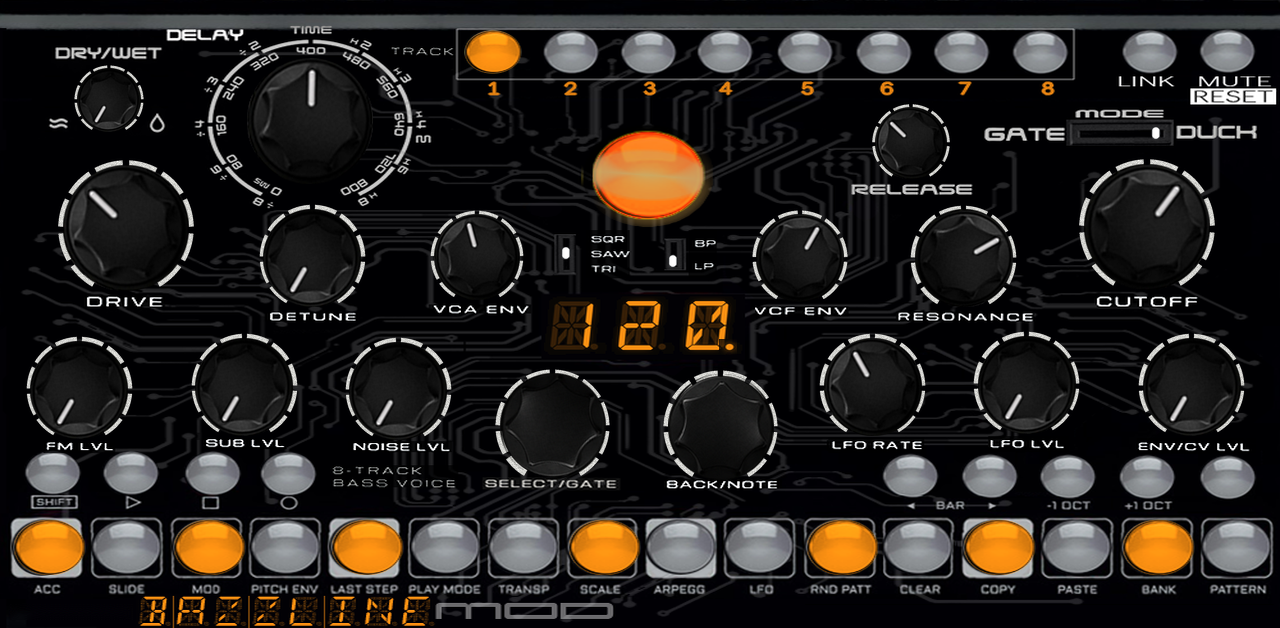
LXRXXL BAZZLINE IS A BASSLINE 8 VOICE SYNTH
LXRXXL ZYNTH
by sunskiefer · v0.2.2 · 3,718 downloads
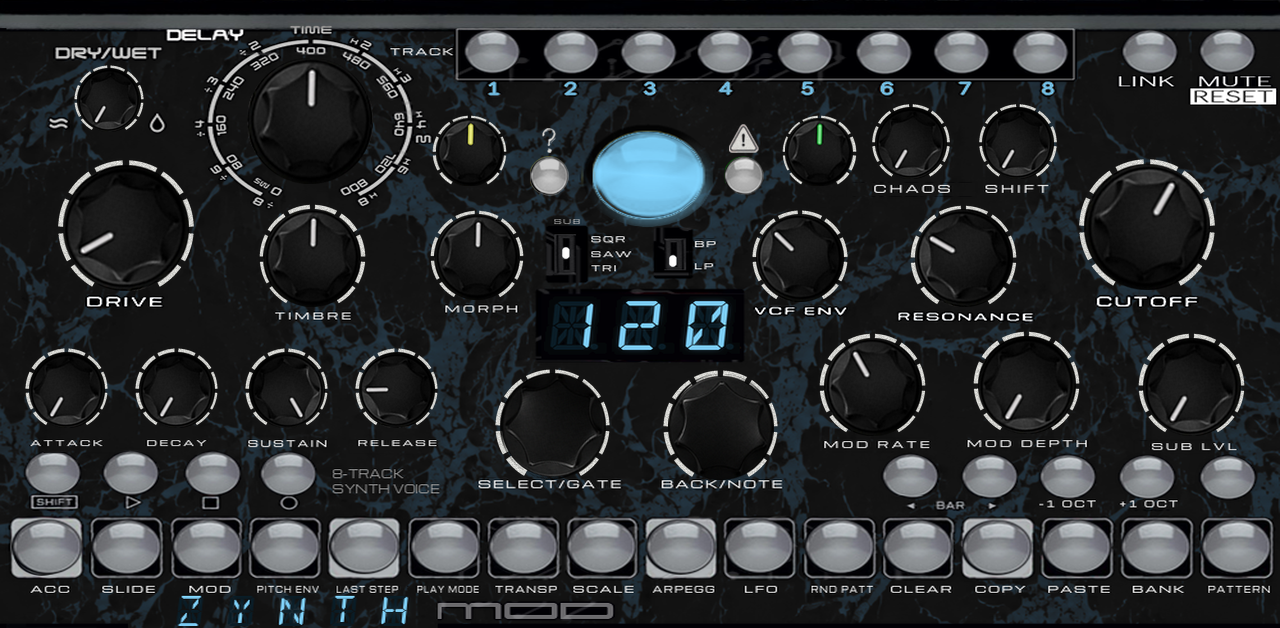
LXRXXL Synth MOD.
SurgeXXL
by sunskiefer · v0.2.0 · 3,202 downloads
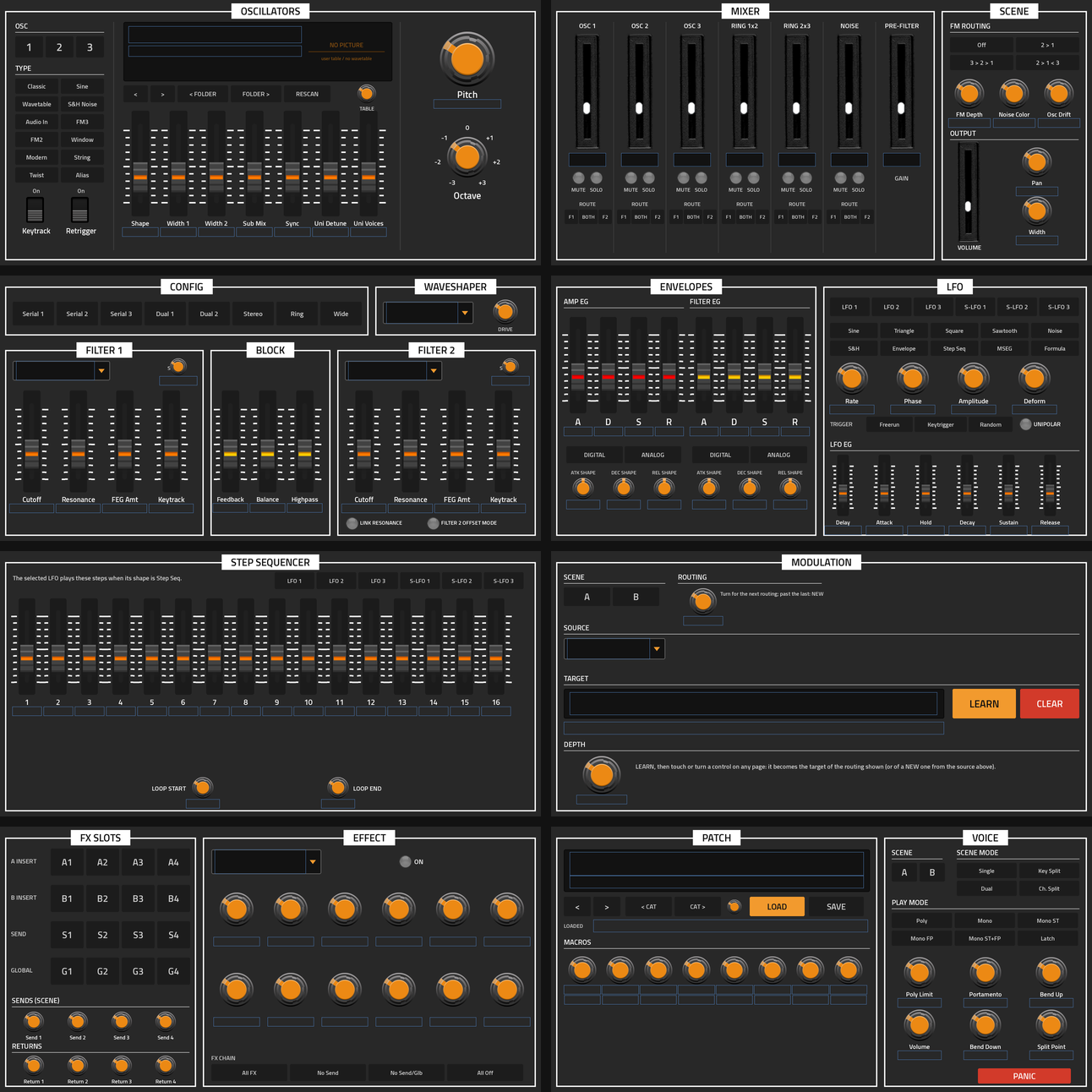
Surge ported to MPC os full open source. Slight change to the code to be able to run on the mpc system. All the effects. Load surge patches and wavetables including your ones. Full wave table synth on MPC os.
CSXXL
by sunskiefer · v1.0.13 · 2,247 downloads
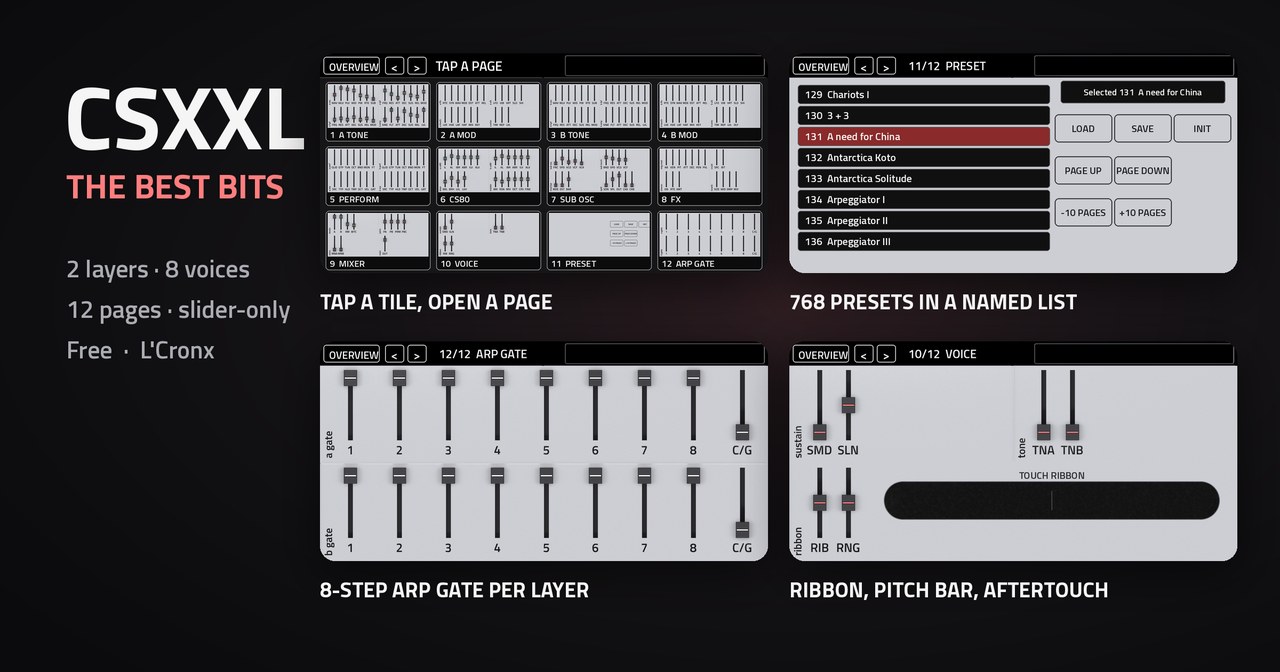
CSXXL is a two-layer, polyphonic synthesizer for the Akai Force and MPC OS, in the spirit of the Yamaha CS-80. It is a completely new build, not a port. The voices and tones are written from Deckard’s Dream voice notes, and the circuits are self-built schematics, emulated in code. Ships with presets, room for up to 1500 presets. Free, not for sale.
VADER
by sunskiefer · v0.10.7 · 1,768 downloads
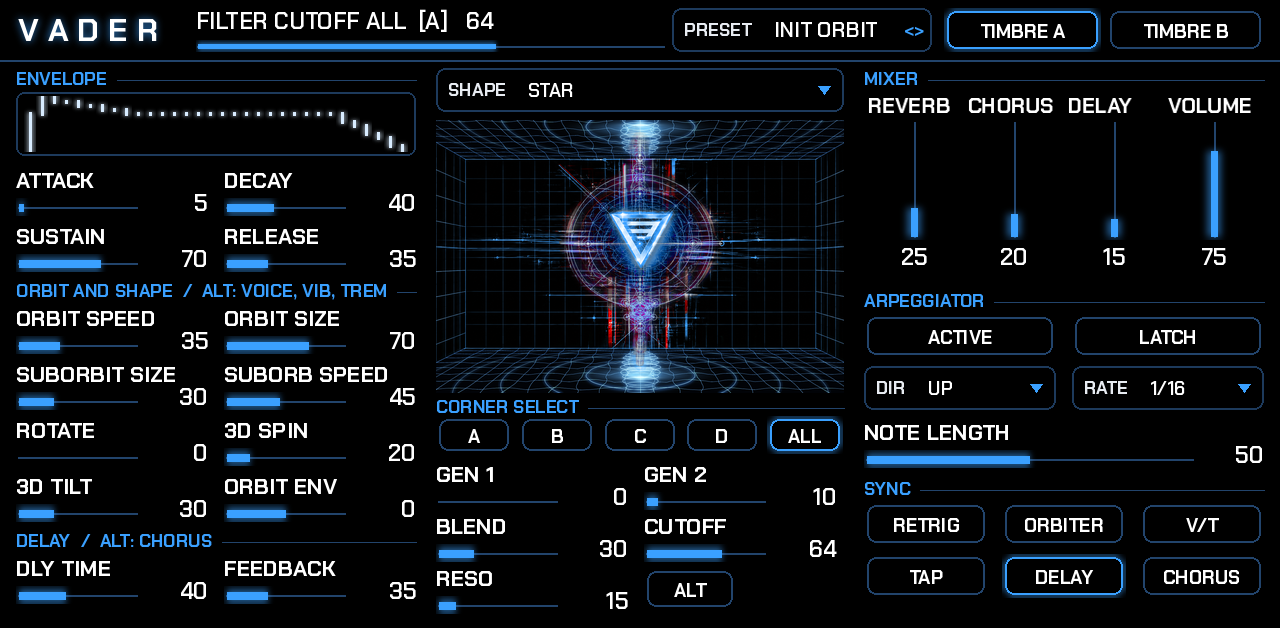
Orbit-based vector synth for Akai Force / MPC OS (VST2) — load SVG, 3D or image shapes to drive the sound.
ALPHA
by sunskiefer · v1.2.1 · 1,552 downloads
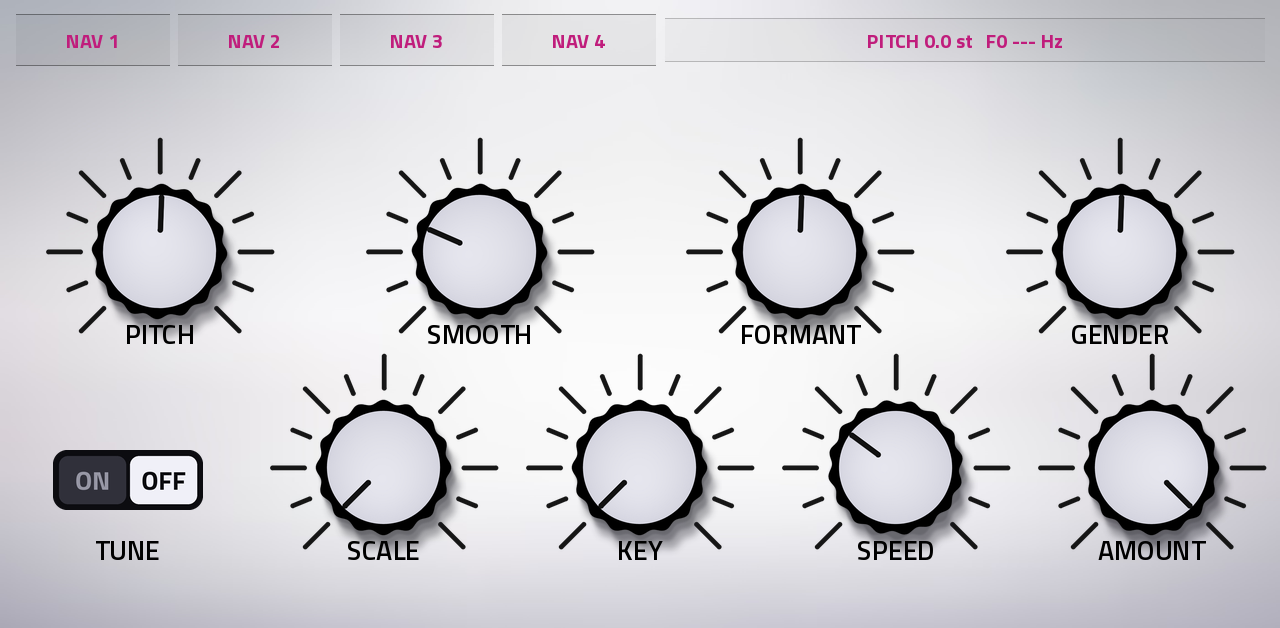
OWN build and code Manipulator by Polyverse & Vocal Synth Izotope had a baby.
ESQUE80
by lichthaus · v0.9.1 · 1,397 downloads
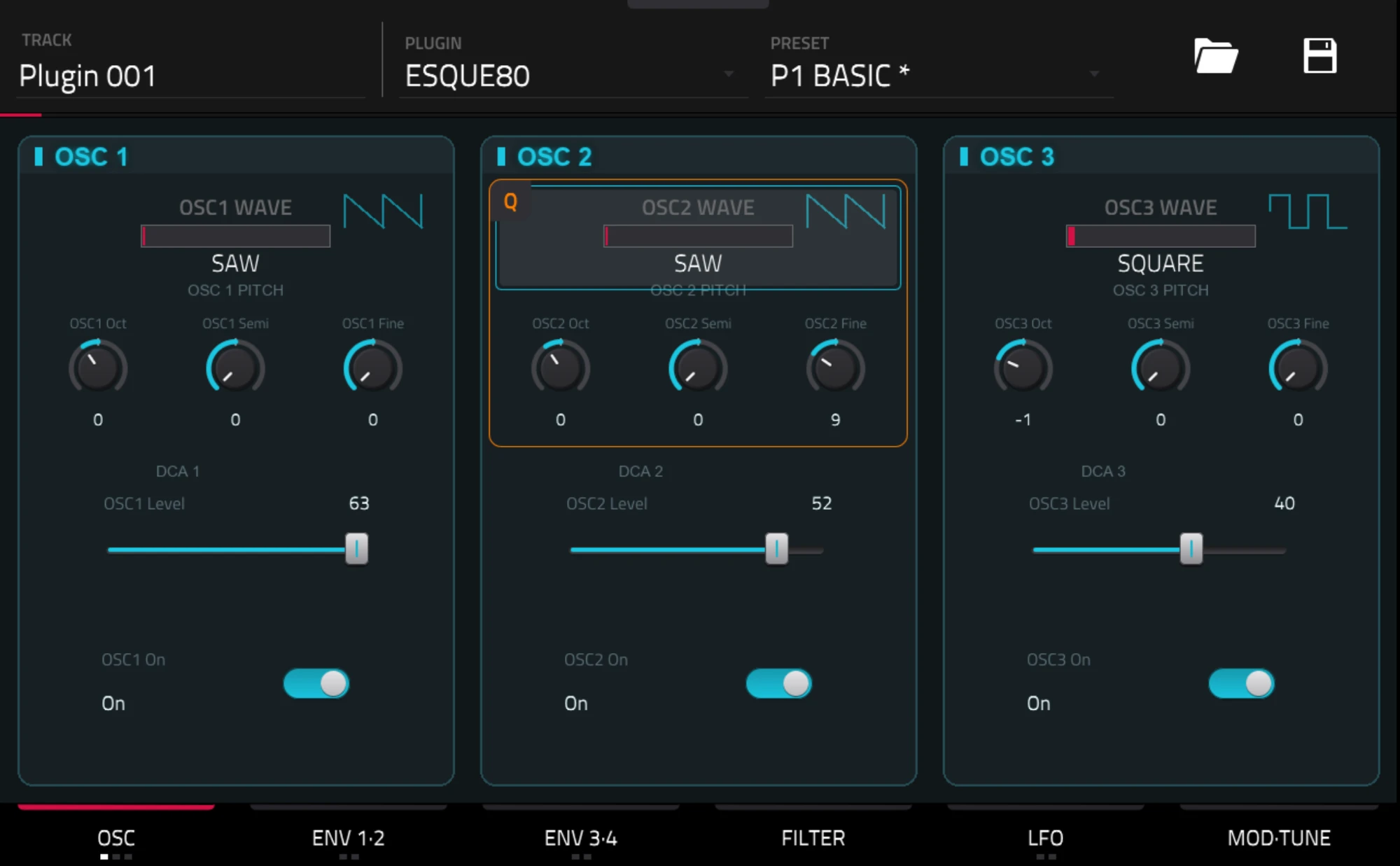
ESQUE80: an 8-voice cross-wave synthesizer plugin for Akai MPC standalone hardware
Geonkick MPC
by 303inmyheart · v1.0.0 · 170 downloads
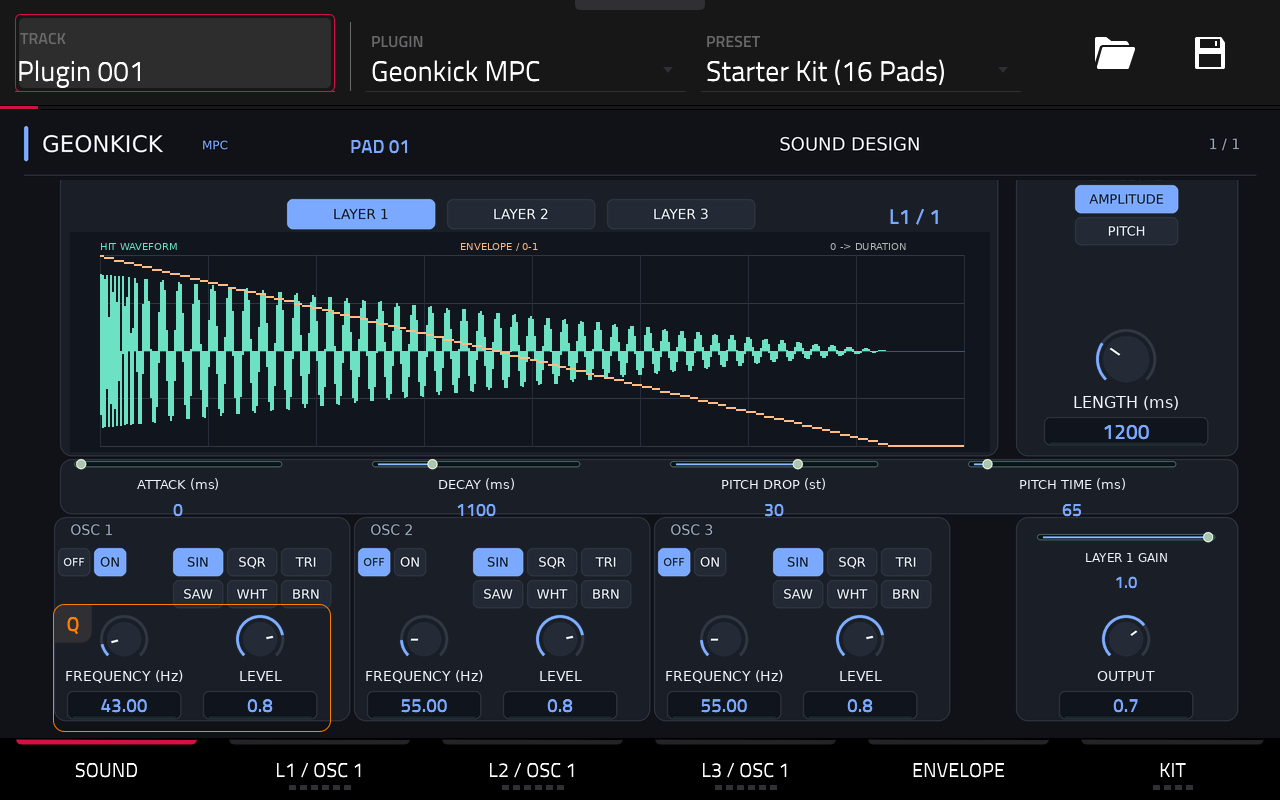
Geonkick MPC — Gen2 MPC percussion synthesizer with native touch UI, pad kits, WAV preview and factory presets.
To improve this listing (for the creator)
- add a tested.json entry for the newest release (device and MPC OS)
Made this plugin? Add our badge to your README
 Paste this into your GitHub README. It updates itself when your plugin gets the Tested & Working badge.
[](https://thediskking.com/plugins/ob-xd/)