PlateauXXL
Free MPC Effect plugin by sunskiefer · v0.4.3 · Oct 22, 2026 · 3,708 downloads
3,708
Downloads
1
GitHub stars
v0.4.3
Latest version
Oct 22, 2026
Updated
User rating
No ratings yet. Be the first.
Used it? Rate it:
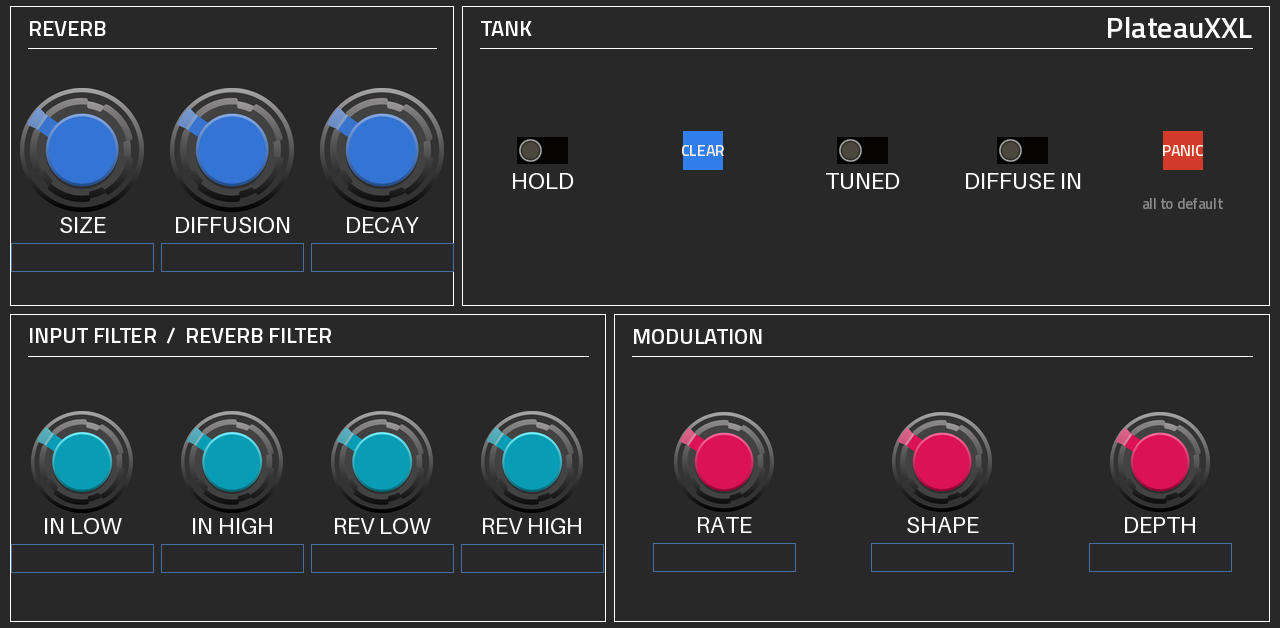
Plateau 0.3.0 brings Valley's plate reverb to MPC, tested on Akai Force with the latest OS and Mockba Mod. Features Bogaudio LFO, Mutable Tides and Marbles, an in-house step sequencer, interconnected modulation routing, filtering, saturation, RMXXXL-style limiting, presets, panic reset and full Q-Link control.
PlateauXXL is a VST2 insert effect for MPC OS's built-in plugin host, made by L'Cronx (shown on the device as PlateauXXL by L'Cronx). It is a port of Plateau, Dale Johnson's plate reverb for VCV Rack: huge, smooth tails from Jon Dattorro's 1997 algorithm, a modulated tank, Hold to freeze it, Clear to empty it, and a Tuned mode that turns tiny tank
Download PlateauXXL v0.4.3
⚠ Not yet tested on hardware
This is a finished release, but the creator hasn't recorded a test of this version on a real MPC or Force. It may work fine; it may not. Back up first and try it on a project that doesn't matter.
✓ Safety check passed
- ✓ Download matches the checksum GitHub lists
- ✓ Built for: Gen1 (32-bit ARM)
- ✓ Runs on: MPC OS 2.x and 3.x
- ✓ No internet, web server, program-launching or system-changing functions found
- ✓ Nothing risky found in its installer
An automatic look at the files, not a guarantee: it can't see everything a program does. Always back up first.
Disclaimer: use entirely at your own risk
This plugin is made, owned and shared by an independent developer, not by The Disk King and not by Akai Professional or inMusic. The Disk King only lists it; the download comes directly from the developer's GitHub. The Disk King did not make, test, review or check it for safety and makes no promise that it works, is safe, or is free of bugs or harmful code.
Plugins install into your MPC's system and can crash it, corrupt or lose projects and samples, or require reinstalling MPC OS. Save your work and back up your MPC before installing anything.
Everything here is provided "as is", with no warranty of any kind. To the fullest extent the law allows, The Disk King is not responsible or liable for any damage, data loss, device failure, lost income or any other harm from downloading, installing or using any plugin listed here. By downloading or installing, you accept all risk and full responsibility. Full disclaimer.
Gen1: MPC Live, Live II, One, X, Key, Force
PlateauXXL-0.4.3-mpc-armv7.zip 12.9 MB
sha256: e4c4322a2b990bd1b78fd758d1102bfa52d294ed911338acf3ad644f395e73e9
Downloads come straight from the creator's GitHub. Check the sha256 matches before installing. New to plugins? How to install plugins on MPC OS 3.10.1.
Can't be copied by hand on MPC OS 3.10.1
This release's plugin folder has no plugin.json, which 3.10.1 needs to list it. Use the creator's installer (see INSTALL.md in the zip), or ask the creator for a 3.10.1 release. Why?
⚠ Beta v0.5.0 is out: unfinished, not tested
Betas can crash or break projects. The download above is the finished version. Get the beta from the creator's GitHub only if you accept that risk.
Tested working on
The creator hasn't recorded a hardware test for this version yet.
Version history
v0.5.0 beta Nov 22, 2026 · 204 downloads
> **0.5.0** is PlateauXXL for the 64-bit MPCs (Gen2) and for Akai's plugin folder format on **MPC OS 3.10.1**: three zips (`-mpc-armv7.zip` for the Force and 32-bit MPCs, `-mpc-aarch64.zip` for the 64-bit MPCs, `-mpc-sdk.zip` for MPC OS 3.10.1, copy it into `VST2 Plugins`). Same sound, pages and presets as 0.4.3; checked offline only, not tried on a device yet. Older releases stay available. **PlateauXXL — Valley Audio's Plateau reverb, patched with its own LFOs, random sources and sequencers, running natively inside MPC OS on the Akai Force.** Put it on a track, a submix or the master: huge Dattorro plate tails, Hold to freeze the tank, Clear to empty it, Tuned mode for pitched resonances, and every one of the module's 15 CV jacks patched to a modulation source running inside the plugin. Everything sits in one insert slot, with its own touchscreen pages and Q-Links, follows the MPC tempo and saves with your project. > ⚠️ **0.5.0 is checked offline only.** The last release tried on a device is **0.4.1** (Akai Force, MPC OS 3.9.1 with MockbaMod). New in 0.4.1: the plugin is now called **PlateauXXL** on the device too. New in 0.4.0: every control on a Q-Link in reading order (buttons included), Panic, 16 user presets, an IN / OUT page for the input and the limiter, a page per sequencer, and the Q-Link feel from RMXXXL 1.2.1 (switches flip once per turn, lists can't race, buttons fire on every tap). As with any third-party plugin, save your projects before installing, and report problems under **Issues**. Full list: [CHANGELOG](https://github.com/sunskiefer/PlateauXXL/blob/main/CHANGELOG.md). ## How you play it 1. **Set the space** with Size, Diffusion and Decay, and colour it with the input and tank filters. 2. **Patch the jacks** on **CV IN**: give any of the 15 inputs (Size, Decay, the filters, Wet, Hold, Clear...) a source and an amount. 3. **Shape the movement** with the sources: four **Bogaudio LFOs**, **Tidal Modulator 2** (Mutable Tides 2), **Random Sampler** (Mutable Marbles) and two step and two gate sequencers, all locked to the MPC tempo if you like. 4. **Play it live**: Hold freezes the tank, Clear empties it, both also from a gate; everything is on the Q-Links. 5. **Stay safe**: a look-ahead brickwall limiter keeps the output under your Ceiling, and **Panic** puts everything back to the defaults in one tap. 6. **Save your patches** in 16 preset slots. ## Pages **PLATEAU** (reverb, Panic · IN / OUT and SEQ SET · PRESETS) · **CV IN** · **LFO** (1-4) · **TIDAL / RANDOM** · **SEQ** (Seq 1-2, Gate 1-2) ## Requirements - Akai Force or another first-generation MPC (32-bit, `armv7`), or a Gen2 MPC (64-bit, `aarch64`: MPC Live III, XL, One G2, Key G2 and later) - MPC OS 3.x; on **MPC OS 3.10.1 or later** no root access is needed (the `-mpc-sdk.zip` folder goes into `VST2 Plugins`) - On older MPC OS: root SSH access (for example MockbaMod) ## Install **MPC OS 3.10.1 or later (any MPC):** download **PlateauXXL-0.5.0-mpc-sdk.zip**, unzip it
v0.4.3 Oct 22, 2026 · 1,397 downloads
> **0.4.3** is 0.4.2 built on the latest wrapper and includes the Q-Link and automation fix (#486–#489): Q-Links now move parameters on the track's automation screen. Nothing else changed. Installs over 0.4.2 in place. **PlateauXXL — Valley Audio's Plateau reverb, patched with its own LFOs, random sources and sequencers, running natively inside MPC OS on the Akai Force.** Put it on a track, a submix or the master: huge Dattorro plate tails, Hold to freeze the tank, Clear to empty it, Tuned mode for pitched resonances, and every one of the module's 15 CV jacks patched to a modulation source running inside the plugin. Everything sits in one insert slot, with its own touchscreen pages and Q-Links, follows the MPC tempo and saves with your project. > ✅ **0.4.1 is tested on an Akai Force** (MPC OS 3.9.1 with MockbaMod), and passes the offline tests (x86 with ASan + UBSan, and the ARM build under QEMU). New in 0.4.1: the plugin is now called **PlateauXXL** on the device too. New in 0.4.0: every control on a Q-Link in reading order (buttons included), Panic, 16 user presets, an IN / OUT page for the input and the limiter, a page per sequencer, and the Q-Link feel from RMXXXL 1.2.1 (switches flip once per turn, lists can't race, buttons fire on every tap). As with any third-party plugin, save your projects before installing, and report problems under **Issues**. Full list: [CHANGELOG](https://github.com/sunskiefer/PlateauXXL/blob/main/CHANGELOG.md). ## How you play it 1. **Set the space** with Size, Diffusion and Decay, and colour it with the input and tank filters. 2. **Patch the jacks** on **CV IN**: give any of the 15 inputs (Size, Decay, the filters, Wet, Hold, Clear...) a source and an amount. 3. **Shape the movement** with the sources: four **Bogaudio LFOs**, **Tidal Modulator 2** (Mutable Tides 2), **Random Sampler** (Mutable Marbles) and two step and two gate sequencers, all locked to the MPC tempo if you like. 4. **Play it live**: Hold freezes the tank, Clear empties it, both also from a gate; everything is on the Q-Links. 5. **Stay safe**: a look-ahead brickwall limiter keeps the output under your Ceiling, and **Panic** puts everything back to the defaults in one tap. 6. **Save your patches** in 16 preset slots. ## Pages **PLATEAU** (reverb, Panic · IN / OUT and SEQ SET · PRESETS) · **CV IN** · **LFO** (1-4) · **TIDAL / RANDOM** · **SEQ** (Seq 1-2, Gate 1-2) ## Requirements - Akai Force (first generation); other Gen1 MPC OS units should work but are untested - MPC OS 3.x - Root SSH access (for example MockbaMod) ## Install Download **PlateauXXL-0.4.1-mpc-armv7.zip** below, unzip it, then: scp -r PlateauXXL-0.4.1 root@<device-ip>:/tmp/ ssh -t root@<device-ip> sh /tmp/PlateauXXL-0.4.1/install.sh The installer stops MPC (save first), installs the plugin, and starts MPC again. Then insert **PlateauXXL** (manufacturer L'Cronx) as an insert effect. Presets go in `/sdcard/PlateauXXL Presets`. Upgrading from 0.4.0 or earlier: those we
v0.4.2 Oct 16, 2026 · 613 downloads
> **0.4.2** is 0.4.1 packed under L'Cronx (plugin folder `L'Cronx - VST - PlateauXXL`); nothing else changed. Uninstall 0.4.1 first. **PlateauXXL — Valley Audio's Plateau reverb, patched with its own LFOs, random sources and sequencers, running natively inside MPC OS on the Akai Force.** Put it on a track, a submix or the master: huge Dattorro plate tails, Hold to freeze the tank, Clear to empty it, Tuned mode for pitched resonances, and every one of the module's 15 CV jacks patched to a modulation source running inside the plugin. Everything sits in one insert slot, with its own touchscreen pages and Q-Links, follows the MPC tempo and saves with your project. > ✅ **0.4.1 is tested on an Akai Force** (MPC OS 3.9.1 with MockbaMod), and passes the offline tests (x86 with ASan + UBSan, and the ARM build under QEMU). New in 0.4.1: the plugin is now called **PlateauXXL** on the device too. New in 0.4.0: every control on a Q-Link in reading order (buttons included), Panic, 16 user presets, an IN / OUT page for the input and the limiter, a page per sequencer, and the Q-Link feel from RMXXXL 1.2.1 (switches flip once per turn, lists can't race, buttons fire on every tap). As with any third-party plugin, save your projects before installing, and report problems under **Issues**. Full list: [CHANGELOG](https://github.com/sunskiefer/PlateauXXL/blob/main/CHANGELOG.md). ## How you play it 1. **Set the space** with Size, Diffusion and Decay, and colour it with the input and tank filters. 2. **Patch the jacks** on **CV IN**: give any of the 15 inputs (Size, Decay, the filters, Wet, Hold, Clear...) a source and an amount. 3. **Shape the movement** with the sources: four **Bogaudio LFOs**, **Tidal Modulator 2** (Mutable Tides 2), **Random Sampler** (Mutable Marbles) and two step and two gate sequencers, all locked to the MPC tempo if you like. 4. **Play it live**: Hold freezes the tank, Clear empties it, both also from a gate; everything is on the Q-Links. 5. **Stay safe**: a look-ahead brickwall limiter keeps the output under your Ceiling, and **Panic** puts everything back to the defaults in one tap. 6. **Save your patches** in 16 preset slots. ## Pages **PLATEAU** (reverb, Panic · IN / OUT and SEQ SET · PRESETS) · **CV IN** · **LFO** (1-4) · **TIDAL / RANDOM** · **SEQ** (Seq 1-2, Gate 1-2) ## Requirements - Akai Force (first generation); other Gen1 MPC OS units should work but are untested - MPC OS 3.x - Root SSH access (for example MockbaMod) ## Install Download **PlateauXXL-0.4.1-mpc-armv7.zip** below, unzip it, then: scp -r PlateauXXL-0.4.1 root@<device-ip>:/tmp/ ssh -t root@<device-ip> sh /tmp/PlateauXXL-0.4.1/install.sh The installer stops MPC (save first), installs the plugin, and starts MPC again. Then insert **PlateauXXL** (manufacturer L'Cronx) as an insert effect. Presets go in `/sdcard/PlateauXXL Presets`. Upgrading from 0.4.0 or earlier: those were installed as **Plateau**. Remove that first with the old zip's uninstaller (`ssh -t
v0.4.1 Oct 9, 2026 · 831 downloads
**PlateauXXL — Valley Audio's Plateau reverb, patched with its own LFOs, random sources and sequencers, running natively inside MPC OS on the Akai Force.** Put it on a track, a submix or the master: huge Dattorro plate tails, Hold to freeze the tank, Clear to empty it, Tuned mode for pitched resonances, and every one of the module's 15 CV jacks patched to a modulation source running inside the plugin. Everything sits in one insert slot, with its own touchscreen pages and Q-Links, follows the MPC tempo and saves with your project. > 🧪 **0.4.1 is built and tested offline** (x86 with ASan + UBSan, and the ARM build under QEMU); **0.3.0 was tested on an Akai Force** (the latest MPC OS with MockbaMod). New in 0.4.1: the plugin is now called **PlateauXXL** on the device too. New in 0.4.0: every control on a Q-Link in reading order (buttons included), Panic, 16 user presets, an IN / OUT page for the input and the limiter, a page per sequencer, and the Q-Link feel from RMXXXL 1.2.1 (switches flip once per turn, lists can't race, buttons fire on every tap). As with any third-party plugin, save your projects before installing, and report problems under **Issues**. Full list: [CHANGELOG](https://github.com/sunskiefer/PlateauXXL/blob/main/CHANGELOG.md). ## How you play it 1. **Set the space** with Size, Diffusion and Decay, and colour it with the input and tank filters. 2. **Patch the jacks** on **CV IN**: give any of the 15 inputs (Size, Decay, the filters, Wet, Hold, Clear...) a source and an amount. 3. **Shape the movement** with the sources: four **Bogaudio LFOs**, **Tidal Modulator 2** (Mutable Tides 2), **Random Sampler** (Mutable Marbles) and two step and two gate sequencers, all locked to the MPC tempo if you like. 4. **Play it live**: Hold freezes the tank, Clear empties it, both also from a gate; everything is on the Q-Links. 5. **Stay safe**: a look-ahead brickwall limiter keeps the output under your Ceiling, and **Panic** puts everything back to the defaults in one tap. 6. **Save your patches** in 16 preset slots. ## Pages **PLATEAU** (reverb, Panic · IN / OUT and SEQ SET · PRESETS) · **CV IN** · **LFO** (1-4) · **TIDAL / RANDOM** · **SEQ** (Seq 1-2, Gate 1-2) ## Requirements - Akai Force (first generation); other Gen1 MPC OS units should work but are untested - MPC OS 3.x - Root SSH access (for example MockbaMod) ## Install Download **PlateauXXL-0.4.1-mpc-armv7.zip** below, unzip it, then: scp -r PlateauXXL-0.4.1 root@<device-ip>:/tmp/ ssh -t root@<device-ip> sh /tmp/PlateauXXL-0.4.1/install.sh The installer stops MPC (save first), installs the plugin, and starts MPC again. Then insert **PlateauXXL** (manufacturer ANDREALPHEUS) as an insert effect. Presets go in `/sdcard/PlateauXXL Presets`. Upgrading from 0.4.0 or earlier: those were installed as **Plateau**. Remove that first with the old zip's uninstaller (`ssh -t root@<device-ip> sh /tmp/Plateau-0.4.0/uninstall.sh`), then install this one. Full guide (every control, patchin
v0.4.0 Oct 9, 2026 · 663 downloads
**PlateauXXL — Valley Audio's Plateau reverb, patched with its own LFOs, random sources and sequencers, running natively inside MPC OS on the Akai Force.** Put it on a track, a submix or the master: huge Dattorro plate tails, Hold to freeze the tank, Clear to empty it, Tuned mode for pitched resonances, and every one of the module's 15 CV jacks patched to a modulation source running inside the plugin. Everything sits in one insert slot, with its own touchscreen pages and Q-Links, follows the MPC tempo and saves with your project. > 🧪 **0.4.0 is built and tested offline** (x86 with ASan + UBSan, and the ARM build under QEMU); **0.3.0 was tested on an Akai Force** (the latest MPC OS with MockbaMod). New in 0.4.0: every control on a Q-Link in reading order (buttons included), Panic, 16 user presets, an IN / OUT page for the input and the limiter, a page per sequencer, and the Q-Link feel from RMXXXL 1.2.1 (switches flip once per turn, lists can't race, buttons fire on every tap). As with any third-party plugin, save your projects before installing, and report problems under **Issues**. Full list: [CHANGELOG](https://github.com/sunskiefer/PlateauXXL/blob/main/CHANGELOG.md). ## How you play it 1. **Set the space** with Size, Diffusion and Decay, and colour it with the input and tank filters. 2. **Patch the jacks** on **CV IN**: give any of the 15 inputs (Size, Decay, the filters, Wet, Hold, Clear...) a source and an amount. 3. **Shape the movement** with the sources: four **Bogaudio LFOs**, **Tidal Modulator 2** (Mutable Tides 2), **Random Sampler** (Mutable Marbles) and two step and two gate sequencers, all locked to the MPC tempo if you like. 4. **Play it live**: Hold freezes the tank, Clear empties it, both also from a gate; everything is on the Q-Links. 5. **Stay safe**: a look-ahead brickwall limiter keeps the output under your Ceiling, and **Panic** puts everything back to the defaults in one tap. 6. **Save your patches** in 16 preset slots. ## Pages **PLATEAU** (reverb, Panic · IN / OUT and SEQ SET · PRESETS) · **CV IN** · **LFO** (1-4) · **TIDAL / RANDOM** · **SEQ** (Seq 1-2, Gate 1-2) ## Requirements - Akai Force (first generation); other Gen1 MPC OS units should work but are untested - MPC OS 3.x - Root SSH access (for example MockbaMod) ## Install Download **Plateau-0.4.0-mpc-armv7.zip** below, unzip it, then: scp -r Plateau-0.4.0 root@<device-ip>:/tmp/ ssh -t root@<device-ip> sh /tmp/Plateau-0.4.0/install.sh The installer stops MPC (save first), installs the plugin, and starts MPC again. Then insert **Plateau** (manufacturer ANDREALPHEUS) as an insert effect. Presets go in `/sdcard/Plateau Presets`. Full guide (every control, patching, the modulation modules, Q-Links, presets, troubleshooting): [docs/USER_GUIDE.md](https://github.com/sunskiefer/PlateauXXL/blob/main/docs/USER_GUIDE.md) ## Credits - **Plateau:** Dale Johnson (Valley Audio), after Jon Dattorro's 1997 reverb - **LFO:** Matt Demanett (Bogaudio) - **Tidal Modul
More plugins like this
Euclid
by sd88me · v2.0.0 · 10,186 downloads
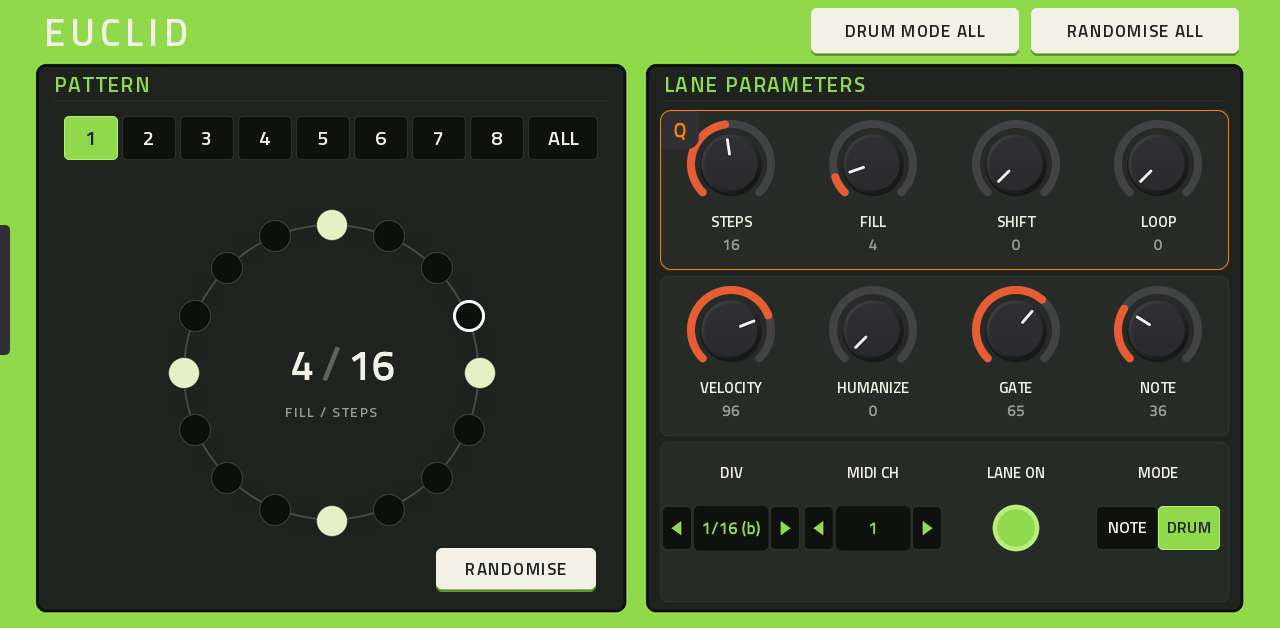
Euclid is an 8-lane Euclidean MIDI sequencer for Akai MPC OS standalone devices
LXRXXL BAZZLINE
by sunskiefer · v0.2.10 · 7,680 downloads
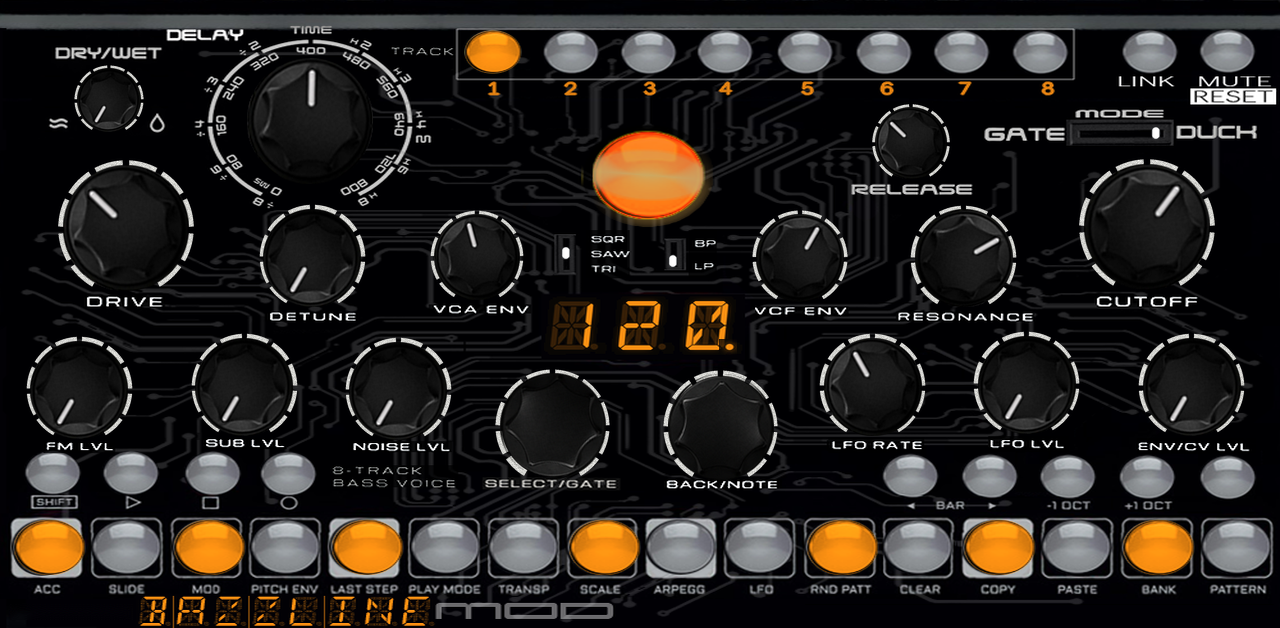
LXRXXL BAZZLINE IS A BASSLINE 8 VOICE SYNTH
RMXXXL
by sunskiefer · v1.3.0 · 5,404 downloads
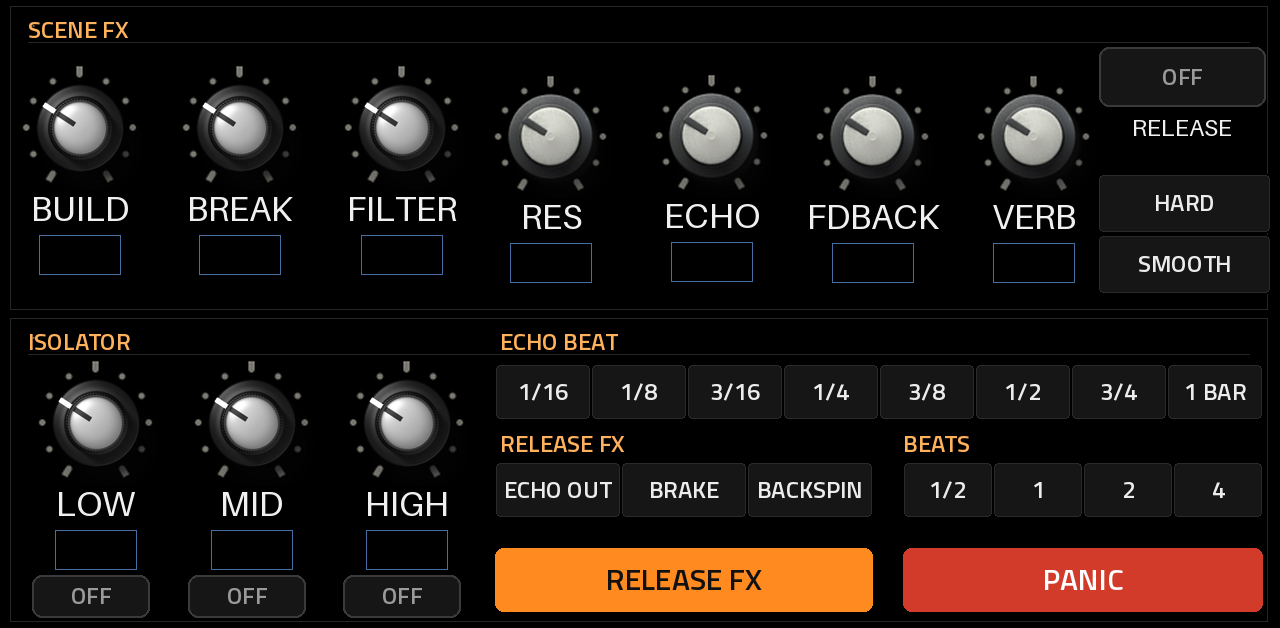
RMX-1000-style remix effect for MPC OS on the Akai Force: isolator, DJ filter, scene FX, echo, Clouds, reverbs, sample pads, limiter.
Evil Tuner XXL
by sunskiefer · v0.2.0 · 4,747 downloads
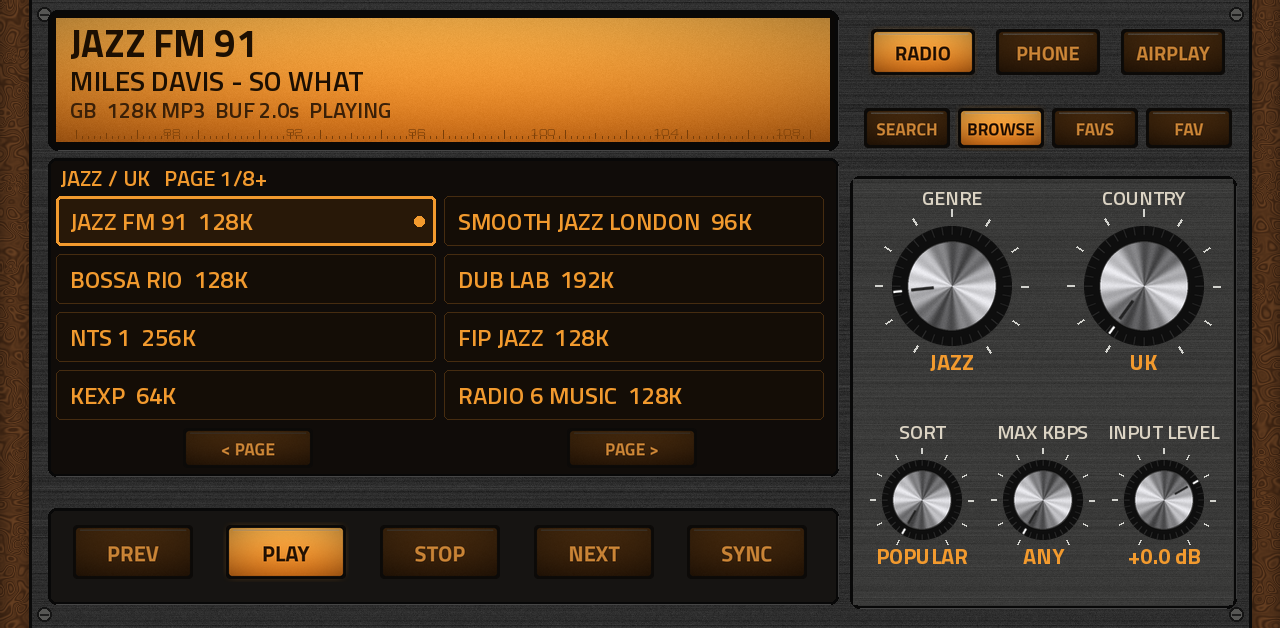
World Radio on the MPC / FORCE.. tune in, mangle wit top notch effects or simply record in to the mpc.. no cable, no hustle. Also comes with a wireless audio from your Mobile Phone (Android via ROC or Iphone via Airdrop)..
LXRXXL ZYNTH
by sunskiefer · v0.2.2 · 3,753 downloads
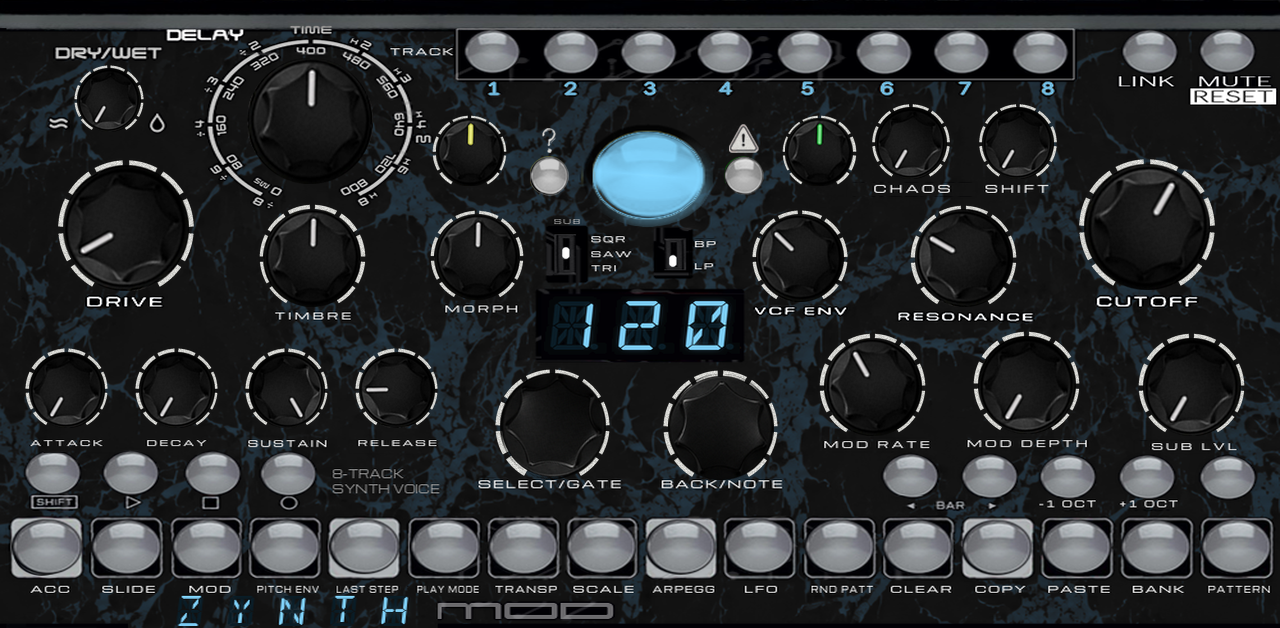
LXRXXL Synth MOD.
MS20XXL
by sunskiefer · v0.2.0 · 3,550 downloads
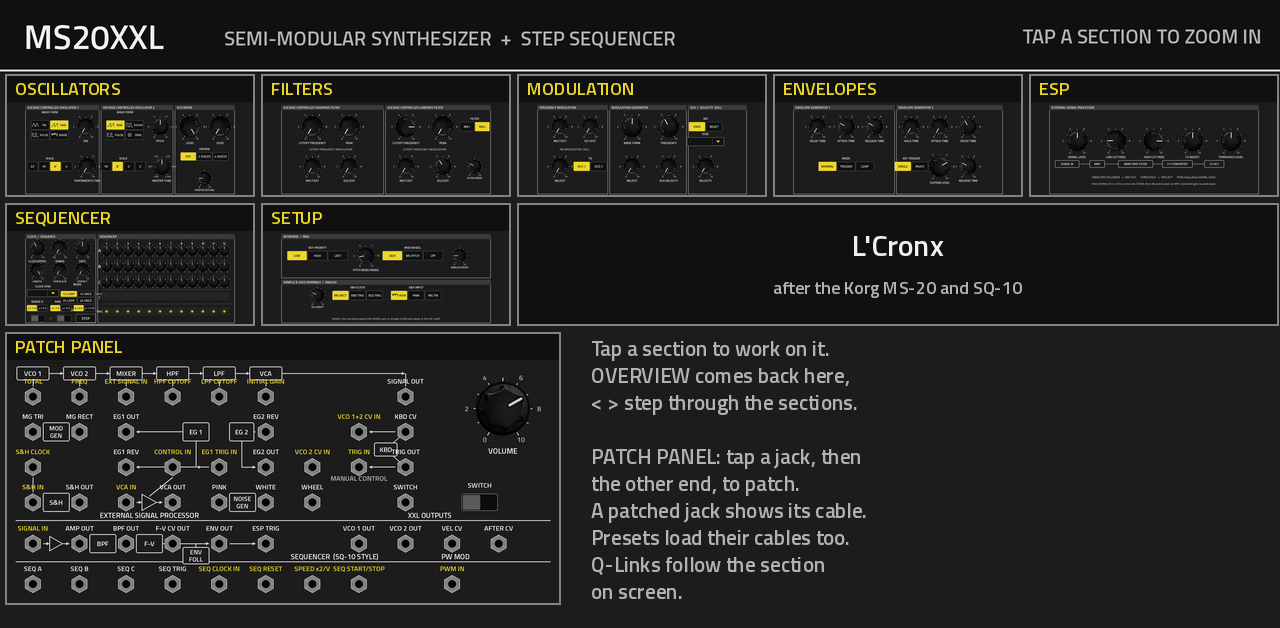
MS20XXL — Korg MS-20-style semi-modular mono synth for Akai Force / MPC OS (VST2) by L’Cronx. Two VCOs, MS-20 HPF/LPF, ESP, touch patch bay drawn on the block diagram, and an SQ-10-style analog step sequencer.
StepRunner 8
by djokenzi · v1.2.0 · 3,514 downloads
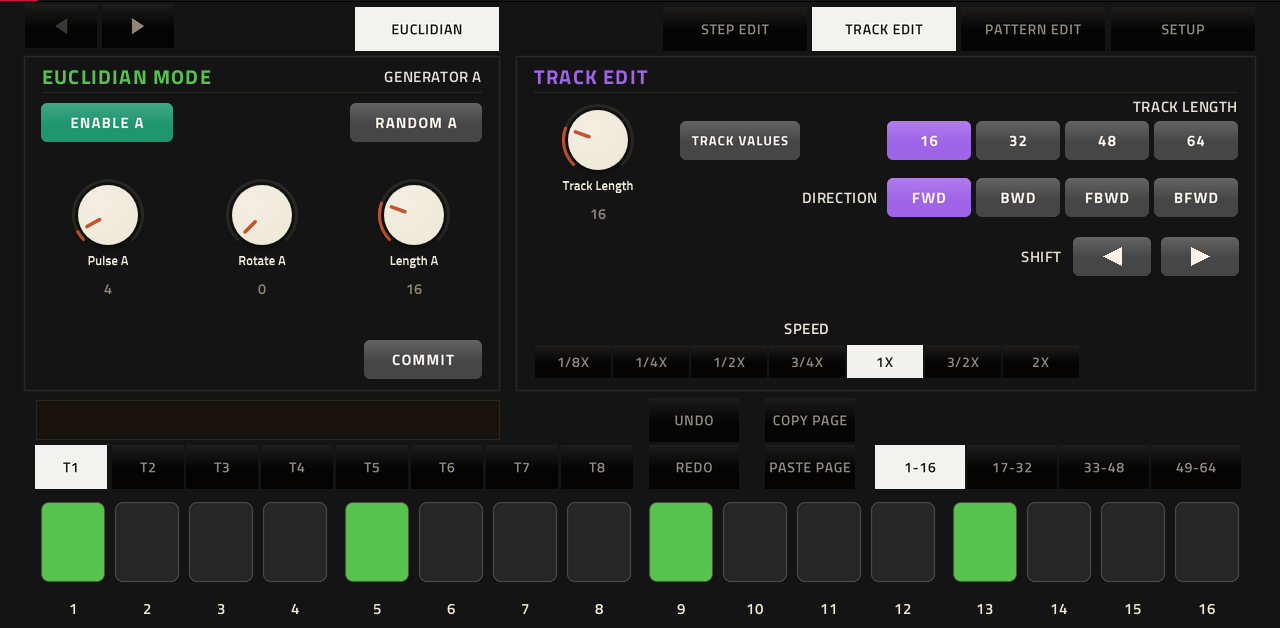
8-track, 64-step sequencer plugin for Akai MPC standalone
SurgeXXL
by sunskiefer · v0.2.0 · 3,225 downloads
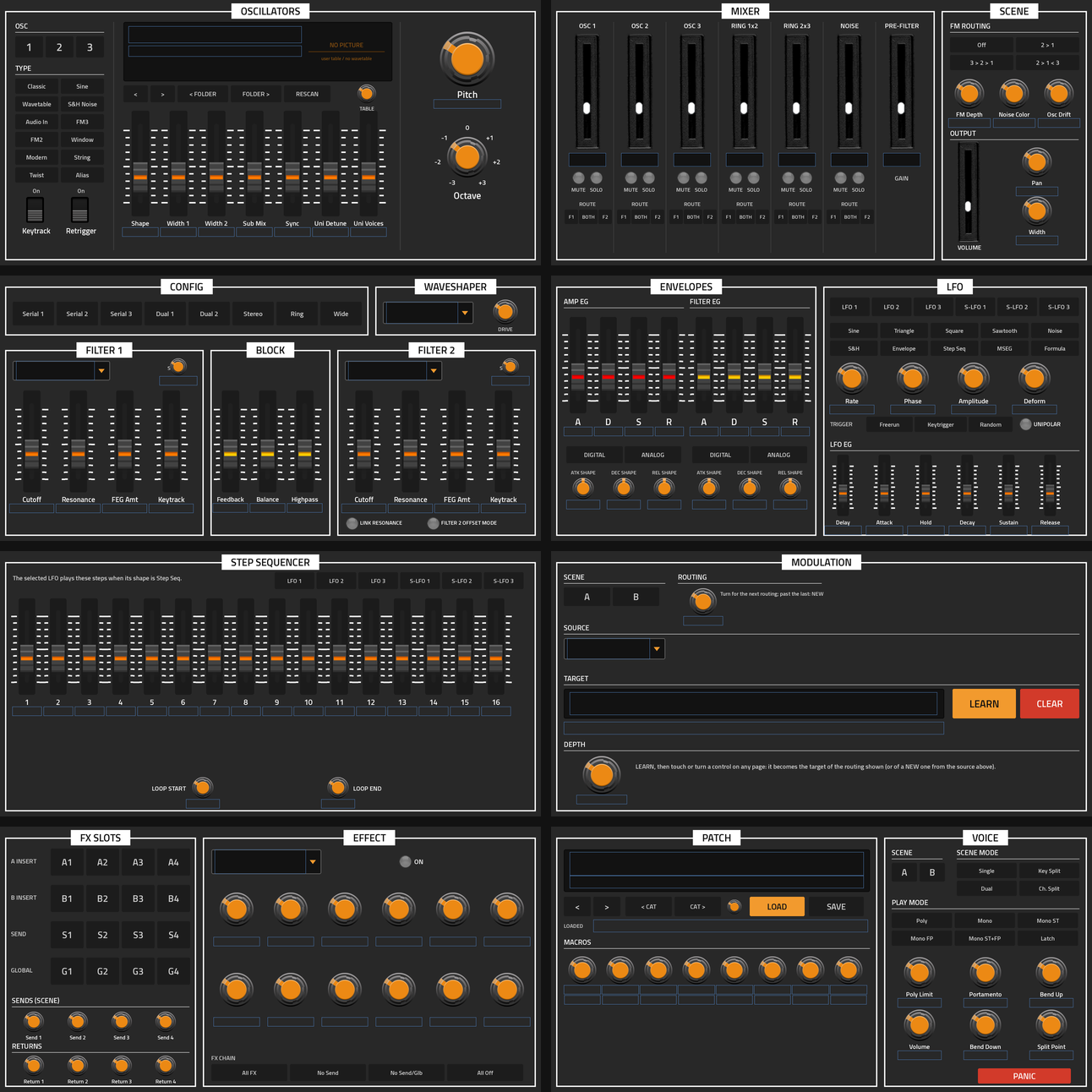
Surge ported to MPC os full open source. Slight change to the code to be able to run on the mpc system. All the effects. Load surge patches and wavetables including your ones. Full wave table synth on MPC os.
To improve this listing (for the creator)
- add a tested.json entry for the newest release (device and MPC OS)
- publish a Gen2 (aarch64) build
Made this plugin? Add our badge to your README
 Paste this into your GitHub README. It updates itself when your plugin gets the Tested & Working badge.
[](https://thediskking.com/plugins/plateauxxl/)