Sonix
Free MPC Instrument plugin by 3dthc · v0.3.16 · Nov 17, 2026 · 8,058 downloads
8,058
Downloads
3
GitHub stars
v0.3.16
Latest version
Nov 17, 2026
Updated
User rating
No ratings yet. Be the first.
Used it? Rate it:
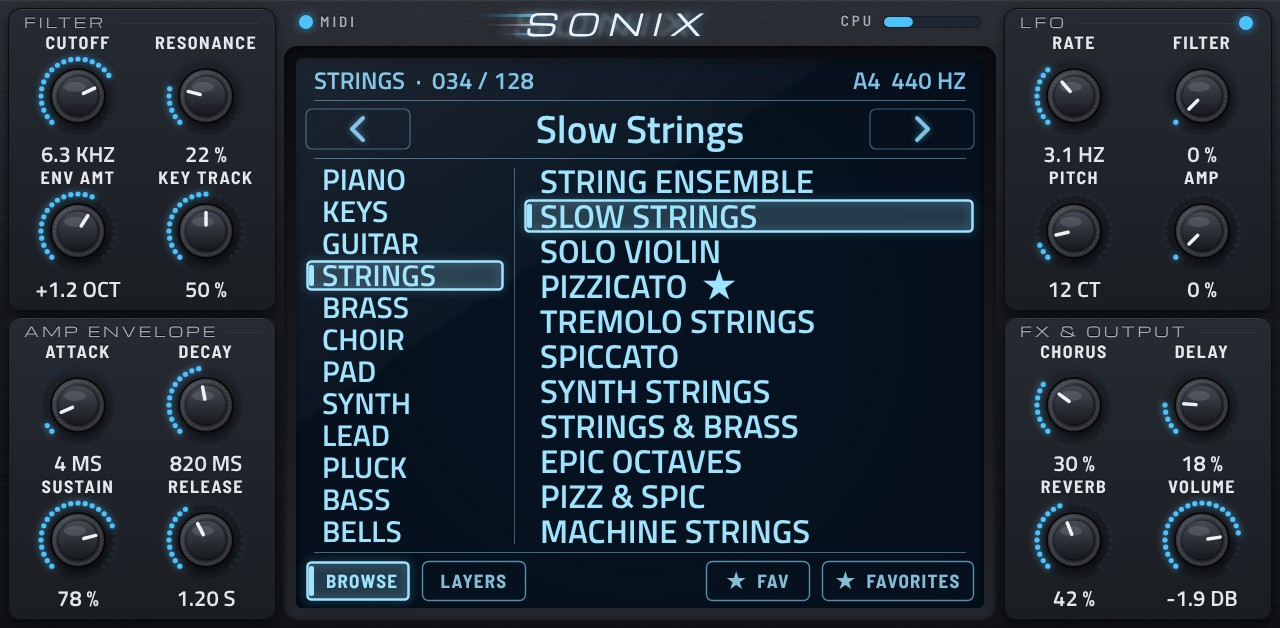
Sonix is a ROMpler instrument for standalone Akai MPC devices, featuring a diverse collection of sounds including pianos, keys, pads, strings, brass, choirs, basses, leads, and synths. Built with redistributable sound libraries, it brings a versatile range of melodic sounds to your MPC.
A ROMpler instrument plugin for Akai MPC standalone devices (built and tested on an MPC Live II): 128 presets, 45 instruments, four layers per preset, built-in effects and a touch faceplate in eleven colorways. It runs natively on the MPC as an ARM VST2 plugin, built on open-mpc/mpc-vst-plugins.
Download Sonix v0.3.16
⚠ Not yet tested on hardware
This is a finished release, but the creator hasn't recorded a test of this version on a real MPC or Force. It may work fine; it may not. Back up first and try it on a project that doesn't matter.
✓ Safety check passed
- ✓ Download matches the checksum GitHub lists
- ✓ Built for: Gen1 (32-bit ARM), Gen2 (64-bit ARM), Akai SDK
- ✓ Runs on: MPC OS 3.x / MPC OS 2.x and 3.x / MPC OS 3.x only
- ✓ No internet, web server, program-launching or system-changing functions found
- ✓ Nothing risky found in its installer
An automatic look at the files, not a guarantee: it can't see everything a program does. Always back up first.
Disclaimer: use entirely at your own risk
This plugin is made, owned and shared by an independent developer, not by The Disk King and not by Akai Professional or inMusic. The Disk King only lists it; the download comes directly from the developer's GitHub. The Disk King did not make, test, review or check it for safety and makes no promise that it works, is safe, or is free of bugs or harmful code.
Plugins install into your MPC's system and can crash it, corrupt or lose projects and samples, or require reinstalling MPC OS. Save your work and back up your MPC before installing anything.
Everything here is provided "as is", with no warranty of any kind. To the fullest extent the law allows, The Disk King is not responsible or liable for any damage, data loss, device failure, lost income or any other harm from downloading, installing or using any plugin listed here. By downloading or installing, you accept all risk and full responsibility. Full disclaimer.
Works on both Gen1 and Gen2: MPC OS 3.10.1 or later (Akai SDK)
Sonix-0.3.16-mpc-sdk.zip 125.0 MB
sha256: 4695d16ea893ff64a1d10fd353207a291badd605ee660d650df52c9ef98a0278
Gen1: MPC Live, Live II, One, X, Key, Force
Sonix-0.3.16-mpc-armv7.zip 125.0 MB
sha256: c48a6236b4bb39a8f1e2d6d7c9500726a4970527fe00d97e489c4f331bf30ac2
Gen2: MPC Live III, One G2, Key G2, XL
Sonix-0.3.16-mpc-aarch64.zip 125.0 MB
sha256: 12bd93d235bd8c85585706889d86106287c5d19e139839eb746ecb7a8144031b
Downloads come straight from the creator's GitHub. Check the sha256 matches before installing. New to plugins? How to install plugins on MPC OS 3.10.1.
✓ Easy install on MPC OS 3.10.1: copy one folder
- Works-on-both download: unzip it and copy
3dthc - VST - SonixintoVST2 Pluginson your drive. - Gen1 download: unzip it and copy
3dthc - VST - Sonix(insideSonix-0.3.16/portable/) intoVST2 Pluginson your drive. - Gen2 download: unzip it and copy
3dthc - VST - Sonix(insideSonix-0.3.16/portable/) intoVST2 Pluginson your drive.
Turn on External Plugin Support first. Full step-by-step guide.
Tested working on
The creator hasn't recorded a hardware test for this version yet.
Version history
v0.3.16 Nov 17, 2026 · 1,607 downloads
# Sonix v0.3.16 ## What's new - **Instruments browser card:** Sonix now shows as its own card in Sounds > INSTRUMENTS. Tapping it opens the plugin's preset list (after the restart the installer does). - **Presets on the Instruments card:** tapping the Sonix card in Sounds > INSTRUMENTS now lists all 128 factory presets; pick one to load Sonix with that sound. - **Updated zips (2026-11-17):** if you downloaded this release earlier today, download it again and reinstall: the presets on the Instruments card are now grouped in their category folders, and preset names with a hyphen no longer split into their own folders. Projects are not affected. Install: see `INSTALL.md` inside the zip. --- Built by GitHub Actions from 3dthc/Sonix@2c32beb with mpc-vst-plugins@c4bef5d.
v0.3.15 Nov 13, 2026 · 1,970 downloads
# Sonix v0.3.15 ## What's new - **Mono output option:** in Logic (and other hosts) the plugin can also go on a mono instrument track; the sound is the stereo sound folded to one channel. - **MPC OS 3.10.1:** the plugin folder carries a `plugin.json`, so it can be copied straight into `VST2 Plugins`, and an Akai SDK-format zip (`-mpc-sdk.zip`, one folder for every MPC) comes with the release. - **Desktop VST3 for MPC Desktop and DAWs:** `Sonix-0.3.15-macos-vst3.zip` (one file for Apple Silicon and Intel Macs, with the same touchscreen skin in the plugin window) and `Sonix-0.3.15-windows-vst3.zip` (64-bit, with the same skin in the plugin window). - **Audio Unit for Logic Pro and GarageBand:** `Sonix-0.3.15-macos-au.zip` has the plugin as an Audio Unit (`.component`, Apple Silicon and Intel), with the same sound, skin window, presets and saved settings as the VST3. It passes Apple's `auval` validation. It's a separate download from the VST3 zip. - **Device projects open on the computer:** the VST3 has the VST2's official replacement ID, so a project saved on the MPC with this plugin loads it in MPC Desktop (controller mode) instead of showing a missing plugin, with the same sound and settings. A project saved on the desktop opens on the MPC the same way. - **Window size on the desktop:** right-click the plugin window (Control-click on a Mac) and pick 50% to 125%. It opens at 75% and remembers your choice for all of these plugins. ## Fixed - Desktop: a safety net on the plugin's output: if a block ever came out broken (not a number, or far past full scale), it plays as silence instead of blasting the mix. - Desktop: the theme arrows change the theme again (a quick click was lost before). - Windows: MPC 3 now loads the plugin (before, it was listed but couldn't be added: a Windows-only interface ID layout bug). It's a single `.vst3` file with its skin and sounds inside (unpacked once on first load), the format MPC 3 scans; no extra folders. - Desktop parameter list: in MPC 3 (controller mode, the MPC's screen) and in DAWs the plugin now lists only its sound controls, the knobs, switches and Q-Link controls, instead of every internal value (themes, browser, screen text). Picking a preset no longer marks it as edited (no "*"). - Mac: macOS no longer blocks the plugin as "can't be verified" when installed with the one-line Terminal command in the zip's README.txt (it also unblocks copies you already installed). - The engine builds for Windows and macOS (Linux-only thread-priority calls are now used only on the MPC). ## Installing on macOS (Audio Unit and VST3) **Which zip?** - **Logic Pro / GarageBand:** `Sonix-0.3.15-macos-au.zip` (the **Audio Unit**) - **MPC Desktop / other VST3 hosts:** `Sonix-0.3.15-macos-vst3.zip` (the **VST3**) Both work on **Apple Silicon and Intel** Macs. Download one or both. **1. Leave the zip(s) in your Downloads folder.** Unzipped or not, both are fine. **2. Open Terminal** (Applications › Ut
v0.3.14 Nov 11, 2026 · 1,187 downloads
## Changes - **Projects are saved as one block.** A project now keeps the preset, your edits and every setting (tuning, theme, layers, voices, effects) together, and reopening it puts all of it back in one go. The edited marker shows straight away instead of a moment later. - **Favourites are kept for good.** Every Sonix on the MPC shares one favourites list: a star stays in every project and every new instance until you take it off, shows in every open Sonix at once, and survives upgrades (it's kept in the plugin folder's `user/` folder). The first time you open projects saved with 0.3.12 or earlier, their favourites join the list; once you star or unstar something yourself, the list is yours and projects no longer change it. ## Fixes - **Quicker to open, smoother right after.** The skin file MPC reads every time it opens Sonix is a third of its old size (3.9 MB to 1.2 MB, same layout). While Sonix reads the rest of its sound library in the background after it opens, that work now runs at a low priority, so the screen and page switches don't wait on it; the sounds a preset needs still load at full speed. - A new Sonix (or a new project) no longer starts with an empty ★ FAVORITES list. - Reopening a project no longer lands on a different preset. If the data wheel was the last thing used on the LCD (after touching a preset in the list, ◀ ▶ or a tab) before saving, the project used to open one preset further on, sometimes without your edits. Projects saved with earlier versions open on the right preset too. - Projects saved with earlier versions still open with their sounds and settings. Install: see `INSTALL.md` inside the zip. --- Built by GitHub Actions from 3dthc/Sonix@3010726 with mpc-vst-plugins@6a60288.
v0.3.12 Nov 3, 2026 · 950 downloads
A ROMpler with 128 presets and 45 instruments - pianos, keys, guitars, strings, brass, choirs, pads, synths, leads, plucks, bass and bells, from CC0 / CC BY recordings and original renders. Four layers, filter, LFO, chorus, delay, reverb, eleven colorways. ## Requirements - A first-generation MPC OS standalone device (32-bit ARM, like the Force, MPC Live / Live II, One, X and Key 61). The installer refuses anything else. Newer models are untested. - **Root shell access** (SSH) to the device. Stock MPC OS doesn't offer this; you need a modded unit. - Tested on MPC OS with a Force. Installing plugins this way is unofficial: back up first, use at your own risk. ## Install (scripted) 1. Unzip, then copy the whole folder to the device, e.g. `scp -r Sonix-0.3.12 root@<device-ip>:/tmp/` 2. Run it: `ssh root@<device-ip> sh /tmp/Sonix-0.3.12/install.sh` The installer checks the device, **stops MPC** (save your project first), copies `portable/3dthc - VST - Sonix/` (the plugin, its skin and its data, as one folder) into `/sdcard/Synths`, backs up `MPC.settings`, adds the plugin to MPC's plugin list from the folder's `plugin-meta.xml` and starts MPC again. Running it again upgrades in place, keeping your own files. An older install of this plugin (the previous layout, with the `.so` in `/sdcard/vst`) is replaced, not duplicated. `-y` skips the confirmation prompt; `-t <folder>` installs into another Synths folder (for example on a card). Then add **Sonix** to a track from the plugin browser (Instrument plugins). Its screen appears in the plugin view, and the Q-Links follow the page. Full instructions, including installing by hand, are in `INSTALL.md` inside the zip. --- Built by GitHub Actions from 3dthc/Sonix@c8b2b53 with mpc-vst-plugins@c6b4bb0.
v0.3.10 Oct 25, 2026 · 638 downloads
A ROMpler with 128 presets and 45 instruments - pianos, keys, guitars, strings, brass, choirs, pads, synths, leads, plucks, bass and bells, from CC0 / CC BY recordings and original renders. Four layers, filter, LFO, chorus, delay, reverb, eleven colorways. ## Requirements - A first-generation MPC OS standalone device (32-bit ARM, like the Force, MPC Live / Live II, One, X and Key 61). The installer refuses anything else. Newer models are untested. - **Root shell access** (SSH) to the device. Stock MPC OS doesn't offer this; you need a modded unit. - Tested on MPC OS with a Force. Installing plugins this way is unofficial: back up first, use at your own risk. ## Install (scripted) 1. Unzip, then copy the whole folder to the device, e.g. `scp -r Sonix-0.3.10 root@<device-ip>:/tmp/` 2. Run it: `ssh root@<device-ip> sh /tmp/Sonix-0.3.10/install.sh` The installer checks the device, **stops MPC** (save your project first), copies `portable/3dthc - VST - Sonix/` (the plugin, its skin and its data, as one folder) into `/sdcard/Synths`, backs up `MPC.settings`, adds the plugin to MPC's plugin list from the folder's `plugin-meta.xml` and starts MPC again. Running it again upgrades in place, keeping your own files. An older install of this plugin (the previous layout, with the `.so` in `/sdcard/vst`) is replaced, not duplicated. `-y` skips the confirmation prompt; `-t <folder>` installs into another Synths folder (for example on a card). Then add **Sonix** to a track from the plugin browser (Instrument plugins). Its screen appears in the plugin view, and the Q-Links follow the page. Full instructions, including installing by hand, are in `INSTALL.md` inside the zip. --- Built by GitHub Actions from 3dthc/Sonix@ec62d70 with mpc-vst-plugins@8aa8d35.
v0.3.9 Oct 19, 2026 · 633 downloads
Improves master volume output and optimizes instrument sample packing. Updates plugin version and release script defaults.
v0.3.8 Oct 15, 2026 · 579 downloads
Fix portable release manifest by including the MIT license identifier required by the MPC plugin catalog.
v0.3.7 Oct 15, 2026 · 494 downloads
Sonix is a ROMpler for MPC standalone devices: 128 presets, 45 instruments, four layers per preset, built-in effects and a touch faceplate in eleven colorways.  ## What's in it - **128 presets in 12 banks**, also listed in MPC's own PRESET list. Every preset plays the moment you pick it. - **Four layers per preset**: sound, level, pan, octave, fine, on and solo for each. - **Sound shaping**: filter with envelope and key tracking, amp envelope, LFO (filter, vibrato, tremolo), chorus, tempo-synced delay, reverb. - **Preset browser on the screen**: banks on the left, presets on the right. ◀ ▶, the data wheel and Q-Link 16 step through the bank. - **Favourites**: ★ FAV stars a preset, and ★ FAVORITES lists them all (11 per page). - **Eleven colorways**: Midnight, Platinum, Studio Grey, Purple, Yellow, Gold, Green, Camo, Metallic Red, Silver, Ice Blue. - **16 Q-Links on every page**, in four columns of four. ## The pages - **MAIN**: the knobs (filter, amp envelope, LFO, FX & output) around a screen with two views. BROWSE picks presets. LAYERS shows the waveform and the four layers; tap a layer to turn it on or off. - **LAYERS**: one strip per layer to change its sound and set level, pan, octave and fine. - **SETTINGS**: tuning, playing, delay and reverb knobs, plus colorway, waveform animation, mod wheel and velocity curve.   ## Install Build it with the one command in the README (WSL + Docker Desktop). It produces `Sonix-0.3.7-mpc-armv7.zip`. Install that on the MPC like any other plugin, then restart the MPC. SETTINGS should show VERSION 0.3.7. Sounds: VSCO 2 CE, Versilian Community Sample Library, Meta Open Sound (CC0) and the Salamander Grand Piano (CC BY 3.0); see `library/LICENSES.md`.
More plugins like this
LXRXXL BAZZLINE
by sunskiefer · v0.2.10 · 7,680 downloads
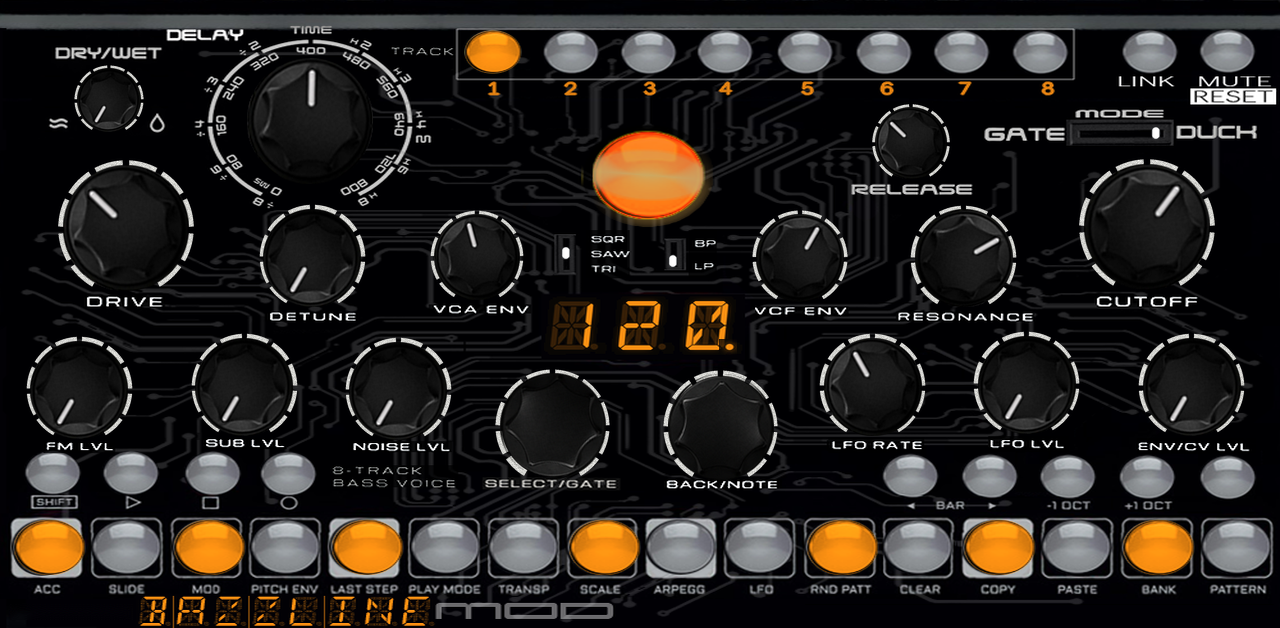
LXRXXL BAZZLINE IS A BASSLINE 8 VOICE SYNTH
LXRXXL ZYNTH
by sunskiefer · v0.2.2 · 3,753 downloads
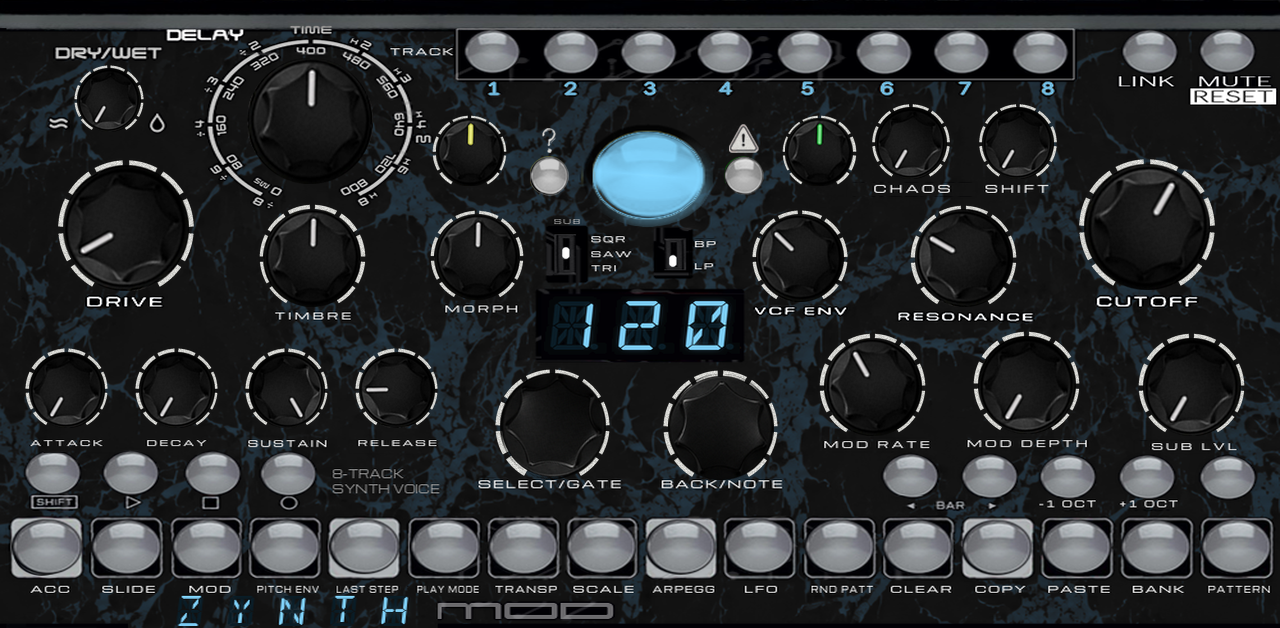
LXRXXL Synth MOD.
SurgeXXL
by sunskiefer · v0.2.0 · 3,225 downloads
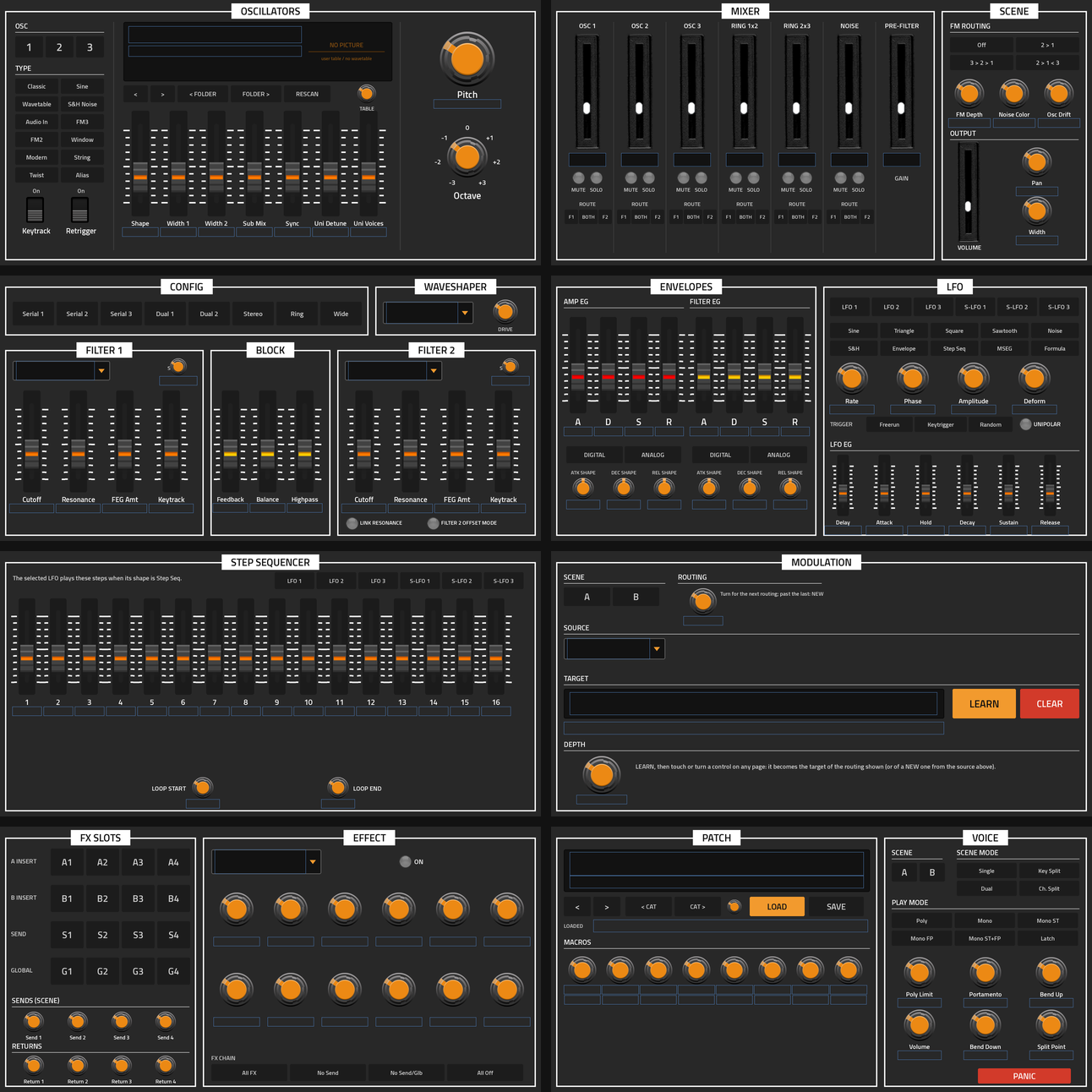
Surge ported to MPC os full open source. Slight change to the code to be able to run on the mpc system. All the effects. Load surge patches and wavetables including your ones. Full wave table synth on MPC os.
CSXXL
by sunskiefer · v1.0.13 · 2,276 downloads
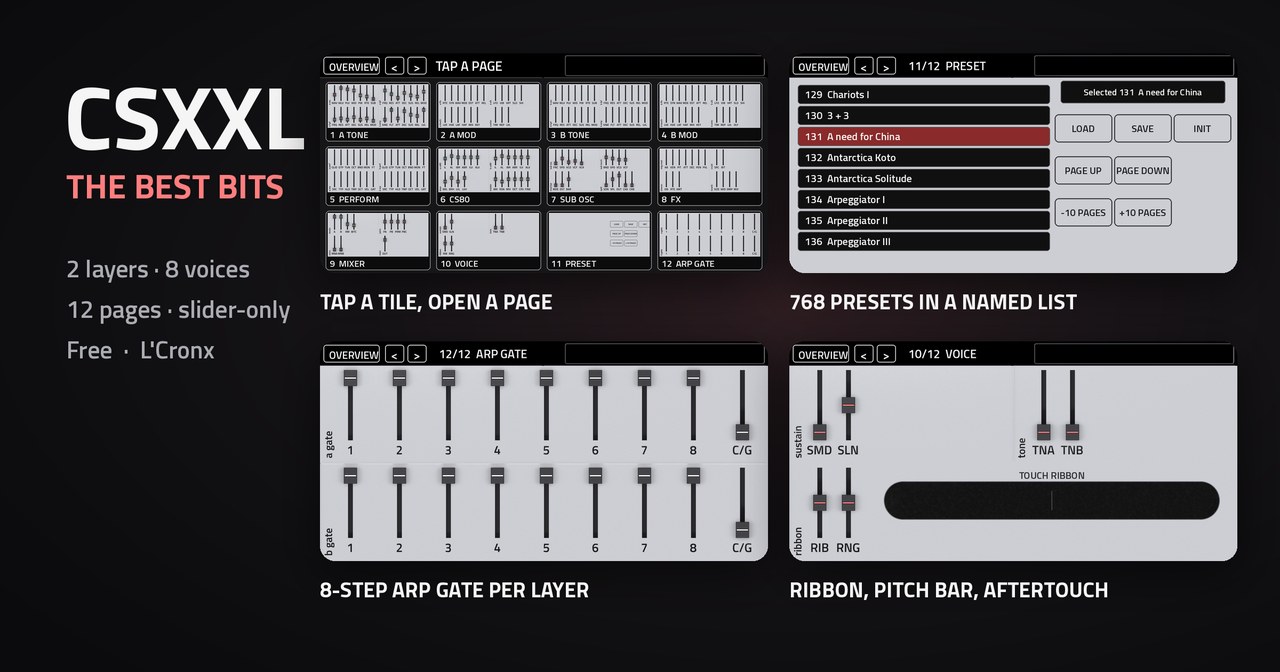
CSXXL is a two-layer, polyphonic synthesizer for the Akai Force and MPC OS, in the spirit of the Yamaha CS-80. It is a completely new build, not a port. The voices and tones are written from Deckard’s Dream voice notes, and the circuits are self-built schematics, emulated in code. Ships with presets, room for up to 1500 presets. Free, not for sale.
VADER
by sunskiefer · v0.10.7 · 1,898 downloads
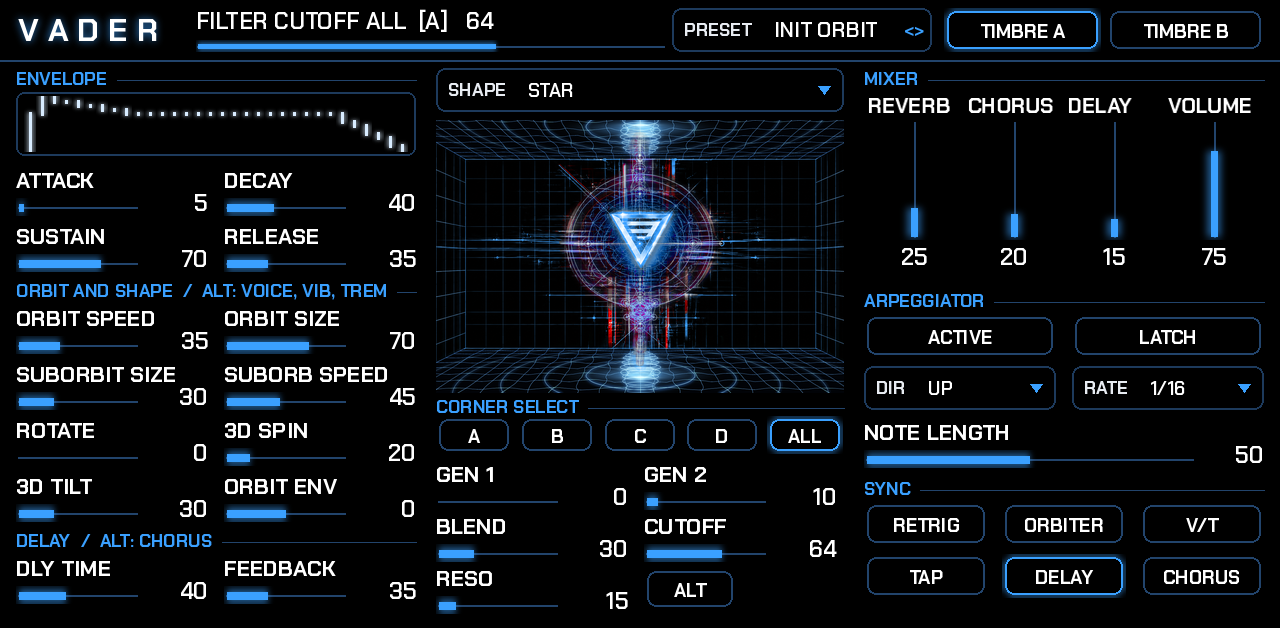
Orbit-based vector synth for Akai Force / MPC OS (VST2) — load SVG, 3D or image shapes to drive the sound.
ALPHA
by sunskiefer · v1.2.1 · 1,577 downloads
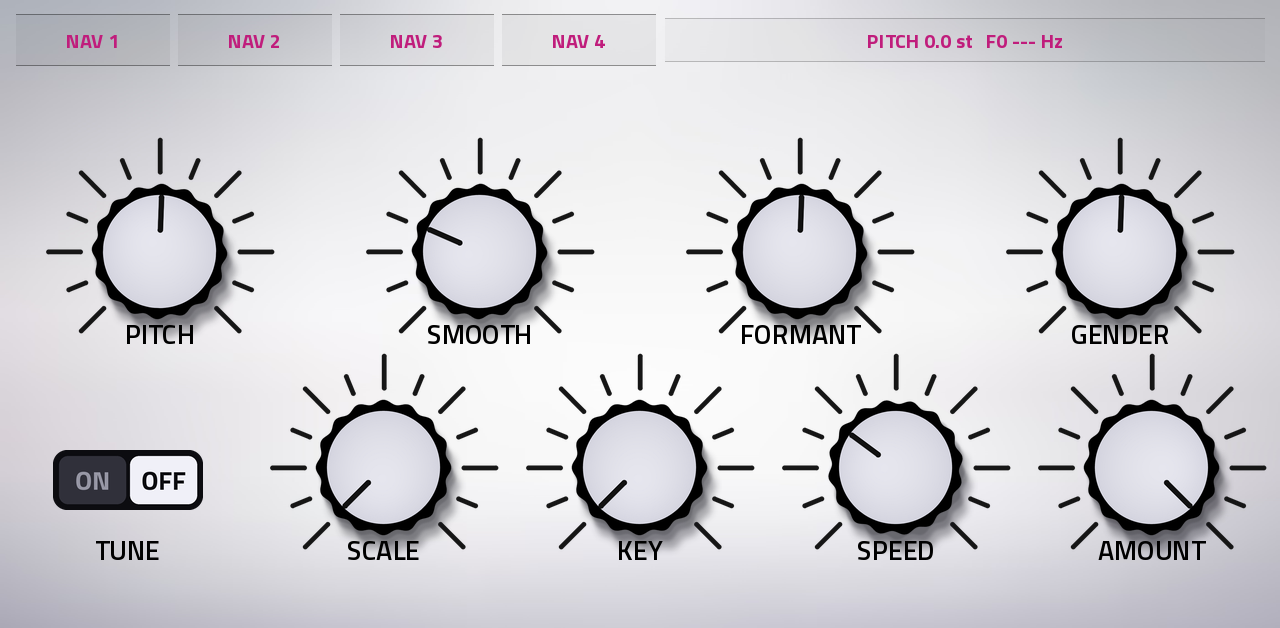
OWN build and code Manipulator by Polyverse & Vocal Synth Izotope had a baby.
ESQUE80
by lichthaus · v0.9.1 · 1,430 downloads
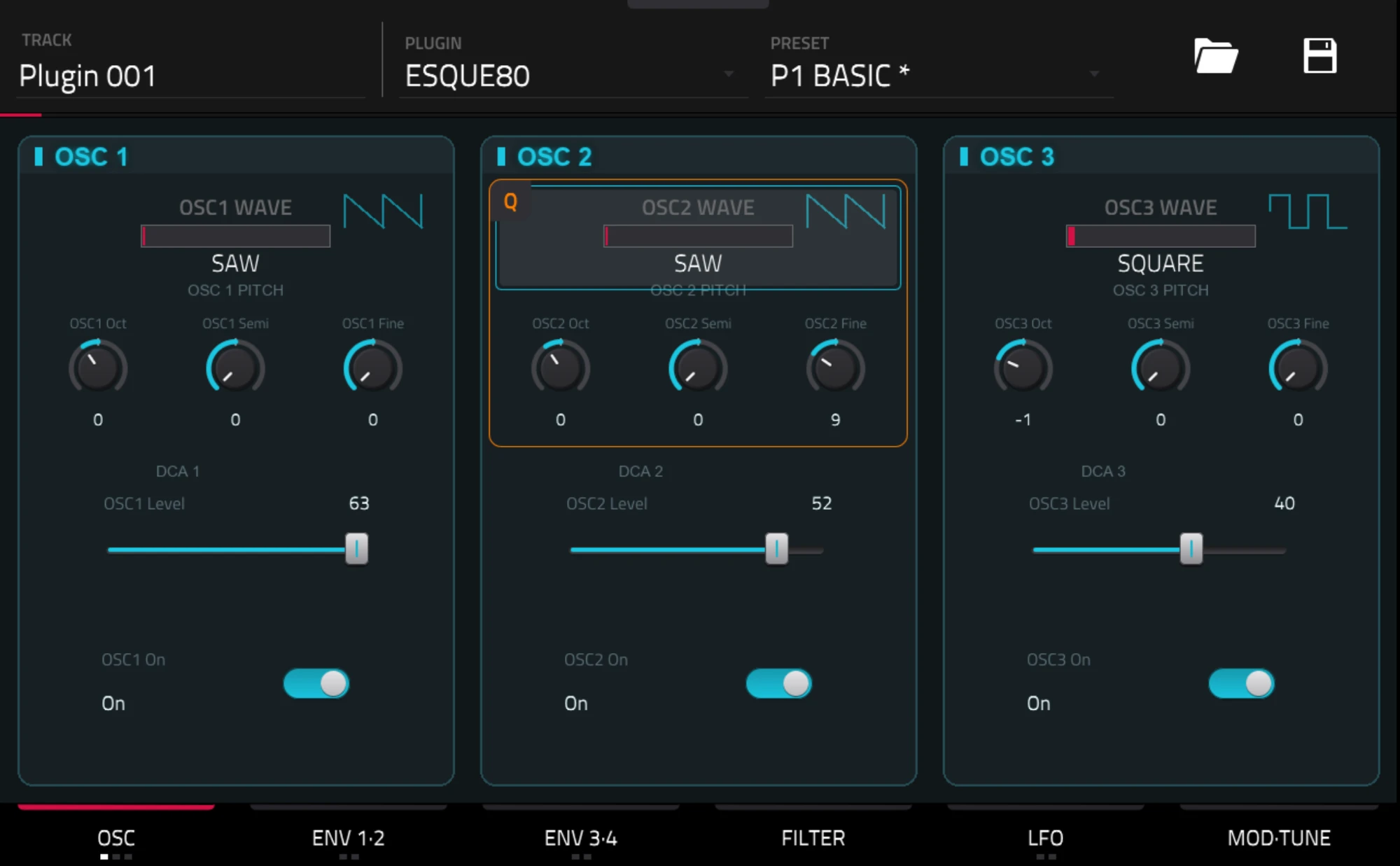
ESQUE80: an 8-voice cross-wave synthesizer plugin for Akai MPC standalone hardware
Geonkick MPC
by 303inmyheart · v1.0.0 · 194 downloads
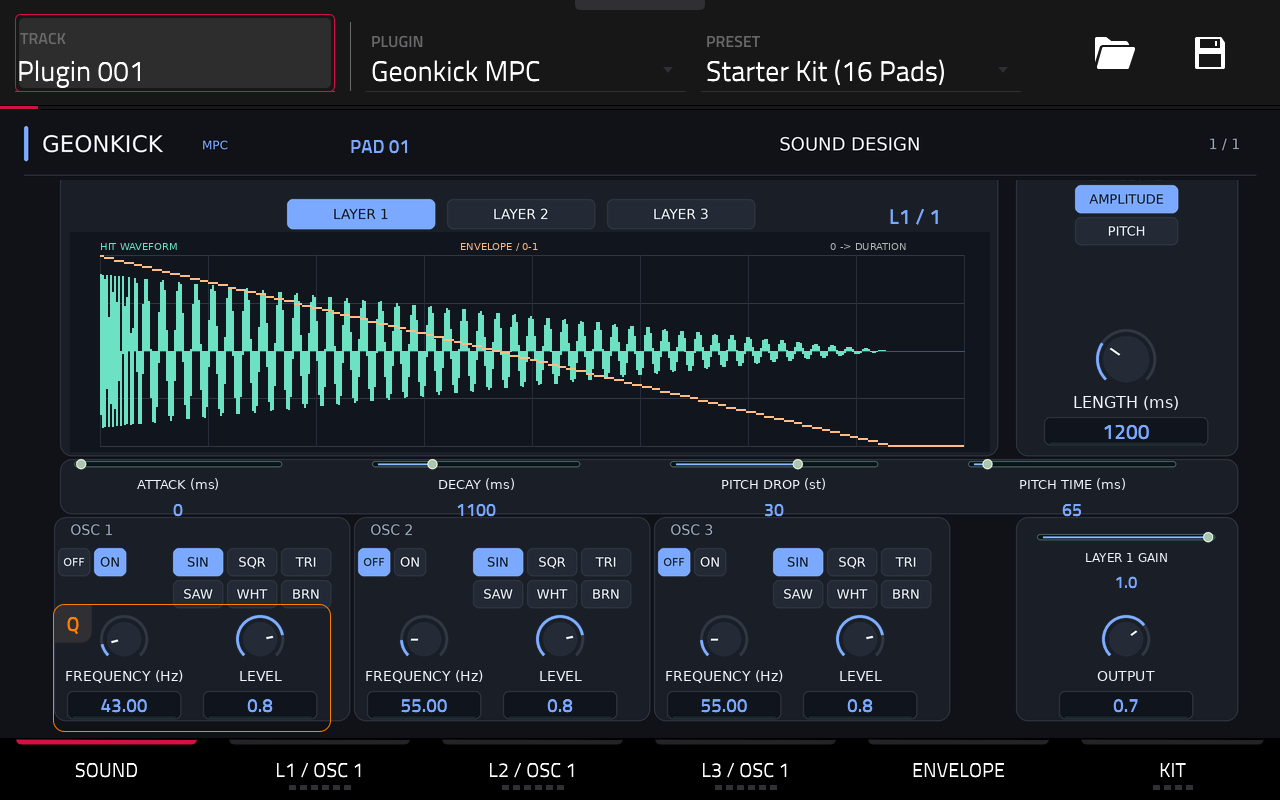
Geonkick MPC — Gen2 MPC percussion synthesizer with native touch UI, pad kits, WAV preview and factory presets.
To improve this listing (for the creator)
- add a tested.json entry for the newest release (device and MPC OS)
Made this plugin? Add our badge to your README
 Paste this into your GitHub README. It updates itself when your plugin gets the Tested & Working badge.
[](https://thediskking.com/plugins/sonix/)