MPC Plugins / Effects / Shapey MPC
Shapey 5 Band EQ
Free MPC Effect plugin by 3dthc · v1.0.2 · Nov 13, 2026 · 3,867 downloads
3,867
Downloads
1
GitHub stars
v1.0.2
Latest version
Nov 13, 2026
Updated
User rating
No ratings yet. Be the first.
Used it? Rate it:
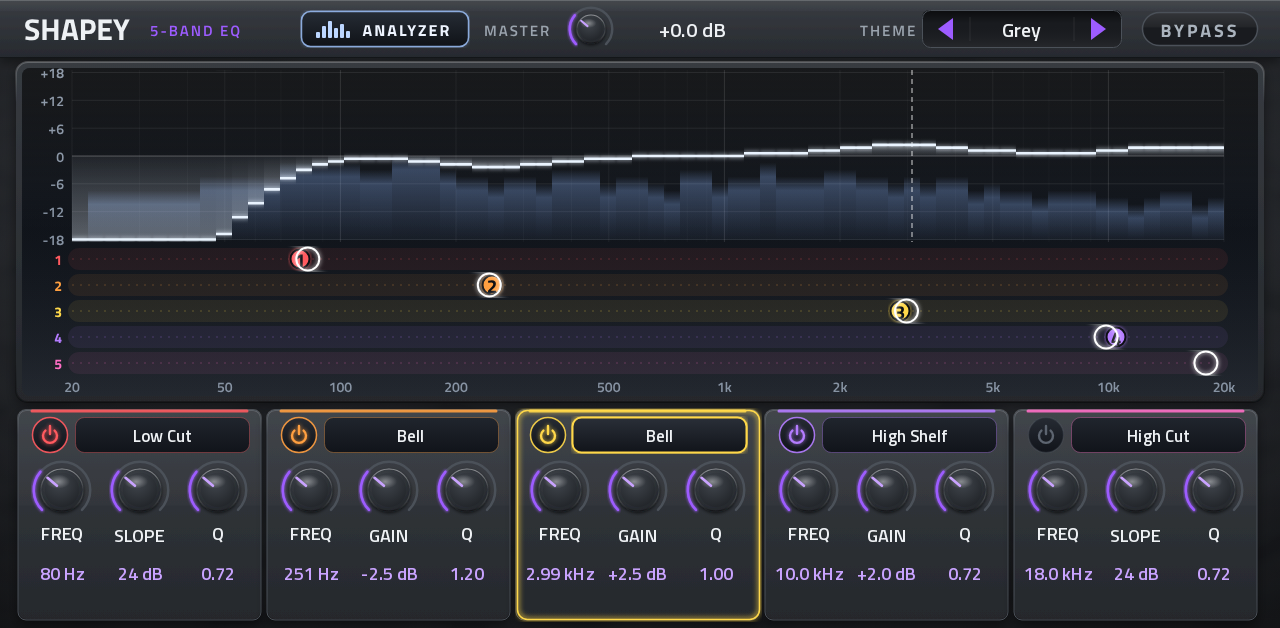
A 5-band parametric EQ you shape by touch, every band on its own lane, with a live analyzer.
Two touch-first parametric EQs for Akai MPC OS standalone devices, as native VST2 audio effects built with mpc-vst-plugins. They run on the same engine and come as two separate plugins with their own releases. Install either one or both; they show up in the plugin list under their own names.
Download Shapey 5 Band EQ v1.0.2
⚠ Not yet tested on hardware
This is a finished release, but the creator hasn't recorded a test of this version on a real MPC or Force. It may work fine; it may not. Back up first and try it on a project that doesn't matter.
✓ Safety check passed
- ✓ Download matches the checksum GitHub lists
- ✓ Built for: Gen1 (32-bit ARM), Gen2 (64-bit ARM), Akai SDK
- ✓ Runs on: MPC OS 3.x / MPC OS 2.x and 3.x / MPC OS 3.x only
- ✓ No internet, web server, program-launching or system-changing functions found
- ✓ Nothing risky found in its installer
An automatic look at the files, not a guarantee: it can't see everything a program does. Always back up first.
Disclaimer: use entirely at your own risk
This plugin is made, owned and shared by an independent developer, not by The Disk King and not by Akai Professional or inMusic. The Disk King only lists it; the download comes directly from the developer's GitHub. The Disk King did not make, test, review or check it for safety and makes no promise that it works, is safe, or is free of bugs or harmful code.
Plugins install into your MPC's system and can crash it, corrupt or lose projects and samples, or require reinstalling MPC OS. Save your work and back up your MPC before installing anything.
Everything here is provided "as is", with no warranty of any kind. To the fullest extent the law allows, The Disk King is not responsible or liable for any damage, data loss, device failure, lost income or any other harm from downloading, installing or using any plugin listed here. By downloading or installing, you accept all risk and full responsibility. Full disclaimer.
Works on both Gen1 and Gen2: MPC OS 3.10.1 or later (Akai SDK)
Shapey-5-Band-EQ-1.0.2-mpc-sdk.zip 3.4 MB
sha256: aaf770624a2cce64c3cfa9d8382cb4be6dc75a1b957b90452ad5c12182790f20
Gen1: MPC Live, Live II, One, X, Key, Force
Shapey-5-Band-EQ-1.0.2-mpc-armv7.zip 3.4 MB
sha256: 65233683f95058c669264ed63b0d67749aaa0371c0f77083c773c6cd9fd434c7
Gen2: MPC Live III, One G2, Key G2, XL
Shapey-5-Band-EQ-1.0.2-mpc-aarch64.zip 3.4 MB
sha256: 68ac432a4d3fd1638a3f5d7cba7c2d7245d833d7b486be80e4b726ae7cc3f756
Downloads come straight from the creator's GitHub. Check the sha256 matches before installing. New to plugins? How to install plugins on MPC OS 3.10.1.
✓ Easy install on MPC OS 3.10.1: copy one folder
- Works-on-both download: unzip it and copy
3DTHC - VST - Shapey 5-Band EQintoVST2 Pluginson your drive. - Gen1 download: unzip it and copy
3DTHC - VST - Shapey 5-Band EQ(insideShapey-5-Band-EQ-1.0.2/portable/) intoVST2 Pluginson your drive. - Gen2 download: unzip it and copy
3DTHC - VST - Shapey 5-Band EQ(insideShapey-5-Band-EQ-1.0.2/portable/) intoVST2 Pluginson your drive.
Turn on External Plugin Support first. Full step-by-step guide.
Tested working on
The creator hasn't recorded a hardware test for this version yet.
Version history
v1.0.2 Nov 13, 2026 · 2,067 downloads
# Shapey 5-Band EQ v1.0.2 ## What's new - **Mono and stereo layouts:** Mono, Mono → Stereo and Stereo, so it fits mono tracks in Logic as well as stereo ones (MPC Desktop and other VST3 hosts too). - **MPC OS 3.10.1:** the plugin folder carries a `plugin.json`, so it can be copied straight into `VST2 Plugins`, and an Akai SDK-format zip (`-mpc-sdk.zip`, one folder for every MPC) comes with the release. - **Gen2 MPCs:** a `-mpc-aarch64.zip` for Gen2 devices (MPC Live III, Key 37, XL), next to the Gen1 `-mpc-armv7.zip`. - **Desktop VST3 for MPC Desktop and DAWs:** `Shapey-5-Band-EQ-1.0.2-macos-vst3.zip` (one file for Apple Silicon and Intel Macs, with the same touchscreen skin in the plugin window) and `Shapey-5-Band-EQ-1.0.2-windows-vst3.zip` (64-bit, with the same skin in the plugin window). - **Audio Unit for Logic Pro and GarageBand:** `Shapey-5-Band-EQ-1.0.2-macos-au.zip` has the plugin as an Audio Unit (`.component`, Apple Silicon and Intel), with the same sound, skin window, presets and saved settings as the VST3. It passes Apple's `auval` validation. It's a separate download from the VST3 zip. - **Device projects open on the computer:** the VST3 has the VST2's official replacement ID, so a project saved on the MPC with this plugin loads it in MPC Desktop (controller mode) instead of showing a missing plugin, with the same sound and settings. A project saved on the desktop opens on the MPC the same way. - **Window size on the desktop:** right-click the plugin window (Control-click on a Mac) and pick 50% to 125%. It opens at 75% and remembers your choice for all of these plugins. ## Fixed - Desktop: a safety net on the plugin's output: if a block ever came out broken (not a number, or far past full scale), it plays as silence instead of blasting the mix. - Effects: at small buffer sizes the host can hand the same buffer for input and output; the wrapper no longer overwrites input it hasn't read yet. - Windows: MPC 3 now loads the plugin (before, it was listed but couldn't be added: a Windows-only interface ID layout bug). It's a single `.vst3` file with its skin and sounds inside (unpacked once on first load), the format MPC 3 scans; no extra folders. - Desktop parameter list: in MPC 3 (controller mode, the MPC's screen) and in DAWs the plugin now lists only its sound controls, the knobs, switches and Q-Link controls, instead of every internal value (themes, browser, screen text). Picking a preset no longer marks it as edited (no "*"). - Mac: macOS no longer blocks the plugin as "can't be verified" when installed with the one-line Terminal command in the zip's README.txt (it also unblocks copies you already installed). ## Installing on macOS (Audio Unit and VST3) **Which zip?** - **Logic Pro / GarageBand:** `Shapey-5-Band-EQ-1.0.2-macos-au.zip` (the **Audio Unit**) - **MPC Desktop / other VST3 hosts:** `Shapey-5-Band-EQ-1.0.2-macos-vst3.zip` (the **VST3**) Both work on **Apple Silicon and Intel** Macs. Download one
v1.0.1 Nov 3, 2026 · 1,293 downloads
A 5-band parametric EQ you shape by touch, every band on its own lane, with a live analyzer. ## Requirements - A first-generation MPC OS standalone device (32-bit ARM, like the Force, MPC Live / Live II, One, X and Key 61). The installer refuses anything else. Newer models are untested. - **Root shell access** (SSH) to the device. Stock MPC OS doesn't offer this; you need a modded unit. - Tested on MPC OS with a Force. Installing plugins this way is unofficial: back up first, use at your own risk. ## Install (scripted) 1. Unzip, then copy the whole folder to the device, e.g. `scp -r Shapey-5-Band-EQ-1.0.1 root@<device-ip>:/tmp/` 2. Run it: `ssh root@<device-ip> sh /tmp/Shapey-5-Band-EQ-1.0.1/install.sh` The installer checks the device, **stops MPC** (save your project first), copies `portable/3DTHC - VST - Shapey 5-Band EQ/` (the plugin, its skin and its data, as one folder) into `/sdcard/Synths`, backs up `MPC.settings`, adds the plugin to MPC's plugin list from the folder's `plugin-meta.xml` and starts MPC again. Running it again upgrades in place, keeping your own files. An older install of this plugin (the previous layout, with the `.so` in `/sdcard/vst`) is replaced, not duplicated. `-y` skips the confirmation prompt; `-t <folder>` installs into another Synths folder (for example on a card). Then add **Shapey 5-Band EQ** to a track from the plugin browser (Insert effects). Its screen appears in the plugin view, and the Q-Links follow the page. Full instructions, including installing by hand, are in `INSTALL.md` inside the zip. --- Built by GitHub Actions from 3dthc/Shapey-MPC@832ebc4 with mpc-vst-plugins@8dd4c2f.
v1.0.0 Oct 23, 2026 · 507 downloads
A 5-band parametric EQ you shape by touch, every band on its own lane, with a live analyzer. ## Requirements - A first-generation MPC OS standalone device (32-bit ARM, like the Force, MPC Live / Live II, One, X and Key 61). The installer refuses anything else. Newer models are untested. - **Root shell access** (SSH) to the device. Stock MPC OS doesn't offer this; you need a modded unit. - Tested on MPC OS with a Force. Installing plugins this way is unofficial: back up first, use at your own risk. ## Install (scripted) 1. Unzip, then copy the whole folder to the device, e.g. `scp -r Shapey-5-Band-EQ-1.0.0 root@<device-ip>:/tmp/` 2. Run it: `ssh root@<device-ip> sh /tmp/Shapey-5-Band-EQ-1.0.0/install.sh` The installer checks the device, **stops MPC** (save your project first), copies `portable/3DTHC - VST - Shapey 5-Band EQ/` (the plugin, its skin and its data, as one folder) into `/sdcard/Synths`, backs up `MPC.settings`, adds the plugin to MPC's plugin list from the folder's `plugin-meta.xml` and starts MPC again. Running it again upgrades in place, keeping your own files. An older install of this plugin (the previous layout, with the `.so` in `/sdcard/vst`) is replaced, not duplicated. `-y` skips the confirmation prompt; `-t <folder>` installs into another Synths folder (for example on a card). Then add **Shapey 5-Band EQ** to a track from the plugin browser (Insert effects). Its screen appears in the plugin view, and the Q-Links follow the page. Full instructions, including installing by hand, are in `INSTALL.md` inside the zip. --- Built by GitHub Actions from 3dthc/Shapey-MPC@ddbf9bb with mpc-vst-plugins@8aa8d35.
More plugins like this
EQ Artist
by drj-io · v1.0.0 · 1,251 downloads
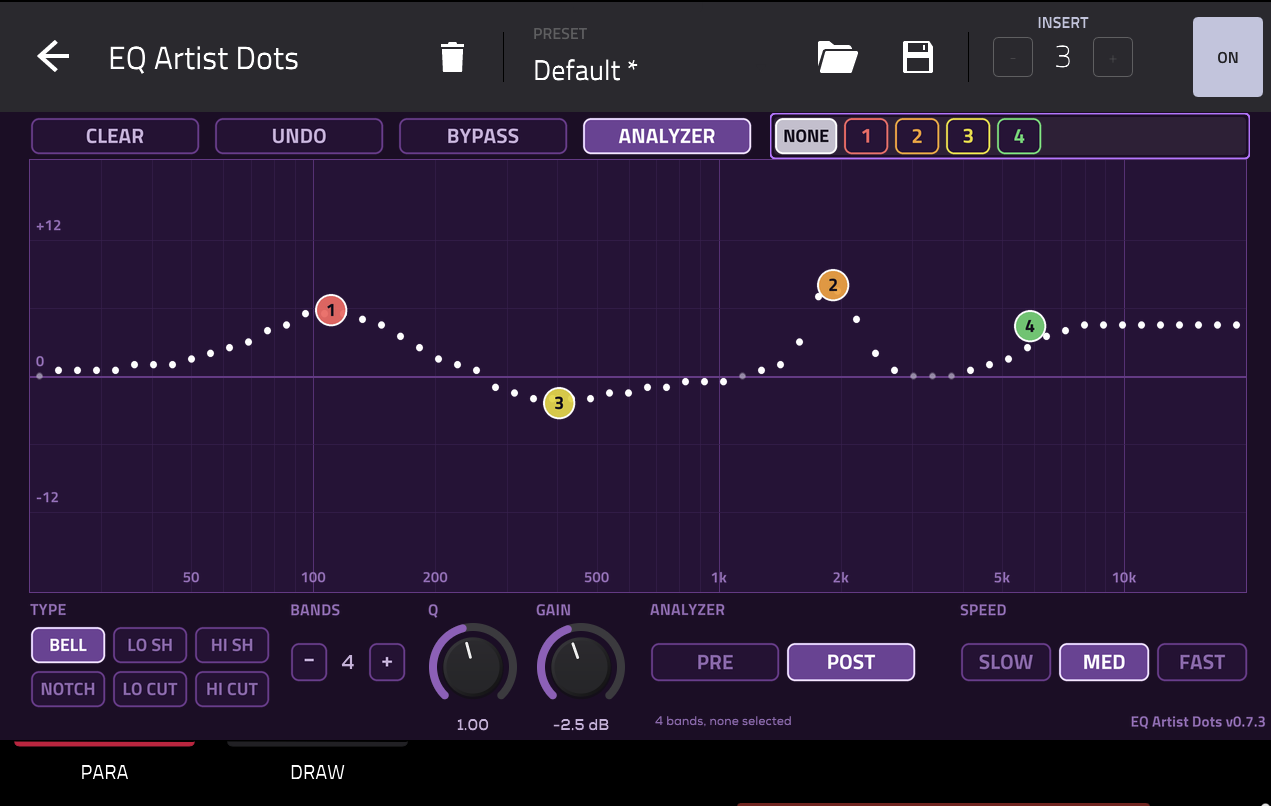
An 8-band EQ for the Akai MPC standalone (MPC OS 3.10.1+, insert effect) that you edit two ways, over a live spectrum of the track:
TouchEQ 8
by GreasySavage · v0.1.3 · 707 downloads
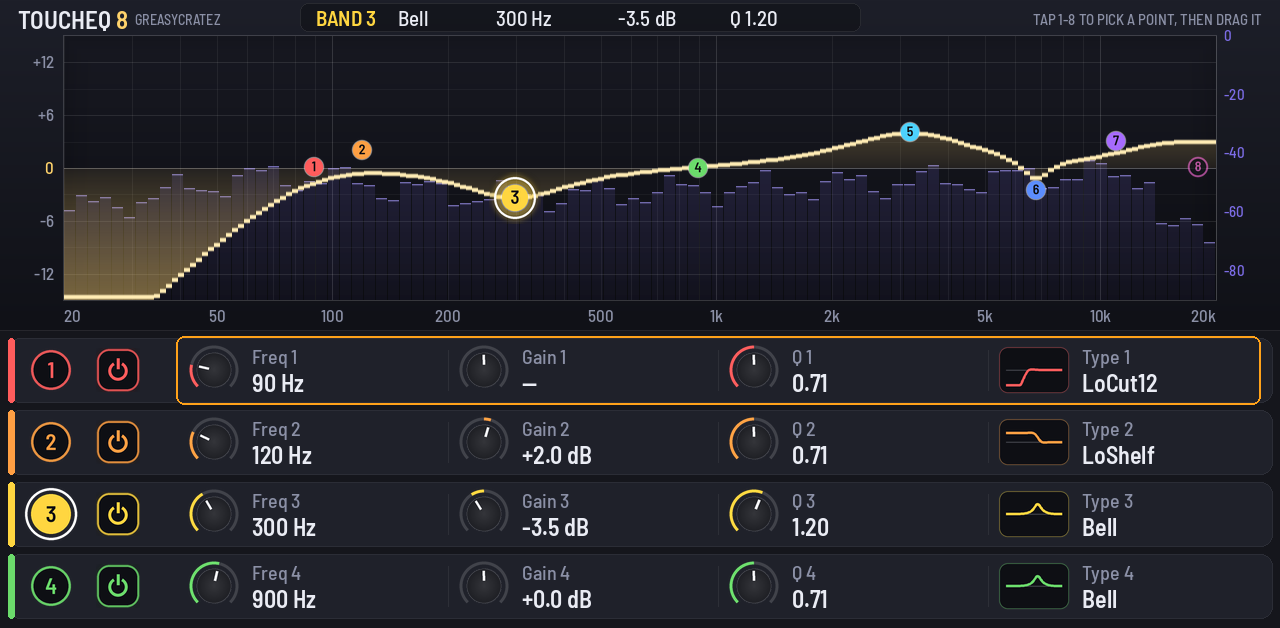
TouchEQ 8: 8-band touch EQ for standalone Akai MPCs
Sculpt
by lightlikemusic · v1.0.0 · 13 downloads
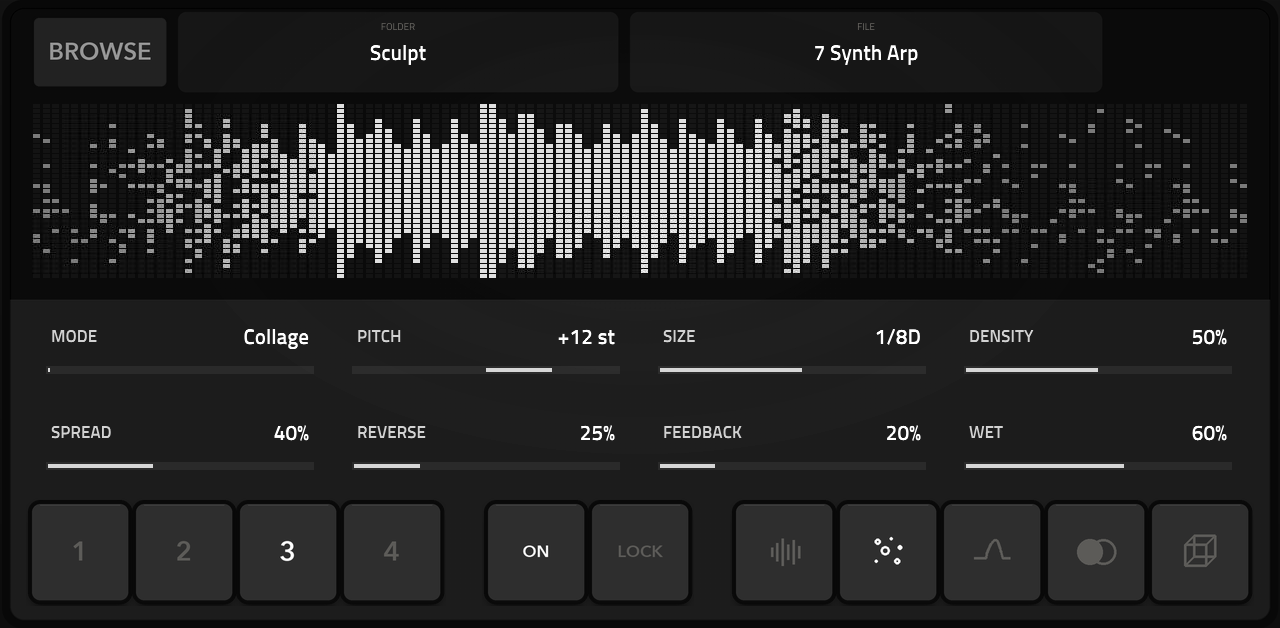
Sculpt: four tracks of loop shaping. Each track runs a loop through Source, Grain, Filter, Color and Space, with a screen per module and the Q-Links following it.
OB Xd
by 3dthc · v0.4.10 · 11,933 downloads
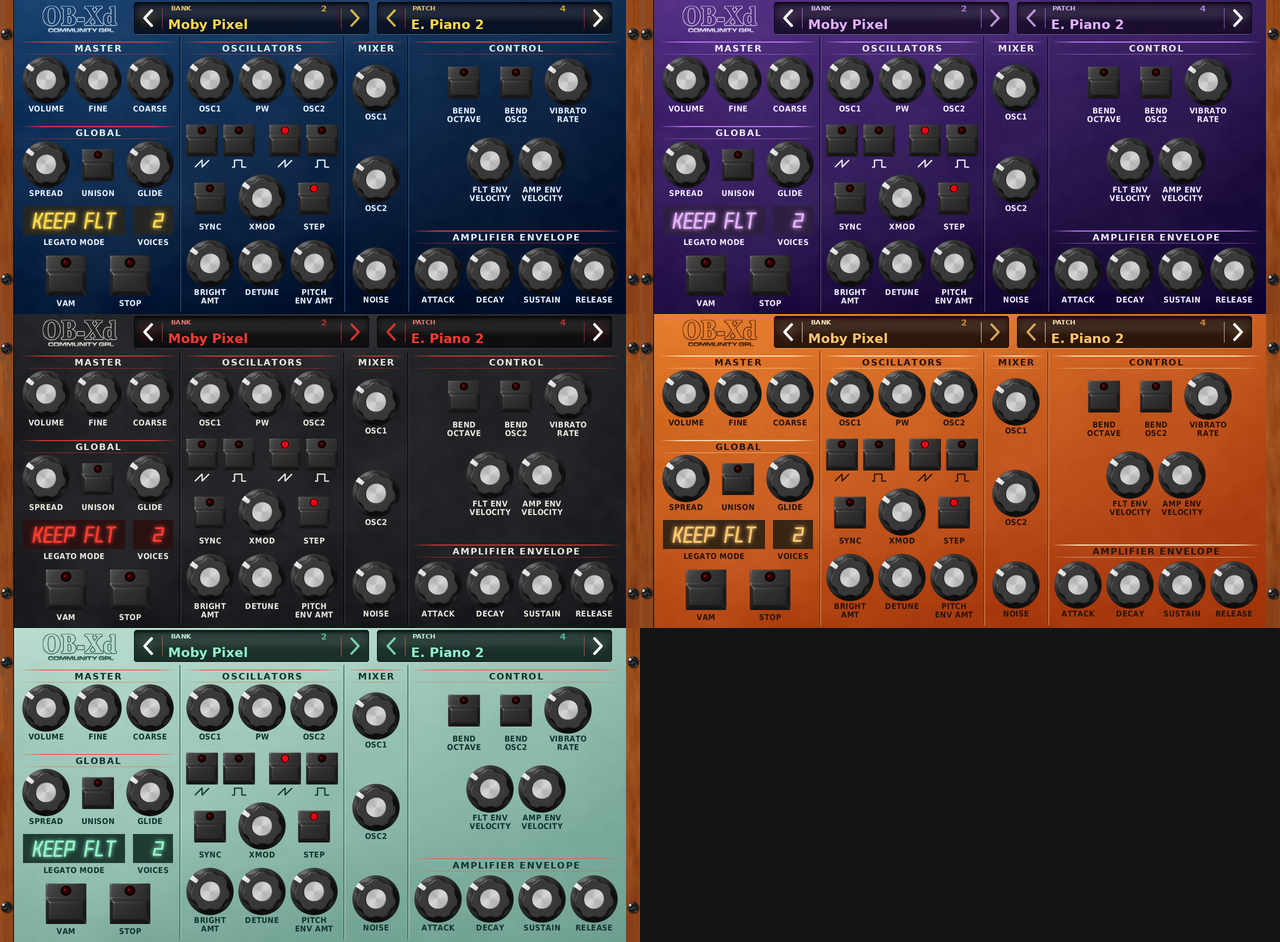
Unofficial OB-Xd synth for Akai MPC (standalone, ARM VST2). Touch-friendly panel, bank/patch browser, tempo-synced LFO.
Odin 2
by 3dthc · v1.4.11 · 10,169 downloads
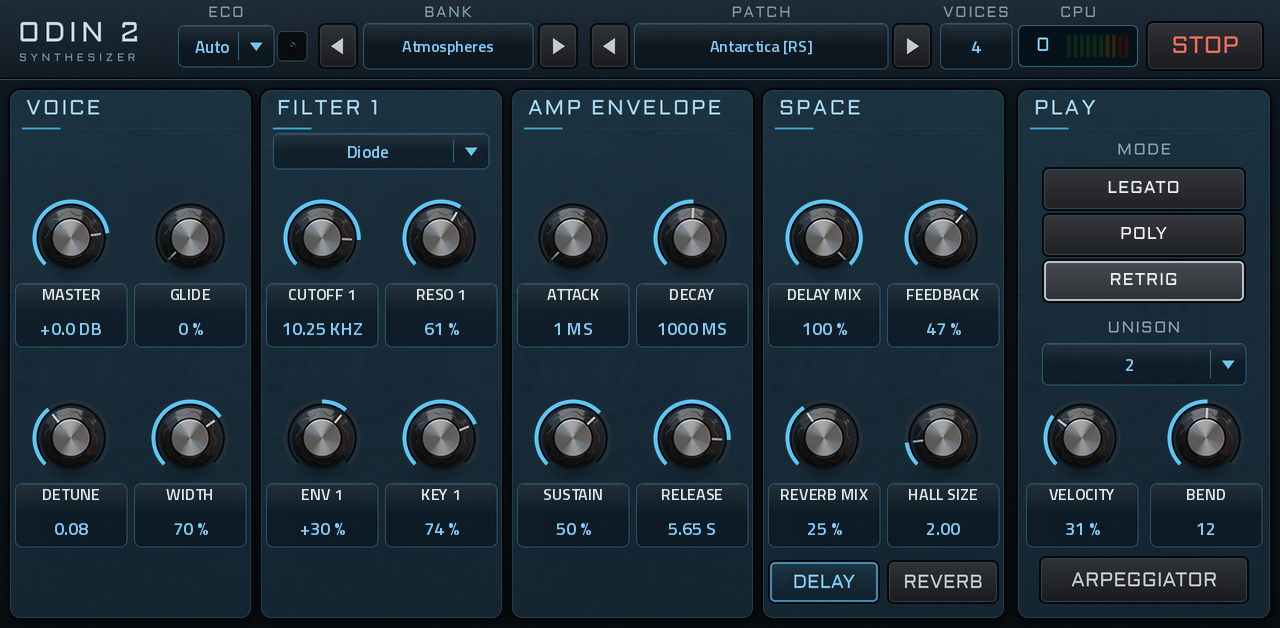
Odin 2 synthesizer ported to the Akai MPC Live II as a native VST2 plugin: Odin’s own engine, 261 factory patches, touchscreen pages in Odin’s look, automatic voice management and a CPU meter. Unofficial port, GPL-3.0.
Fretty
by 3dthc · v0.8.8 · 8,388 downloads
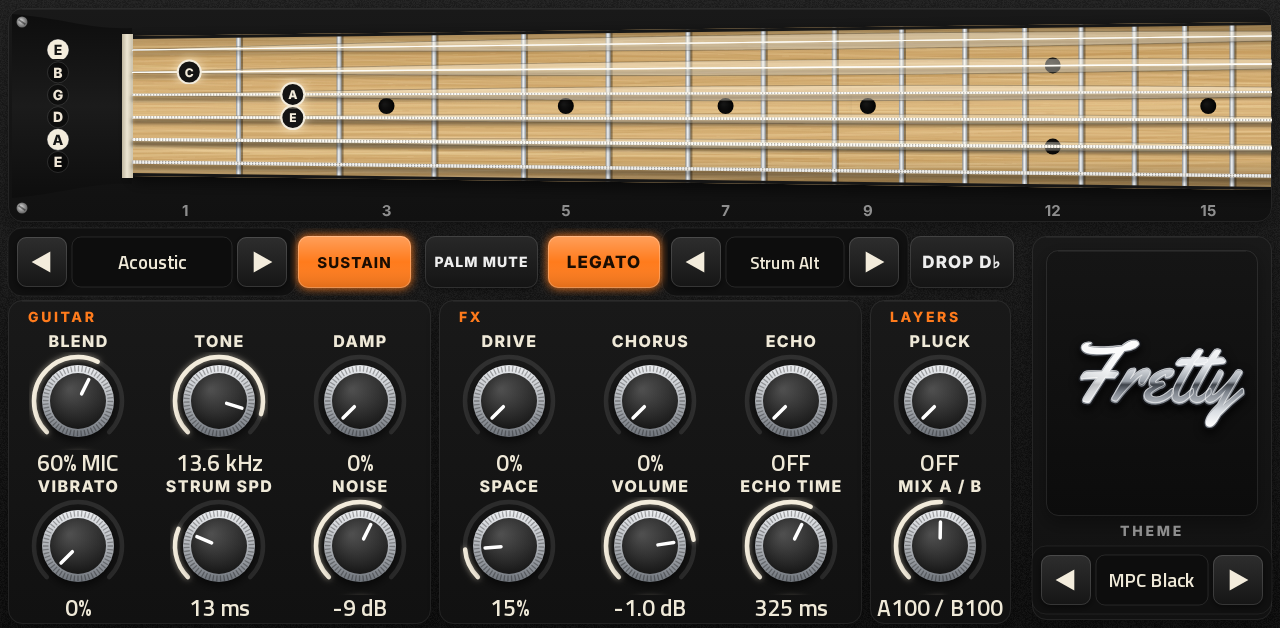
Fretty is a multi-layered instrument for standalone Akai MPC devices, built for expressive guitar-style performances. It combines playable layers, articulations, and performance controls to create natural-sounding fret-based parts.
Sonix
by 3dthc · v0.3.16 · 8,058 downloads
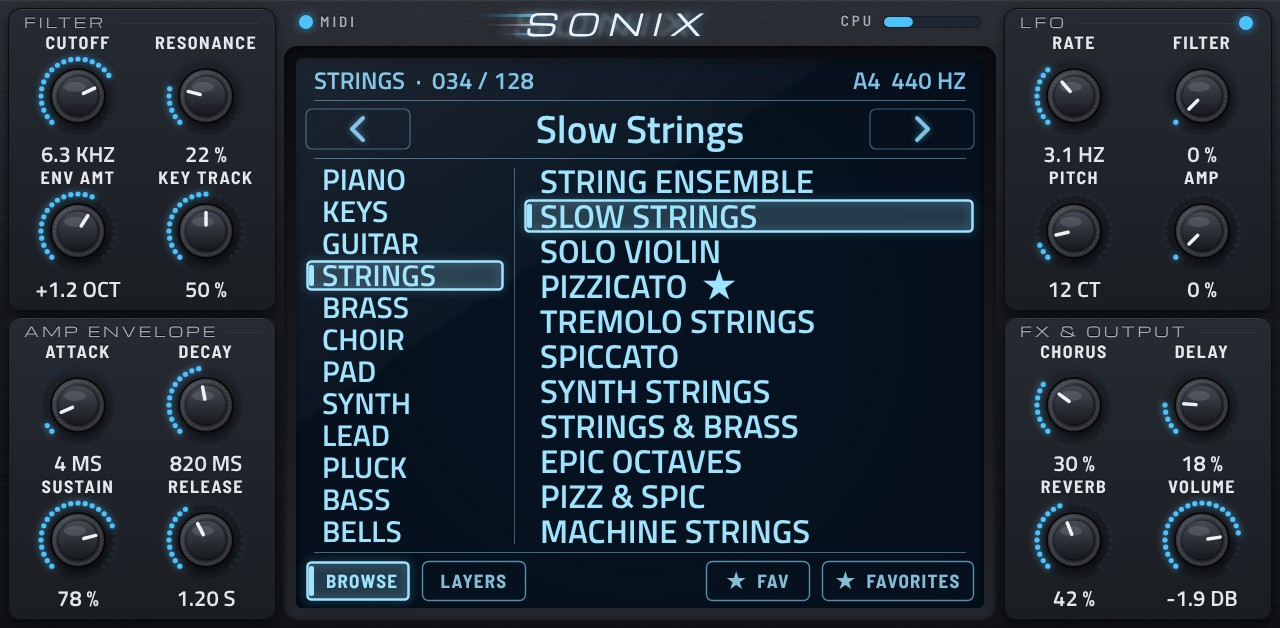
Sonix is a ROMpler instrument for standalone Akai MPC devices, featuring a diverse collection of sounds including pianos, keys, pads, strings, brass, choirs, basses, leads, and synths. Built with redistributable sound libraries, it brings a versatile range of melodic sounds to your MPC.
OxZygen
by 3dthc · v0.8.0 · 6,806 downloads
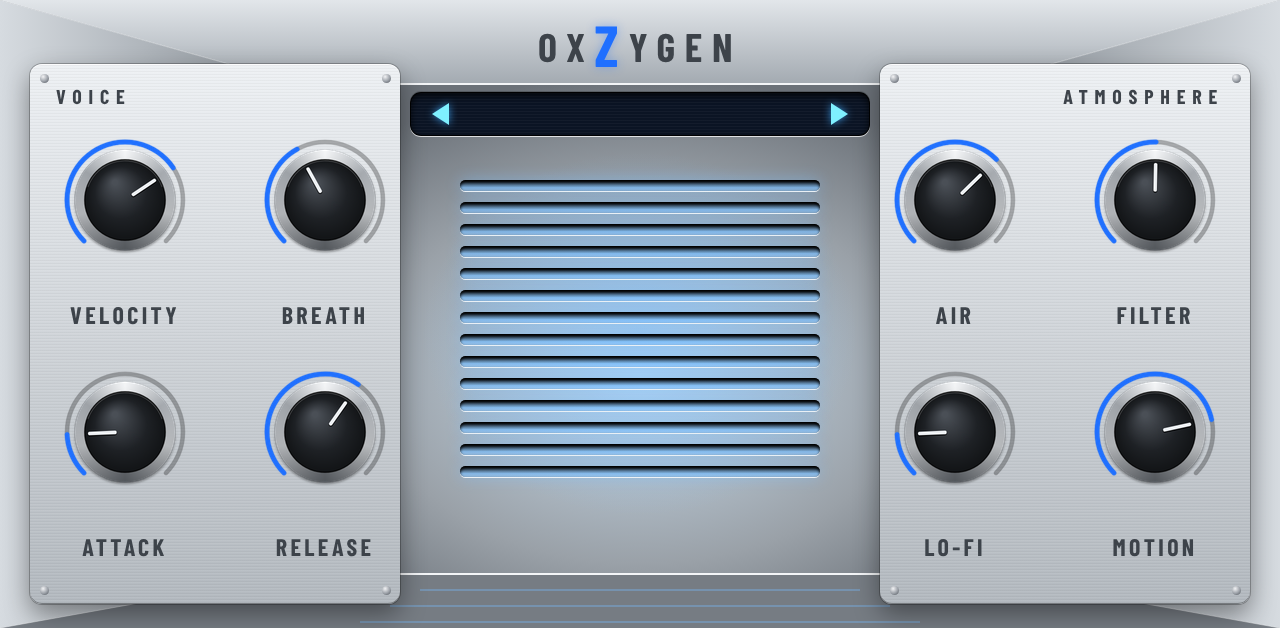
OXZYGEN: a dark, cinematic instrument for Akai MPC standalone. Choirs, sung doos, winds, brass, strings, bells, Juno-style synths and textures; 96 presets. Gen1 + Gen2.
To improve this listing (for the creator)
- add a tested.json entry for the newest release (device and MPC OS)
Made this plugin? Add our badge to your README
 Paste this into your GitHub README. It updates itself when your plugin gets the Tested & Working badge.
[](https://thediskking.com/plugins/shapey-5-band-eq/)